• $695.43
  • Free 30-day Returns
  • Login to Make an Offer
    Sold by Newegg

    Shipped by Newegg

    Price alert

    Best Sellers

    Hot Seller
    3.7 (87 total ratings)
    • $695.30
    • + FREE SHIPPING
    Top Rated
    4 (3,723 total ratings)
    • $693.20
    Shop it at NeweggBusiness.

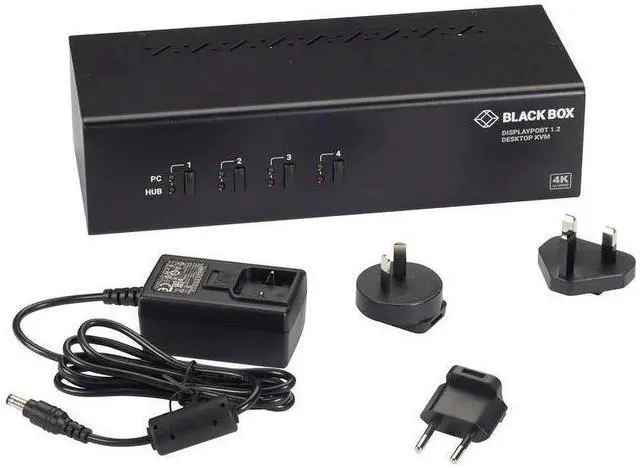
    Black Box KV6224DP KVM Switch - Dual-Monitor, DisplayPort 1.2, 4K 60Hz, USB 3.0 Hub, Audio

    • 4 Ports Computer Connections
    • 2 Ports Monitor Connections
    • Video Resolution 3840 x 2160
    +
    +
    Overview
    Specs
    Reviews
    See all Q & A

    Any questions? Ask CelesteSM will help you find out quickly.

    SHARE TWO 4K DISPLAYS W/ FOUR COMPUTERS

    Warranty & Returns

    Warranty, Returns, And Additional Information

    Warranty

    • Limited Warranty period (parts): Lifetime
    • Limited Warranty period (labor): Lifetime
    • Read full details

    Return Policies

    LOADING...
    LOADING...

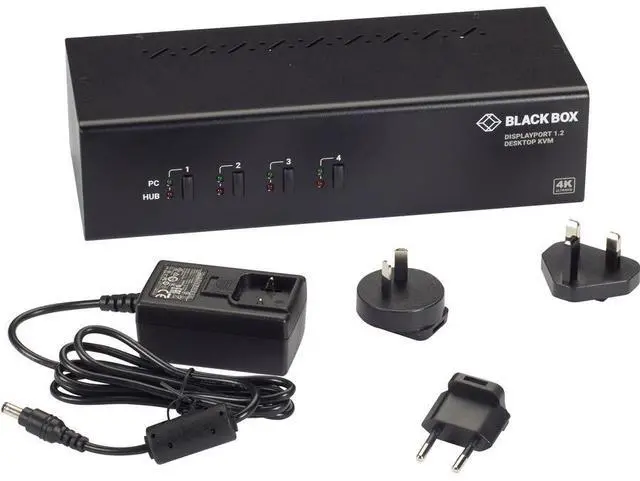
    The Black Box KV6224DP is a four-computer, dual-monitor DisplayPort KVM switch for professionals who want to control multiple PCs from one workstation while keeping two displays at up to 4K 60Hz.

    Recommended For

    • People who regularly switch between up to four DisplayPort computers at one desk and want to keep the same two monitors, keyboard, and mouse connected.
    • Desk-based workers who move between work and personal PCs, or multiple workstations, while using two DisplayPort monitors at up to 4K 60Hz.
    • Users who want to share USB peripherals and 3.5-mm audio connections across connected computers instead of reconnecting those devices when switching.
    • Users with advanced keyboards or mice who want a KVM switch whose manufacturer specifies support for those peripherals.

    Real-World Use Scenarios

    • At a desk with up to four DisplayPort computers and two monitors, switch the dual-display setup between systems using one keyboard and mouse instead of changing each monitor’s input separately.
    • When moving between work on different computers, use the switch’s buttons or keyboard hotkeys to select a system; the connected monitors and shared keyboard and mouse follow that selection.
    • In a multi-computer workstation, connect shared USB accessories such as a webcam or storage device to the built-in hub so they switch to the selected computer instead of being moved between systems.
    • For a desk that uses computer audio, select audio separately from the active computer so sound can remain on one system while you switch the monitors and controls to another.
    • When comparing work across two connected displays, switch both monitors with the selected computer to keep a dual-screen workspace available without reconnecting display cables.

    Spec Summary

    AttributeValue
    Best ForSwitching between four computers using two DisplayPort monitors, with shared USB peripherals and separate audio/microphone connections
    Video And DisplayTwo DisplayPort monitor connections; supports 3840 × 2160 video resolution and 4K at 60Hz
    Computer And Console ConnectionsFour USB Type-B computer connections for keyboard and mouse; console has one USB Type-A keyboard port, one USB Type-A mouse port, and two DisplayPort monitor ports
    USB And AudioBuilt-in 2-port USB 3.0 hub with 5Gbps data transfer rates, plus separate 3.5mm audio/microphone connections
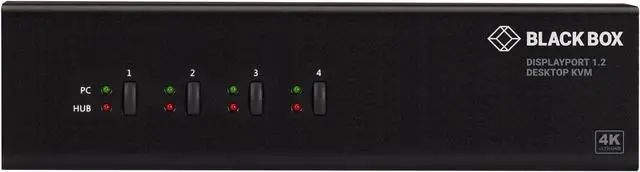
    Controls And IndicatorsSelect computers with push buttons or hot keys; four green PC-port LEDs and four red hub-port LEDs
    Power12 VDC, 3A; package includes a 12-VDC power adapter
    Physical Specifications2.60 × 3.90 × 9.90 inches; 2.60 lb
    Model IdentifiersBlack Box KV6224DP