• $268.11
  • Free 90-day Returns
  • Login to Make an Offer
    Sold by Newegg

    Shipped by Newegg

    Price alert
    Shop it at NeweggBusiness.

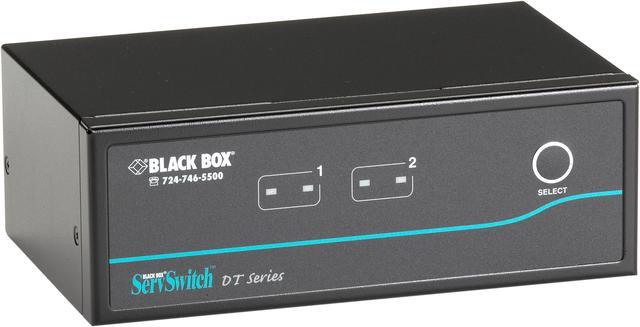
    Black Box ServSwitch KV9622A Dual-Head KVM Switch

    • Video Resolution 2560 x 1600
    +
    +
    Overview
    Specs
    Reviews
    See all Q & A

    Any questions? Ask CelesteSM will help you find out quickly.

    2PORT DUAL DVI USB KV9622A KVM SWITCH 1920X1200 RESOLUTION SUP

    Warranty & Returns

    Warranty, Returns, And Additional Information

    Warranty

    • Limited Warranty period (parts): Lifetime
    • Limited Warranty period (labor): Lifetime
    • Read full details

    Return Policies

      We want to ensure your holiday shopping this year is hassle-free. That’s why we’re automatically extending our return policies on almost every product! For purchases placed between November 1st, 2026 and December 31, 2026 you will have until January 31, 2027 to return your product.

    • Return for refund until: January 31, 2027
    • Return for replacement until: January 31, 2027
    • This item is covered by Newegg.com's Extended Holiday Return Policy.
    • Read full return policy for details.

    Manufacturer Contact Info

    LOADING...

    The Black Box ServSwitch KV9622A is a dual-head KVM switch listed by Newegg with support for resolutions up to 2560 × 1600, suited to users who want to manage multiple computers from a dual-monitor workstation.

    Recommended For

    • Desk-based users switching between two computers who want to keep the same pair of DVI monitors, keyboard, and mouse connected; the KV9622A is a two-computer, dual-display KVM.
    • Users with a legacy dual-DVI workstation setup that runs at up to 1920 × 1200 per display and needs a KVM without software configuration.
    • People who regularly move between two connected computers at the desk and prefer front-panel buttons or keyboard hotkeys for switching.
    • Users who want to share compatible USB peripherals and switch speaker or microphone connections between two computers; audio switching can operate independently of the KVM switch.

    Real-World Use Scenarios

    • At a desk with two DVI-equipped computers and two monitors, switch the keyboard, mouse, and both displays between computers from one console instead of maintaining duplicate input devices.
    • When alternating between a primary computer and a second system used for testing or administration, select the other computer with the front-panel button or a keyboard hotkey while keeping the same dual-monitor workspace.
    • In a shared workstation, use one USB keyboard and mouse across the two connected computers; switch other USB devices only when their drivers and usage are compatible with being disconnected and reconnected.
    • For a desk that uses speakers or a microphone with both computers, connect the audio paths to the switch and select audio separately from the computer-control switching when needed.
    • When both connected computers are on and you want to check them in turn, use AutoScan to cycle through their displays; it is a basic status-checking aid rather than simultaneous viewing.

    Spec Summary

    AttributeValue
    Best ForSwitching between two multimedia computers in a dual-head setup, with video resolution up to 2560 × 1600
    Video SupportSupports resolutions up to 2560 × 1600
    Switching And ControlTwo-position switch with push-button actuation and automatic operation; remote control method listed
    ConnectivityUSB connectivity
    Mounting And ConstructionRack-mountable metal construction; IP54 rating listed
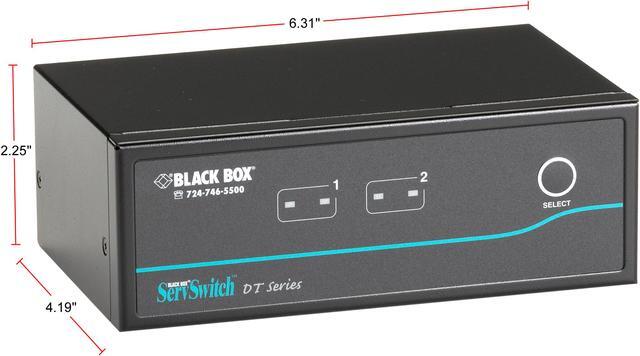
    Dimensions And Weight9.25 × 7.25 × 3.5 inches; weighs 2.85 pounds
    Model IdentifiersBlack Box KV9622A KVM switchbox