




 here!
here!
I’m your shopping assistant for PC builds, upgrades, and everything tech.
Got questions? Ask away!
Start a conversation
here!
I’m your shopping assistant for PC builds, upgrades, and everything tech.
Got questions? Ask away!
Start a conversation



Any questions? Ask CelesteSM will help you find out quickly.
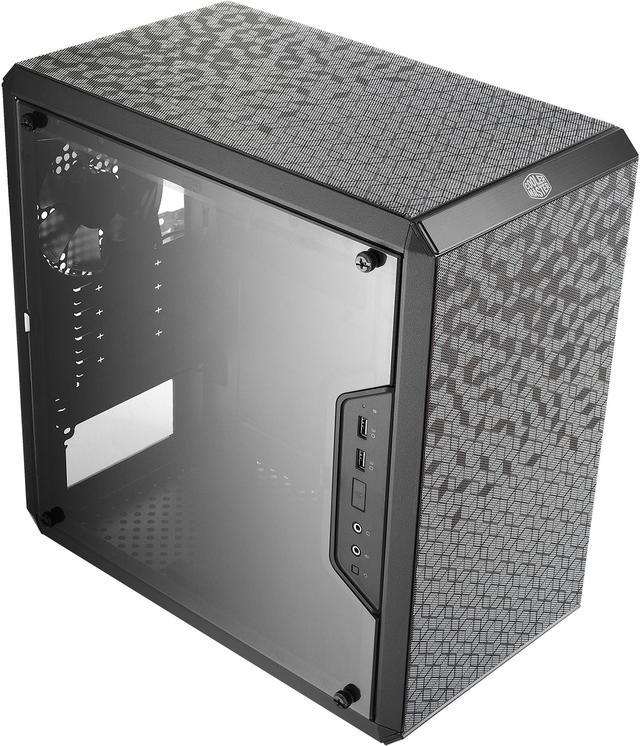
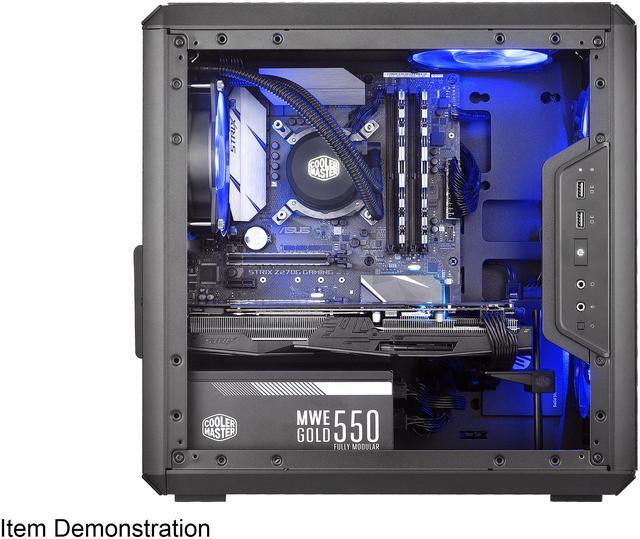
The Cooler Master MasterBox Q300L is a compact Micro-ATX tower case built for budget and space-conscious PC builders who want strong airflow, flexible layout options, and a clear side panel to show off a small gaming or everyday desktop build.
| Attribute | Value |
|---|---|
| Best For | Compact Micro-ATX and Mini-ITX desktop builds that need flexible I/O placement and strong airflow while still accommodating full-length GPUs and a standard ATX power supply |
| Model Identifiers | Cooler Master MasterBox Q300L — part/sku MCB-Q300L-KANN-S00 (Model Name/Style: Q300L) |
| Case Type & Materials | Micro-ATX mini-tower case in black with steel and plastic construction |
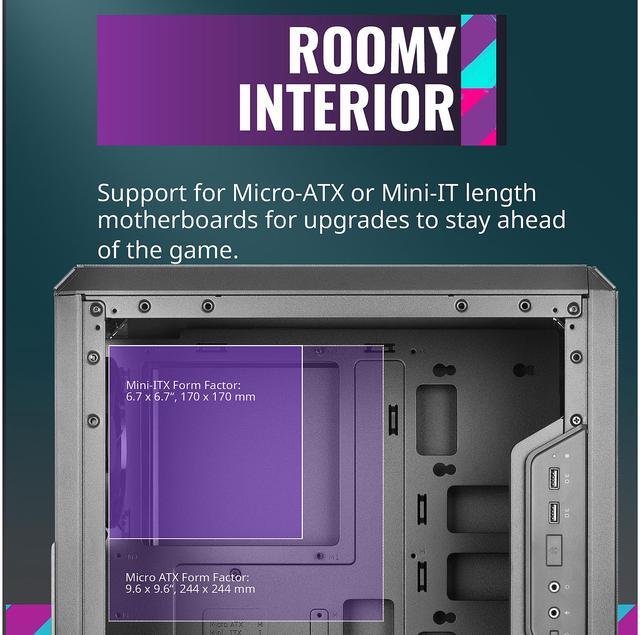
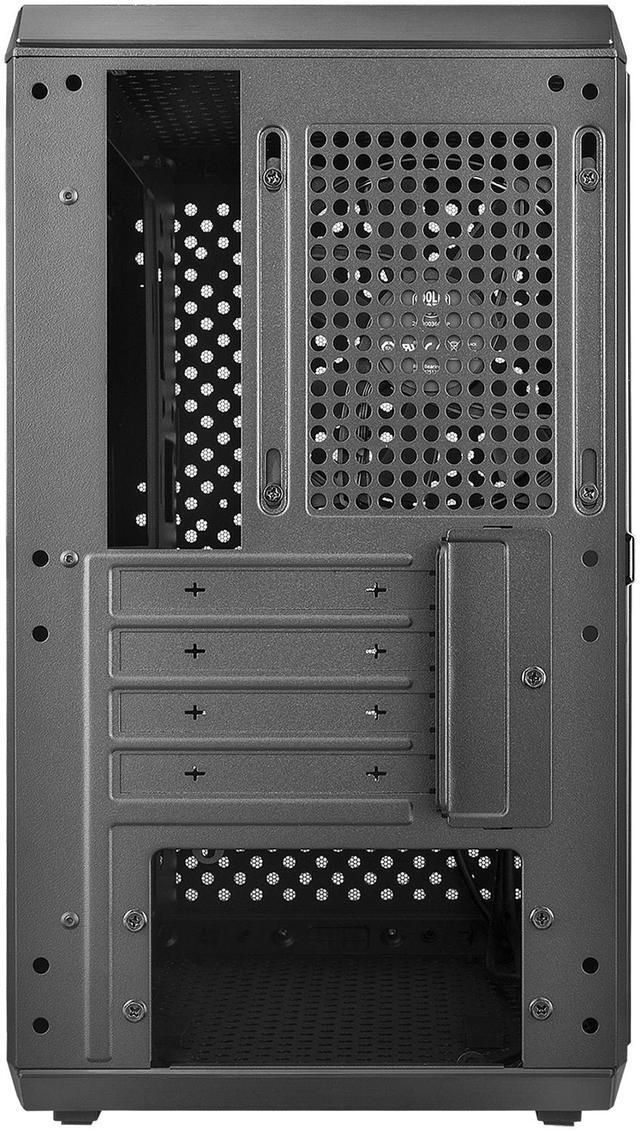
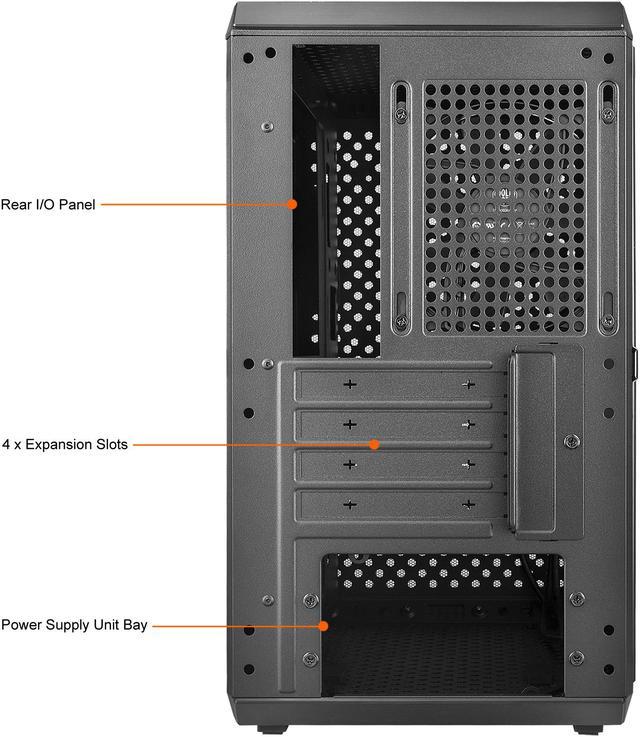
| Motherboard & Expansion | Supports Micro-ATX and Mini-ITX motherboards with 4 expansion slots |
| Drive Bays & Storage | One 3.5" drive bay plus two 2.5" bays; no hot-swap bays |
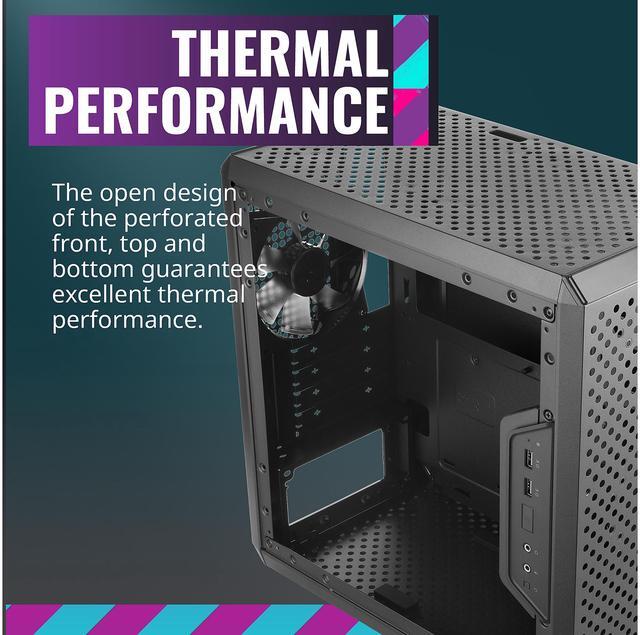
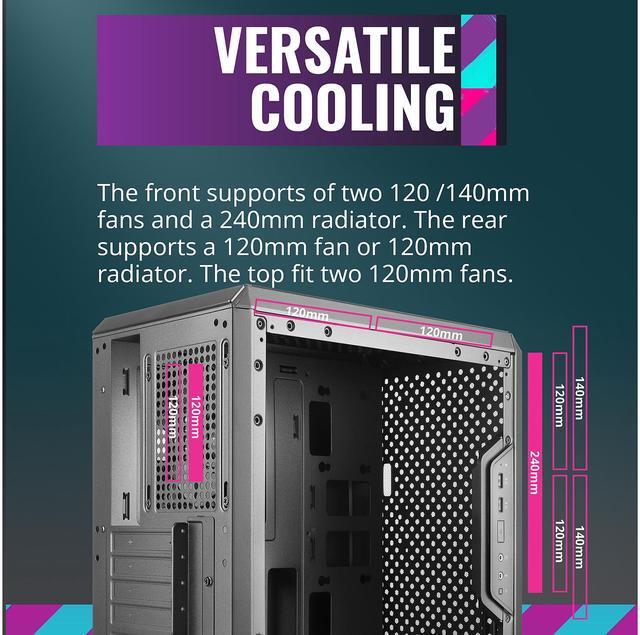
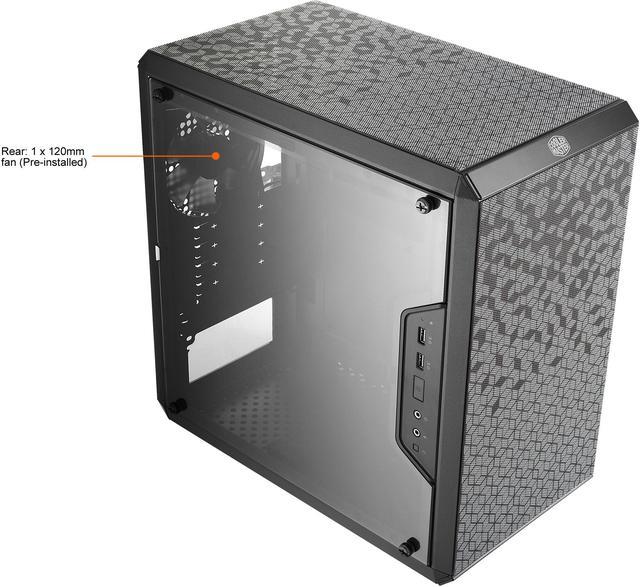
| Cooling & Fans | Air cooling design with 1 x 120mm rear fan pre-installed; supports front up to 2x120mm or 2x140mm, top up to 2x120mm, bottom 1x120mm; 80mm fans not supported; side air duct provided |
| Radiator And Liquid Cooling Support | Supports front radiators up to 240mm and rear radiators up to 120mm (suitable for a single 240mm AIO in front) |
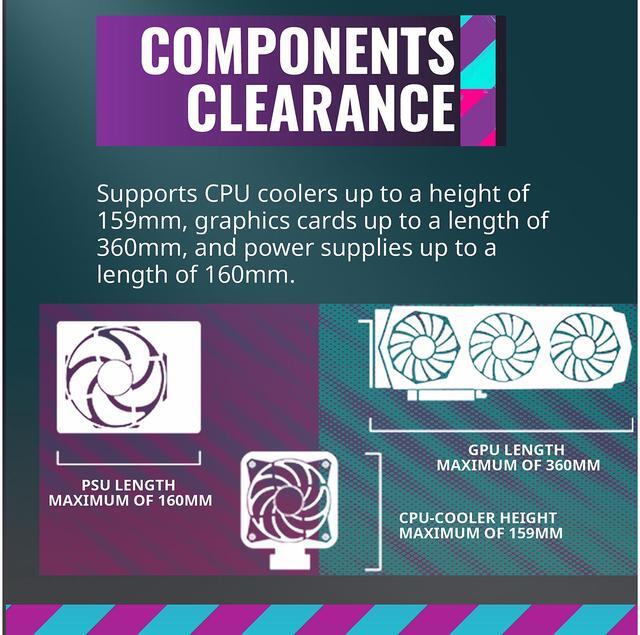
| Clearance & Component Compatibility | GPU clearance up to 360 mm, CPU cooler height up to 157 mm, PSU length up to 160 mm |
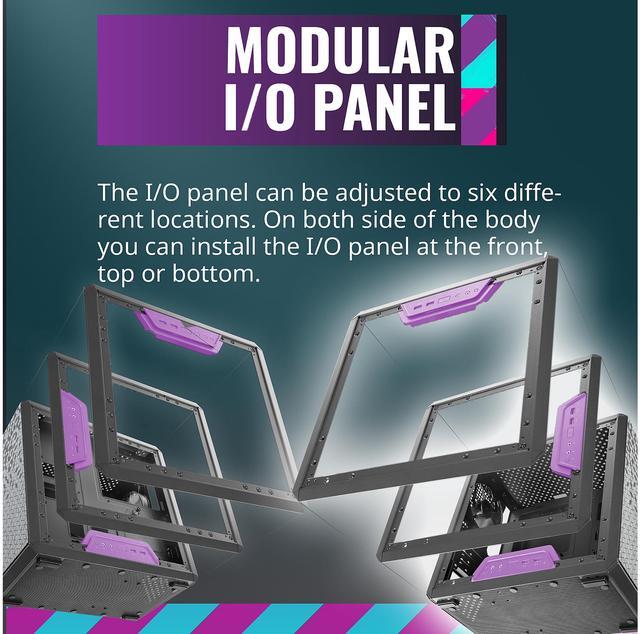
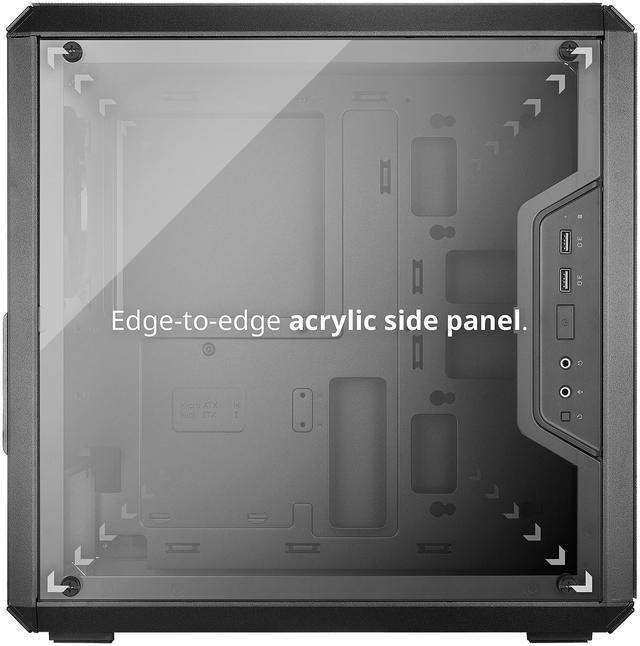
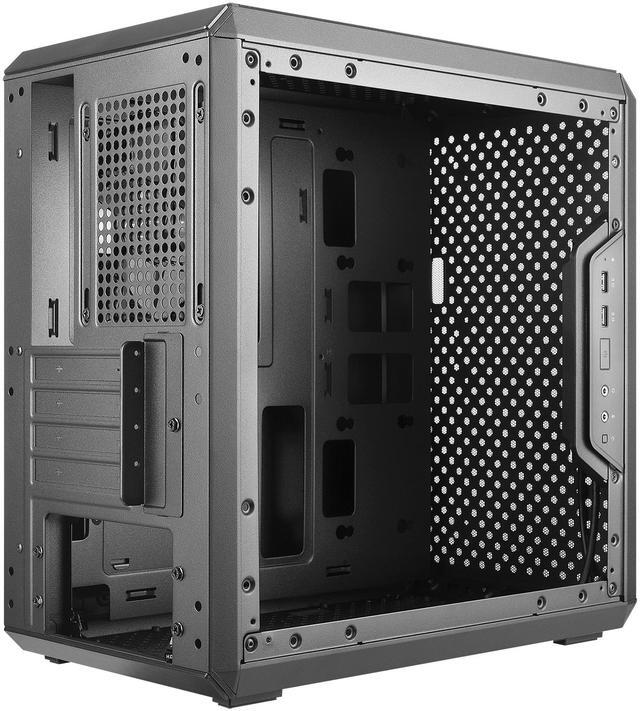
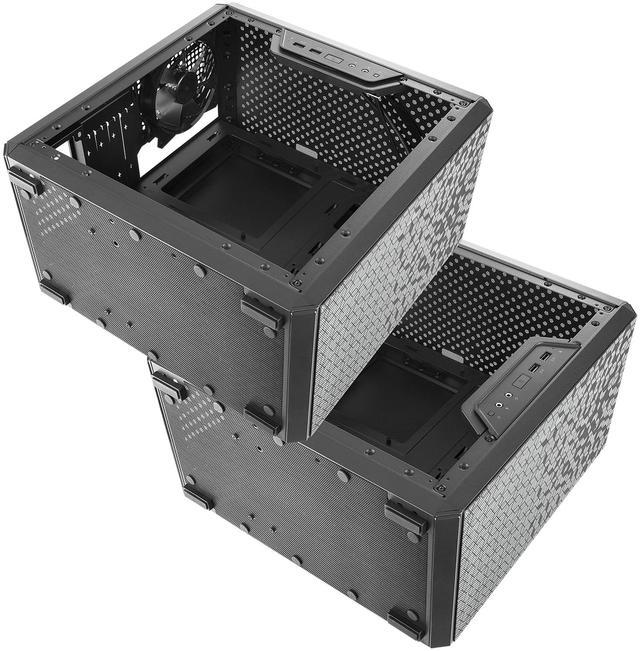
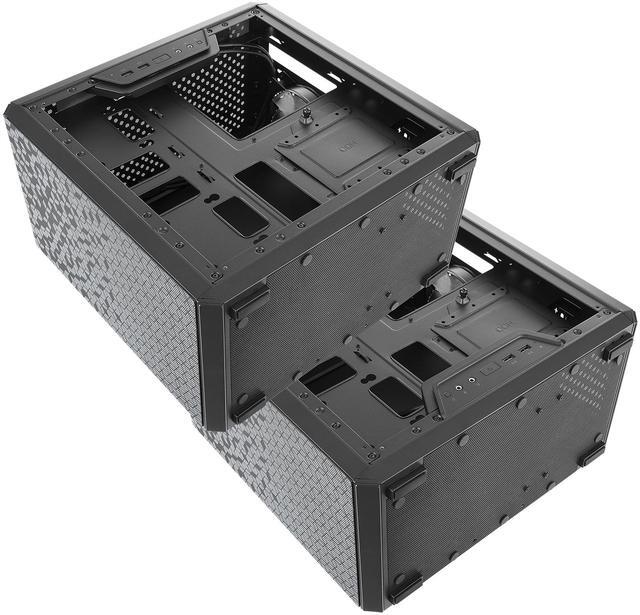
| I/O & Front Ports | Modular adjustable I/O panel configurable in six locations; front I/O provides 2 x USB 3.0 ports and 2 x audio jacks |
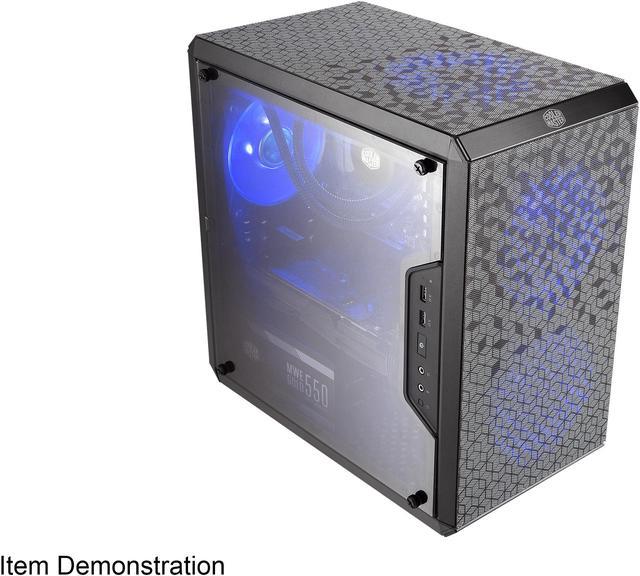
| Side Panel & Visibility | Edge-to-edge acrylic transparent side panel for a full internal view |
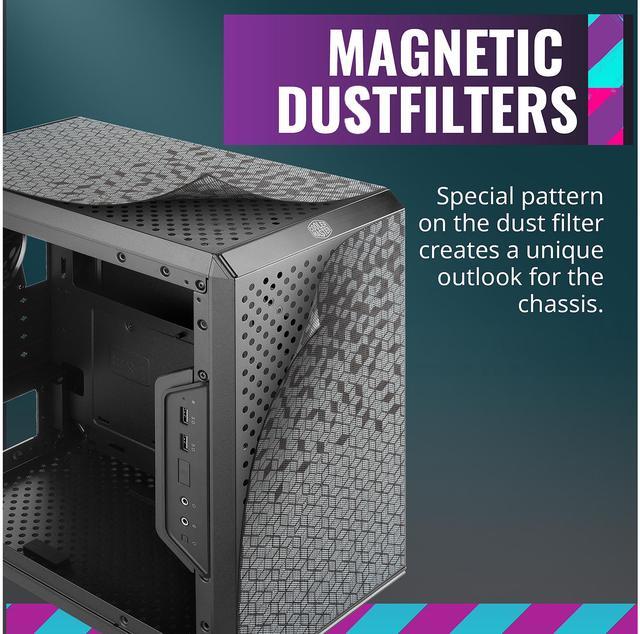
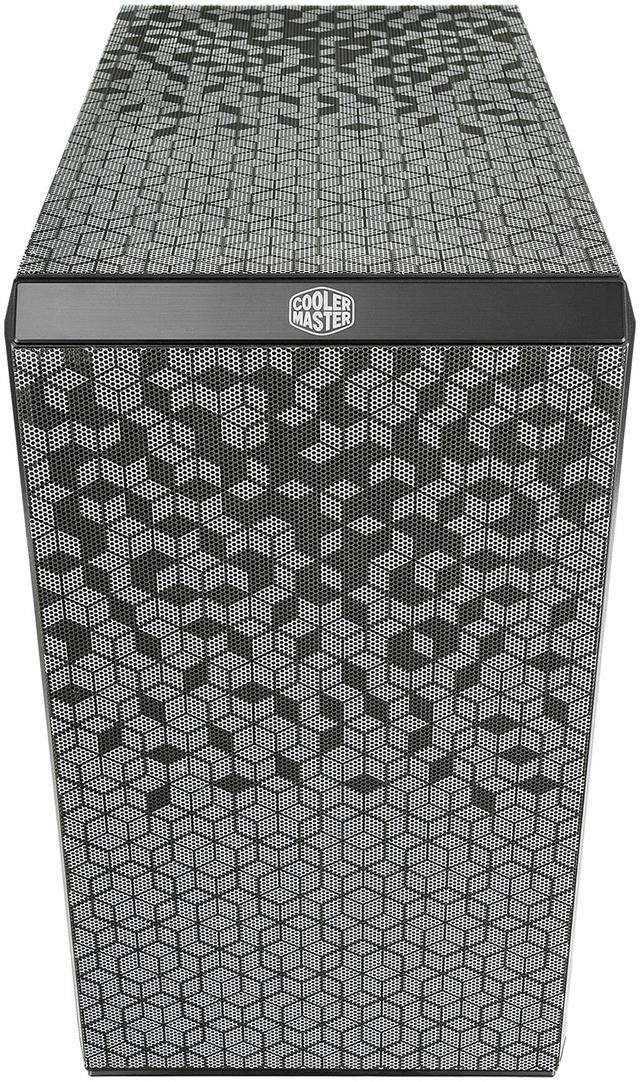
| Dust Filters & Airflow Design | Magnetic dust filter(s) and patterned dust-filter design with perforated front, top, and bottom panels for improved airflow |
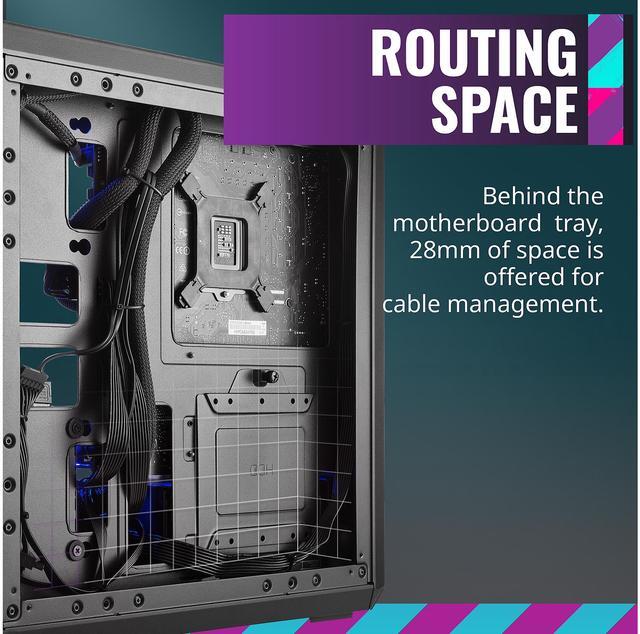
| Orientation & Cable Management | Can be positioned vertically or horizontally; ~28mm routing space behind the motherboard tray for hidden cable management |
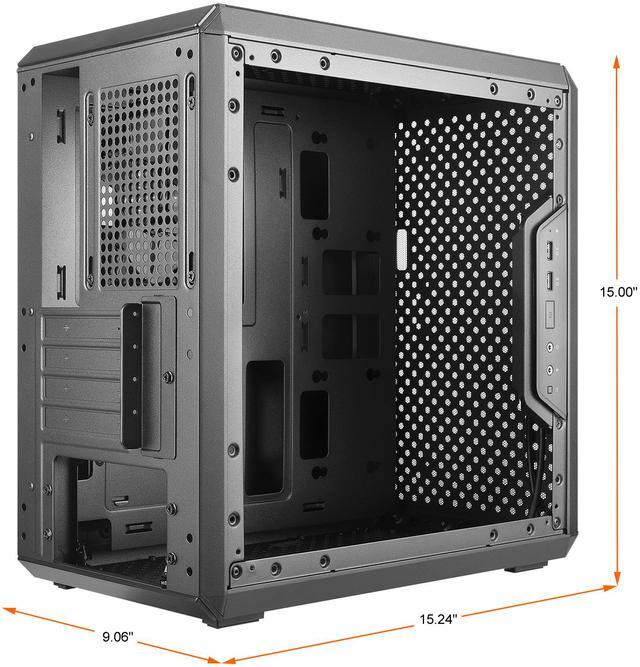
| Dimensions & Weight | 15.00 x 9.06 x 15.24 inches (depth x width x height); weight 8.16 lbs |
| Power Supply & Mounting | Bottom-mounted PSU (no PSU included); maximum PSU length 160 mm |
| Regulatory & Safety | Includes California Proposition 65 on-product warning for cancer/reproductive harm; safety attestation true |
Q: Should I buy the Cooler Master MasterBox Q300L or the Cooler Master NR400 for a micro-ATX gaming build?
A: Choose the MasterBox Q300L if you want a smaller micro-ATX case with a flexible I/O panel and the option to place the case vertically or horizontally. Choose the NR400 if your priority is stronger out-of-box airflow and a more conventional airflow layout for hotter gaming hardware. Across official specs and repeated community comparisons, the Q300L is usually the size-focused option, while the NR400 is the easier performance-first choice.
Q: Is the MasterBox Q300L a better buy than the Thermaltake Versa H18?
A: Buy the MasterBox Q300L if compact size, movable front I/O, and flexible placement matter more than maximizing front intake. Buy the Versa H18 if you want a more airflow-oriented front design, a PSU shroud, and broader front fan and radiator support. In real buying discussions, the Q300L is typically chosen for footprint and layout flexibility, while the Versa H18 is more often chosen for a traditional budget-airflow build.
Q: Should I choose the MasterBox Q300L or move up to the MasterBox Q500L?
A: Choose the MasterBox Q300L if you are building around a micro-ATX or Mini-ITX board and want the smaller case. Choose the MasterBox Q500L only if you specifically need ATX motherboard support and are willing to accept a larger footprint to get it. The two cases share the same general design language, but the Q500L is positioned as the ATX-capable version rather than a clear upgrade in airflow or build simplicity.
Q: Is the MasterBox Q300L better for a portable or space-saving PC than a larger airflow-focused case?
A: Yes, the MasterBox Q300L makes more sense when limited desk space or easier transport is part of the decision. Its compact dimensions, light weight, and ability to sit vertically or horizontally make it more practical for dorm, office, or living-room setups than many larger airflow-first cases. A larger airflow-focused case is the better fit when you plan to run hotter components and want stronger stock cooling capacity with fewer compromises.
Q: Is the Cooler Master MasterBox Q300L a good budget case for a compact micro-ATX build?
A: Yes, if your priority is a low-cost, compact micro-ATX case with decent component compatibility. The Q300L supports Micro-ATX and Mini-ITX boards, a full-size ATX power supply, GPUs up to 360 mm, and multiple fan mounts in a relatively small footprint. The trade-off is that it behaves like a budget case: you may need to spend more time on fan setup, cable routing, and build planning than with newer or more premium alternatives.
Q: Is the Q300L good for airflow and gaming parts, or should I expect to add more fans?
A: Expect to add more fans if you are using hotter gaming components. The case includes only one pre-installed 120 mm rear fan. Its perforated design and multiple fan mounts help, but repeated buyer feedback on comparable retail pages shows that real-world cooling depends heavily on fan configuration. For entry-level or moderate-power systems it can be fine, but for hotter CPUs or GPUs, a newer airflow-focused case may be the easier choice.
Q: Will the Q300L fit a full-size graphics card and a standard ATX power supply?
A: Usually yes. Based on the product specs, the Q300L supports GPUs up to 360 mm and ATX PS2 power supplies up to 160 mm long, which covers many mainstream gaming builds. The main caution is internal clearance management: long GPUs, front radiators, and large cable bundles can make a compact case harder to work in than the raw spec sheet suggests.
Q: Who is the Q300L best suited for?
A: It is best suited for budget builders who want a small micro-ATX case, flexible I/O placement, and broad compatibility without paying for premium materials. It makes sense for first-time value builds, basic gaming systems, and desk setups where compact size matters. It is less ideal for buyers who want a quieter, sturdier, or more refined build experience out of the box.
Q: Is the Q300L a better buy than a newer airflow-focused micro-ATX case?
A: Not always. The Q300L still offers strong value if price and compactness are your main goals, but newer airflow-focused micro-ATX cases typically offer easier cable management, stronger panels, and more predictable thermals with less tuning. Choose the Q300L if you want the cheapest practical compact build and are comfortable with compromises. Choose a newer airflow case if you want a smoother build process or plan to use higher-heat components.
Q: Is the Cooler Master MasterBox Q300L a good budget micro-ATX case if airflow matters?
A: It can work for a budget mATX build, but airflow is the main trade-off. Repeated Reddit discussion describes temperatures as acceptable only with added fans and careful fan placement, while others report the case still runs warm compared with better-ventilated alternatives. If low cost and compact size matter more than top-tier thermals, it is a reasonable pick; if you are building a hotter gaming system, there are safer airflow-focused options.
Q: Who is the Q300L best suited for?
A: The Q300L is best suited for buyers who want a compact, low-cost micro-ATX case with flexible layout options and support for full-length GPUs and a standard ATX power supply. It fits entry-level to mid-range builds well. It is less suitable for users who want the easiest possible thermals, premium materials, or a polished cable-management experience.
Q: Do you need to buy extra fans for the Q300L?
A: Usually yes. The case includes only one pre-installed 120 mm rear fan, and repeated user discussion says the Q300L performs better with additional front, top, or bottom fans. For a basic build, the stock setup may be usable, but for gaming hardware or warmer GPUs, extra fans are commonly treated as necessary rather than optional.
Q: What are the main trade-offs of buying the Q300L instead of spending a little more on another case?
A: The main trade-offs are weaker airflow consistency, a more basic build quality, an acrylic side panel on the listed version, and a less refined cable-management experience. In return, you get a compact chassis, flexible I/O placement, dust filtering, and broad hardware compatibility for the size. It makes sense when price and footprint matter most, but not when build quality or thermal headroom are the priority.






