




 here!
here!
I’m your shopping assistant for PC builds, upgrades, and everything tech.
Got questions? Ask away!
Start a conversation
here!
I’m your shopping assistant for PC builds, upgrades, and everything tech.
Got questions? Ask away!
Start a conversation
Make informed decisions with expert advice. Learn More




Any questions? Ask CelesteSM will help you find out quickly.
/11-352-131/1-logo.jpg)
/11-352-131/2_Meshify-2-solid.jpg)
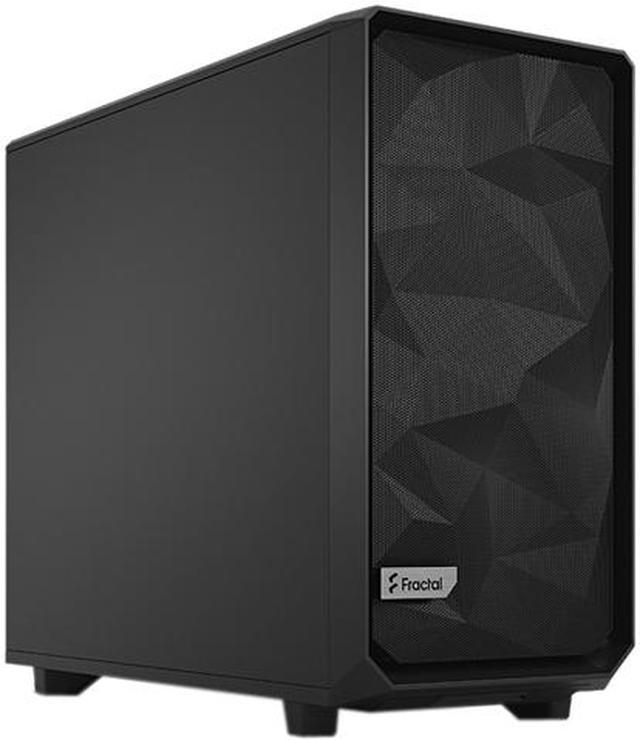
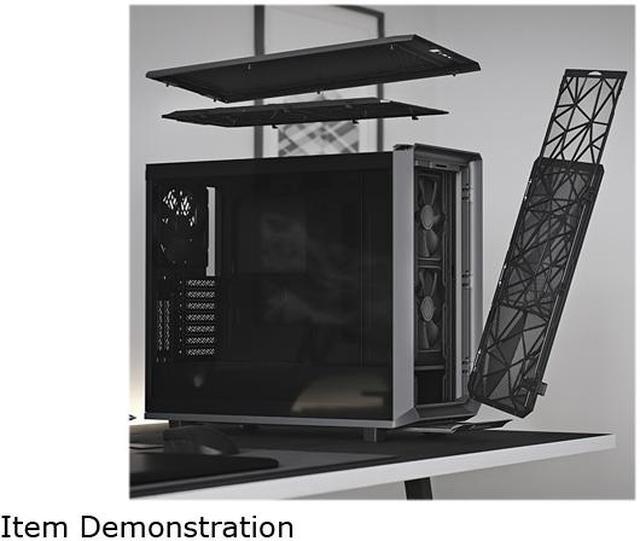
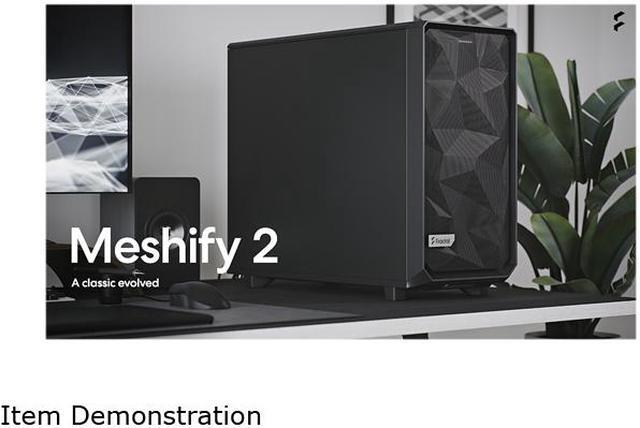
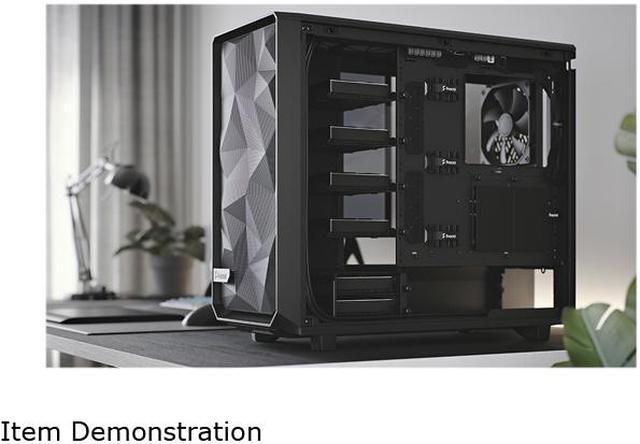
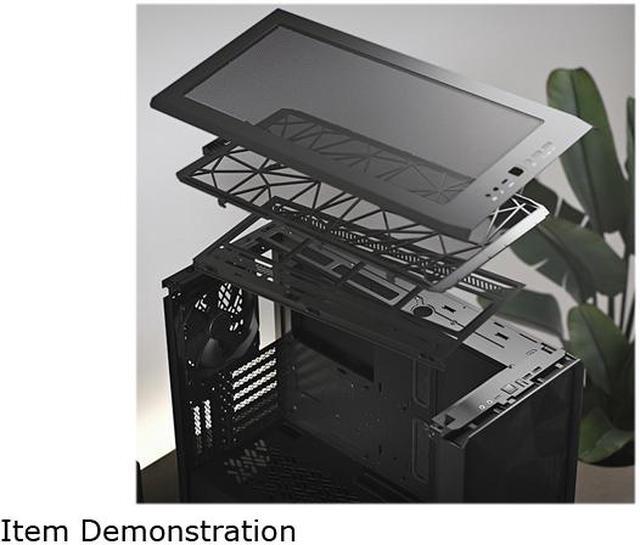
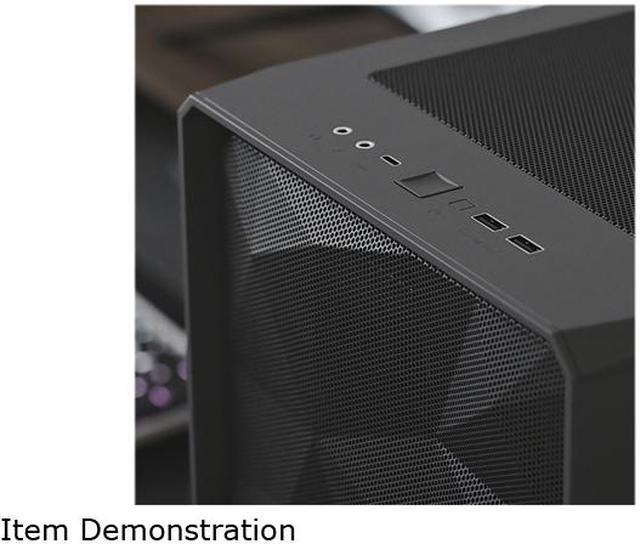
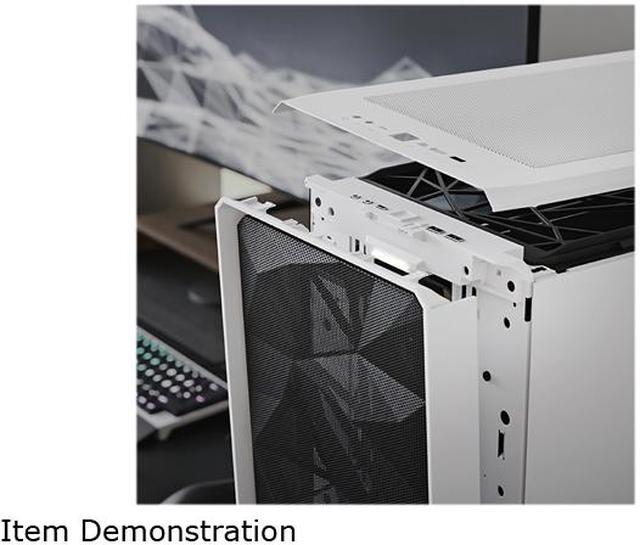
The Meshify 2 is a high-performance case with a bold, stealth-inspired aesthetic. Its striking exterior features bolt-free, flush tempered glass, a fully removable top granting excellent interior access, and a fully redesigned front with USB-C, hinged mesh panel and removable nylon filter. The flexible dual-layout interior supports large storage arrays and multi-radiator setups that makes cooling a breeze.
/11-352-131/3-feature.jpg)
/11-352-131/4-GENEROUS-SPACE.jpg)
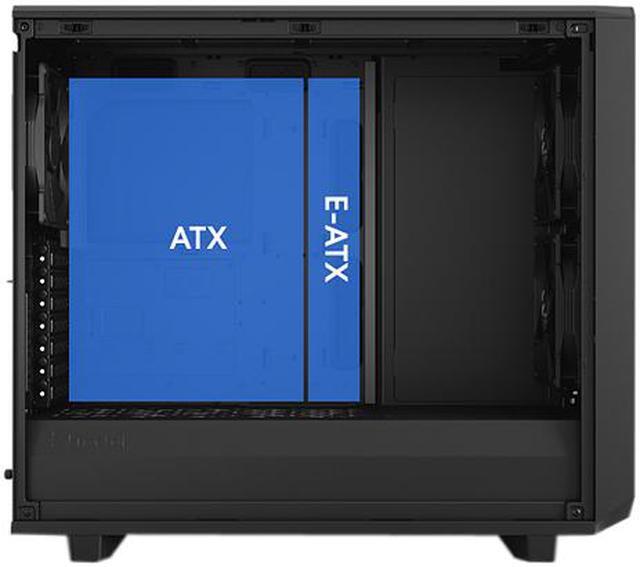
Meshify 2’s roomy internal layout easily accommodates E-ATX motherboards up to 285 mm wide.
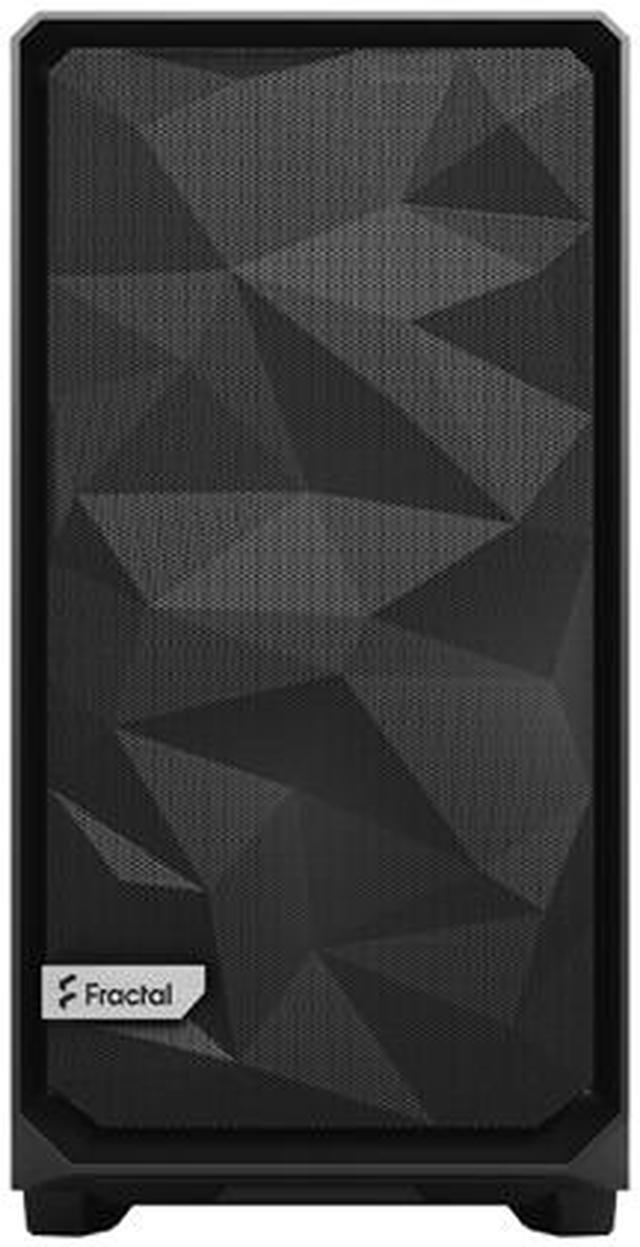
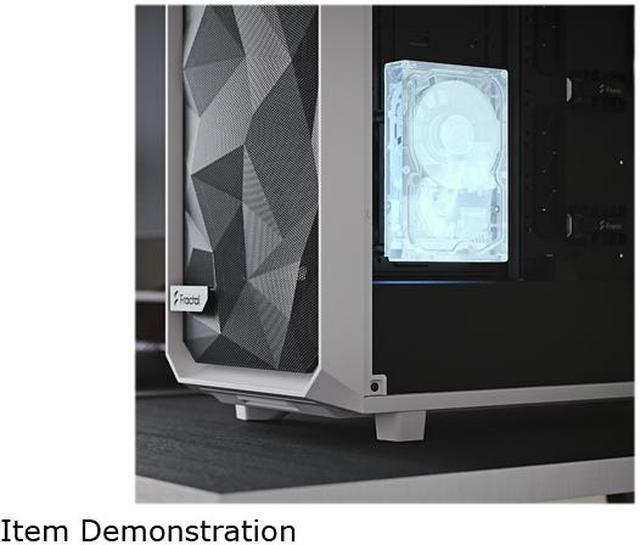
The Meshify 2 is remarkably robust and comes with an angular asymmetrical style front mesh.
/11-352-131/5-SMOOTH-AND-STURDY.jpg)
Transformable interior design utilizing a movable wall for enhancing custom builds.
/11-352-131/6-EXTREMELY-FLEXIBLE.jpg)
/11-352-131/7-Side-Top_BK-Solid.jpg)
/11-352-131/8-FLEXIBLE-DUAL-LAYOUT-DESIGN.jpg)
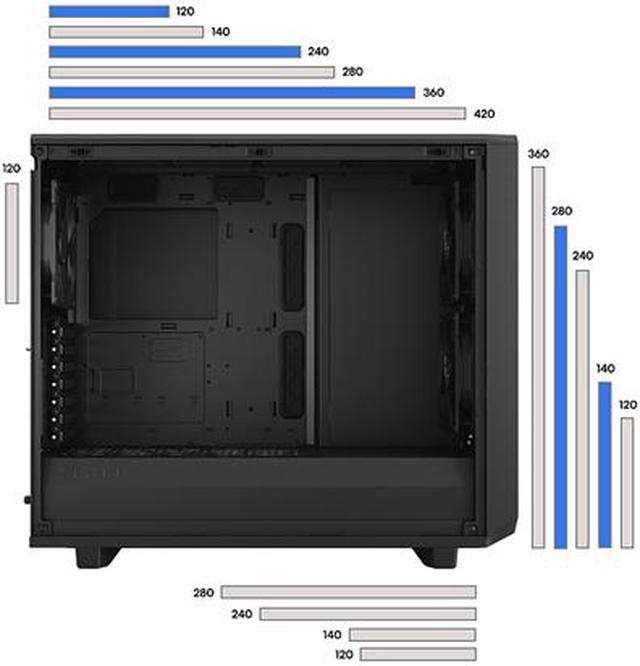
There’s more than enough space for your custom water loop with large reservoirs and radiators up to 420 mm in the default Open Layout.
The new front nylon filter can easily be removed from the hinged mesh panel for increased airflow.
/11-352-131/9-DETACHABLE-FRONT-FILTER.jpg)
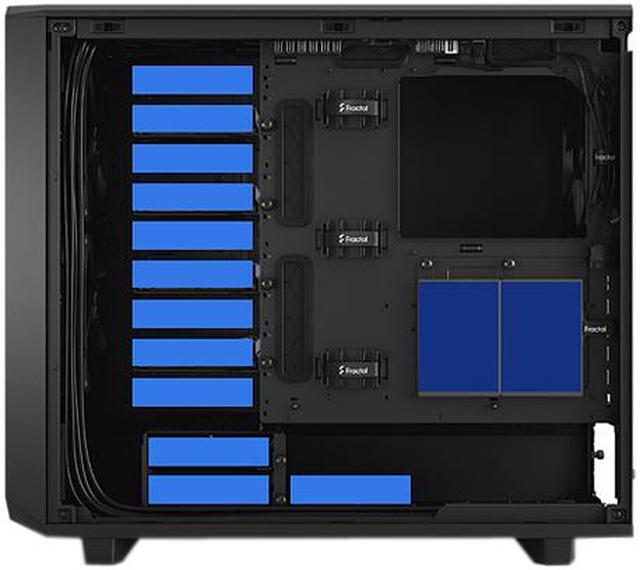
Convert to Storage Layout and install up to 14 HDDs alongside four dedicated SSDs mounts
(6x SSD/HDD trays, 2x SSD brackets and 1x Multibracket included)
/11-352-131/10-SUPERLATIVE-STORAGE.jpg)
/11-352-131/11-OPEN-AND-INTERCHANGEABLE.jpg)
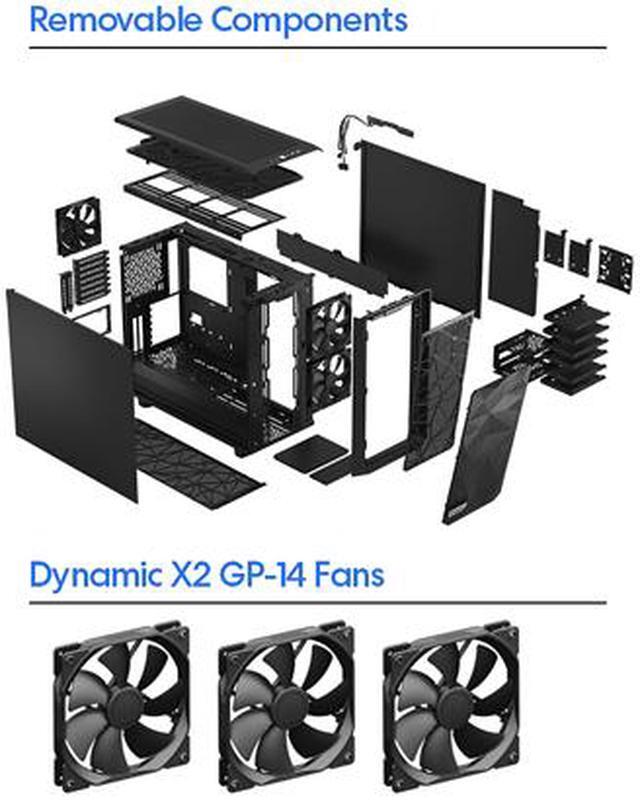
Remove the entire top to build and route with zero hindrance. Swap in the ventilated panel to add three filtered fan positions.
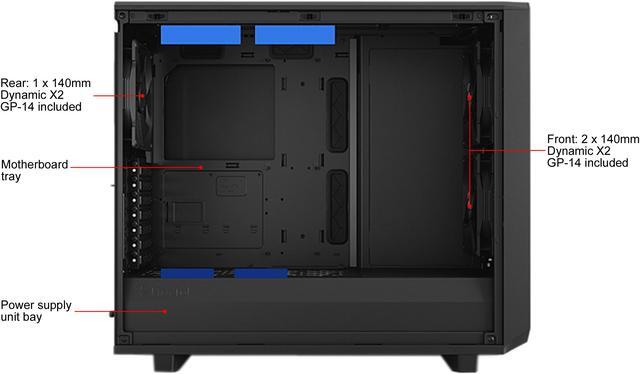
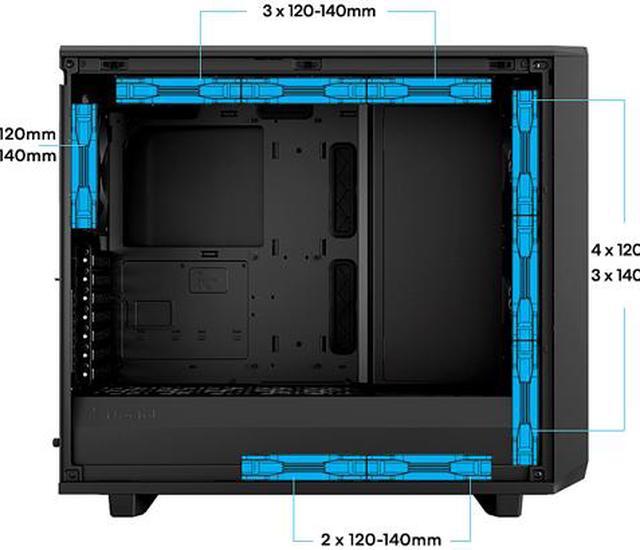
Three Dynamic X2 GP-14 fans come preinstalled with room to expand up to a total of nine fans.
/11-352-131/12-SUPERIOR-AIRFLOW.jpg)
/11-352-131/13-EASIER-FRONT-ACCESS.jpg)
I/O connections are separated from the redesigned front panel to simplify installation and modding.
The included Multibracket lets you convert any unused fan position to an HDD, SSD or pump mount.
/11-352-131/14-VERSATILE-MULTIBRACKET.jpg)
/11-352-131/15-TYPE-C-INTERFACE.jpg)
USB 3.2 Gen 2x2 Type-C front I/O offers quick access to fast charging and speeds up to 20Gbps.
/11-352-131/16-Extra-feature_M2.jpg)
/11-352-131/17-what's-included.jpg)
/11-352-131/18-front_M2S BK.jpg)
/11-352-131/19-Fan_parts_M2-BKS.jpg)
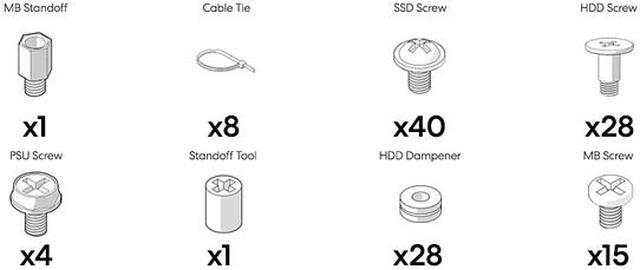
/11-352-131/20-Acc-box-contents_Meshify-2.jpg)
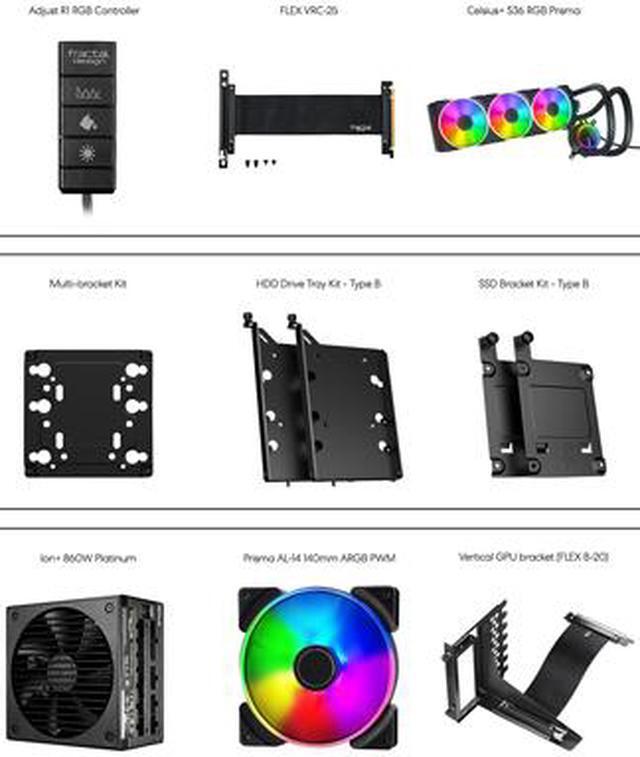
/11-352-131/21-Available-Upgrades_M2.jpg)
We want to ensure your holiday shopping this year is hassle-free. That’s why we’re automatically extending our return policies on almost every product! For purchases placed between November 1st, 2026 and December 31, 2026 you will have until January 31, 2027 to return your product.
The Fractal Design Meshify 2 is a black ATX mid-tower PC case built for high-airflow gaming and workstation systems, ideal for users who want strong cooling, wide radiator support, and flexible room for large GPUs, E-ATX boards, and extensive storage.
| Attribute | Value |
|---|---|
| Best For | Airflow-focused ATX mid-tower for builders using ATX / E-ATX (up to 285 mm) / Micro ATX / Mini ITX motherboards who need extensive cooling and high drive capacity (expandable to 11 HDD trays and 4 SSD mounts) |
| Dimensions & Weight | 21.38 in x 12.60 in x 18.66 in; 22.27 lbs |
| Motherboard & Expansion | Supports ATX / E-ATX / Micro ATX / Mini ITX; expansion slots: 7 + 2 (two vertical GPU slots supported via riser) |
| Drive Bays & Storage | Includes 6 x 3.5 in trays (14 positions total + 1 Multibracket) and 2 x 2.5 in positions (4 positions total); expandable to 11 trays and 4 SSD brackets with Multibrackets |
| Cooling & Fans | Nine 120/140 mm fan mounts across the case; includes 3 preinstalled fans (2 x 140 mm front, 1 x 140 mm rear); supports ultra-slim Nexus+ 2 fan hub for up to 3 PWM and 6 x 3-pin fans |
| Radiator Support | Front up to 360/280 mm; top up to 360/420 mm; rear 120 mm; bottom up to 240/280 mm; custom water-cooling support in these positions |
| Front I/O & Internal Hubs | Three front USB ports including one USB 3.2 Gen 2x2 Type-C |
| Materials & Panels | Steel construction; side panel without side window; easy-to-clean high-airflow nylon dust filters on front, top and base with full PSU coverage |
| Power Supply & Mounting | No included power supply; bottom-mounted PSU (max PSU length 250 mm with HDD cage installed) |
| Clearance & Component Limits | Max GPU length 491 mm (467 mm with front fan installed); max CPU cooler height 185 mm |
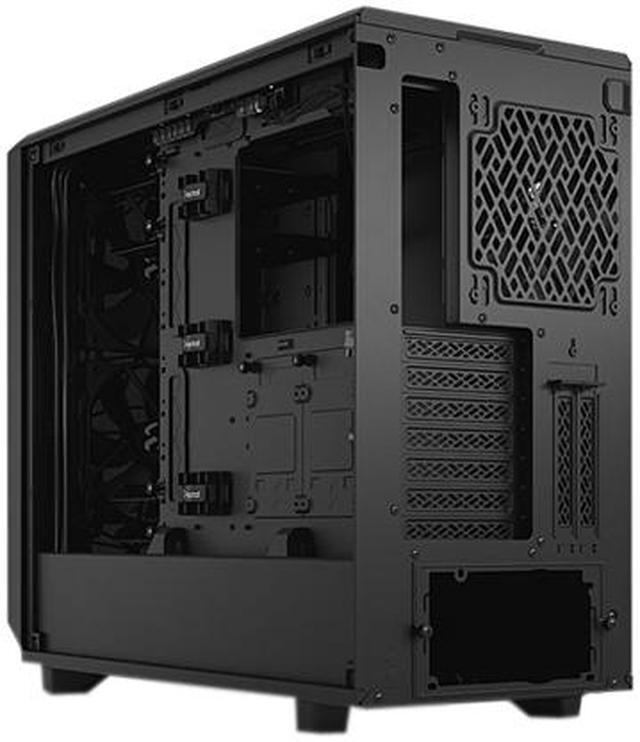
| Special Features & Accessibility | Hinged removable mesh front and nylon filter; chassis opens to expose the interior on three sides for easier installation and cable routing; Multibracket converts unused fan positions to HDD/SSD/pump mounts; bridgeless expansion slots, two vertical GPU slots (risers sold separately), detachable PSU cable shield and ventilated two-part PSU shroud with integrated cable guides |
| Model Identifiers & Package Content | Fractal Design Meshify 2 — Model FD-C-MES2A-01; package includes Meshify 2 case, user manual, large accessory box with HDD trays, and a small accessory box |
| Package & Shipping | Package weight 14.8 kg; package dimensions 33 cm x 55 cm x 63 cm; package quantity 1 |
Q: Should I buy the Fractal Design Meshify 2 or Define 7?
A: Choose the Meshify 2 if your priority is higher airflow, easier front intake access, and a build focused on powerful air cooling or mixed air/AIO cooling. Choose the Define 7 if you want a similar internal layout and expansion flexibility but place more value on sound-damped panels and a quieter enclosure design. Both share Fractal’s dual-layout approach and broad radiator support, but the Meshify 2 is the more airflow-oriented version while the Define 7 is the more acoustics-oriented version.
Q: Is the Meshify 2 worth it over the Meshify 2 Compact?
A: Buy the full Meshify 2 if you need more clearance for large GPUs, more room for top and front radiators, or significantly more storage expansion. Buy the Meshify 2 Compact if you want the same general Fractal airflow and build quality approach in a smaller footprint and do not need the larger case’s drive capacity or internal flexibility. The full Meshify 2 is the better fit for high-end custom cooling and storage-heavy builds; the Compact suits a more typical gaming build.
Q: Meshify 2 or Fractal Torrent for an airflow-focused build?
A: Choose the Torrent if your build is centered on maximum out-of-box air cooling, especially with a high-wattage GPU and a conventional air-cooled CPU setup. Choose the Meshify 2 if you want strong airflow but also broader layout flexibility, easier support for large radiators, and much higher storage configurability. In practice, the Torrent is commonly positioned as the more specialized air-cooling case, while the Meshify 2 is the more versatile case for users balancing airflow, liquid-cooling options, and expansion.
Q: Is the Meshify 2 a real upgrade over the older Meshify C?
A: Yes, the Meshify 2 is the better choice if you want a more modern chassis with substantially more internal flexibility, easier access for building, larger component support, more radiator headroom, and much higher storage capacity. The Meshify C still makes sense if you specifically want a smaller, simpler ATX case and your parts fit its tighter limits. For most new builds with larger GPUs or more cooling hardware, the Meshify 2 is the more accommodating upgrade path.
Q: Should I get the Meshify 2 or move to a newer Meshify 3 series case?
A: Choose the Meshify 2 if you want a proven case platform with well-documented builder feedback, broad compatibility, and strong support for storage-heavy or custom-cooled systems. Consider the Meshify 3 series if you specifically want Fractal’s newer design direction and its updated performance-focused features. The practical trade-off is maturity versus newer platform features: Meshify 2 remains a safe choice for flexible builds, while Meshify 3 is the newer-generation option within the same family.
Q: Is the Meshify 2 a good choice for a high-airflow gaming or workstation build?
A: Yes. The Meshify 2 is a strong fit for high-airflow builds that use large GPUs, tower air coolers, or multiple radiators. It supports up to nine 120/140 mm fan positions, includes three 140 mm fans, and allows radiators up to 420 mm on top. It is better suited to performance-focused ATX or E-ATX systems than to compact or budget builds.
Q: Who is the Meshify 2 best suited for?
A: The Meshify 2 is best for buyers who want a roomy mid-tower with broad hardware compatibility, easy building access, and unusually strong storage flexibility. It makes the most sense for enthusiasts building a full-size gaming PC, a creator workstation, or a storage-heavy system. It is less suitable for shoppers who want a smaller case, a lower-cost case, or a minimalist build with only a few drives.
Q: Is the Meshify 2 a good case if I need lots of storage drives?
A: Yes. Storage capacity is one of the Meshify 2's main advantages versus many airflow-focused mid-towers. The standard configuration includes multiple trays and brackets, and the chassis can be expanded into a storage-oriented layout with far more drive support than typical gaming cases. If you plan to install many 3.5-inch hard drives as well as SSDs, this case is more suitable than most mainstream alternatives.
Q: Is the Meshify 2 better than an airflow-focused alternative like the Fractal Torrent?
A: It depends on your build goals. The Meshify 2 is the better choice if you want more layout flexibility, more drive capacity, and stronger support for custom water-cooling or mixed-use workstation builds. A Torrent-style alternative is often the better pick if your priority is maximum out-of-box air-cooling performance for a simpler GPU-and-air-cooler setup. The trade-off is that the Meshify 2 is more versatile, while pure-airflow alternatives can be more specialized.
Q: What are the main trade-offs of buying the Meshify 2?
A: The main trade-offs are size, weight, and complexity. The Meshify 2 offers excellent space, cooling support, and storage flexibility, but it is a large mid-tower and heavier than simpler cases. Buyers who only need a basic ATX build with one or two drives may not use its extra layout options, drive mounting system, or water-cooling support, so a smaller or cheaper airflow case may be the more efficient choice.
Q: Who is the Fractal Design Meshify 2 best suited for?
A: The Meshify 2 is best for builders who want a roomy ATX case with strong airflow, broad radiator support, and unusually high storage flexibility. It makes the most sense for high-end air-cooled or liquid-cooled builds, large GPUs, and users who may want multiple hard drives. It is less compelling if you want the smallest possible case or do not need the extra internal space.
Q: Is the Meshify 2 still worth buying if you want a case that lasts through multiple upgrades?
A: Yes, if you value long-term compatibility over compact size. Its support for E-ATX boards, very long GPUs, tall air coolers, multiple radiator positions, and extensive drive mounting makes it practical for several upgrade cycles. The main trade-off is that it is larger and often costs more than simpler mid-towers.
Q: Is the Meshify 2 a good choice for airflow-focused builds?
A: Yes. The case is well suited to airflow-focused builds because it has a full mesh front, three included 140 mm fans, support for up to nine fans, and filtered front, top, and bottom intake areas. For most builds, that means you can get strong cooling without needing unusual fan layouts. The trade-off is that an airflow-first case is usually less noise-isolating than a closed-front design.
Q: Should you choose the Meshify 2 over a smaller case like the Meshify 2 Compact?
A: Choose the full Meshify 2 if you need more room for large components, more radiator flexibility, or heavier storage use. If your build is standard ATX with a typical GPU and only a few drives, a smaller case may be the more efficient choice. The Meshify 2's extra value comes from flexibility, not from being the smallest or cheapest option.
Q: Is the Meshify 2 a good option for storage-heavy builds or home server-style use?
A: Yes, relative to most ATX mid-towers. The Meshify 2 is unusually strong for storage-heavy builds because it supports a storage layout with many 3.5-inch drive positions while still keeping a mainstream tower form factor. The trade-offs are added setup complexity, more attention to drive cooling, and the fact that maximizing drive count can reduce convenience for other component layouts.


