



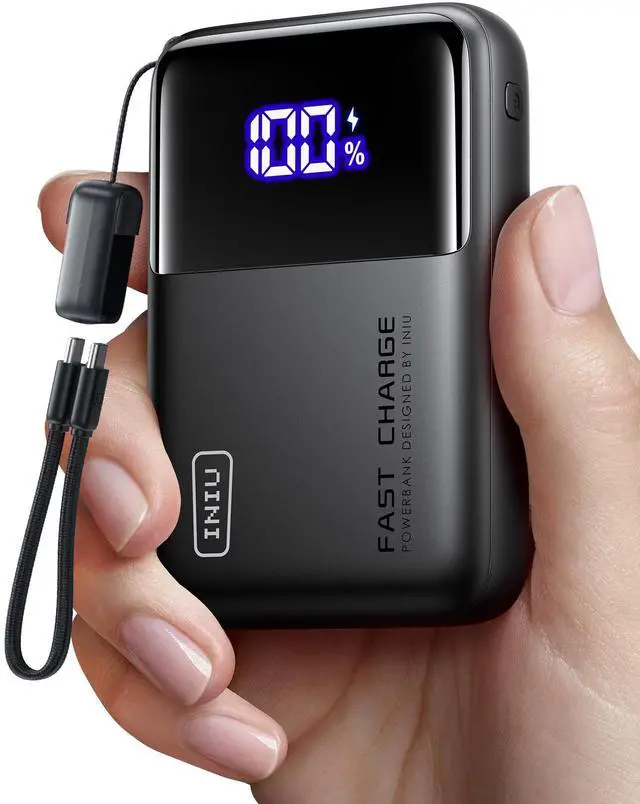
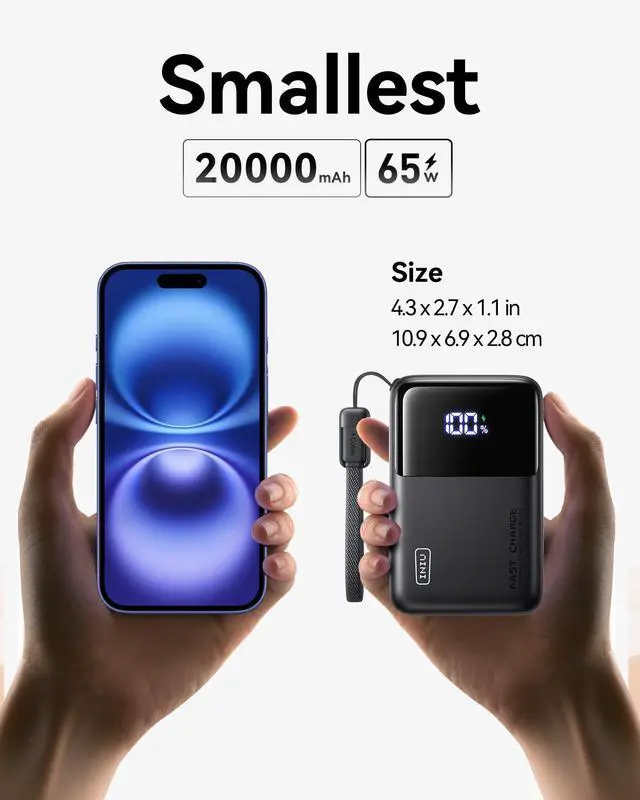
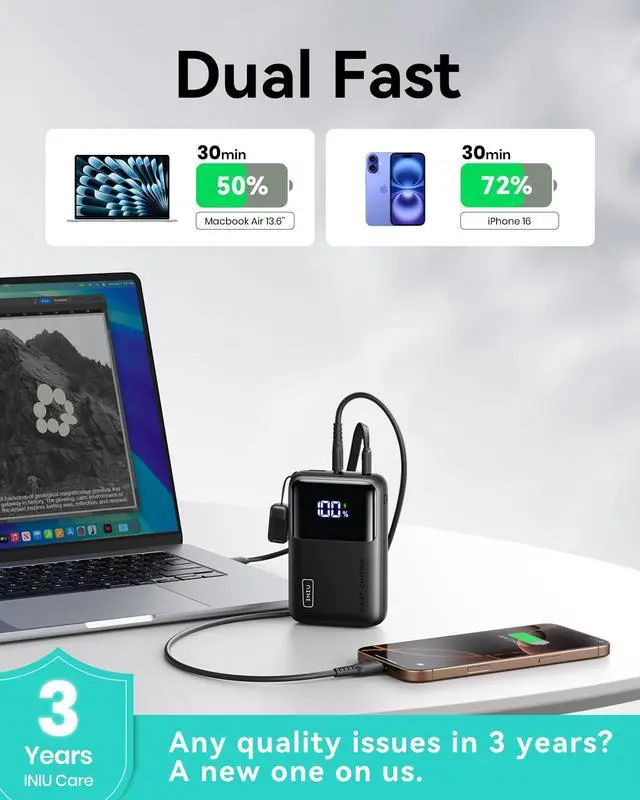
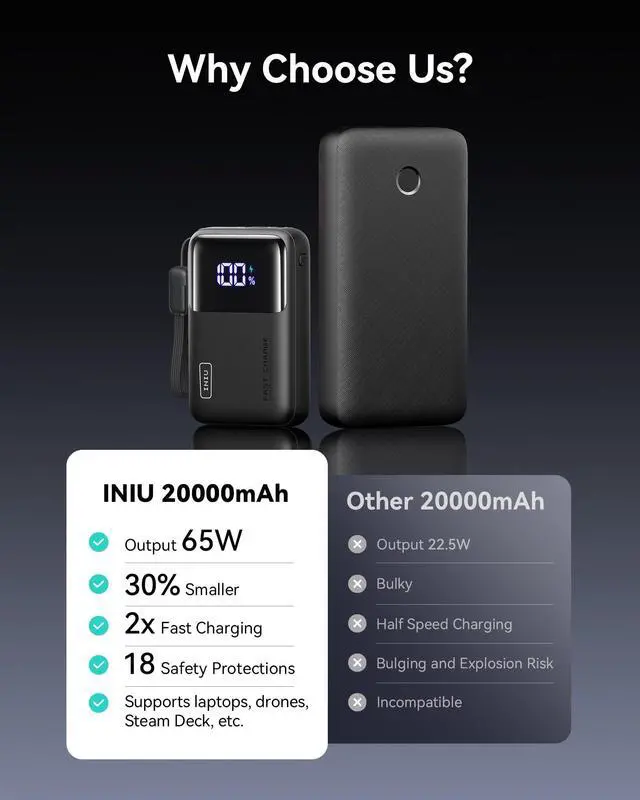


2 Technologies to Break Size Limits

High-Density TinyCell
Same battery capacity as an ordinary one while 20-30% smaller and thinner profile.

HyperStack Architecture
With more compact circuit stacking, the length of the power bank can be reduced by 15mm without sacrificing power or performance.


What’s the Difference Between 65W, 100W, and 140W Laptop Power Banks?
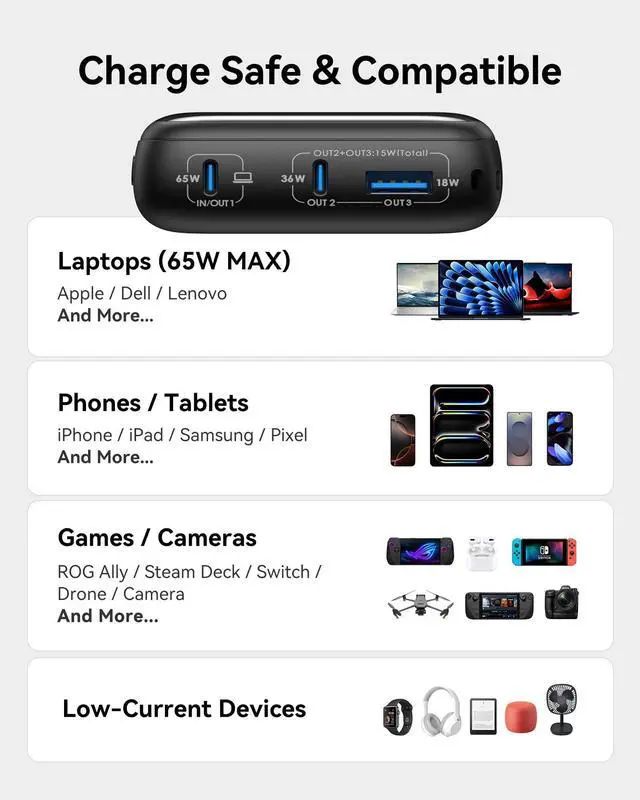
65W: Great for lightweight laptops like MacBook Air;100W: Covers most high-performance laptops.;140W: Needed for ultra-high-performance laptops and full-speed PD 3.1 charging.
Choose a power bank based on your laptop’s max input and daily workload.
Can a Laptop Power Bank Damage My Laptop Battery?
No, if you pick a high-quality, compatible power bank with proper voltage regulation and USB-C PD support. Low-quality or unstable power banks can wear the battery over time. Always choose certified power banks with protections.
Why Does My Power Bank Provide Fewer Charges Than Expected?
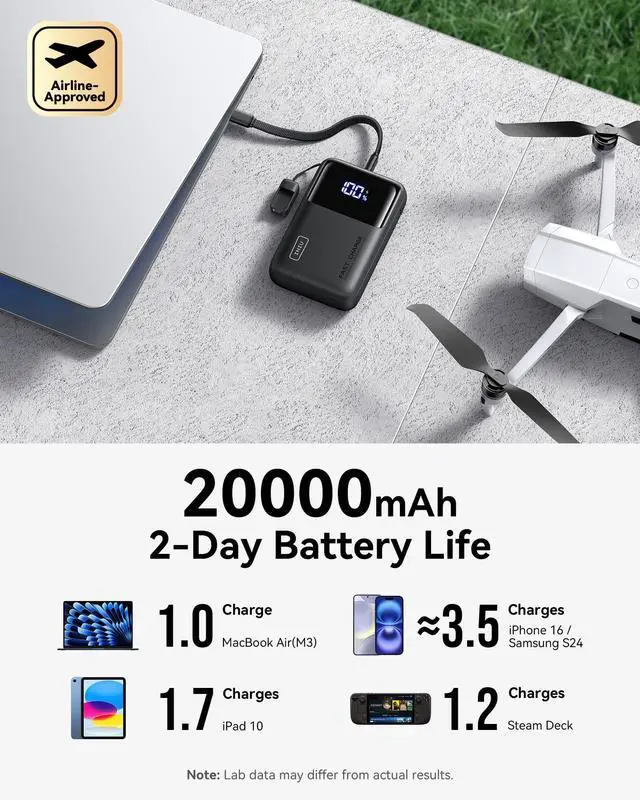
External batteries typically deliver 60%-70% of their rated capacity.
30%-40% is lost to heat from voltage conversion and circuitry, which reduces the number of full charges for your device.
How to Calculate the Possible Number of Charges?
Formula: (Rated capacity × 65%) ÷ Device battery capacity ˜ Number of Charges.
Example: (20000mAh × 0.65) ÷ 3692mAh ˜ 3.5 charges for iPhone 17.
Does It Support Pass-Through Charging?
Yes. The power bank supports pass-through charging, allowing you to charge the power bank and connected devices at the same time.
Comparisons
 INIU 20000mAh Power Bank |  INIU 20000mAh Power Bank |  INIU 25000mAh Power Bank |  INIU 25000mAh Power Bank | |
|---|---|---|---|---|
Customer Reviews | — | — | — | — |
Price | — | — | — | — |
Model | P62-E1 | B62 | P63-E1 | P64-E1 |
Single Output (Max) | 65W | 65W | 100W | 140W |
Capacity | 20000mAh / 73Wh | 20000mAh / 74Wh | 25000mAh / 92.5Wh | 25000mAh / 92.5Wh |
Size | 4.3 x 2.8 x 1.1 in | 5.9 x 2.9 x 1.1 in | 4.3 x 2.7 x 1.4 in | 6.3 x 3.2 x 1.0 in |
Weight | 11.4 oz | 14.3 oz | 13.8 oz | 17.5 oz |
Port & Connection | 2 x USB-C + 1 x USB-A | 2 x USB-C + 1 x USB-A | 2 x USB-C + 1 x USB-A | 2 x USB-C + 1 x USB-A |
Cable Included | Detachable USB-C Cable | Ordinary USB-C Cable | Detachable USB-C Cable | Ordinary USB-C Cable |
Battery Level Display | Digital Display | Digital Display | Digital Display | Digital Display |
Airline Approved | ? | ? | ? | ? |
For Phone | ˜3.5 Charges | ˜3.5 Charges | ˜4 Charges | ˜4 Charges |
For Tablet | ˜1.5 Charges | ˜1.5 Charges | ˜1.5 Charges | ˜1.5 Charges |
For Laptop | ˜1 Charge | ˜1 Charge | ˜1 Charge | ˜1 Charge |


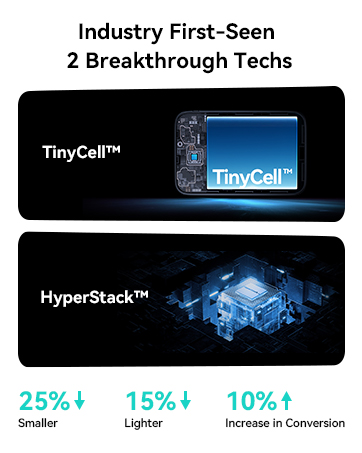









2 Technologies to Break Size Limits
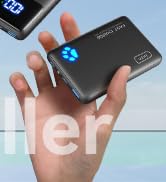
High-Density TinyCell
Same battery capacity as an ordinary one while 20-30% smaller and thinner profile.
HyperStack Architecture
With more compact circuit stacking, the length of the power bank can be reduced by 15mm without sacrificing power or performance.


What’s the Difference Between 65W, 100W, and 140W Laptop Power Banks?
65W: Great for lightweight laptops like MacBook Air;100W: Covers most high-performance laptops.;140W: Needed for ultra-high-performance laptops and full-speed PD 3.1 charging.
Choose a power bank based on your laptop’s max input and daily workload.
Can a Laptop Power Bank Damage My Laptop Battery?
No, if you pick a high-quality, compatible power bank with proper voltage regulation and USB-C PD support. Low-quality or unstable power banks can wear the battery over time. Always choose certified power banks with protections.
Why Does My Power Bank Provide Fewer Charges Than Expected?
External batteries typically deliver 60%-70% of their rated capacity.
30%-40% is lost to heat from voltage conversion and circuitry, which reduces the number of full charges for your device.
How to Calculate the Possible Number of Charges?
Formula: (Rated capacity × 65%) ÷ Device battery capacity ˜ Number of Charges.
Example: (20000mAh × 0.65) ÷ 3692mAh ˜ 3.5 charges for iPhone 17.
Does It Support Pass-Through Charging?
Yes. The power bank supports pass-through charging, allowing you to charge the power bank and connected devices at the same time.
Comparisons
INIU 20000mAh Power Bank | INIU 20000mAh Power Bank | INIU 25000mAh Power Bank | INIU 25000mAh Power Bank |
|---|---|---|---|
| Customer Reviews | |||
| — | — | — | — |
| Price | |||
| — | — | — | — |
| Model | |||
| P62-E1 | B62 | P63-E1 | P64-E1 |
| Single Output (Max) | |||
| 65W | 65W | 100W | 140W |
| Capacity | |||
| 20000mAh / 73Wh | 20000mAh / 74Wh | 25000mAh / 92.5Wh | 25000mAh / 92.5Wh |
| Size | |||
| 4.3 x 2.8 x 1.1 in | 5.9 x 2.9 x 1.1 in | 4.3 x 2.7 x 1.4 in | 6.3 x 3.2 x 1.0 in |
| Weight | |||
| 11.4 oz | 14.3 oz | 13.8 oz | 17.5 oz |
| Port & Connection | |||
| 2 x USB-C + 1 x USB-A | 2 x USB-C + 1 x USB-A | 2 x USB-C + 1 x USB-A | 2 x USB-C + 1 x USB-A |
| Cable Included | |||
| Detachable USB-C Cable | Ordinary USB-C Cable | Detachable USB-C Cable | Ordinary USB-C Cable |
| Battery Level Display | |||
| Digital Display | Digital Display | Digital Display | Digital Display |
| Airline Approved | |||
| ? | ? | ? | ? |
| For Phone | |||
| ˜3.5 Charges | ˜3.5 Charges | ˜4 Charges | ˜4 Charges |
| For Tablet | |||
| ˜1.5 Charges | ˜1.5 Charges | ˜1.5 Charges | ˜1.5 Charges |
| For Laptop | |||
| ˜1 Charge | ˜1 Charge | ˜1 Charge | ˜1 Charge |
Most Advanced Power
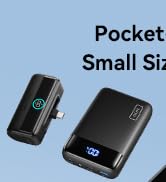
Pocket-Sized Power
Magnetic Wireless Charger
High Power Cables & Chargers
