Are you an E-Blast Insider?
Get Educated
Make informed decisions with expert advice. Learn More

Shop without retyping payment details. Secure shopping made faster.
Check out with PayPal.
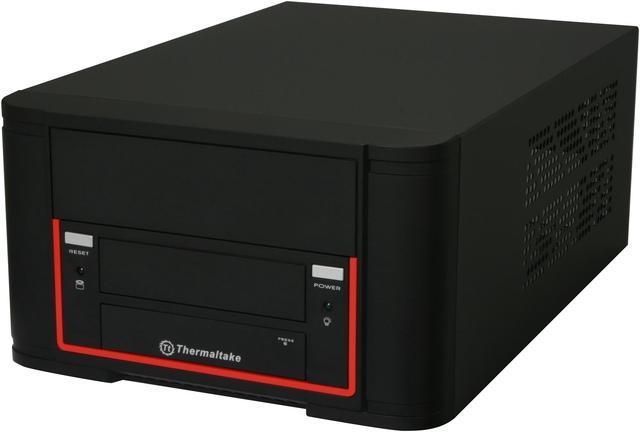
Thermaltake Element Q VL52021N2U Black SGCC / Plastic Mini-ITX Desktop Computer Case 200W SFX Power Supply
OUT OF STOCK.
- SGCC / Plastic Mini-ITX Desktop
- USB 2.0 / Audio Front Ports
- 200W SFX Power Supply
- 1 External 5.25" Drive Bays
- 1 Internal 3.5" Drive Bays
LOADING...
Overview
Specs
Reviews
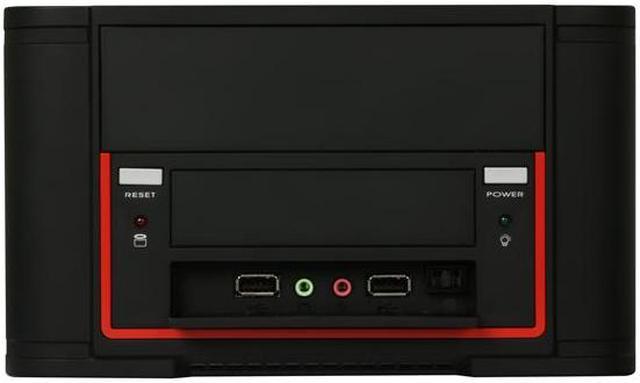
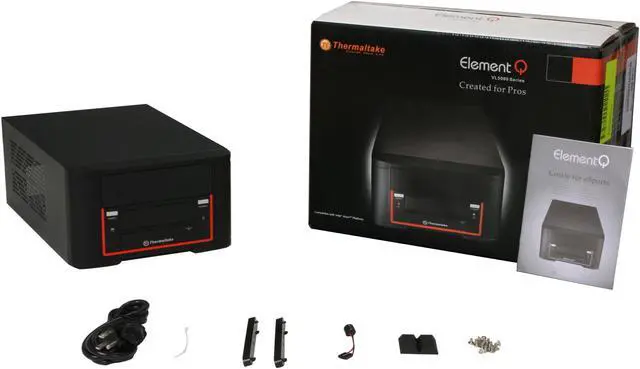
The Thermaltake VL52021N2U mini-ITX case is a great choice for space-limited condition, such as HTPC. This small form factor case offers a compact, stylish and convenient solution for housing a mini-ITX system, and this compact case has many of the features you'd expect from a larger box, all orderly arranged to do the job neatly and efficiently. The innovative cooling system utilizes the fanless design to save energy and keep the environment quiet. Perforations in the panel vent hot air to keep heat from building up and slowing down your system. The concealed front I/O panel gives hassle-free access to two USB ports and audio jacks.
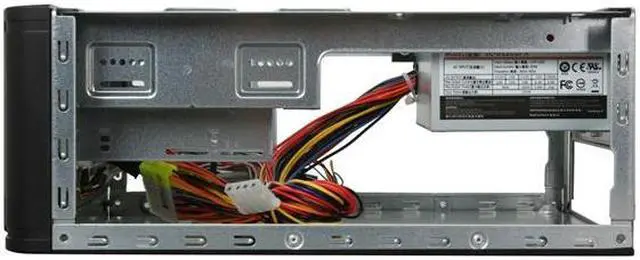
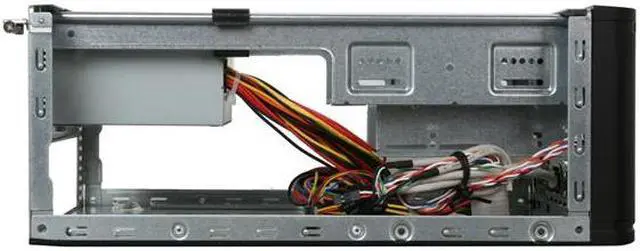
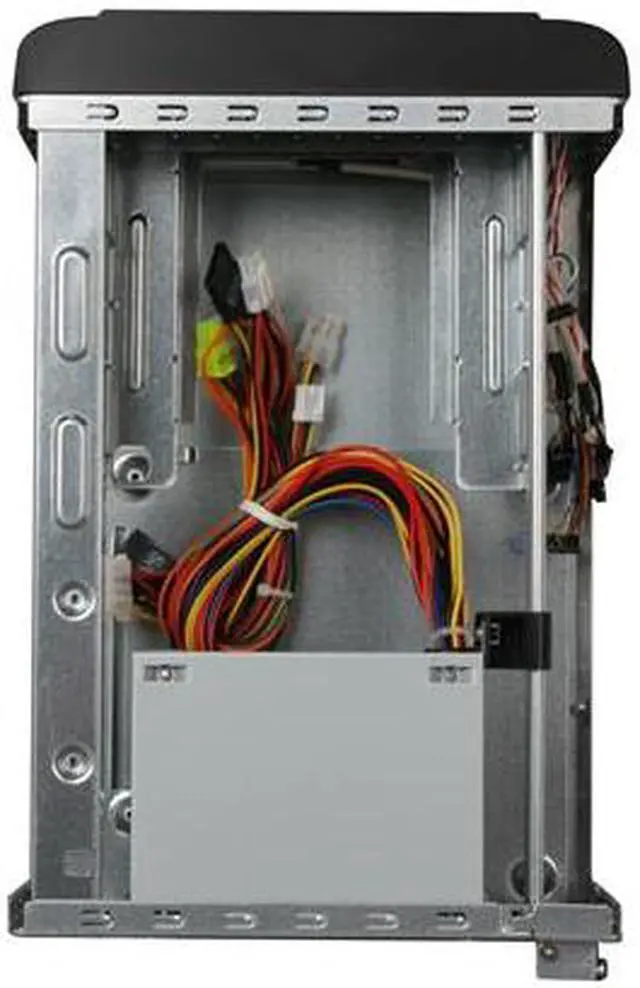
Inside the case, you'll have suited space for your mini-ITX motherboard, a 5.25'' external drive, a 3.5'' external drive, an internal 3.5'' drive and an expansion slot - all run robustly with the included 200W power-supply. Go ahead and build your dream system with the Thermaltake VL52021N2U mini-ITX case.
Compact and StylishThe Thermaltake VL52021N2U mini-ITX case combines ultra-compact design and stylish looks for seamless integration into any home decoration.
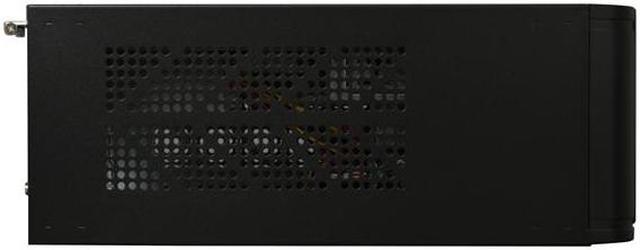
Fanless VentilationFeaturing fanless design and enough perforations in the panel, the Thermaltake VL52021N2U mini-ITX case provides a quieter environment, better power conservation and efficient ventilation.
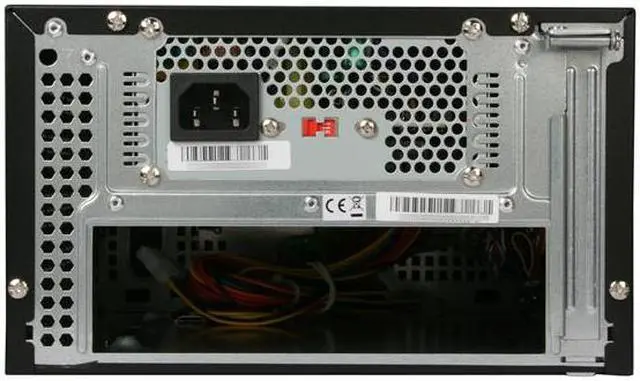
Built-In 200W PSUThe Thermaltake VL52021N2U mini-ITX case is equipped with a 200W power supply unit to handle typical power consumption of most mini-ITX systems.
Convenient I/O PanelThe Thermaltake VL52021N2U mini-ITX case features a concealed front I/O panel for easy access to two USB ports and two audio jacks.
Warranty & Returns
Warranty, Returns, And Additional Information
Warranty
- Limited Warranty period (parts): 3 years
- Limited Warranty period (labor): 3 years
- Read full details
Return Policies
- Return for refund within: 30 days
- Return for replacement within: 30 days
- This item is covered by Newegg.com's Standard Return Policy
Manufacturer Contact Info
- Manufacturer Product Page
- Manufacturer Website
- Support Phone: 1-800-988-1088
- Support Website
- View other products from Thermaltake
LOADING...
LOADING...


Compact and StylishThe Thermaltake VL52021N2U mini-ITX case combines ultra-compact design and stylish looks for seamless integration into any home decoration.
Fanless VentilationFeaturing fanless design and enough perforations in the panel, the Thermaltake VL52021N2U mini-ITX case provides a quieter environment, better power conservation and efficient ventilation.
Built-In 200W PSUThe Thermaltake VL52021N2U mini-ITX case is equipped with a 200W power supply unit to handle typical power consumption of most mini-ITX systems.
Convenient I/O PanelThe Thermaltake VL52021N2U mini-ITX case features a concealed front I/O panel for easy access to two USB ports and two audio jacks.
Pros: Good fit/finish. Accepts full size drives. Comes with TT 220 watt power supply (SL-B220SFX). Power supply fan nearly silent. Got this on sale plus rebate and free shipping.
Cons: Full retail price a little high. Look for this on sale.
Overall Review: Decent size (about the size of a shoebox). All the power connecters you need for a case this size. This actually comes with a 220W power supply (not 200). The PS fan is so quiet I thought it wasn't working at first. Installed an Intel D510MO motherboard, 2 GB DDR2 PC6400, and a 3.5 inch hard drive for a 24/7 server. I was able to install the motherboard without removing the power supply (use an offset screw driver). Temps seem fairly stable with just the power supply fan, no additional cooling. One thing to note, mounting a 3.5 hard drive in the front 3.5 bay worked, but the sata and power connectors sat right on top of my memory (actually touching). I moved it to the 5.25 bay so I have adequate space between all components. Routing all the cables was tricky, I used several nylon ties so the wiring does not touch any heatsyncs etc. Would be a chore if you used all 3 drive bays, but the cables are long enough to tuck things out of the way. Overall met my expectations.