
Your Browsing History





Any questions? Our AI beta will help you find out quickly.
| Brand | Blackmagic Design |
|---|---|
| Model | VIDREC |
| Interface | USB 2.0 |
| Format | Supported Formats: 625/25 PAL and 525/29.97 NTSC Capture Format: H.264 |
|---|---|
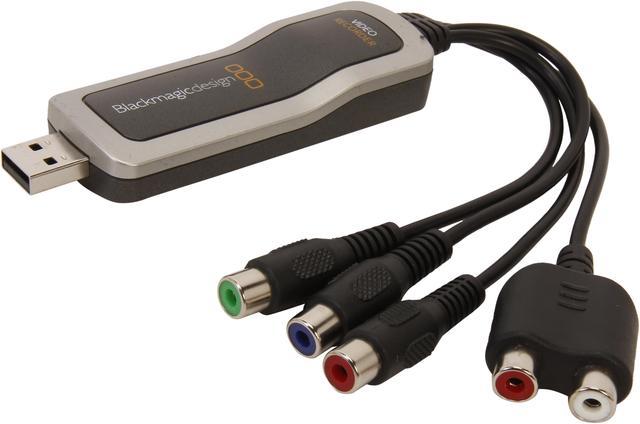
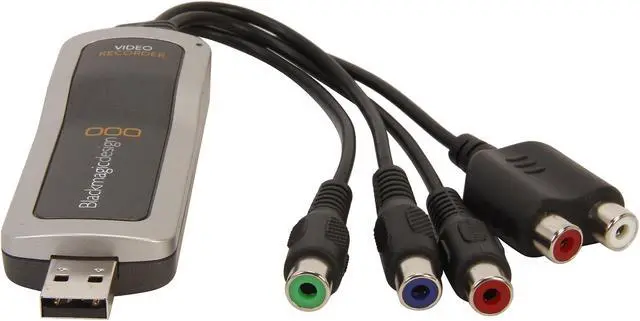
| Video | 3x RCAs: Component, Composite, and S-Video |
| Audio | 2x RCAs: Stereo Analog Audio |
| System Requirements | Macintosh computer with USB 2.0 port |
|---|
| Specification | Connectors 3x RCAs: Component, Composite, and S-Video 2x RCAs: Stereo Analog Audio USB 2.0 |
|---|
| Feature | The Video Recorder USB Capture Device (Mac OS-X only) from Blackmagic Design is a compact video capture device that is designed with ease of use in mind. The device features RCA connectors for component, composite, and S-Video video input, which it uses to capture video directly to the commonly-used H.264 format. The device also features stereo analog audio RCA inputs. It is compatible with Apple computers running Mac OS X only. Note! Please note that this unit is designed for use with Mac computers only. Please note that connecting the device to S-Video requires a separate RCA-to-S-Video cable adapter. User-Friendly Software The included software is designed for ease of use. It allows you to select a recording source and output device. You can optimize video for the iPod, iPhone, Apple TV, and YouTube. You can also record video at full-resolution. Cropping Tools You'll be able to crop out extra borders or VHS switching information from captured videos. This allows you to create a digital file without these annoying artifacts and borders. Robust Recording Settings You can choose to optimize your videos in a number of ways. You can break them up into files based on runtime or file size. You can also set the software to record for a certain length of time before stopping automatically. You can even have videos loaded into iTunes automatically upon capture. |
|---|
| Package Content | Video Recorder Software Component Cable (RCA) Audio L/R Cable (RCA) Soft Pouch Carrying Case |
|---|
| First Listed on Newegg | June 06, 2013 |
|---|