




 here!
here!
I’m your shopping assistant for PC builds, upgrades, and everything tech.
Got questions? Ask away!
Start a conversation
here!
I’m your shopping assistant for PC builds, upgrades, and everything tech.
Got questions? Ask away!
Start a conversation
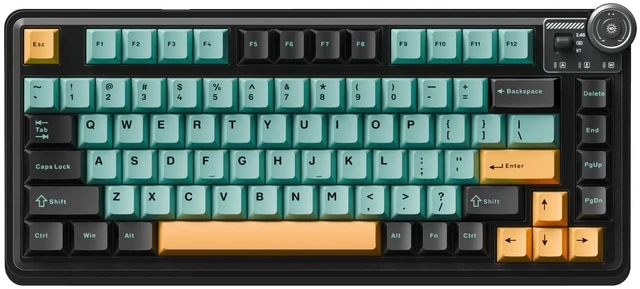
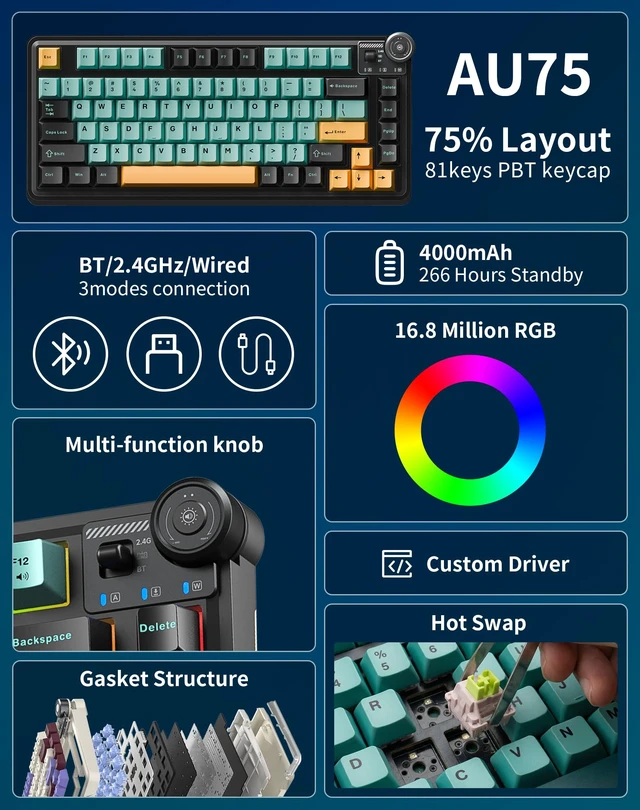
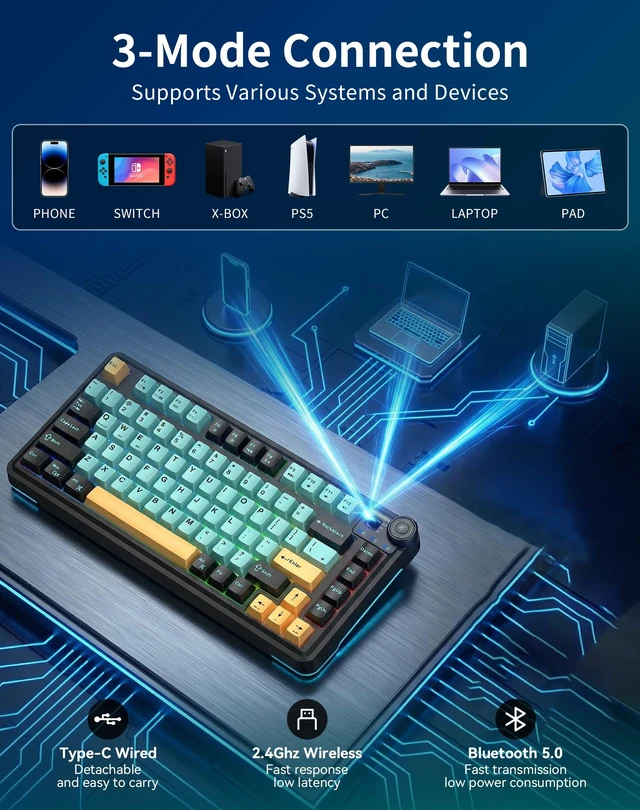
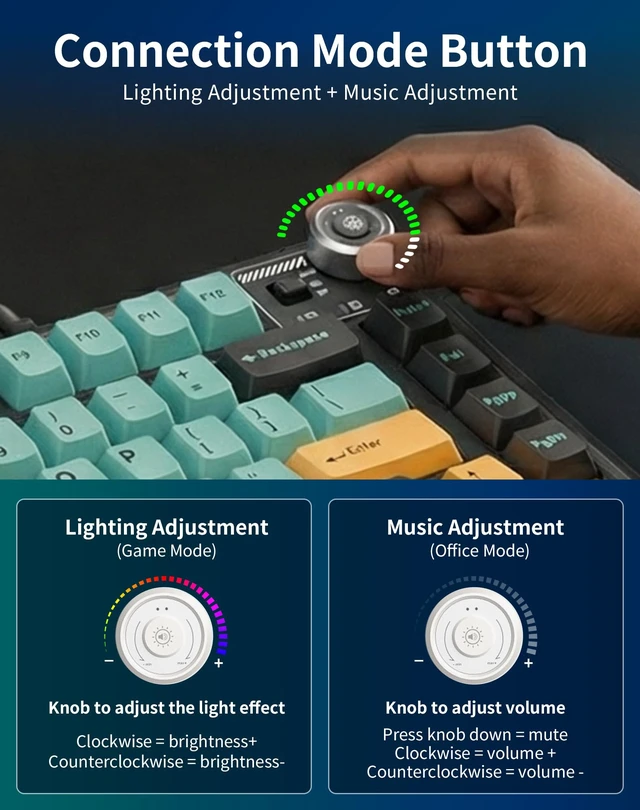
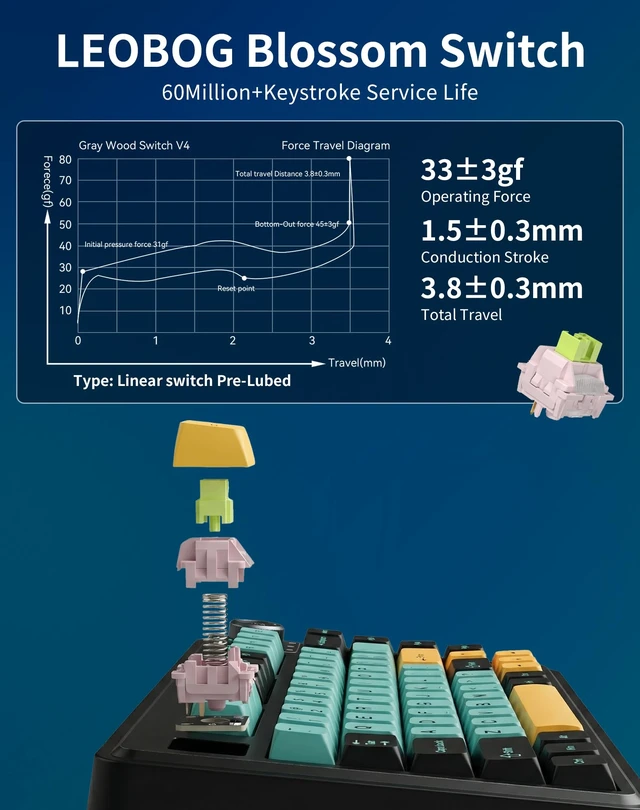
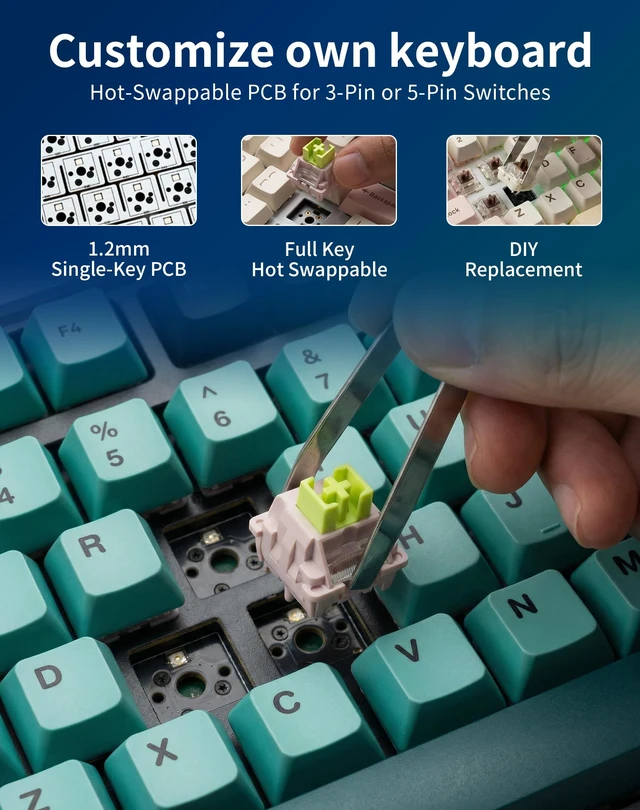
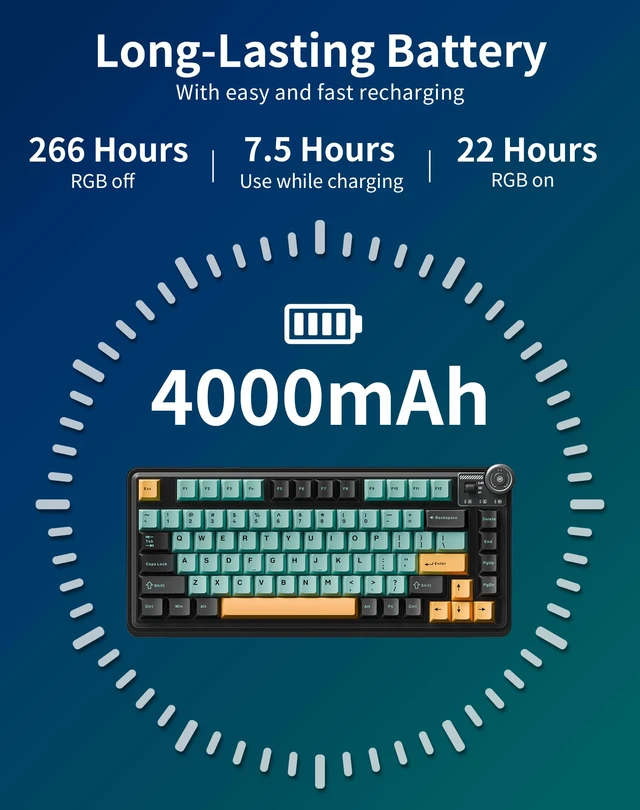



Any questions? Ask CelesteSM will help you find out quickly.


Is it Mac compatible?
Yes. Press FN+E for Mac mode (swaps Win/Alt positions); press FN+W to return to Windows.
Do I need special software to control the RGB lighting, key settings, and macros?
Yes, The software is required to set up macros, fine-tune per-key RGB lighting effects, and save multiple profiles. You can download the latest version from the aulastar Website.
What does the knob do?
It adjusts volume/mute in Office mode and controls RGB brightness/effects in Game mode.
How to check battery level?
Press FN+B; the F1-F10 keys will light up to display the current power level.
How to switch connection modes?
Toggle the switch to choose 2.4G (FN+`~), Bluetooth (FN+1/2/3 for 3 devices), or Wired mode.


The BlueEnss Pact: When Cold Precision Meets the Apex Predator
This is the union of two legendary forces. BlueEnss, with its glacial calm and engineered precision, joins the Apex Predator, AULA, a born tactician who strikes with thunderous speed from absolute silence.
This is more than a collaboration; it is a destined fusion. We have forged the predator's soul into our very blue bloodline.


Is it Mac compatible?
Yes. Press FN+E for Mac mode (swaps Win/Alt positions); press FN+W to return to Windows.
Do I need special software to control the RGB lighting, key settings, and macros?
Yes, The software is required to set up macros, fine-tune per-key RGB lighting effects, and save multiple profiles. You can download the latest version from the aulastar Website.
What does the knob do?
It adjusts volume/mute in Office mode and controls RGB brightness/effects in Game mode.
How to check battery level?
Press FN+B; the F1-F10 keys will light up to display the current power level.
How to switch connection modes?
Toggle the switch to choose 2.4G (FN+`~), Bluetooth (FN+1/2/3 for 3 devices), or Wired mode.
The BlueEnss Pact: When Cold Precision Meets the Apex Predator
This is the union of two legendary forces. BlueEnss, with its glacial calm and engineered precision, joins the Apex Predator, AULA, a born tactician who strikes with thunderous speed from absolute silence.
This is more than a collaboration; it is a destined fusion. We have forged the predator's soul into our very blue bloodline.





