here!
I’m your shopping assistant for PC builds, upgrades, and everything tech.
Got questions? Ask away!
Start a conversation
here!
I’m your shopping assistant for PC builds, upgrades, and everything tech.
Got questions? Ask away!
Start a conversation
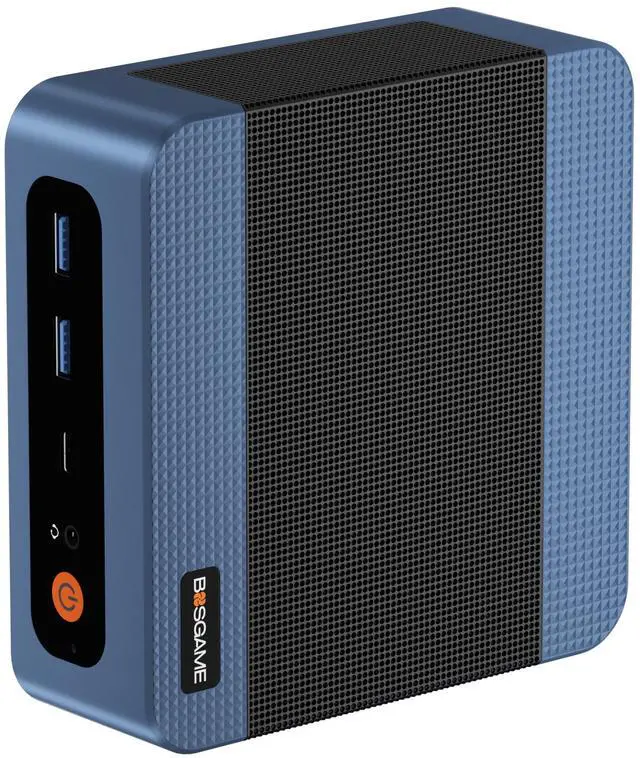



Any questions? Ask CelesteSM will help you find out quickly.
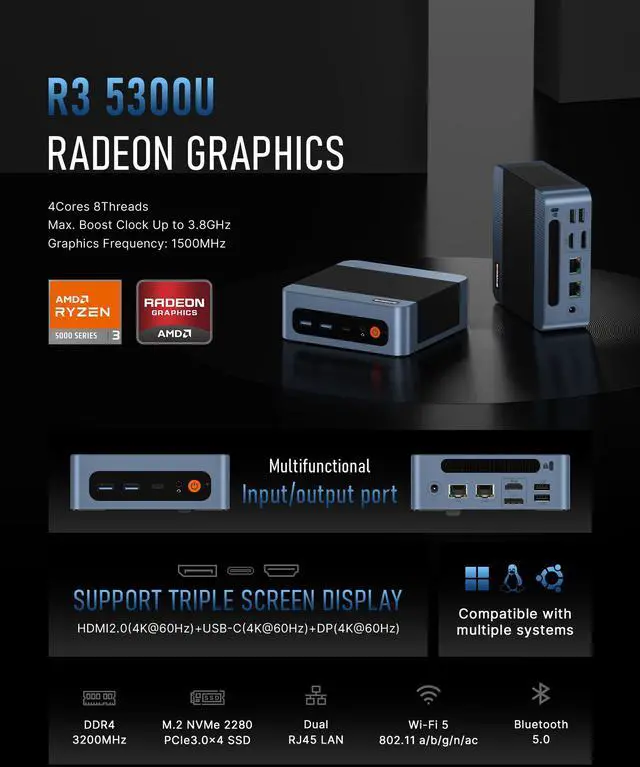
| CPU | AMD Ryzen 3 5300U, 4C/8T, up to 3.8GHz |
|---|---|
| Graphics | AMD Radeon Graphics (Max Frequency 1500MHz) |
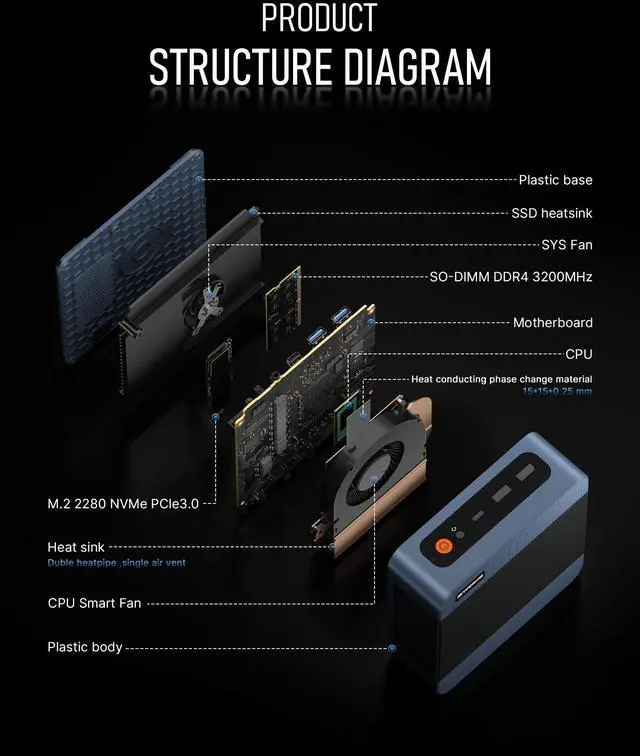
| Memory | 16GB DDR4 3200MHz SODIMM(Dual-channel, Included); Max 64GB |
| Storage | 1TB M.2 2280 NVMe PCIe 3.0 x4 SSD (pre-installed); one additional M.2 slot for expansion |
| Internal Slot | 2x SO-DIMM Slot, 2x M.2 PCIe3.0 x4 SSD Slot |
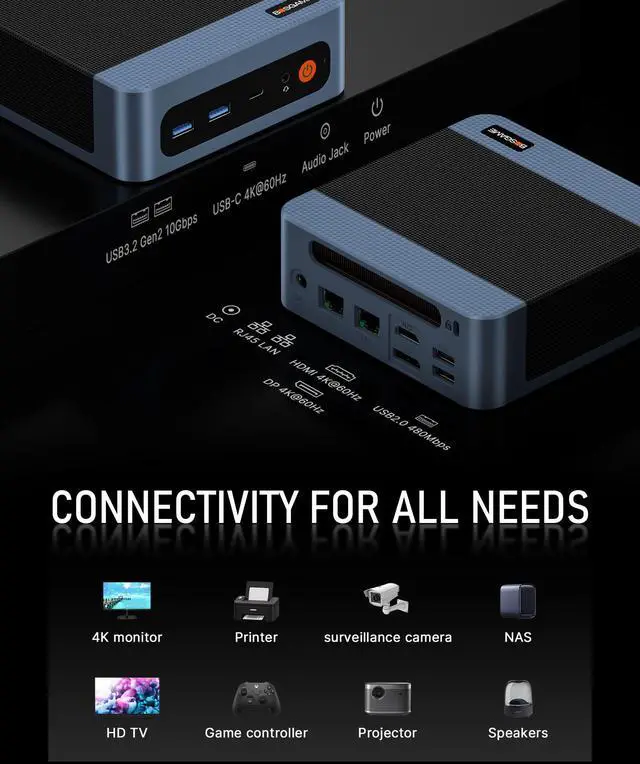
| Connectivity |
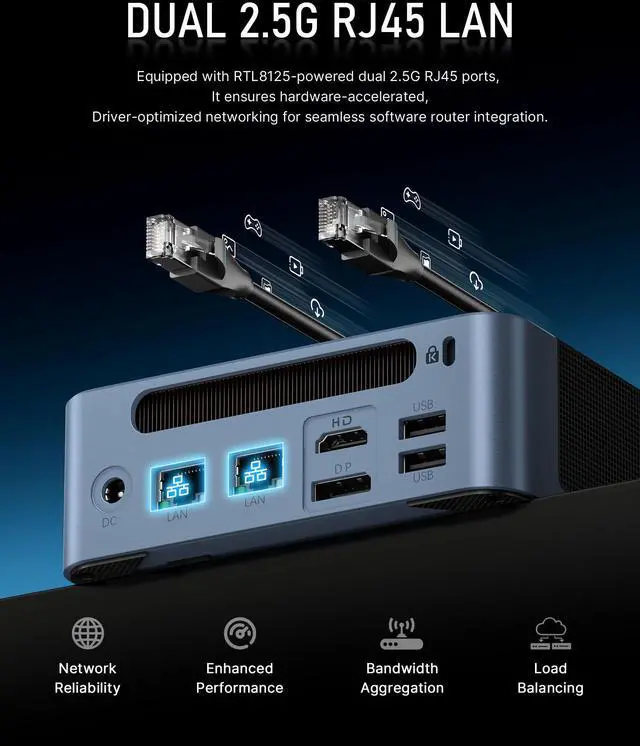
Dual 2.5G LAN |
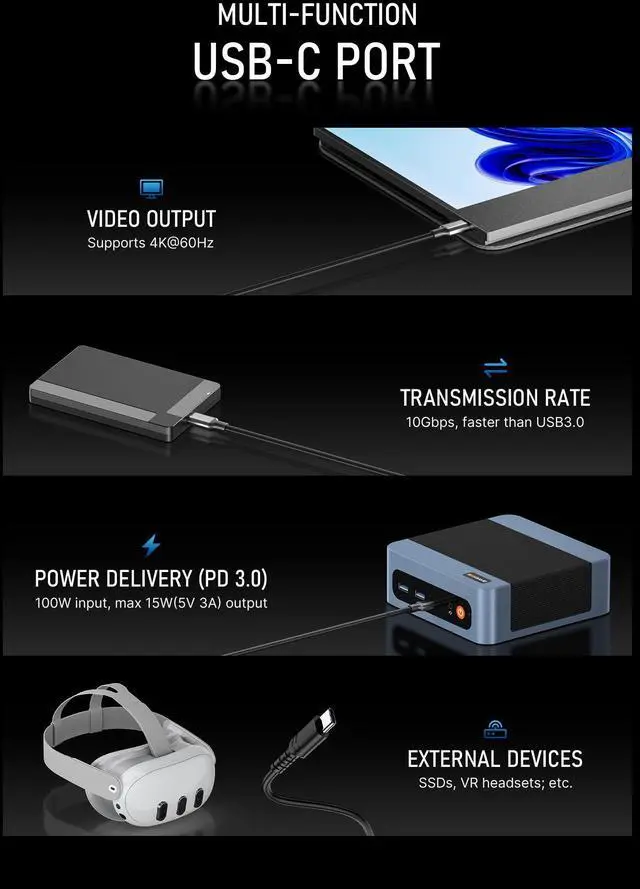
| Video Output | HDMI 2.0 ×1, DP ×1, USB-C ×1 (up to 4K@60Hz) |
| Package Included |
1x Mini PC, 1x Power adapter, 1x VESA mount with screws, 1x HDMI cable, 1x User Manual |
| Other Functions | Auto Power ON, Wake On Lan, PXE |
|
Operating System |
Windows 11 Pro |


Q: Should I buy the BOSGAME E5 or an Intel N100 mini PC for basic home and office use?
A: Choose the BOSGAME E5 if you want more CPU headroom, better multitasking, and stronger expandability in a mini PC that can also handle dual 2.5GbE networking and three-display setups. The Ryzen 3 5300U is a 4-core/8-thread 15W mobile processor, while Intel N100 systems are usually positioned as lower-cost entry models for lighter workloads. Community discussions around this BOSGAME E5 also frame it as a step up from N95/N100-class boxes when buyers want more performance without moving into premium pricing.
Q: Is the BOSGAME E5 a better fit than a used Lenovo ThinkCentre or Dell OptiPlex Micro?
A: Pick the BOSGAME E5 if you want a new mini PC with modern consumer features out of the box, especially dual 2.5GbE, triple-display support, Wi-Fi, and a 1TB SSD. A used ThinkCentre or OptiPlex Micro can still be the better value for low-cost office or homelab setups if you are comfortable buying refurbished hardware and giving up some newer connectivity. Community discussions consistently treat this as a trade-off between lower used-enterprise pricing and better modern I/O on newer mini PCs like the E5.
Q: Should I get the BOSGAME E5 or move up to a Ryzen 5 5560U mini PC?
A: Choose the BOSGAME E5 if your priority is everyday productivity, web work, office apps, and light homelab use at a lower cost. Move up to a Ryzen 5 5560U mini PC if you expect heavier multitasking or want more performance margin over time. AMD positions the 5300U as a 4-core/8-thread Ryzen 3 part and the 5560U as a 6-core/12-thread Ryzen 5 part in the same general power class, so the usual buying decision is value and efficiency versus more sustained CPU throughput.
Q: Is the BOSGAME E5 enough, or should I buy a Ryzen 7 5800U mini PC instead?
A: The BOSGAME E5 is the better choice when you want a compact PC for office work, remote management, multiple monitors, and light server duties without paying for higher-tier compute. A Ryzen 7 5800U mini PC makes more sense if your workloads regularly benefit from 8 cores and 16 threads, such as heavier virtualization, content work, or more demanding multitasking. Review coverage of Ryzen 7 5800U mini PCs shows that these systems are usually positioned above entry and midrange office boxes, with the higher CPU tier being the main reason to step up.
Q: Is the BOSGAME E5 good for a small Plex server or should I choose an Intel mini PC?
A: Choose the BOSGAME E5 if you want a compact always-on box for direct playback, file serving, light self-hosting, or dual-NIC homelab roles. Choose an Intel mini PC instead if Plex transcoding is a main priority, because community buying advice commonly favors Intel systems with Quick Sync for that specific use case. In other words, the E5 fits general mini server duty well, while Intel is often the more targeted choice for media-transcoding-heavy setups.
Q: Is this mini PC good for office work, video meetings, and everyday multitasking?
A: Yes. For web apps, Microsoft Office, email, video calls, light multitasking, and general home-office use, this configuration is a good fit. The Ryzen 3 5300U is a 4-core/8-thread low-power laptop-class processor, and 16GB RAM plus a 1TB SSD is enough for typical productivity workloads. The main trade-off is graphics and compute headroom: it is not the right choice for demanding gaming, heavy video editing, or workstation-class creative work.
Q: Is it worth buying if I need a compact PC for travel or moving between home and office?
A: It can make sense if you want a full Windows desktop in a small box and you are willing to bring your own monitor, keyboard, and power adapter at the destination. A mini PC is more portable than a tower and easier to pack for temporary setups, but it is still less convenient than a laptop for true mobile work because it has no built-in screen, battery, webcam, or keyboard.
Q: Who is this BOSGAME E5 most suitable for?
A: It is best suited to budget-conscious users who need a small desktop for office work, web use, remote work setups, digital signage, or multi-monitor productivity. It is also more relevant than many basic mini PCs for networking-oriented users because it has dual 2.5GbE ports, which are useful for soft routing, firewall, NAS-adjacent, or segmented network setups. It is less suitable for buyers who need a stronger CPU or GPU for advanced content creation or modern gaming.
Q: Can it run three monitors, and is that actually useful for work?
A: Yes. Based on the product specs, it supports three independent 4K displays over HDMI, DisplayPort, and USB-C/DisplayPort. That is useful for spreadsheet work, dashboards, coding, browser-heavy workflows, and multitasking across multiple apps. The trade-off is that triple-display support does not mean high-end graphics performance; it is for productivity and media output, not serious 3D or GPU-heavy workloads.
Q: What are the main trade-offs versus a newer mini PC with Wi-Fi 6, DDR5, or a faster Ryzen 5/Ryzen 7 chip?
A: The BOSGAME E5 should be cheaper and adequate for mainstream office use, but the trade-offs are clear: the Ryzen 3 5300U is an older entry-to-midrange mobile CPU, Wi-Fi 5 is behind newer Wi-Fi 6/6E systems, and DDR4/PCIe 3.0 storage is less forward-looking than DDR5 or faster platforms. In return, this model still covers the basics well and stands out with dual 2.5GbE and triple-display support. Choose it for value and connectivity; choose a newer Ryzen 5/Ryzen 7 or Core Ultra mini PC if you want more performance headroom and longer platform relevance.
Q: Is the BOSGAME E5 a good budget mini PC for everyday work and home use?
A: Yes for basic productivity. The Ryzen 3 5300U, 16GB RAM, and 1TB SSD are a practical fit for web browsing, office work, video calls, media playback, and light multitasking. It makes more sense as a compact daily-use PC than as a high-performance workstation or gaming machine.
Q: Who is the BOSGAME E5 most suitable for?
A: It is best suited to users who want a small Windows desktop for office tasks, home use, kiosks, digital signage, light server or network roles, or multi-monitor productivity. The dual 2.5GbE ports and support for three displays make it more suitable for desk productivity and network-focused setups than for entertainment or gaming-first use.
Q: Is the BOSGAME E5 good for gaming?
A: Not as a gaming-first purchase. Its integrated Radeon graphics are fine for very light games, older titles, emulation, and general media use, but it is not the right choice for demanding modern 3D games. If gaming is a main priority, a stronger mini PC with a higher-tier Ryzen APU is the better fit.
Q: What are the main trade-offs of choosing the BOSGAME E5?
A: The main trade-off is value versus performance class. You get a compact chassis, 16GB RAM, 1TB SSD, dual 2.5GbE, and triple-display support, but the Ryzen 3 5300U is still an older lower-tier mobile chip. That makes the E5 more attractive when priced aggressively, while buyers needing stronger graphics, newer wireless standards, or more long-term headroom may want a newer platform.
Q: Is the BOSGAME E5 a sensible replacement for a basic full-size desktop or older low-end mini PC?
A: Yes if your needs are light to moderate and you want to save space. It can replace an older low-end office PC for browsing, documents, streaming, and multi-monitor work while using less space and power. It is less suitable as a replacement for a desktop used for heavy creative work, large local compute tasks, or serious gaming.