here!
I’m your shopping assistant for PC builds, upgrades, and everything tech.
Got questions? Ask away!
Start a conversation
here!
I’m your shopping assistant for PC builds, upgrades, and everything tech.
Got questions? Ask away!
Start a conversation

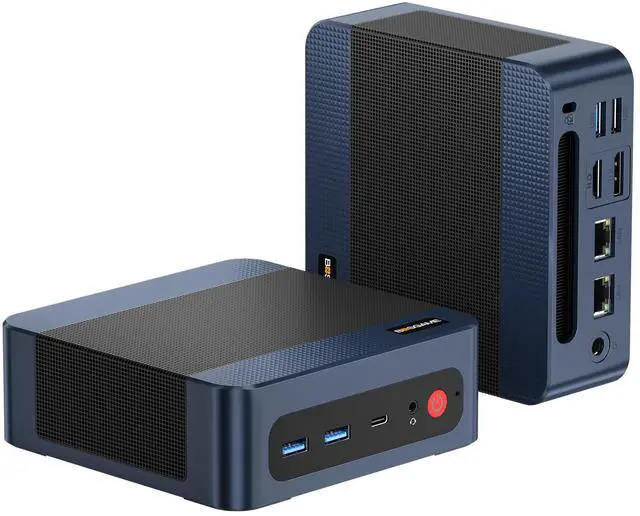



Any questions? Ask CelesteSM will help you find out quickly.
|
CPU |
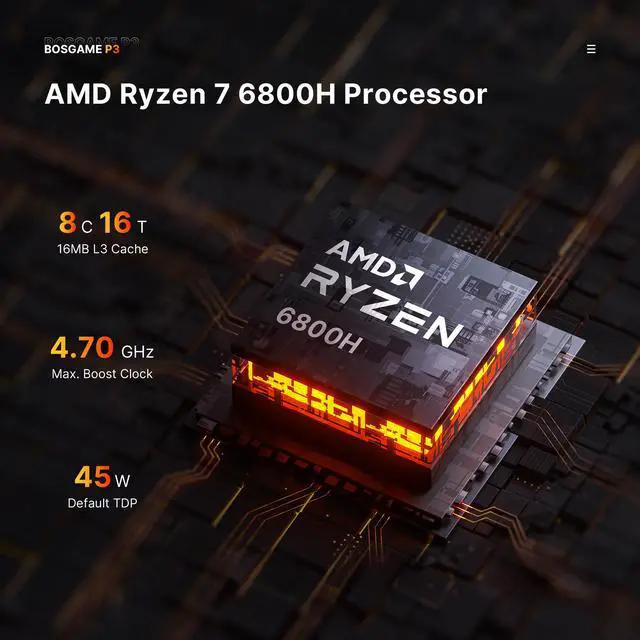
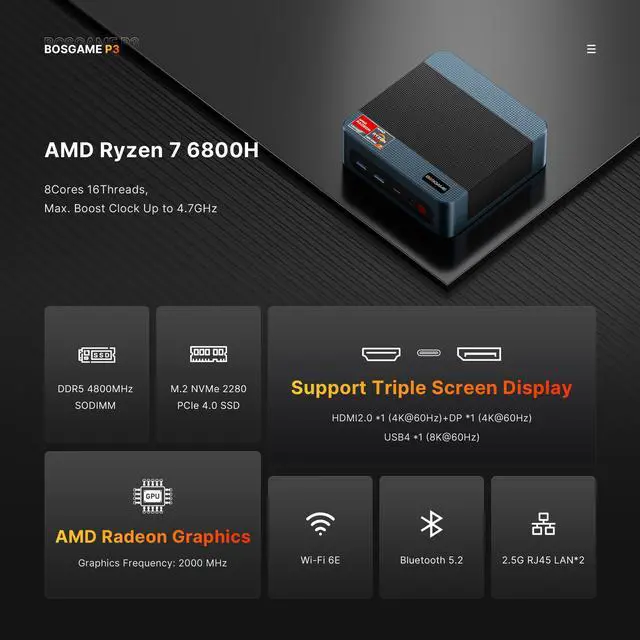
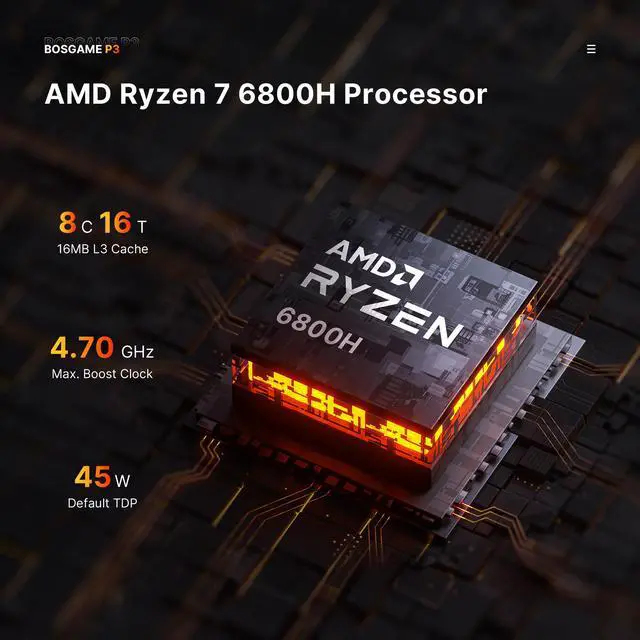
AMD Ryzen 7 6800H |
|---|---|
|
GPU |
AMD Radeon 680M(Max Graphics Frequency 2200MHz) |
|
Memory |
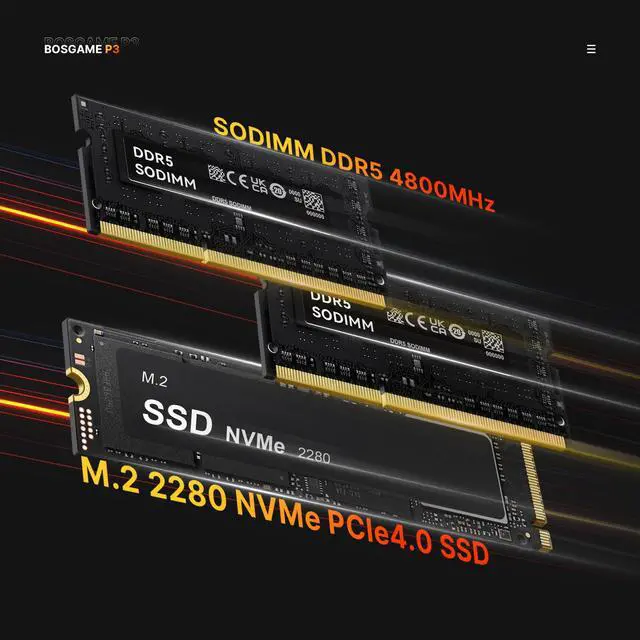
32GB DDR5 4800MT/s SODIMM(Dual-channel, Included); Max 64GB |
|
Storage |
|
|
Video Output |
USB4 x1(8K@60Hz) |
|
Connectivity |
Dual 2.5G LAN |
|
Operating System |
Windows 11 Pro |
|
Package Included |
1x Mini PC, 1x Power adapter, 1x VESA mount with screws, 1x HDMI cable, 1x User Manual |
|
Other Functions |
Auto Power ON, Wake On Lan, PXE |


Product Description
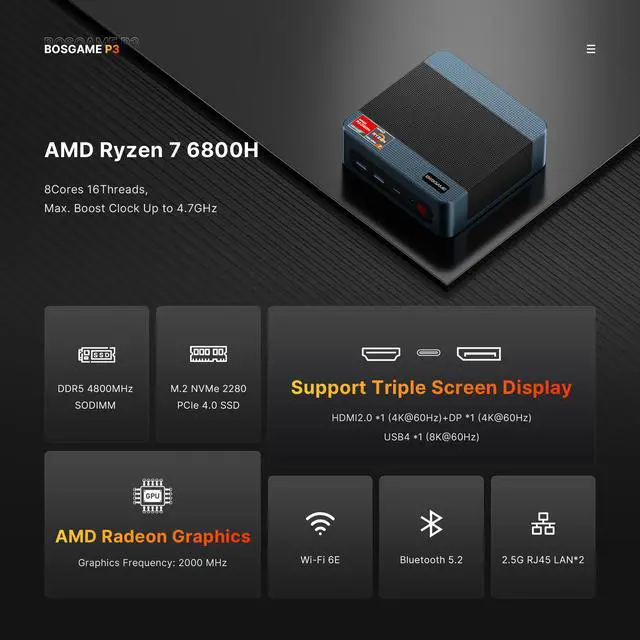
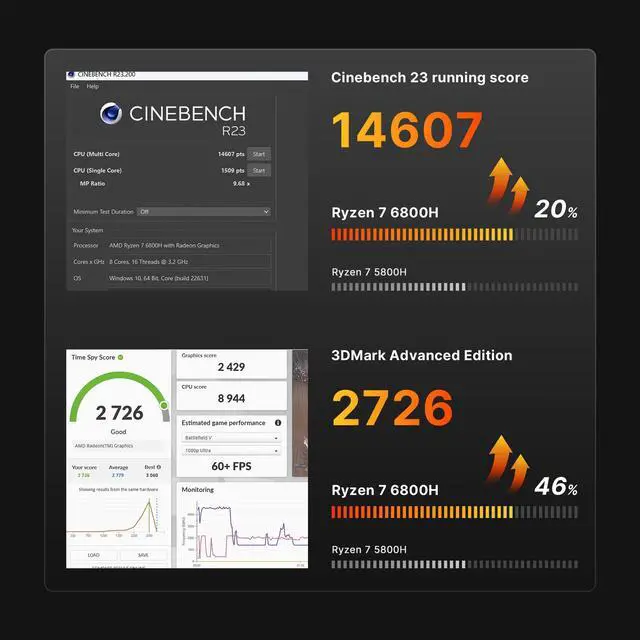
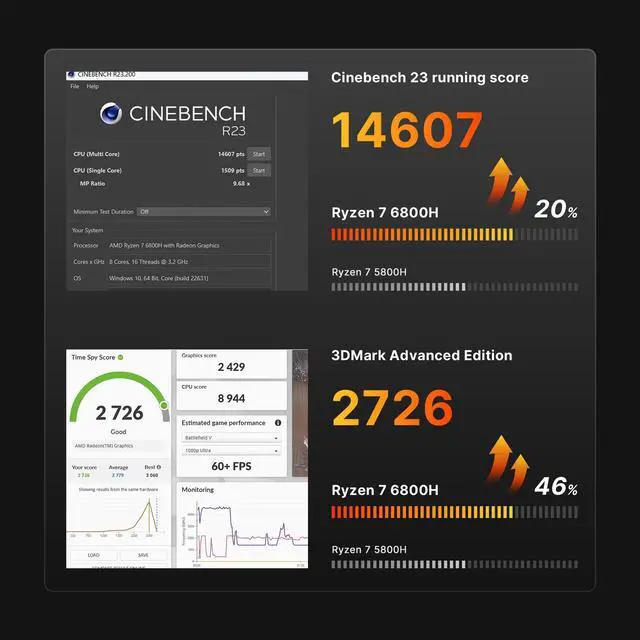
Powered by the AMD Ryzen 7 6800H processor (8 cores, 16 threads, up to 4.7GHz) and AMD Radeon 680M integrated graphics (up to 2200MHz), this mini PC delivers responsive multitasking, smooth casual gaming, and reliable productivity. Equipped with 32GB dual-channel DDR5 4800MT/s memory (expandable to 64GB) and a 1TB NVMe PCIe 4.0 x4 SSD (plus an extra M.2 slot), it ensures fast boot times, quick file access, and ample storage.
Features
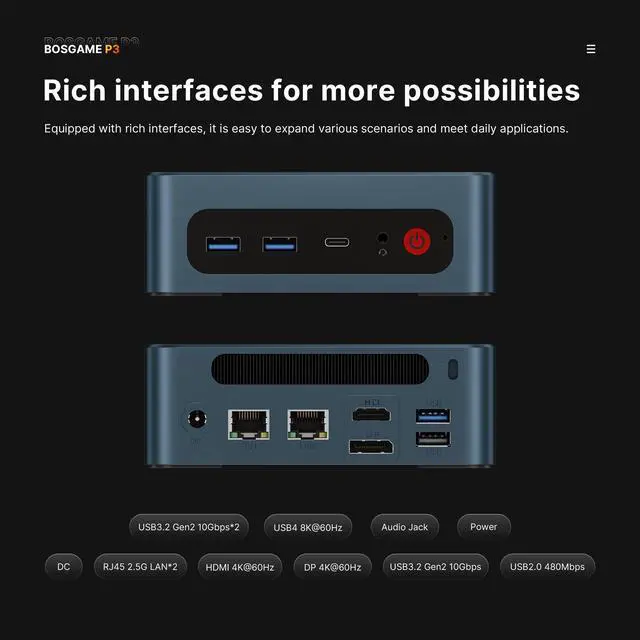
Triple display output via HDMI 2.0 (4K@60Hz), DisplayPort (4K@60Hz), and USB4 (8K@60Hz, compatible with Thunderbolt 3.0) for expanded productivity and immersive visuals.
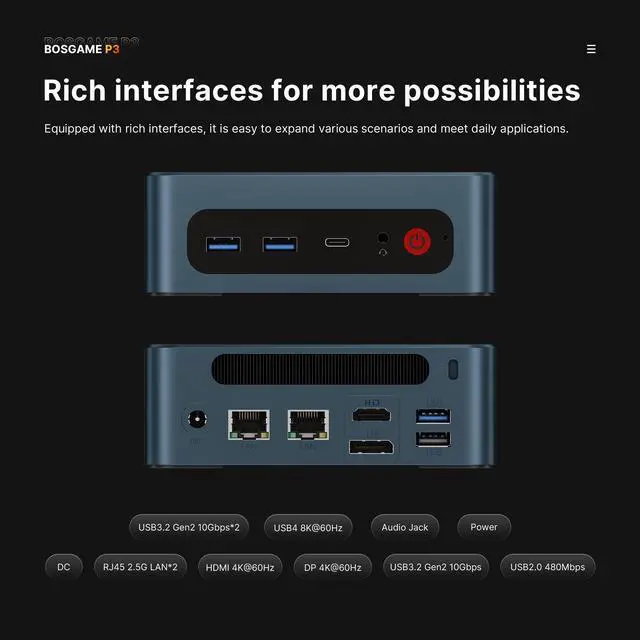
Comprehensive connectivity: 3× USB 3.2 Gen2 (10Gbps), 1× USB 2.0, 1× USB4, dual 2.5G LAN ports, Wi-Fi 6E (Intel AX210), and Bluetooth 5.2 for flexible networking and peripheral support.
Smart features: Auto Power On, Wake-on-LAN, TPM 2.0, and RTC (Real-time Clock, Time Boot) for reliable, secure, and automated operation.
This compact BOSGAME Mini PC is an excellent choice for users demanding performance, expandability, and advanced connectivity in a space-saving form factor.
The BOSGAME P3 Lite is a compact Windows 11 Pro mini PC with an 8-core AMD Ryzen 7 6800H, Radeon 680M graphics, 32GB DDR5 memory, and a 1TB SSD. It suits users who need capable everyday productivity, multitasking, programming, or virtualization in a small workspace.
| Attribute | Value |
|---|---|
| Best For | NAS and homelab setups that benefit from 8-core processing, 32GB memory, and dual 2.5Gbps LAN connectivity |
| Processor And Core Count | 8-core CPU |
| Memory Configuration | 32GB DDR5-4800 memory, dual-channel supported, upgradeable to 64GB |
| Graphics | Integrated AMD Radeon 680M graphics |
| Wired And Wireless Networking | Dual RJ45 ports with speeds up to 2.5Gbps; Wi-Fi 6E, with 802.11ac also listed; Bluetooth 5.2 |
| Ports And Connectivity | 1 HDMI port and 1 DisplayPort |
| Chassis And Color | Black |
| Brand | BOSGAME |
Q: BOSGAME P3 Lite 32GB vs 24GB: which configuration should I choose?
A: Choose the 32GB P3 Lite configuration for more memory available out of the box for multitasking, virtual machines, or memory-heavy projects. Both configurations use the Ryzen 7 6800H and Radeon 680M; the P3 Lite’s memory is upgradeable up to 64GB.
Q: BOSGAME P3 Lite or P6 Neo: which is better for a homelab with expandable memory?
A: Choose the P3 Lite if you want 32GB of installed memory and the option to upgrade it later; its DDR5 memory supports up to 64GB. The P6 Neo pairs the same Ryzen 7 6800H and Radeon 680M with 24GB of onboard memory, making it a good fit if its listed memory configuration meets your needs.
Q: BOSGAME P3 Lite vs P3 Plus: which should I choose for stronger integrated graphics?
A: Choose the P3 Plus if you want the higher graphics tier: it pairs a Ryzen 7 7840HS with Radeon 780M graphics, while the P3 Lite uses a Ryzen 7 6800H with Radeon 680M graphics. The Newegg P3 Lite configuration includes 32GB of memory, compared with the P3 Plus’s listed 16GB configuration, so the P3 Lite is the fit for buyers prioritizing more installed memory in the listed models.
Q: Can this mini PC run three monitors at once?
A: Yes. It supports three simultaneous displays: HDMI 2.0 and DisplayPort up to 4K at 60Hz each, plus USB4 up to 8K at 60Hz. The monitors and cables must support the connection and resolution you plan to use.
Q: Can I upgrade the RAM or add more storage?
A: Yes. The included 32GB DDR5 memory can be upgraded to a maximum of 64GB, and the PC has an additional M.2 slot for storage expansion. Check drive and memory compatibility before buying upgrade parts.
Q: Is this mini PC suitable for a NAS or homelab?
A: It can suit a NAS or homelab setup that needs a compact Windows 11 Pro computer with two 2.5GbE ports, Wake-on-LAN, 32GB of RAM, and an extra M.2 storage slot. It is not a multi-drive NAS enclosure; storage capacity and network features depend on your drives, software, and network configuration.
Q: Is it a good choice for office work and video meetings?
A: It is suited to office tasks, multitasking, programming, and video conferencing. It is a desktop rather than an all-in-one travel device, so plan on a separate monitor, keyboard, mouse, and—if needed—a webcam.
Q: Is the P3 Lite suitable for a home server or homelab?
A: It can suit a lightweight homelab: the product has a Ryzen 7 6800H, 32GB RAM, dual 2.5GbE ports, and an extra M.2 slot. One Reddit user reported running a P3 Lite variant as a headless Debian server with Docker services, but that was an individual report on a 24GB version—not a guarantee for every setup. The same user reported that OPNsense worked for them while pfSense did not.
Q: Is it good for casual gaming and emulation?
A: It is a reasonable candidate for casual gaming and emulation: it uses integrated Radeon 680M graphics, and community discussions describe P3 Lite systems being used for emulation and gaming. Expect less headroom than a PC with a discrete graphics card; results depend on the game and settings.
Q: Can it work as a compact everyday desktop?
A: It is suited to everyday desktop tasks such as office work, browsing, and multitasking, and its 32GB RAM and 8-core/16-thread processor also support heavier workloads such as programming and virtualization. Reddit users describe P3 Lite variants being used as work PCs and media hubs; those reports are individual experiences, not performance guarantees.