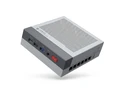
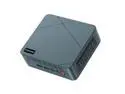
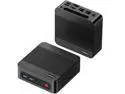
here!
I’m your shopping assistant for PC builds, upgrades, and everything tech.
Got questions? Ask away!
Start a conversation
here!
I’m your shopping assistant for PC builds, upgrades, and everything tech.
Got questions? Ask away!
Start a conversation



Any questions? Ask CelesteSM will help you find out quickly.
|
CPU |
AMD Ryzen 7 6800H |
|---|---|
|
GPU |
AMD Radeon 680M(Max Graphics Frequency 2200MHz) |
|
Memory |
32GB DDR5 4800MT/s SODIMM(Dual-channel, Included); Max 64GB |
|
Storage |
|
|
Video Output |
USB4 x1(8K@60Hz) |
|
Connectivity |
Dual 2.5G LAN |
|
Operating System |
Windows 11 Pro |
|
Package Included |
1x Mini PC, 1x Power adapter, 1x VESA mount with screws, 1x HDMI cable, 1x User Manual |
|
Other Functions |
Auto Power ON, Wake On Lan, PXE |


Product Description
Powered by the AMD Ryzen 7 6800H processor (8 cores, 16 threads, up to 4.7GHz) and AMD Radeon 680M integrated graphics (up to 2200MHz), this mini PC delivers responsive multitasking, smooth casual gaming, and reliable productivity. Equipped with 32GB dual-channel DDR5 4800MT/s memory (expandable to 64GB) and a 1TB NVMe PCIe 4.0 x4 SSD (plus an extra M.2 slot), it ensures fast boot times, quick file access, and ample storage.
Features
Triple display output via HDMI 2.0 (4K@60Hz), DisplayPort (4K@60Hz), and USB4 (8K@60Hz, compatible with Thunderbolt 3.0) for expanded productivity and immersive visuals.
Comprehensive connectivity: 3× USB 3.2 Gen2 (10Gbps), 1× USB 2.0, 1× USB4, dual 2.5G LAN ports, Wi-Fi 6E (Intel AX210), and Bluetooth 5.2 for flexible networking and peripheral support.
Smart features: Auto Power On, Wake-on-LAN, TPM 2.0, and RTC (Real-time Clock, Time Boot) for reliable, secure, and automated operation.
This compact BOSGAME Mini PC is an excellent choice for users demanding performance, expandability, and advanced connectivity in a space-saving form factor.
The BOSGAME P3 Lite is a compact Windows 11 Pro mini PC with an 8-core AMD Ryzen 7 6800H, Radeon 680M graphics, 32GB DDR5 memory, and a 1TB PCIe 4.0 SSD. It suits professionals, programmers, creators, and multitaskers who need strong everyday performance in a space-saving system.
| Attribute | Value |
|---|---|
| Best For | A BOSGAME mini PC for multitasking, NAS and homelab setups, and multi-monitor work, with 8-core processing, 32GB memory, integrated Radeon graphics, dual 2.5Gbps LAN, and Wi-Fi 6E |
| Processor And Core Count | 8-core processor configuration for multitasking and general computing workloads |
| Integrated Graphics | Integrated AMD Radeon 680M graphics for display output and everyday visual workloads |
| Memory Configuration | 32GB dual-channel DDR5 4800 memory, expandable to 64GB |
| Display Connectivity | One HDMI port and one DisplayPort for connecting external displays |
| Wired And Wireless Networking | Two RJ45 ports with up to 2.5Gbps LAN, plus Wi-Fi 6E wireless networking and Bluetooth 5.2 connectivity; 802.11ac is also listed for the wireless LAN |
| Model Identifiers | BOSGAME mini PC in black |
Q: Is the BOSGAME P3 Lite better than a Ryzen 7 7735HS mini PC?
A: Choose the BOSGAME P3 Lite when you want a Ryzen 7 6800H mini PC with 32GB RAM, a 1TB SSD, dual 2.5GbE, USB4, and three-display support. The Ryzen 7 7735HS is very close in practical performance because it uses the same 8-core/16-thread Zen 3+ design and Radeon 680M graphics. A 7735HS model is preferable when it offers a better chassis, cooling system, or price; the P3 Lite is preferable when its dual-network and storage configuration better fits a NAS, homelab, or multi-monitor setup.
Q: Should I buy the BOSGAME P3 Lite or a lower-tier Ryzen 5 6600H mini PC?
A: Choose the BOSGAME P3 Lite for virtualization, compiling, content creation, and heavier multitasking. Its Ryzen 7 6800H provides 8 cores and 16 threads, compared with 6 cores and 12 threads on the Ryzen 5 6600H, and its Radeon 680M graphics are a higher integrated-GPU tier than the 6600H's Radeon 660M. A Ryzen 5 6600H mini PC is suitable when the workload is mainly office applications, streaming, web use, and light multitasking.
Q: Is a Ryzen 7 8845HS mini PC worth choosing over the BOSGAME P3 Lite?
A: Choose a Ryzen 7 8845HS mini PC for newer CPU architecture, stronger integrated graphics, and demanding workloads that benefit from higher CPU and GPU performance. The 8845HS uses Zen 4 with Radeon 780M graphics, while the P3 Lite uses the Zen 3+ Ryzen 7 6800H with Radeon 680M graphics. Choose the BOSGAME P3 Lite when 32GB of included memory, 1TB of storage, dual 2.5GbE, USB4, and three-display connectivity are more important than the newer processor platform.
Q: Should I choose the BOSGAME P3 Lite or a Ryzen 7 6800U mini PC for portability?
A: Choose a Ryzen 7 6800U mini PC when lower power consumption, compact dimensions, and mobile-style efficiency are the priority. Choose the BOSGAME P3 Lite when sustained desktop performance, virtualization, multiple network connections, and heavier multitasking matter more. The Ryzen 7 6800H is a 45W processor, while the Ryzen 7 6800U is rated for a 15W-to-28W power range; actual performance also depends on the mini PC's cooling and power limits.
Q: Is this mini PC suitable for office work, note-taking, meetings, and multitasking?
A: Yes. The Ryzen 7 6800H, 32GB of DDR5 memory, and 1TB PCIe 4.0 SSD are well suited to document editing, spreadsheets, web research, note-taking, programming, and video conferencing. A webcam and headset or speakers are required because the product information does not specify a built-in camera or microphone.
Q: Can it run three monitors at the same time?
A: Yes. It supports up to three displays through HDMI 2.0, DisplayPort, and USB4. HDMI and DisplayPort support up to 4K at 60Hz, while USB4 supports up to 8K at 60Hz. The actual resolution and refresh rate depend on the monitor, cable, and adapter used.
Q: Is it practical to use as a travel or portable work computer?
A: It can be practical for portable work if you are moving between offices, homes, or workspaces. Its mini-PC format, VESA mounting support, low-power 45W design, Wi-Fi 6E, Bluetooth 5.2, and Windows 11 Pro reduce setup space. However, it is not a laptop: you must carry a monitor or use an available display, plus a keyboard, mouse, and power adapter.
Q: Can the memory and storage be upgraded later?
A: Yes. Memory can be expanded from 32GB to a maximum of 64GB using supported DDR5-4800 memory. The system also includes an additional vacant M.2 slot for storage expansion. Because this is a compact mini PC, upgrades are generally limited to supported memory and M.2 storage rather than desktop-style CPU or graphics-card replacements.
Q: Is it suitable for a NAS, homelab, or virtualization setup?
A: It is suitable for compact homelab and light-to-moderate virtualization use. The 8-core/16-thread Ryzen 7 6800H, 32GB of RAM, dual 2.5Gbps Ethernet ports, 1TB SSD, Wake-on-LAN, and Auto Power On support fit services such as containers, test virtual machines, network utilities, and media applications. It is less suitable as a high-capacity NAS because the listed design provides M.2 storage expansion but does not specify multiple internal drive bays.
Q: Is the BOSGAME P3 Lite suitable for a NAS, homelab, or virtual server?
A: Yes. Its Ryzen 7 6800H, 32GB dual-channel DDR5, dual 2.5G LAN ports, two M.2 storage positions, Windows 11 Pro, and support for Wake-on-LAN and auto power-on make it suitable for homelab services, containers, virtual machines, and network-segmented setups. Compatibility with a specific hypervisor or firewall OS should be verified before purchase.
Q: Is the BOSGAME P3 Lite good for office work, browsing, media playback, and multitasking?
A: Yes. The 8-core/16-thread Ryzen 7 6800H, 32GB RAM, 1TB PCIe 4.0 SSD, and Radeon 680M graphics are well suited to office applications, browsing, programming, video conferencing, 4K media playback, and multitasking. It is more capability than needed for basic web and document use, but the extra memory and storage provide room for heavier workloads.
Q: Can the BOSGAME P3 Lite handle gaming?
A: It is appropriate for casual gaming, emulation, and older or less demanding PC games, but it is not a replacement for a dedicated gaming PC. The integrated Radeon 680M can share system memory, and performance depends on game settings, resolution, cooling, and memory configuration. Expect to reduce settings for demanding modern games rather than target high-resolution, high-refresh-rate gaming.
Q: What are the main trade-offs of choosing the BOSGAME P3 Lite over a newer mini PC?
A: The P3 Lite offers strong connectivity, upgradeable DDR5 memory, dual 2.5G networking, and USB4, but its Ryzen 7 6800H and Radeon 680M are older than newer Ryzen mini-PC platforms. Newer models may provide faster integrated graphics, more efficient CPUs, higher memory speeds, or newer expansion options. The P3 Lite is therefore a better fit when networking, storage expansion, or price matters more than maximum graphics performance.
Q: Are there setup issues to consider with the BOSGAME P3 Lite?
A: Potential buyers should be prepared to check BIOS, graphics-driver, and Windows settings after setup. Reddit discussions report that Radeon 680M shared-memory or VRAM settings can behave differently depending on BIOS and AMD software configuration. A clean Windows update, current drivers, and confirmation that display, memory, and network settings work as intended are sensible before deploying the system.