







About the Bluetooth Function
Gsou audio Bluetooth Webcam, the bluetooth function is only for headsets, but not for video or picture.

How to connect audio Bluetooth Device
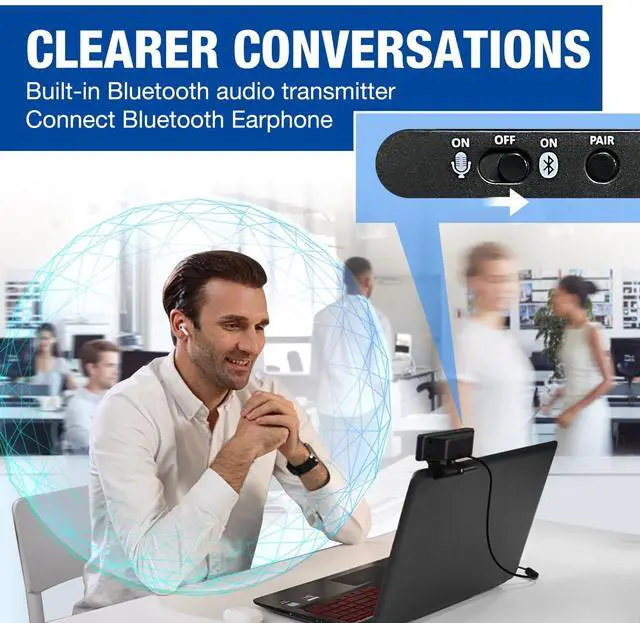
- Switch to bluetooth
- Press and hold the pairing button for >3s, then the indicator light flashes blue.
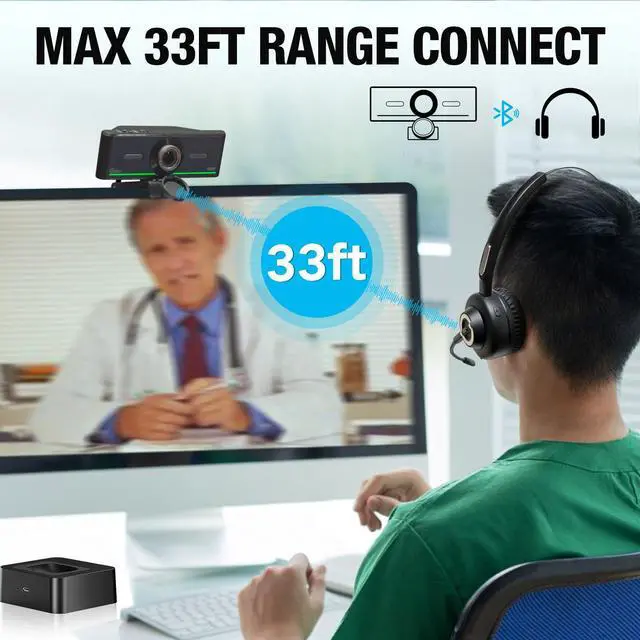
- Turn on your bluetooth audio device to pairing state and close tp the camera.
- Wait for a few seconds, the status indicator turns blue, connect successfully.
- At this point, make sure your audio output is the device W20-AUDIO.
- Connect devices that have already been connected back: just press once Pairing.
- Attention: When you connect your headset and other audio device via bluetooth, you onlt need to select W20-AUDIO as the audio output.


Multiple Ways to Mount
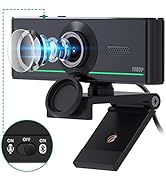
- With 3 angles of adjustment, you can place Gsou Bluetooth webcam almost anywhere you want. With the built-in 360° rotation both right and left, you can easily move the camera to any angle you need.

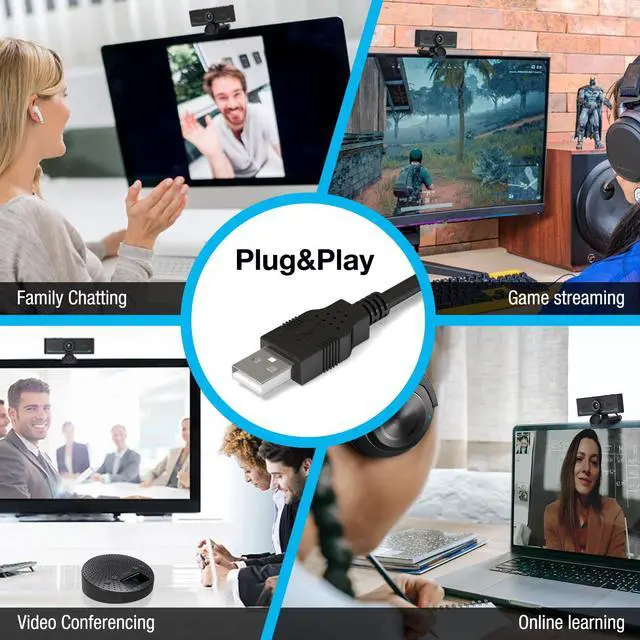
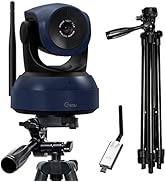
Plug and Play & Tripod (Not included)
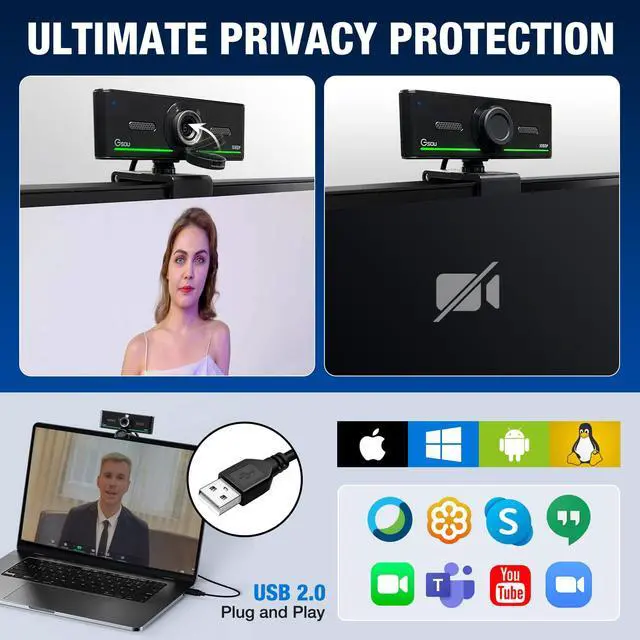
- The Gsou streaming webcam works with USB, no additional drivers or software required. The 5 ft USB cord is long enough for any task, just plug it in and you are ready to go!
- The mounting clip can also be flexibly placed on tripod when you recording video or live streaming.

Protect Your Privacy
- Gsou PC webcam with privacy cover allows you to enjoy safety digital web life when not in use and prevent hackers from spying on you.To control what your video displays at any time, effectively protecting your privacy

Bluetooth 5.0 Technology
- The other webcams with built-in microphone in the market, may suffer noise and echo issue during video conference, our 1080p web camera with the innovative Bluetooth 5.0 chipset, works its magic to make you get a clear and natural sound even in noisy surroundings.

How to Open the Bluetooth Function
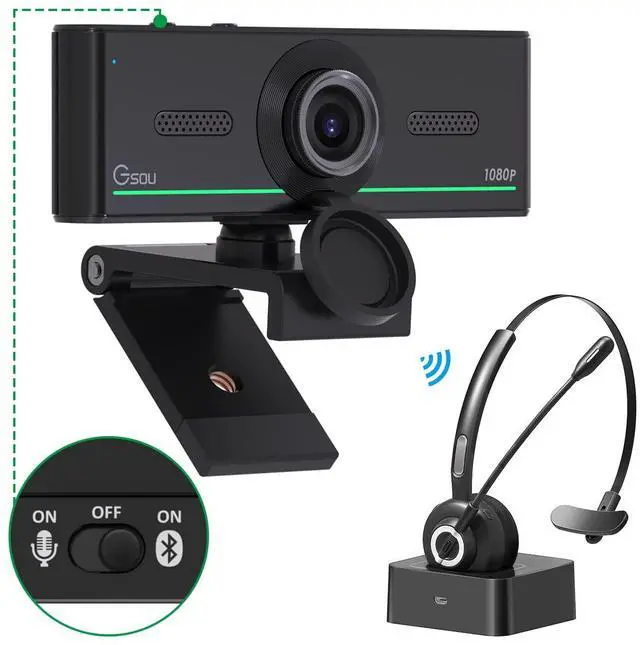
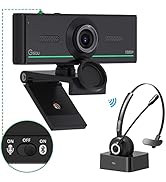
- One key to open or close the Bluetooth function. Left gear means built-in microphone function is on, and the Bluetooth function is off; Mid range means built-in microphone function is off, and the Bluetooth function is off; Right gear means Bluetooth function is on, and built-in microphone function is off.

No Distortion
- No distortion of the picture , video screen automatic analysis,the shooting picture is clear and undistorted

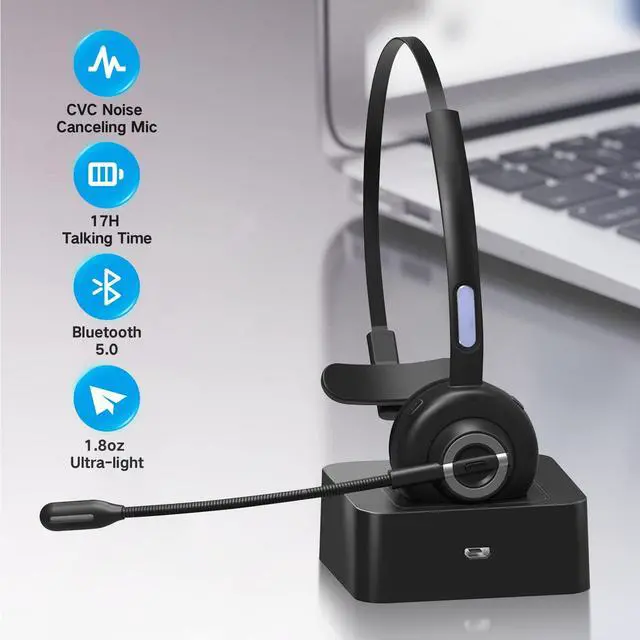
Noise reduce technology
Ensure clear conversation in noisy environments

270° Rotatable Microphone
Charging time:2 Hours;Working time:About 17H(50% volume)
Freely adjust the mic to the perfect angle to capture your voice;
Tailor to how you wear, place on either your right or left ear
Adjustable Headband

Button Operation
Answer a call: Press the control button once; Hang up: Press the control button once during a call;
Reject a call: Hold the control button for 2 seconds;
SIRI: Press and hold the control button for 2 seconds, then release
 Wireless Webcam |  4K AI-Powered Auto-Framing Webcam |  Audio Bluetooth Webcam 1080P with Bluetooth Headset |  Audio Bluetooth Webcam 1080P |  Karaoke Machine with 2 Microphones |  Bluetooth Conference Speaker and Microphone | |
|---|---|---|---|---|---|---|
| Customer Reviews | — | — | — | — | — | — |
| Price | — | — no data | — | — | — | — no data |
| Tripod Ready | Equipped with Tripod | ? | ? | ? | No | No |
| High Quality | ? | ? | ? | ? | ? | ? |
About the Bluetooth Function
Gsou audio Bluetooth Webcam, the bluetooth function is only for headsets, but not for video or picture.
How to connect audio Bluetooth Device
- Switch to bluetooth
- Press and hold the pairing button for >3s, then the indicator light flashes blue.
- Turn on your bluetooth audio device to pairing state and close tp the camera.
- Wait for a few seconds, the status indicator turns blue, connect successfully.
- At this point, make sure your audio output is the device W20-AUDIO.
- Connect devices that have already been connected back: just press once Pairing.
- Attention: When you connect your headset and other audio device via bluetooth, you onlt need to select W20-AUDIO as the audio output.
Multiple Ways to Mount
- With 3 angles of adjustment, you can place Gsou Bluetooth webcam almost anywhere you want. With the built-in 360° rotation both right and left, you can easily move the camera to any angle you need.
Plug and Play & Tripod (Not included)
- The Gsou streaming webcam works with USB, no additional drivers or software required. The 5 ft USB cord is long enough for any task, just plug it in and you are ready to go!
- The mounting clip can also be flexibly placed on tripod when you recording video or live streaming.
Protect Your Privacy
- Gsou PC webcam with privacy cover allows you to enjoy safety digital web life when not in use and prevent hackers from spying on you.To control what your video displays at any time, effectively protecting your privacy
Bluetooth 5.0 Technology
- The other webcams with built-in microphone in the market, may suffer noise and echo issue during video conference, our 1080p web camera with the innovative Bluetooth 5.0 chipset, works its magic to make you get a clear and natural sound even in noisy surroundings.
How to Open the Bluetooth Function
- One key to open or close the Bluetooth function. Left gear means built-in microphone function is on, and the Bluetooth function is off; Mid range means built-in microphone function is off, and the Bluetooth function is off; Right gear means Bluetooth function is on, and built-in microphone function is off.
No Distortion
- No distortion of the picture , video screen automatic analysis,the shooting picture is clear and undistorted
Noise reduce technology
Ensure clear conversation in noisy environments
270° Rotatable Microphone
Charging time:2 Hours;Working time:About 17H(50% volume)
Freely adjust the mic to the perfect angle to capture your voice;
Tailor to how you wear, place on either your right or left ear
Adjustable Headband
Button Operation
Answer a call: Press the control button once; Hang up: Press the control button once during a call;
Reject a call: Hold the control button for 2 seconds;
SIRI: Press and hold the control button for 2 seconds, then release
Wireless Webcam | 4K AI-Powered Auto-Framing Webcam | Audio Bluetooth Webcam 1080P with Bluetooth Headset | Audio Bluetooth Webcam 1080P | Karaoke Machine with 2 Microphones | Bluetooth Conference Speaker and Microphone | |
|---|---|---|---|---|---|---|
| Customer Reviews | — | — | — | — | — | — |
| Price | — | — no data | — | — | — | — no data |
| Tripod Ready | Equipped with Tripod | ? | ? | ? | No | No |
| High Quality | ? | ? | ? | ? | ? | ? |
1080P/2K/4K/PTZ /Wireless Web
Gsou aim to provide the item for Streaming, Conference, such as Audio bluetooth webcam, wireless webcam, PTZ Camera, bluetooth speaker.
Gsou PTZ Camera for Conference
Gsou webcam/Mics for streaming
