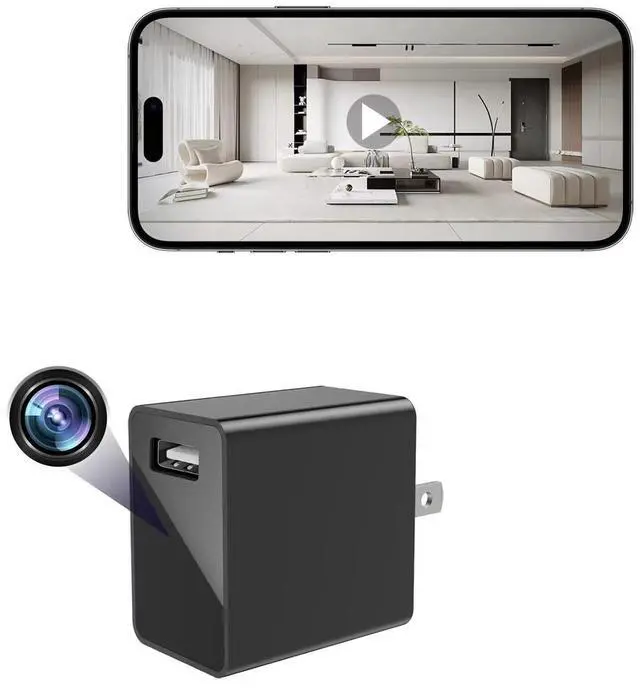
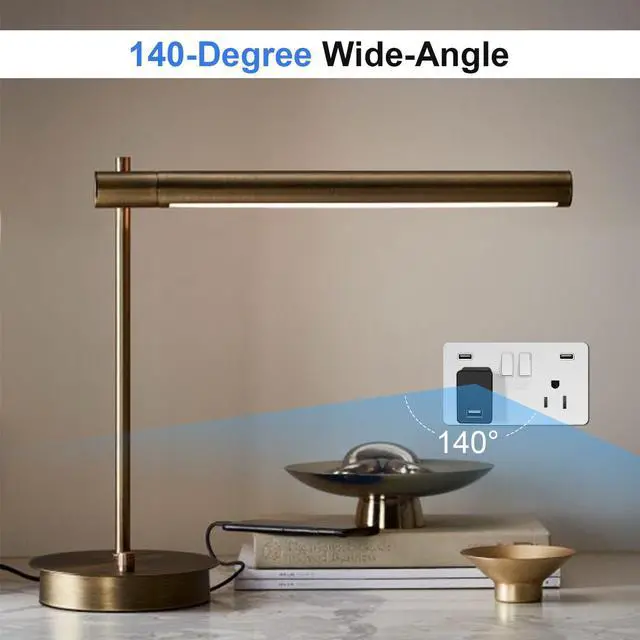
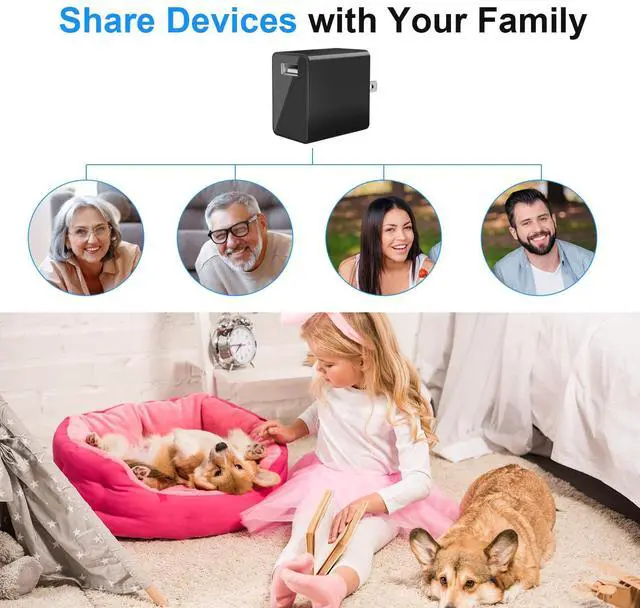
Covert Design with 140 Wide-Angle Lens: Stay covered in every corner thanks to the 140 ultra-wide lens. This mini hidden camera is disguised as a charger and blends seamlessly into any room, providing maximum coverage while remaining completely invisible
Full HD 1080P Crystal Clear Resolution: Capture every detail in sharp, clear Full HD 1080P. The high-resolution video ensures you see important moments with excellent clarity
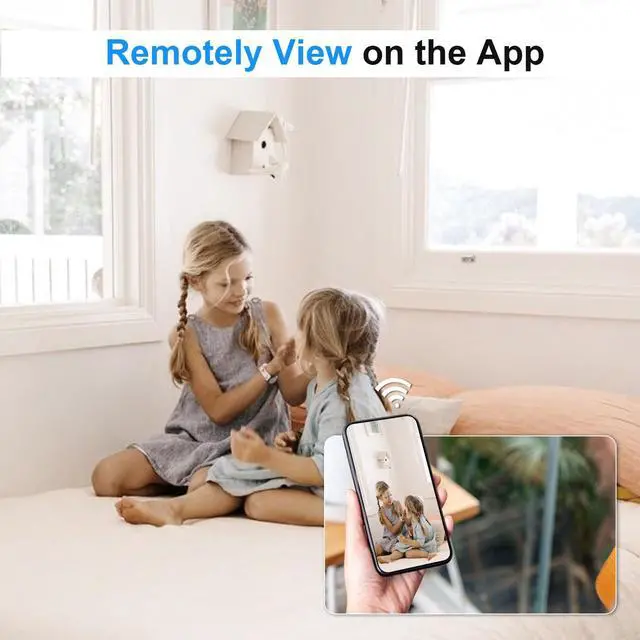
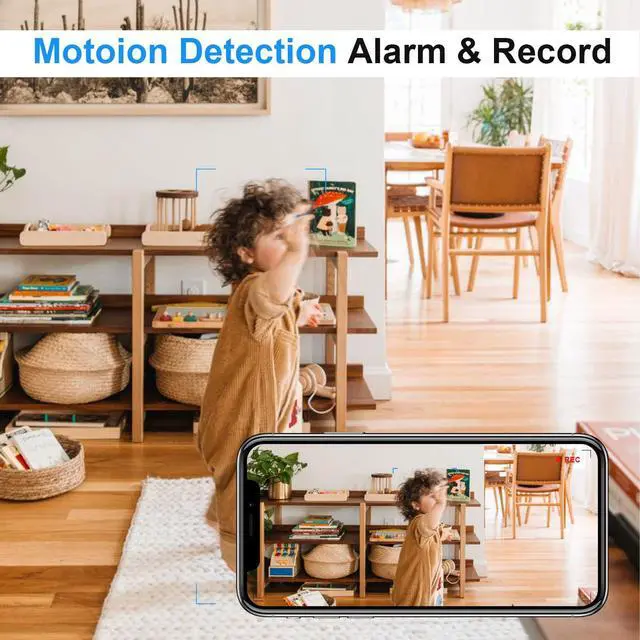
Smart Motion Alerts & Real-Time Viewing: Get instant notifications on your phone when motion is detected. Watch live via stable Wi-Fi from anywhere, with a reliable connection that keeps you constantly connected
Dual Storage Options Local Card or Secure Cloud: Keep your data private with flexible storage choices. Use a local microSD card (up to 256GB, card sold separately) for full control, or opt for secure cloud storage to back up your footage remotely
Easy Setup & Discreet Everyday Security: Plug in and go-set up takes minutes. The tiny, discreet design looks like an ordinary charger, while the simple app lets you monitor your space effortlessly
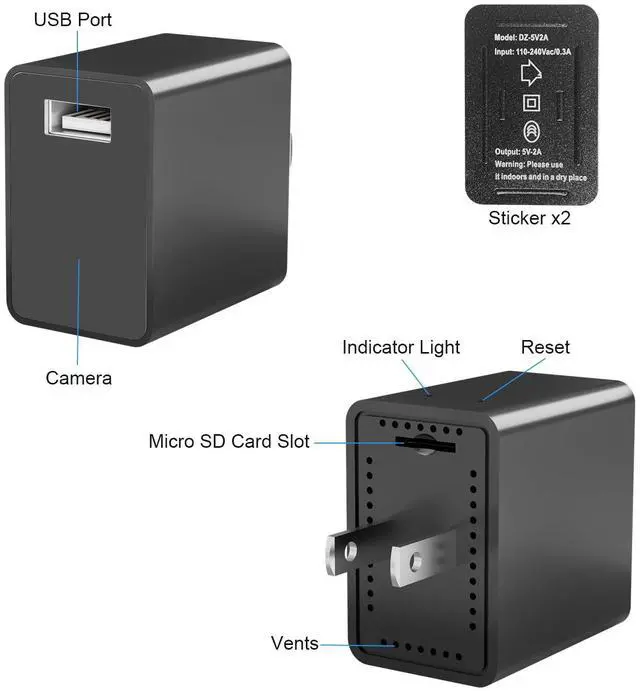
Functional USB Charging Port: Works as a fully functional USB charger while recording, allowing you to charge your devices simultaneously without raising suspicion
Loop Recording Feature: Automatically overwrites oldest footage when storage is full, ensuring continuous recording without manual intervention or storage management
+
+
Overview
Specs
Reviews
Instant Activity Notifications: Enable smart push alerts to receive immediate notifications on your smartphone the moment motion is sensed, keeping you updated on your home’s status in real-time.
Automated Video Capturing: The device automatically captures and saves a video clip to the microSD card whenever movement is triggered, ensuring you have a reliable record of events.
In-App Snapshot Updates: For quick visual reference, the system captures and uploads a photo directly to the mobile app, allowing you to instantly view what is happening without navigating through long videos.
Option 1: Direct Local Storage (No Wi-Fi Needed)Simply insert a microSD card (up to 256GB; card not included) into the device and plug it into any standard power outlet. The device will automatically begin saving video footage to the card, offering a simple, standalone security solution.
Option 2: Direct Hotspot ConnectionPlug the device into an outlet and open your phone's Wi-Fi settings to connect to the signal starting with "AYS-...". Open the app to view the live feed instantly, perfect for visual monitoring within a short distance without an existing network.
Option 3: Remote Global AccessConnect the device to your local 2.4G Wi-Fi network via our dedicated app. Once configured, you can access your live video feed and monitor your home or office from anywhere in the world, ensuring you are always connected.
Video Quality
FHD 1080P
View Angle
140 Degree
Video Format
MP4
Video Mode
All-Day Video; Alarm Video; Timing Record; Privacy Mode; Loop Record
Operation System
Android & iPhone; Only Support View on the App; Don't RTSP Live Streaming or NVR
Micro SD Card
Up to 256GB Micro SD Card (NOT INCLUDED); Recommend Sandisk Brand with Class 10 and above
Cloud Storage
Yes
Motion Detection
Yes
Instant Activity Notifications: Enable smart push alerts to receive immediate notifications on your smartphone the moment motion is sensed, keeping you updated on your home’s status in real-time.
Automated Video Capturing: The device automatically captures and saves a video clip to the microSD card whenever movement is triggered, ensuring you have a reliable record of events.
In-App Snapshot Updates: For quick visual reference, the system captures and uploads a photo directly to the mobile app, allowing you to instantly view what is happening without navigating through long videos.
Option 1: Direct Local Storage (No Wi-Fi Needed)Simply insert a microSD card (up to 256GB; card not included) into the device and plug it into any standard power outlet. The device will automatically begin saving video footage to the card, offering a simple, standalone security solution.
Option 2: Direct Hotspot ConnectionPlug the device into an outlet and open your phone's Wi-Fi settings to connect to the signal starting with "AYS-...". Open the app to view the live feed instantly, perfect for visual monitoring within a short distance without an existing network.
Option 3: Remote Global AccessConnect the device to your local 2.4G Wi-Fi network via our dedicated app. Once configured, you can access your live video feed and monitor your home or office from anywhere in the world, ensuring you are always connected.
Video Quality
FHD 1080P
View Angle
140 Degree
Video Format
MP4
Video Mode
All-Day Video; Alarm Video; Timing Record; Privacy Mode; Loop Record
Operation System
Android & iPhone; Only Support View on the App; Don't RTSP Live Streaming or NVR
Micro SD Card
Up to 256GB Micro SD Card (NOT INCLUDED); Recommend Sandisk Brand with Class 10 and above
Cloud Storage
Yes
Motion Detection
Yes
USB Charger Camera - Wireless Plug Camera - Full HD 1080P - 140 Degree Wide Angle - WiFi Nanny Cam for Home Office Security - Motion Detection Alerts
Learn more about the Generic Brand S103
Model
Brand
Clover
Model
S103
Spec
Type
Wireless Camera
Connection Type
Wireless
Wireless Antenna
Wi-Fi, Wireless, USB
Ports
Wi-Fi, Wireless
Networking Protocol
Wi-Fi
Pan/Tilt/Zoom
Digital Zoom
Video Capture Resolution
1080p
Frame Rate
15 frames per second
Lens Type
Digital Zoom, Auto Focus
Security
Indoor/Outdoor Use; Home Security Monitoring; Nanny Cam; Pet Camera; Elderly/Infant/Child Care; Retail Store Security Monitoring; Personal Property Protection
Night Vision
Yes
Software
App Control
Power
Power
AC
Power Consumption
AC
Physical
Humidity
indoor
Feature
Features
Camera Body, Wireless, Wi-Fi, AC, Plug-in, indoor
Packaging
Package Contents
Camera Body
Additional Information
First Listed on Newegg
May 25, 2026
Customer Reviews of the Generic Brand S103
There are no reviews yet.
Do you own this product?
Warranty & Returns
Warranty, Returns, And Additional Information
Warranty
Please contact the Seller directly for warranty information. Warranty information may also be found on the Manufacturer's website.