



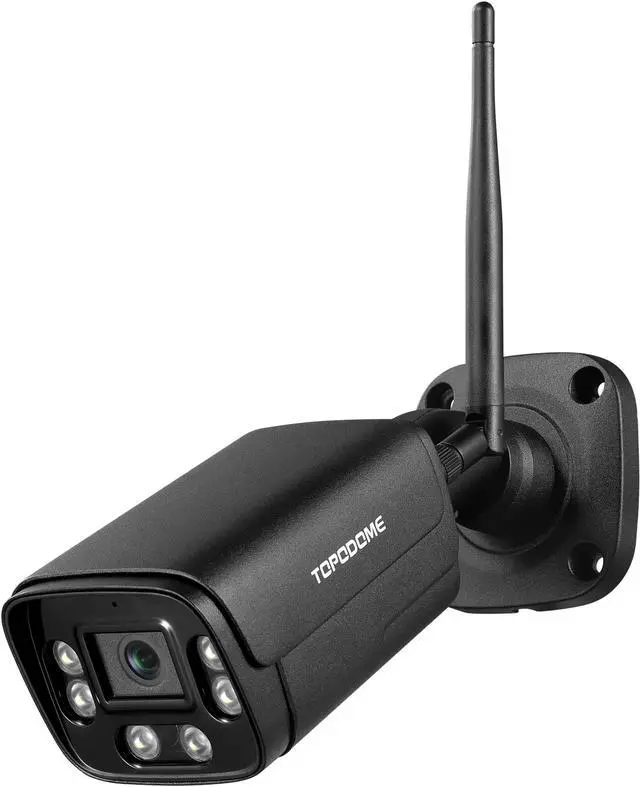


TOPODOME TD-J10A: The Latest Humanoid Detect Outdoor Security Camera
Topodome camera is rugged and has excellent performance
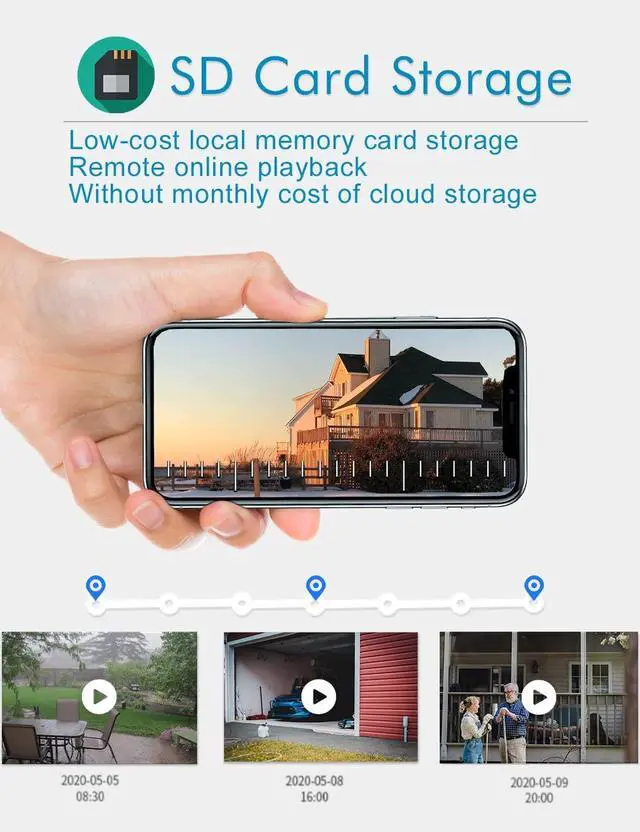
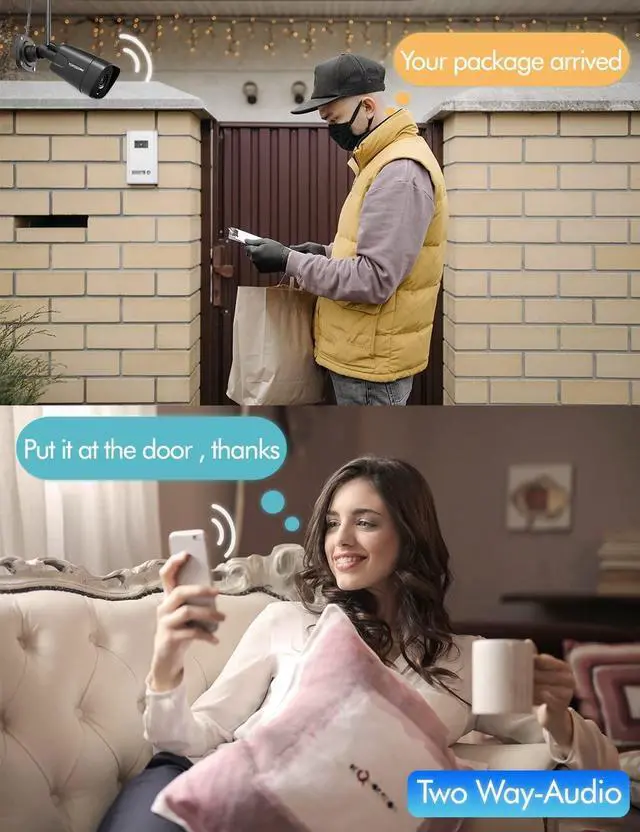
TOPODOME Wireless Outdoor Security Camera can be conveniently used for home security work. It has a clear real-time picture, can alarm in real time, has a large-capacity SD card storage capacity. Its sturdy metal shell can adapt to bad weather and is not easy to be damaged after long-term use.

Protect your family's safety with professional functions
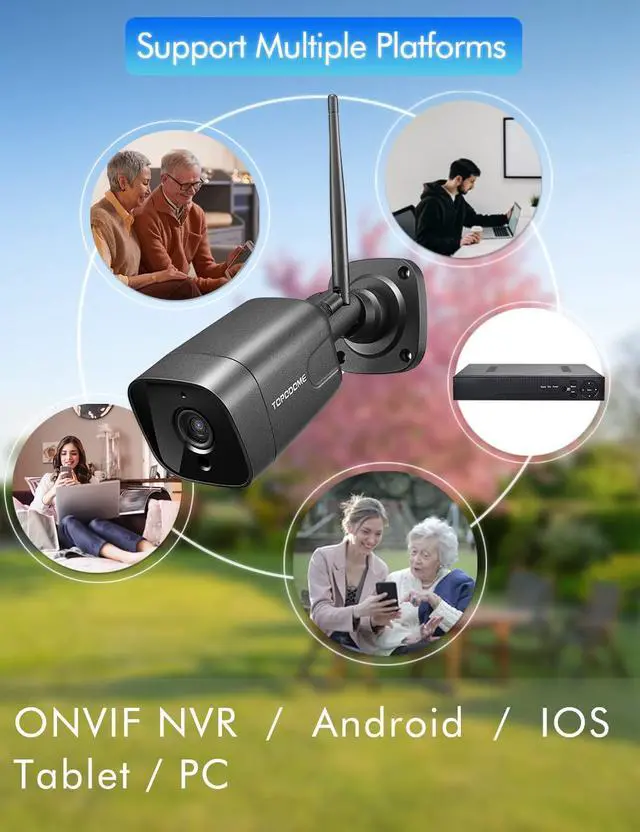
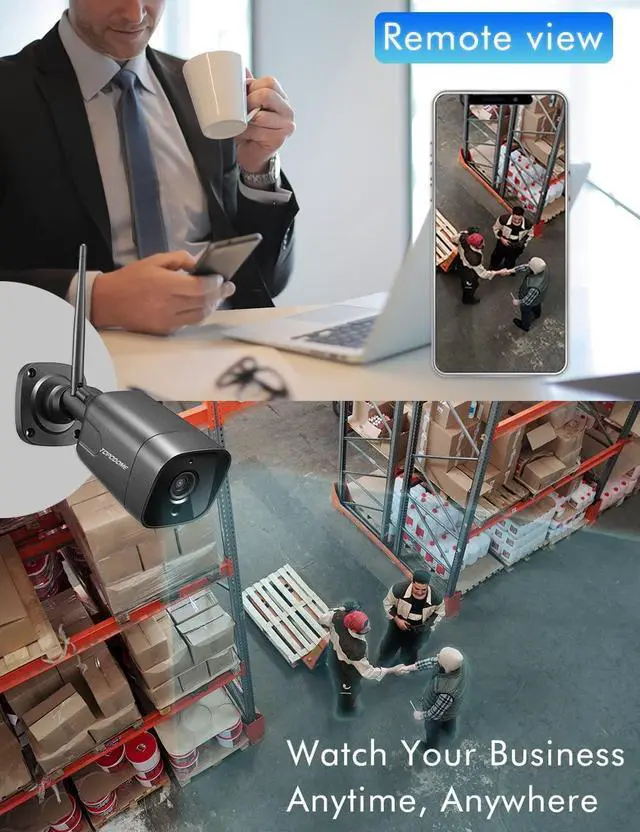
TOPODOME outdoor IP cameras have a wealth of extended functions. In addition to connection and settings via a mobile phone or PC, it also supports Onvif and RTSP protocols, so that it can be operated on professional monitoring software such as BlueIris, or connected to NAS via Onvif protocol, and it can also play camera video streams on VLC player .

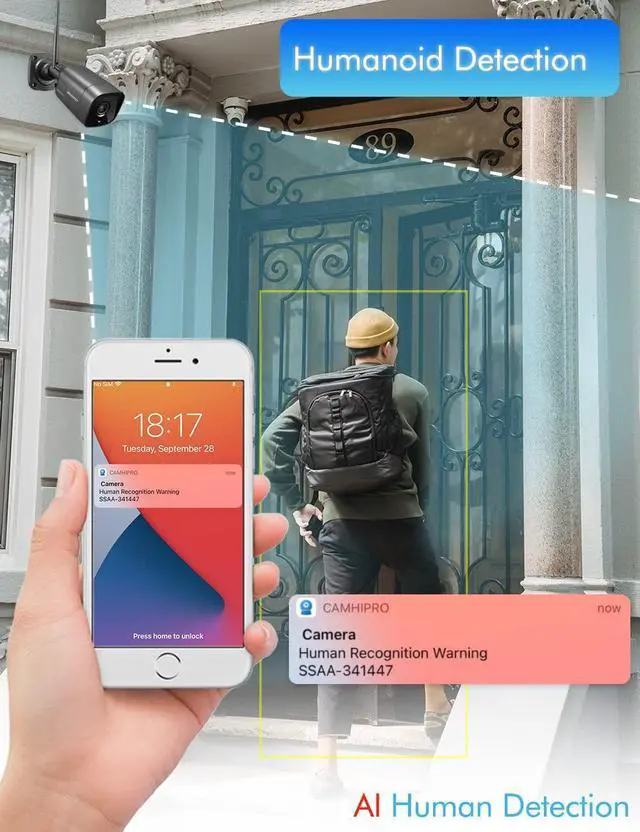
Intelligent humanoid alarm to avoid false triggering
When Humanoid detect function is set, the alarm is triggered only when the humanoid object is recognized, will avoid false alarms.


Product packaging and content
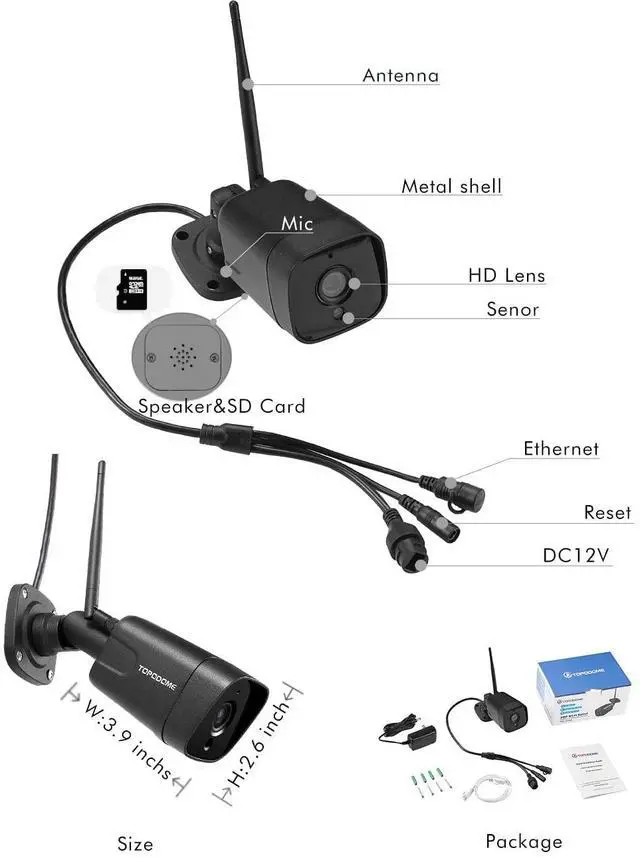
Strictly tested accessories ensure the long-term use of the product.
The cord of the power supply is 10ft long, which allows customers to install Topodome camera more conveniently.
- 1x Topodome Security Camera
- 1x Power supply
- 1x Network Cable
- 1x Quick Installation Guide
- 4x Screws and Rubber stoppers
Keep the camera get enough WiFi Strengh
When you use WiFi to connect to J10A, please pay attention these points:
1) Please ensure your 2.4G Wi-Fi password not include special characters like" \ " & = ", these are not supported by Topodome cameras.
2) When debugging the WiFi signal, please pay attention to the distance between the camera and the router. It is best to keep the signal strength greater than 70%.
3) If you use a WiFi extender, please assign the IP address of the extender to the same network segment as the router.
Product Specifications
Frequently asked questions
Q1: How to upgrade the latest firmware for J10A?
A: The latest firmware version is: V21.1.21.5.3, please check the software version in "Device information" from Camhi/ Camhipro APP. If you have an old version, you can click "check for updates" button to get new firmware online; or you can visit the homepage of Topodome official website and download the latest upgrade package for upgrading. New version will fix some ONVIF bugs.
Q2: Why does the CamhiPro or HiP2P prompt me with "wrong password" even though I tried different username and password several times?
A: (1) The CamhiPro App will force the password to be changed after the installation is complete, so you will not be able to log in using the default "admin".(2) If multiple people use the camera at the same time, when one of them changes the password, others will not be able to log in. (3) Modifying the User name of camera will make CamhiPro unable to log in to the camera, because the APP can only recognize the default user name "admin".(4) As some iOS phones may automatically change the initial letter as capital, make sure to disable this function before entering password. (5) HiP2P software no need any password after installation, so please just leave the password as empty when you login this software.
Q3: I have entered correct WiFi password, but camera can not connect to wifi router successfully?
A: 1) The camera does not support special letters (é,à,û) and symbols (@#&...). If you use these characters in the SSID and WiFi password, the WiFi configuration will be invalid. Please use regular English characters and numbers as WiFi password. 2) Some routers leased from network service providers are special. These routers may not be able to connect to the camera’s WiFi, or they can be connected but cannot connect the camera to the public IP. This will cause the CamhiPro APP to fail to connect to the camera after the user leaves the LAN. 3) When the user router has a firewall or a MAC filtering mechanism, it will prevent the camera from accessing via WiFi.
Q4: Why can't the image appear when I use BlueIris or Synology when I connect the camera?
It is very likely that the camera is using the H265 encoding format. Please log in to the advanced settings of the camera through a browser and change the encoding format to H264 in the video options.
 TD-J10A |  TD-S21C |  TD-S10CP |  TD-S10C | |
|---|---|---|---|---|
| Customer Reviews | — | — | — | — |
| Price | — | — no data | — no data | — |
| Sensor | 2MP | 5MP | 2MP | 5MP |
| Optical Lens | Fixed 3.6mm | 5x Optical Zoom | 5x Optical Zoom | Fixed 3.6mm |
| Flood light | no data | ? | no data | no data |
| SD Card installed | no data | no data | 32G Pre-Installed | 32G Pre-Installed |
| Starlight Night Vision | no data | no data | ? | no data |
| 940nm LED | no data | no data | no data | ? |
TOPODOME TD-J10A: The Latest Humanoid Detect Outdoor Security Camera
Topodome camera is rugged and has excellent performance
TOPODOME Wireless Outdoor Security Camera can be conveniently used for home security work. It has a clear real-time picture, can alarm in real time, has a large-capacity SD card storage capacity. Its sturdy metal shell can adapt to bad weather and is not easy to be damaged after long-term use.
Protect your family's safety with professional functions
TOPODOME outdoor IP cameras have a wealth of extended functions. In addition to connection and settings via a mobile phone or PC, it also supports Onvif and RTSP protocols, so that it can be operated on professional monitoring software such as BlueIris, or connected to NAS via Onvif protocol, and it can also play camera video streams on VLC player .
Intelligent humanoid alarm to avoid false triggering
When Humanoid detect function is set, the alarm is triggered only when the humanoid object is recognized, will avoid false alarms.
Keep the camera get enough WiFi Strengh
Product packaging and content
Strictly tested accessories ensure the long-term use of the product.
The cord of the power supply is 10ft long, which allows customers to install Topodome camera more conveniently.
- 1x Topodome Security Camera
- 1x Power supply
- 1x Network Cable
- 1x Quick Installation Guide
- 4x Screws and Rubber stoppers
When you use WiFi to connect to J10A, please pay attention these points:
1) Please ensure your 2.4G Wi-Fi password not include special characters like" \ " & = ", these are not supported by Topodome cameras.
2) When debugging the WiFi signal, please pay attention to the distance between the camera and the router. It is best to keep the signal strength greater than 70%.
3) If you use a WiFi extender, please assign the IP address of the extender to the same network segment as the router.
Product Specifications
| Lens | 3.6mm 85degree view angle |
| Sensor | 2MP CMOS |
| MicroSD Card | Support up to 128G (not including in package) |
| Night Vision | 82ft |
| WiFi | Only Support 2.4G |
| ONVIF | Support 2.4 (backward compatible) |
| RTSP | Support |
| Power | 12W Max |
| Cloud, Alexa, POE | Not support |
Frequently asked questions
Q1: How to upgrade the latest firmware for J10A?
A: The latest firmware version is: V21.1.21.5.3, please check the software version in "Device information" from Camhi/ Camhipro APP. If you have an old version, you can click "check for updates" button to get new firmware online; or you can visit the homepage of Topodome official website and download the latest upgrade package for upgrading. New version will fix some ONVIF bugs.
Q2: Why does the CamhiPro or HiP2P prompt me with "wrong password" even though I tried different username and password several times?
A: (1) The CamhiPro App will force the password to be changed after the installation is complete, so you will not be able to log in using the default "admin".(2) If multiple people use the camera at the same time, when one of them changes the password, others will not be able to log in. (3) Modifying the User name of camera will make CamhiPro unable to log in to the camera, because the APP can only recognize the default user name "admin".(4) As some iOS phones may automatically change the initial letter as capital, make sure to disable this function before entering password. (5) HiP2P software no need any password after installation, so please just leave the password as empty when you login this software.
Q3: I have entered correct WiFi password, but camera can not connect to wifi router successfully?
A: 1) The camera does not support special letters (é,à,û) and symbols (@#&...). If you use these characters in the SSID and WiFi password, the WiFi configuration will be invalid. Please use regular English characters and numbers as WiFi password. 2) Some routers leased from network service providers are special. These routers may not be able to connect to the camera’s WiFi, or they can be connected but cannot connect the camera to the public IP. This will cause the CamhiPro APP to fail to connect to the camera after the user leaves the LAN. 3) When the user router has a firewall or a MAC filtering mechanism, it will prevent the camera from accessing via WiFi.
Q4: Why can't the image appear when I use BlueIris or Synology when I connect the camera?
It is very likely that the camera is using the H265 encoding format. Please log in to the advanced settings of the camera through a browser and change the encoding format to H264 in the video options.
TD-J10A | TD-S21C |  TD-S10CP | TD-S10C | |
|---|---|---|---|---|
| Customer Reviews | — | — | — | — |
| Price | — | — no data | — no data | — |
| Sensor | 2MP | 5MP | 2MP | 5MP |
| Optical Lens | Fixed 3.6mm | 5x Optical Zoom | 5x Optical Zoom | Fixed 3.6mm |
| Flood light | no data | ? | no data | no data |
| SD Card installed | no data | no data | 32G Pre-Installed | 32G Pre-Installed |
| Starlight Night Vision | no data | no data | ? | no data |
| 940nm LED | no data | no data | no data | ? |