



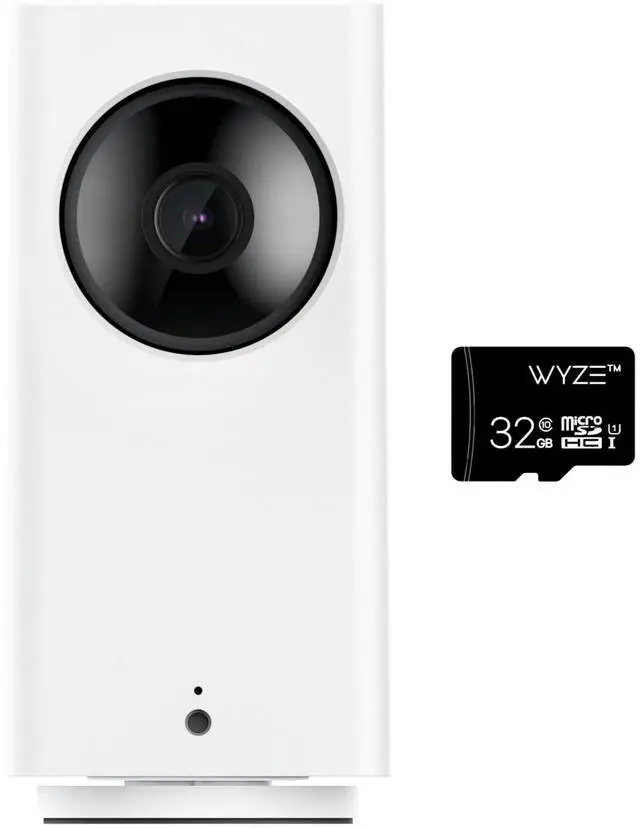
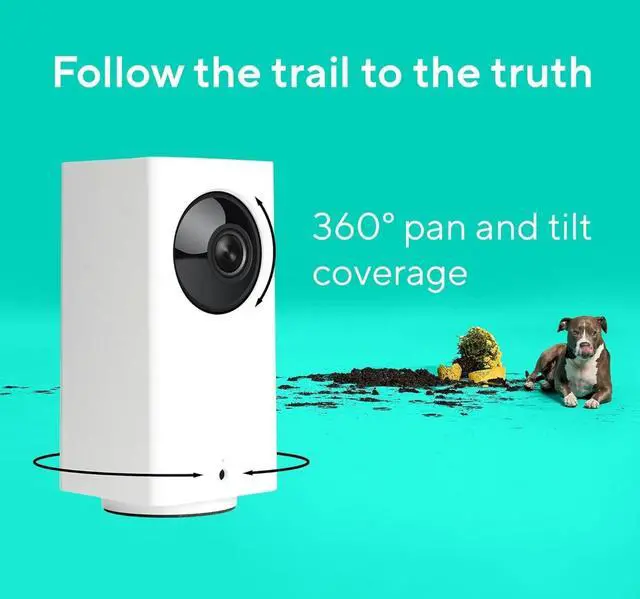



360° of Coverage
See the entire room. Fast.

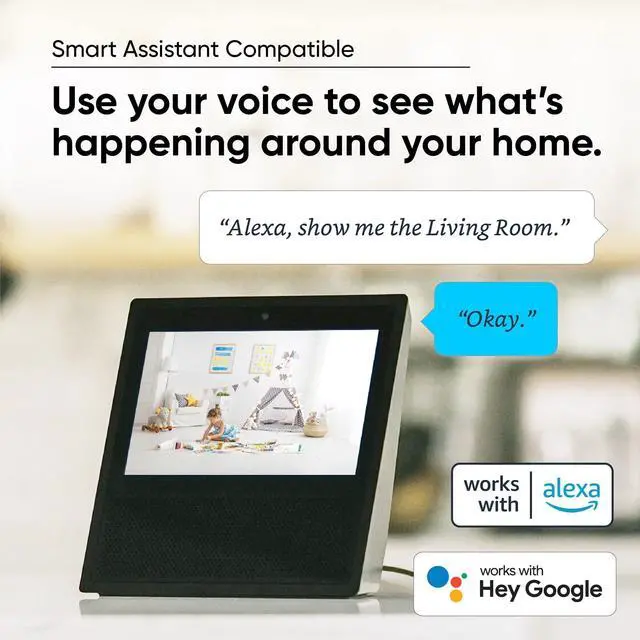
Smart Assistant Compatible
Wyze Cam Pan v2 works with Alexa. Control Wyze Cam with your voice by saying, “Alexa, show me the Living Room” to view a live stream of your camera.

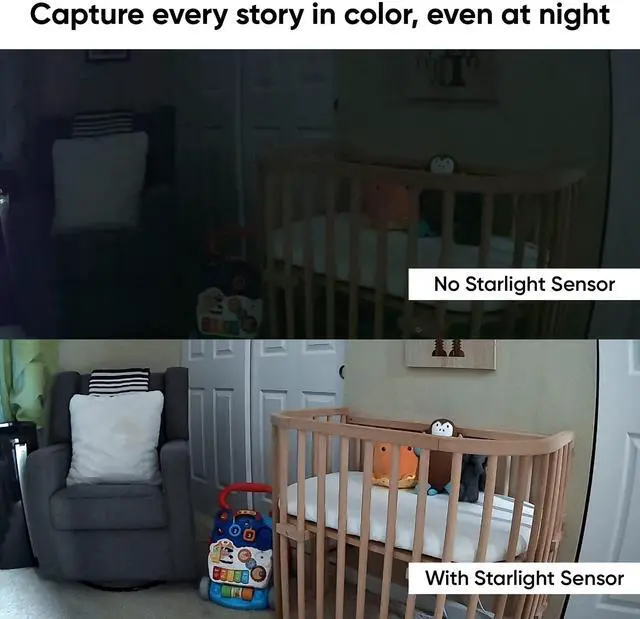
Color Night Vision
Capture every story in color, even at night.

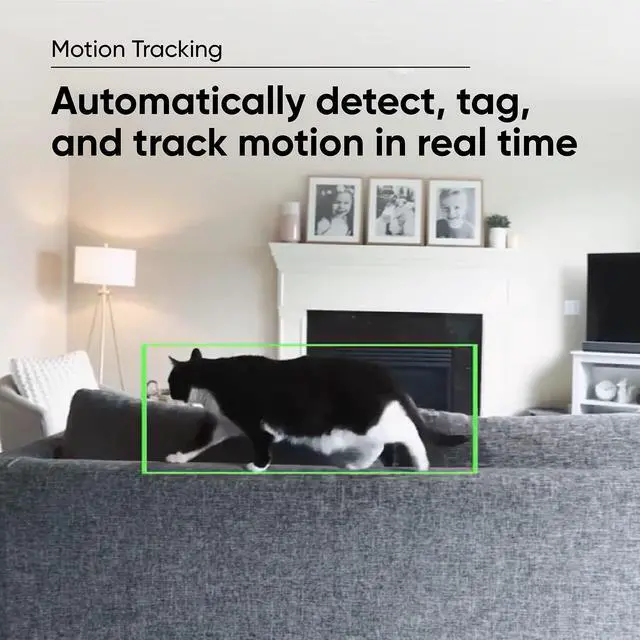
Motion Tracking
Automatically detect, tag, and track motion in real-time.


Wyze Cam Pan v2 cannot connect to Wi-Fi network?
1. Check that your phone or tablet is on a 2.4 GHz network.
2. Forget all Wi-Fi networks, restart your phone/tablet, then reconnect to your 2.4 GHz network.
3. Power cycle your Wyze Cam Pan v2.
4. Force close the Wyze app, then open it again.
How do I factory reset my Wyze Cam Pan v2?
1. With the Cam plugged into power, press and hold the setup button on the bottom of the camera for 10 seconds.
2. Wait at least 30 seconds for the unit to initiate.
3. The LED status light on the device will change from Solid Red to Flashing Red.
Wyze Cam Pan is not connecting after a firmware update?
1. Power cycle the camera by unplugging it for about 30 seconds and then plugging it back in.
2. Switch to a different power cable or adapter.
3. Plug the camera into a different power outlet to check the power source.
4. Attempt a factory reset.
The camera cannot detect the microSD card, or is not backing up properly?
If you suspect you have a bad microSD port, check the contents of the microSD card on a computer to make sure that the card itself isn’t corrupted. If it is, try reformatting the microSD card and testing it in your camera again.
My Event videos have no sound on Wyze Cam Pan v2?
1. Make sure that Record Sound is turned on.
2. In the Wyze app, tap on your camera and let the live stream load.
3. Tap on the Settings icon, then tap Advanced Settings.
If "Record Sound" is on, toggle it off and back on.
If it’s off, turn it on.
Compare Wyze Cameras
 Wyze Cam Pan v2 |  Cam Pan V2+32GB SD Card |  Cam Pan V2+128GB SD Card |  Wyze Cam Pan v2 (2 Pack) |  Wyze Cam v3 |  Cam Outdoor v2 Bundle |  Cam Outdoor v2 (Add-on) | |
|---|---|---|---|---|---|---|---|
Customer Reviews | — | — | — | — | — | — | — |
Price | — | — | — | — | — | — | — |
Pan & Tilt | 360° x 93° | 360° x 93° | 360° x 93° | 360° x 93° | — | — | — |
Indoor/Outdoor | Indoor use only | Indoor use only | Indoor use only | Indoor use only | IP65 indoor/outdoor | IP65 indoor/outdoor | IP65 indoor/outdoor |
1080p Night Vision | Color | Color | Color | Color | Color | Color | Color |
Two-Way Audio | Simultaneous two-way-talk | Simultaneous two-way-talk | Simultaneous two-way-talk | Simultaneous two-way-talk | Simultaneous two-way-talk | Simultaneous two-way-talk | Simultaneous two-way-talk |
24/7 Recording w/ MicroSD Card | SD Card Sold Separately | 32GB SD Card Included | 128GB SD Card Included | SD Card Sold Separately | SD Card Sold Separately | SD Card Sold Separately | SD Card Sold Separately |
Base Station | No Need | No Need | No Need | No Need | No Need | Included | Base Station Required |
Phone Compatibility | Android 7.0+ / iOS 12.0+ | Android 7.0+ / iOS 12.0+ | Android 7.0+ / iOS 12.0+ | Android 7.0+ / iOS 12.0+ | Android 7.0+ / iOS 12.0+ | Android 7.0+ / iOS 12.0+ | Android 7.0+ / iOS 12.0+ |
Motion & Sound Detection | ? | ? | ? | ? | ? | ? | ? |
2.4Ghz WiFi Only | ? | ? | ? | ? | ? | ? | ? |
Works with Alexa/Google/IFTTT | ? | ? | ? | ? | ? | ? | ? |
Smoke & CO Alerts | ? | ? | ? | ? | ? | ? | ? |

360° of Coverage
See the entire room. Fast.

Smart Assistant Compatible
Wyze Cam Pan v2 works with Alexa. Control Wyze Cam with your voice by saying, “Alexa, show me the Living Room” to view a live stream of your camera.

Color Night Vision
Capture every story in color, even at night.

Motion Tracking
Automatically detect, tag, and track motion in real-time.


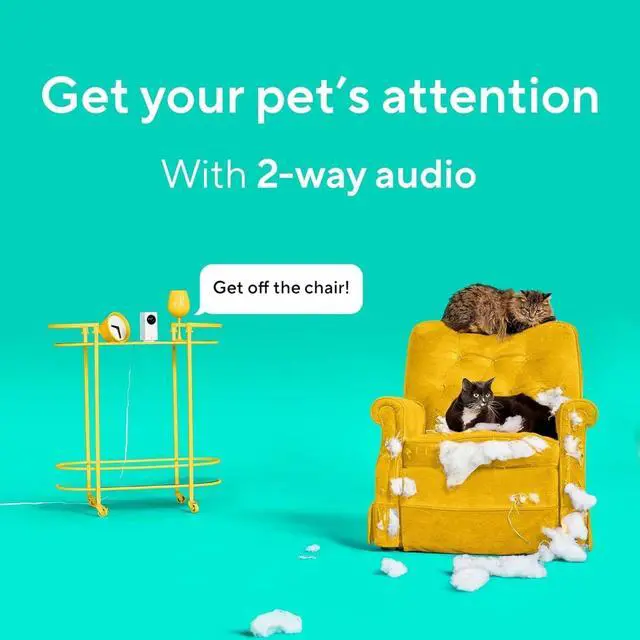
Two-Way Audio
Listen and talk to anyone you care about while not at home.
Instant Alerts
Get notified whenever motion is detected. Customize notifications in the Wyze app.
Wyze Cam Pan v2 cannot connect to Wi-Fi network?
1. Check that your phone or tablet is on a 2.4 GHz network.
2. Forget all Wi-Fi networks, restart your phone/tablet, then reconnect to your 2.4 GHz network.
3. Power cycle your Wyze Cam Pan v2.
4. Force close the Wyze app, then open it again.
How do I factory reset my Wyze Cam Pan v2?
1. With the Cam plugged into power, press and hold the setup button on the bottom of the camera for 10 seconds.
2. Wait at least 30 seconds for the unit to initiate.
3. The LED status light on the device will change from Solid Red to Flashing Red.
Wyze Cam Pan is not connecting after a firmware update?
1. Power cycle the camera by unplugging it for about 30 seconds and then plugging it back in.
2. Switch to a different power cable or adapter.
3. Plug the camera into a different power outlet to check the power source.
4. Attempt a factory reset.
The camera cannot detect the microSD card, or is not backing up properly?
If you suspect you have a bad microSD port, check the contents of the microSD card on a computer to make sure that the card itself isn’t corrupted. If it is, try reformatting the microSD card and testing it in your camera again.
My Event videos have no sound on Wyze Cam Pan v2?
1. Make sure that Record Sound is turned on.
2. In the Wyze app, tap on your camera and let the live stream load.
3. Tap on the Settings icon, then tap Advanced Settings.
If "Record Sound" is on, toggle it off and back on.
If it’s off, turn it on.
Compare Wyze Cameras
 Wyze Cam Pan v2 | Cam Pan V2+32GB SD Card | Cam Pan V2+128GB SD Card | Wyze Cam Pan v2 (2 Pack) |  Wyze Cam v3 | Cam Outdoor v2 Bundle | Cam Outdoor v2 (Add-on) |
|---|---|---|---|---|---|---|
| Customer Reviews | ||||||
| — | — | — | — | — | — | — |
| Price | ||||||
| — | — | — | — | — | — | — |
| Pan & Tilt | ||||||
| 360° x 93° | 360° x 93° | 360° x 93° | 360° x 93° | — | — | — |
| Indoor/Outdoor | ||||||
| Indoor use only | Indoor use only | Indoor use only | Indoor use only | IP65 indoor/outdoor | IP65 indoor/outdoor | IP65 indoor/outdoor |
| 1080p Night Vision | ||||||
| Color | Color | Color | Color | Color | Color | Color |
| Two-Way Audio | ||||||
| Simultaneous two-way-talk | Simultaneous two-way-talk | Simultaneous two-way-talk | Simultaneous two-way-talk | Simultaneous two-way-talk | Simultaneous two-way-talk | Simultaneous two-way-talk |
| 24/7 Recording w/ MicroSD Card | ||||||
| SD Card Sold Separately | 32GB SD Card Included | 128GB SD Card Included | SD Card Sold Separately | SD Card Sold Separately | SD Card Sold Separately | SD Card Sold Separately |
| Base Station | ||||||
| No Need | No Need | No Need | No Need | No Need | Included | Base Station Required |
| Phone Compatibility | ||||||
| Android 7.0+ / iOS 12.0+ | Android 7.0+ / iOS 12.0+ | Android 7.0+ / iOS 12.0+ | Android 7.0+ / iOS 12.0+ | Android 7.0+ / iOS 12.0+ | Android 7.0+ / iOS 12.0+ | Android 7.0+ / iOS 12.0+ |
| Motion & Sound Detection | ||||||
| ? | ? | ? | ? | ? | ? | ? |
| 2.4Ghz WiFi Only | ||||||
| ? | ? | ? | ? | ? | ? | ? |
| Works with Alexa/Google/IFTTT | ||||||
| ? | ? | ? | ? | ? | ? | ? |
| Smoke & CO Alerts | ||||||
| ? | ? | ? | ? | ? | ? | ? |