
Your Browsing History


Willie W.
Joined on 02/25/03
0
0
product reviews
- 3
Good for extending your wifi range
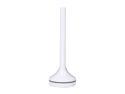
EDIMAX EW-7288APC 11AC (5GHz Band only) Range Extender / Add-on Station, to Extend / Add 11AC Wi-Fi Signal for Faster and Cleaner Connection
Pros: Good for extending wifi range
Cons: No difference in speeds when close to the router
Overall Review: I have a Linksys EA3500 dual band router (2.4 & 5 ghz) with wifi extenders in the house, because there are certain parts of my apartment where the wifi is not strong. I added the Edimax and here are my observations: 1) Connecting and setting up the Edimax as an access point is easy, it takes 5 minutes and is literally plug and play. 2) When connected to the router, it created another wifi connection option, so you'll have your home network and another one called "Edimax" In other words, I got another 5 ghz channel. 3) Because there were two options, I was able to use speedtest and compare both connection speeds. Near my router, there is no difference in speeds. However, further out (where I have a wifi extender), the Edimax (without connecting to the wifi extender) offered much better throughput, in some of my tests, almost twice as much. Edimax claims the unit has a strong antennae, and my tests seem to support that. So in summary, in close range, I didn't notice a difference in speed, but for longer distances, and in hard to reach wifi spots, I certainly did.
11/22/2014See more detail
Huge decrease in CPU temps!
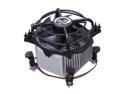
ARCTIC COOLING A7P-75000023 92mm CPU Cooler
Pros: Cheap and does the job
Cons: None
Overall Review: I replaced my stock Intel i5-650 fan for this one - it's much thicker than the Intel stock fan and has the thermal paste built it - this literally lowered by temps by at least 20 degrees Celsius or more - I'm below 40 degrees Celsius now - my computer kept on shutting down and I think it was because of CPU overheating I hope this fixes the problem, and so far so good!
7/27/2013See more detail
What's the fuss? This works fine!
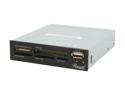
Rosewill RCR-IC002 - 74-in-1 Internal Card Reader with USB 2.0 Ports & Extra Silver Face Plate - Fits 3.5" Drive Bay
Pros: 1) It works 2) It's cheap
Cons: None
Overall Review: Not sure what's up with some of the bad reviews - I installed the reader, plugged in the 3 cords (sata, power, and usb) and voila! it works just fine. Windows 7 only shows the drives after you plug it in. Good deal and as usual Newegg rocks!
8/20/2010See more detail