

Your Browsing History


Sam E.
Joined on 03/23/11
0
0
product reviews
- 3
An acceptable trade of Pros and Cons
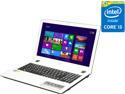
Acer Aspire 15.6" Intel Core i5-5200U 8GB Memory 8GB SSD Windows 8.1 E5-573G-59C3
Pros: The hardware is a great deal if you catch this on sale. I've been putting the Nvidia card through bench marking paces, and I'm happy with the results for a mobile setup. I've always wanted an SSD, but it turns out this is an SSHD. Basically it stores the most used files on the solid state memory automatically. It's still much faster. My old Acer Aspire E1-571-6387 had one advantage which was the CPU, otherwise everything is just as good or better. This was a good upgrade. It's about two pounds lighter as well, and feels like a sturdy build.
Cons: Lots of minor things, You'll want to buy a USB mouse for when you're not chilling on the couch watching Youtube, the touchpad is like trying to finger paint with a hotdog, except you can only hold it with salad tongs. The CPU is the bottleneck here, I stepped down from an i5 Quad-Core @ 2.6GHz. You'll notice tiny audio skips if you've got music playing and open a second tab in Chrome. That being said, it hasn't impacted my gaming yet, and the SSD picks up some slack. Oddly, for the GPU it packs, the screen is poor quality. The wireless adapter seems a bit weak, at least weaker than its predecessor.
Overall Review: Keep in mind I got this on sale for $460. The top lid has a strange fake wood texture. Moving from Windows 8 to 8.1 is a bit jarring. The power button is right next to END and above the - key, I just know I'm going to hit it accidentally some time. You can put a fan into the CD/DVD bay, and if you're upgrading and won't make use of your old laptop there's an open RAM slot, although 8 is usually enough for most people. The keyboard is nice, but set back pretty far and the touchpad is large and takes up a lot of space up front. For those with specific room set-ups and are interested, the power charging port is on the right. Battery life is average. I took a bar off my tech level two years ago since I don't dig around in the OS like I used to. I know 98, XP and Vista back to front, but I haven't messed with the newer ones. I also haven't built anything in a few years. The reason I bring this up is because it SEEMS like a firmware built-in thing, but whenever the lid is lifted up, it disengages the NUM lock. It seems like an Acer thing, but I would take this bit with a grain of salt. BOTTOM LINE, I'd recommend it to you on sale price, but for the normal price of $660, I'd save a bit more and find something with a more powerful CPU.
8/3/2015See more detail
Not for upgrading
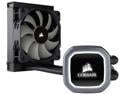
Corsair Hydro Series, H60 2018 (CW-9060036-WW), 120mm Radiator, Single 120mm PWM Fan, Liquid CPU Cooler LGA 1700 Compatible
Pros: Durable tubes Efficient cooling
Cons: Fan DOA Large tube length Unflexable
Overall Review: Unfortunately, the 120mm fan that came with the package was DOA, but the system really doesn't need it. I upgraded from fans after my CPU hit 87c while under full load. Now the highest I've seen is 65c and at idle the cooler keeps it at around 25. The tube length and unwillingness to bend means I had to juryrig my set-up a bit, and cut a small hole/bolted the radiator onto the outside/side of my case. The Corsair logo, in most cases, will end up either upside-down or sideways due to how the hoses actually connect to the cooling unit. I would buy this unit if you are planning your PC build and not just upgrading. It's hard to tell how the bracket is universal until you google it, and the plastic cover kept coming off the thermal paste before I was ready to apply it. Otherwise, the product works well after you wrestle it into place.
6/7/2020See more detail
Pretty Darn Good!
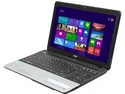
Acer Aspire 15.6" Intel Core i5-3230M 4GB Memory Windows 8 E1-571-6837
Pros: I got this laptop for $450, which is a great sale price for this hardware. The i5 is working really well so far, and the integrated graphics are working out for Minecraft. Mostly playing games from 2002 and back. The screen is nice and big, and so is the keyboard. The keys are a bit flat, but it just takes some getting used to. I have bigger hands and I have no problem hitting the keys. Everything is fast, and there is a good, noticeable difference in speed from my old AMD Phenom Quad core. It ran at 2.3GHz. So I was a bit surprised how much smoother this handled. Love it so far!
Cons: Biggest con has to be Windows 8. Could have used a bit more RAM. Even two more gigs would have been nice. Some bloatware, took me about twenty minutes to get rid of it. Acer has some programs on it by default that aren't very useful. The power and ethernet ports are on the left side, which doesn't really work with the setup in either of the rooms where I use it.
Overall Review: It gets a little warm, but I'd say within normal parameters so far,. I'll be sure to update if anything goes wrong. Swapped out Macafee for Avast.
6/3/2013See more detail