

Your Browsing History


Geoffrey G.
Joined on 12/12/01
0
0
product reviews
- 5
If You Need To Convert 4-Pin Molex To SATA Power, This Is The Item
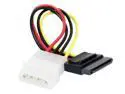
AMC CSA-6 6 in. 6" SATA Power Adapter, (15-Pin) to Power Supply (4-Pin)
Pros: Works and as solidly built as any tiny adapter can be.
Cons: Terminating connector, not a pass-through.
Overall Review: *If you have a PS with only 4-pin molex leads or a PS with too few SATA leads, this is the proper adapter to convert a molex adapter to a SATA power point.*
1/29/2010See more detail
It's a switch, Jim
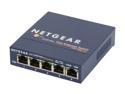
NETGEAR 5-Port Fast Ethernet 10/100 Unmanaged Switch (FS105NA)
Pros: It's a 10/100 ethernet switch. Provide a supply of electricity, plug in the ethernet cables, and away it goes. I bought it knowing it would "just work" and I was not disappointed.
Cons: If you look at the picture, you can see there is a 4-port module with a 5th port added to the side. I haven't torn it apart or loaded tested it, but -- if you need 5 ports and all of them demand maximum bandwidth and minimal latency? Well, this looks a lot like a 4 port switch someone bolted a 5th port onto.
Overall Review: Kill-A-Watt says it draws 1.5 Watts/3.5VA. I use this to provide ports to a room as part of my home network. It does an excellent job at that, and the metal body means I don't have to worry about smashing or crushing it.
3/2/2011See more detail
Works like a charm in Ubuntu 10.04 LTS
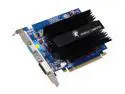
SPARKLE GeForce 9500 GT 1GB GDDR2 PCI Express 2.0 x16 Graphics Card SFPX95GT1024U2H
Pros: Had no problems booting, having it recognized, getting both monitors set up, etc. in up-to-date Ubuntu 10.04 LTS. Total snap -- pure plug and play. Good thermal interface as-is. Replacing the stock paste with Arctic Silver 5 only dropped "idle" temp about 1-2 degrees. Lets me play Gratuitous Space Battles and Torchlight under Wine with very high framerates. Both of these were cranky with my 7050.
Cons: The heat sink is as large as billed. Blocks one PCI slot and several of the SATA ports on my micro-ATX motherboard. If I had more SATA drives I'd have to perform surgery on the heat sink with a Dremel cutter to make it work. DVI sometimes seems to have problems synching with my AOpen F90JS. I occasionally get a wavery, distorted display. Not sure if this is a hardware synch issue, a drivers issue or a monitor / cabling issue. Turning the monitor off and on fixes it.
Overall Review: Running on a double-headed Ubuntu 10.04 LTS system. Used it to replace an on-board nVidia 7050 chipset so I could multi-head and have a video card that wasn't utter bare bones. Double heading works fine. Indirect rendering causes serious lag when multi-heading -- if you have problems with low desktop framerates using compiz, make sure you don't have indirect rendering set. (you can check / change this under Compiz Options with the Compiz Fusion Icon from the package of the same name). Monitor says it runs at ~43C. I don't think this card is a good candidate for OCing unless you add an active heat sink. I would say this card is 'moderately good'. It provides good performance for a low price, balance by the ginormous heat sink. I think the occasional crankiness synching with DVI is probably more my rig than the card but it's something to be thinking about if you think the machine might hard reboot frequently.
3/2/2011See more detail
Worked Perfectly!
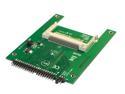
SYBA SY-IDE2CF-NB25 Ultra IDE to Compact Flash Adapter
Pros: Worked without a hitch the first time to replace the 2.5" IDE drive in my aging CF-29. I flashed Puppy Linux 4.3.1 to the card without so much as a hiccup from the Puppy Universal Installer using the "write to CF device that will later be used as a boot medium" option. I used an old IOGear multi-card reader attached over USB to write the CF and used FAT-32 as that seems to boot most reliably. I will experiment with more modern file systems soon but the nature of installing to a CF-29 made me want to make it work for certain the first time.
Cons: None that I can see. This process was painless and it worked the first time.
Overall Review: The EM shielded drive bay and drive protection package on a CF-29 like mine (early model -- dunno if it improved) is a unique pain to deal with, but the PCB and CF card fit the form factor, and I didn't have any problems. Puppy recognized the wireless but not the cell modem. Take away: This seems to be a good match with the 2.5" form factor.
1/12/2010See more detail
Fine drive
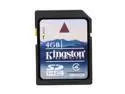
Kingston 4GB Secure Digital High-Capacity (SDHC) Flash Card Model SD4/4GB
Pros: Fine drive.
Cons: None.
Overall Review: Bought it for a laptop repair. It worked fine.
1/7/2010See more detail