Marketplace Seller
- $147.90
Best Sellers
Are you an E-Blast Insider?

Shop without retyping payment details. Secure shopping made faster.
Check out with PayPal.


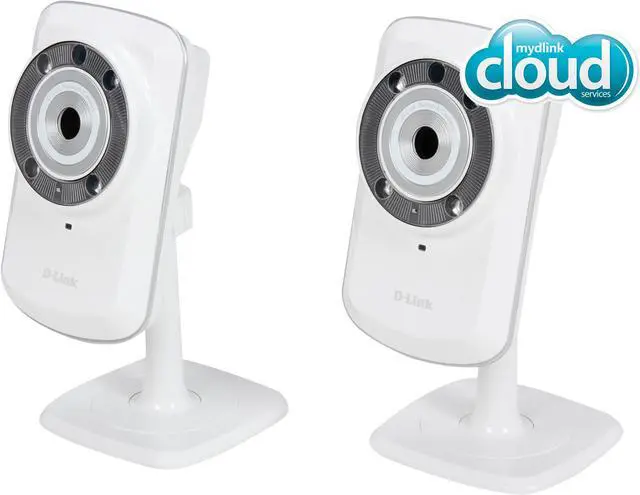
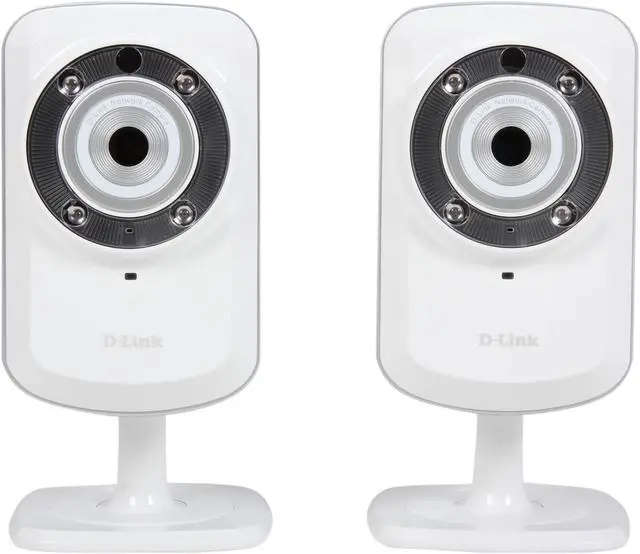
D-Link DCS-942L Record & Playback Wi-Fi Camera
- Day Camera
- Day/Night, 2 Way Audio, MicroSD Camera
- Built-in microSD card slot supports 32GB capacity
- 16 feet of night vision
- Enhanced motion detection with PIR sensors triggers e-mail / push alert notifications
- 4x digital zoom
- Mydlink app support for iPhone, iPad, Android and Windows phone
- Built-in 2 Way Audio Microphone
Learn more about the D-Link DCS-942L
| Brand | D-Link |
|---|---|
| Model | DCS-942L |
| Camera Type | Day/Night, 2 Way Audio, MicroSD Camera |
|---|---|
| Network Camera | Yes |
| Type | Wireless Camera |
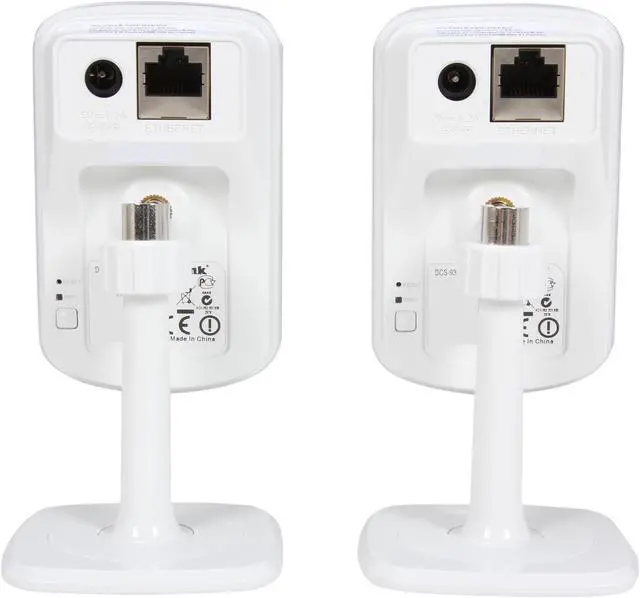
| Connection Type | RJ45 |
| Color | White |
| Wireless Standard | IEEE 802.11b/g/n |
|---|---|
| Wireless Antenna | Internal Antenna |
| Pan/Tilt/Zoom | Up to 4x Digital Zoom |
|---|---|
| Sensor | VGA 1/5 inch CMOS Sensor |
| MAX Resolution | 640 x 480 |
| Video Capture Resolution | 640 x 480 at up to 30 fps 320 x 240 at up to 30 fps 160 x 120 at up to 30 fps |
| Frame Rate | 30fps |
| Lens Type | Focal length: 3.15 mm, F2.8 |
| Security | WPS, WEP, WPA, WPA2 |
| Night Vision | Yes |
| Power | Input: 100-249V AC, 50/60 Hz Output: 5V DC, 1.2A External AC-to-DC switching power adapter 5.5W Max Power Consumption |
|---|
| Features | Minimum Illumination: Color: 1 Lux @ F2.8 B/W: 0 Lux with IR LED on IR LED: 5 meter illumination distance PIR Sensor 3A Control: AGC (Auto Gain Control) AWB (Auto White Balance) AES (Auto Electronic Shutter) Built-in Network Interface: 10/100Base-TX Fast Ethernet 802.11b/g/n WLAN SDRAM: 128MB Flash Memory: 16MB Ready to record using the built-in microSD card reader Video Codecs: H.264 MPEG-4 MJPEG JPEG for still image Network Protocol: IPV4, ARP, TCP, UDP, ICMP RTSP, RTP, RTCP DHCP Client NTP Client (D-Link) DNS Client DDNS Client (D-Link) SMTP Client FTP Client HTTP Server PPPoE UPnP Port Forwarding LLTD 3GPP (Video only) |
|---|
| Date First Available | July 25, 2021 |
|---|
Pros: Review is for the A4 hardware version with latest 1.24 Firmware released 2/11/15. When you spend under 100 bucks for an IP cam you usually get VGA resolution. A good lens, in-camera storage recording, 30 fps because of H.264, dedicated passive IR motion detection, video motion detection, sound detection, pan/tilt/zoom, wired/wireless, two-way audio, easy setup, night vision with IR cut filter, are all potential price-raising options. This one has all of them except for the pan/tilt thing and looks pretty nice like an i-something. The goal of this camera (and D-Link’s entire product line which is geared toward the smart home) is “Zero-Configuration”. Plug their cameras into one of their routers, add some smart power plugs, motion sensors, network media players and it all should work and be controllable via a mydlink.com portal accessible from Win/Mac, iOS, or android. No worrying about port-forwarding, DDNS, firewalls. The idea is that being able to view your video remotely from outside your local network with no real setup effort is a better value proposition than the latest tech. In practice, the setup was just that easy: Own a D-link “Cloud-enabled” router, hook the camera to the network, log into your mydlink account, click “Yes” to add the camera. There are two other documented methods I tried. A) Download “Setup Wizard” from the website (Mac or Win), follow instructions which require installing Java if you don’t have it installed. B) Do a manual configuration using the camera’s built in Web Configuration Utility. You may find the user manual from the internet helpful to find the default IP and you need the camera wired to your router. BTW the default IP if no DHCP is 192.168.0.20. Free Android and iOS apps for viewing the cam are available. The ipad iOS for 4 camera display and mydlink+ for Android are not free. Default settings with free one-cam app on iOS on ipad gives me 10 FPS MJPEG 480P with audio stream. Android got me the same at 480P and 320x240 is 10 FPS H264. Hooking to the app prompted for a camera password change from default which was nice. The multiple and comprehensive options include e-mailing/storing/FTP of snaps and video on triggers such as time, two types of motion detection, or sound detection; DDNS now can take a typed-in server in addition to the two drop-down choices; you can turn off the power LED indicator. The 2.4 GHz wireless worked fine for me. The night vision was good for at least 10 feet with only 4 LEDs. My Transcend 32GB MicroSD formatted and worked well with consistent 30 FPS video at max res and cyclic recording. Long power cable.
Cons: The trend is toward HD resolution (but those cams are significantly higher priced and HD doesn’t work well over a cellular connection). Ball and socket pivot tends to drift if you connect both the Ethernet and the power cable. “Cloud” designation can be misleading if you expect this camera to store video to cloud storage for later review. It does not – there is no record to cloud function. To record video for later review you have to buy a D-Link NVR or use the SD slot. Field of view is narrow for some security applications 45.3 x 34.5 degrees. Time schedule triggers don’t allow for more than one time segment per day. Firmware updates are not automatic and require first downloading the file from the website to your computer. It would be nice to have a real-time threshold indicator on the motion detector settings page. Remember that iOS does not support JAVA so you can’t just look at a local camera in the browser without the app. (Android video works fine from Chrome without using the app.)
Overall Review: Inside the case the camera is powered by a Grain Media GM8126 SoC which has an embedded H.264 encoder as well as MPEG-4/JPEG and also manages the Ethernet connection. It has 128MB SDRAM and 16 MB flash and a single Ralink RT5370 b/g/n radio. The camera is priced about right. The resolution is fine for a baby monitor, seeing if your server lights are on in a dark room, checking to see if you closed your garage door when you are at the airport, or seeing if there is a car parked in your driveway. You won’t be able to read that car’s license plate though. The SD slot lets you store video without a dedicated NVR. You can access that video remotely and this might be a way to avoid an NVR if your camera site is secure. It that is not the case, then buying this camera is not a security solution. IP camera security solutions often involve a lot of work figuring out secure installation, back-up power, calculating required camera bandwidth on the network, and deciding how to store video for later playback. D-Link makes several NVR’s that support between four to nine cameras. If you go that route then the SD slot is superfluous. It may help you to know this camera worked with Blue Iris Video Security software. One other situation with this camera is that in order to get the easy set-up without port-forwarding and firewall permissions, mydlink compatible devices must continuously broadcast to mydlink from inside your network. I do not know of a way to turn this off in-camera so if you don’t like it you have to specifically block it at your firewall/router. After the camera initiates an outbound connection through your firewall, the mydlink servers then decide which account your camera serial is registered to and brokers your (hopefully) reply back to it from outside your network to make the connection. You just have to trust in D-Link’s security and good intentions just like you trust that Google keeps your gmail and drive data secure.
Pros: Setup was pretty easy. IR mode shines easily 30 feet for full dark viewing. Automatically switches to black and white when light is too low. Resolution is good enough to ID faces within 20' day or night. iPad app syncs perfectly and shows thumbnails of all cameras being used. PC syncs perfectly and has less than 1-second delay.
Cons: Hard to hide power wire to keep it safe from tampering.
Overall Review: This is a single unit solution to surveillance that actually works and is very easy to set up. Highly recommended for people who don't want to hard wire multiple cameras to a DVR. Set this up at my beach house and can check it from any internet connection instantly. I haven't used the D-View Cam software for recording yet. Will update review after I've used that for recording, but for simple monitoring these cameras are a great deal!
Pros: No dropped signal Night Vision Apps for Android and iOS 2 way audio Motion detection and email alerts Remote viewing Local recording via SD card My Dlink is straightforward and simple to navigate around.
Cons: Single band N, no 5ghz. Complex setup if java not installed Low resolution of camera 480p Need access to advance settings in some cases (time and date set) Some settings do not keep, like microphone mute Recording to SD card makes no sense for security camera as it can be easily removed Was not able to take ‘snapshot’ when motion event seen. No cloud storage on My Dlink. External powered speaker required for 2 way audio.
Overall Review: This is the second DLink camera I own, the first being a DCS-5009L. The 942L is similar in some instances, setup can be a little cumbersome if initially setup on a PC that does not have Java enabled. The camera needs to be plugged in to the router for setup, MyDlink application is run and the software is installed. If Java is not installed then the application exits and Java needs to be installed. When the application is installed you can configure the basic settings, including wifi. I was disappointed to find single band 2.4ghz only, however range was adequate. I had this camera around 35ft from the router with 2 walls in between and no connection issues. Advance settings need to be utilized for some settings like time and date, but most of the basic settings could be set up via My DLink. Once on the wifi network, MyDlink indicated that there was a firmware update for the camera, unfortunately I needed to connect to the router via Ethernet for the update which was just annoying, would have preferred to update over wifi, instead of having to take down camera and plug it in to router for each firmware change. The camera worked well enough and at 80% sensitivity did not give me any false motion alerts with change in light levels unlike the DCS-5009L. I was away at the weekend and was able to log in to both cameras at anytime from anywhere, including the beach. The Android app works well for me as did the MyDlink in Windows 8.1. I did not have any false motion alerts even with my cat patrolling the area. I would have liked an option to save images and video to cloud space, as saving to an SD card always appears counter-intuitive as a potential thief can just take the SD card or camera with him…. Let’s summarize, the camera was reasonably easy to setup, in the last couple of weeks it has been pointed at my patio door and has performed flawlessly, I have not seen this camera drop off the network, I have had accurate emails indicating motion. It is not the most sophisticated camera available; however these can be purchased at 3 times the cost. This is a simple IP camera and it has worked well. I would have liked DLink to host cloud space for images and video instead of locally, I would also have preferred an easier firmware update and software setup, however the current process does work, even if it is clumsy. All in all I can’t complain too much, it is a simple camera that can complement an existing security system.
Pros: - Limited night vision capability. - Connection to network via wifi or ethernet. - Can store video over network to a network drive or to a microSD card.
Cons: - Resolution is fairly low. - The low resolution + low night vision range make for pretty bad night / low-light image. - It's not PoE capable - If you set it to store video on the microSD card and whoever you're filming sees the camera, they can simply take the card out of the camera. - Having settings configurable via webbing into the camera and / or D-Link's cloud service can be confusing for novice users. - Microphone quality is sub-par (static-y). - Motion sensor can be triggered by changes in light.
Overall Review: This camera is decent with the features it comes with, BUT I personally would not pay the retail price this camera commands. On paper, it looks like a great camera, but once you actually set it up and start using it, you see all the shortcomings. The microphone's quality isn't good at all. Most audio was drowned out by static noise and hiss. I set the camera to send me an email notification if it detected movement at night and it sent me many, many emails. The motion detection was counting the times lights and shadows changed in its field of view as well which was annoying. One of the nice features, but also a downside is the MicroSD slot. Great, you can record to a memory card, BUT what if someone finds your camera and takes the card out? Your recording goes along with them. Overall, the camera has more downsides than I would be willing to deal with, with this type of device.
Pros: Small profile, built in Wireless N, 30 fps recording, decent software bundle, somewhat easy setup (when it works), option to wire the camera with ethernet, very low power consumption, wall mounting kit included, pretty long power cable, very low price (at least he sale price), average night vision (useful to 10 feet, no more, indoor only, very low FPS)
Cons: Included software doesn't do enough, IR vision is weak (at best), field of view is extremely narrow, sensor is extremely susceptible to light changes (triggers motion with most software), camera occasionally shuts itself down or stops transmitting, IR is useless behind glass, built in microphone is extremely low end, WPS setup does not work, default web interface is clunky (at best), defaults IP to 192.168.0.* regardless of what DHCP sets the camera to (can force resets if setting static IP's)
Overall Review: I had very high hopes for this little camera, but I found the bundled software to be extremely lacking. I ended up pairing the camera with iSpy (great open-source, free software that's fully compatible with this camera, and thousands of others) and found that the sensor on this camera is extremely flaky and often picks up subtle light level changes as full scene changes and that triggers alerts and motion detection within the iSpy. The WPS function didn't work at all with my top of the line NetGear router. The "wizard" config is nice, but there's no way to set a static IP without logging into the device and then it defaults to a subnet very few people are on which can cause all sorts of problems. I've found the camera will stop transmitting or shut down when it goes from night to day mode (even with IR disabled). I find myself having the restart it multiple times per week. This camera is not good for outdoor use, at all - even from inside. The field of view is extremely narrow and the sensor is really made for indoor use. Sticking a couple of these around the house to watch things indoors is great, but beyond that this is an extremely limited use camera and the software provided by DLink is extremely lacking.
Pros: * Initial wireless setup wasn't exceptionally difficult. I just used the quickstart sheet and followed the directions. * 2 ways to view your video feed: web browser or free mobile app * 2-way communication option (Also see CONS section) * Video recording, ability to set triggers and to choose where it is stored * Event notification based on various triggers (motion, sound, times) * Excellent color reproduction in regularly lit areas. (Indoor lighting, outside, etc.) * Decent low light performance with & without IR assistance. In my two-car garage, I placed the camera in one corner and walked to the opposite corner. I then shut the garage door. I couldn't see my hand in front of my face. I flicked on my phone and checked out the streaming video. There's enough detail to be able to note my skin color and that I was wearing shorts and a tank top. I figure the viewing angle is just about 90° from center. * Can automatically switch between Day Mode(color) & Night Mode (B&W infrared) * Can switch to a lower res (240p) if you are recording close up areas and/or don't want to use up as much storage space on your microSD card. Surprisingly, the 240p resolution still isn't all that bad. * With each camera being self-contained and thus no master control box required, adding additional cameras is as easy as setting them up and registering them with your MyDLink account * I ended up using this as a baby monitoring system. It's WAY WAY less expensive and just as effective than what you'll find at the big-box baby & toy stores. * Nicely weighted base allows the camera to be set in almost any position and not have it tip over when not bolted down.
Cons: * Could be a little tricky for novices to setup & configure, but that's almost "par for the course" when it comes to WiFi/Cloud devices. * 2-way communication is kind of a gimmick in this price range since it requires hookup to an external speaker, which in of itself will require its own accessories and mounting solution. * Since this is a fixed lens, zoom functionality is digital...similar to functionality you might find on a phone. Thus, zooming just makes on-screen detail larger, not necessarily clearer. * "Cloud enabled" devices seem to all share a certain amount of head-scratching because they have their internet-based interface and then a separate interface on your local network. Each interface has different functions, some overlapping and some only in one interface or the other. * Effectively for indoor use only * Couldn't figure out how to change the video recording profile. I found where you set the details of each profile, but how to actually implement a specific profile eluded me. (I didn't attempt to contact Tech Support...at least not yet.)
Overall Review: One of things I try to take into consideration when reviewing things is to keep in mind that I'm reviewing the item based on the noted specifications of the device. Since this is listed as a 640x480 camera, I'm not going to knock it for not being 720p or 1080p. I believe people should understand the technical specs and limitations of what they are buying. If the product doesn't live up to the specs or it's just difficult to use, then yes, that's certainly worth noting. For being a standalone IP-based camera, I think it's pretty nice for this price range. As of this writing, it's $80. I feel this camera is best served as an easy solution to monitoring a specific inside section of your home. I first used the camera to record stuff going on outside by setting it on a window sill. At about 50ft+ out to the street, you're not going to pick up the text of any license plates, but you can easily tell a make & model of a vehicle as it goes by. If you leave it in "day mode" during the night, it's not overly shabby at picking up detail under street lights, but beyond that, you're not gonna get much else. Using "night mode" while in front of a window to record activities results in reflection from the IR, so unless you're flush against a window pane, don't expect a lot out of night mode when trying to view from window sill. I've decided to use the camera as the primary camera to monitor my infant's crib. I think it works great for that! It's great to be able to know how he's doing when the babysitter puts him down for the night and mommy & daddy want to check in on him from their phone! Assuming you don't bolt it down, it's easily moved and repositioned. As long as I'm within 10ft of a power outlet, I can easily move the camera to a new location. Since it's already been configured on the WiFi, it only takes a couple of minutes to re-establish it's connection to the network. I put an 8GB microSD card in the device and formatted it via the local interface reached via its internal IP address. Then I went about configuring the video resolution and it's triggers. It took me a bit to figure out how playback video from the microSD still in the device. You can do it from the internet-based interface or it's local network interface, but the "how to" is mildly different. My browser also wanted to throw up a flag about the web certificate not being trusted, but bypassing that was easy and caused no unexpected problems. One nice feature is the ability to have the recorded video include the prior & post 10 seconds of video before the trigger actually occurs. You can also set it to automatically overwrite the oldest videos if your microSD card runs out of space. I can't really tell you how much video you can get on a given capacity card since your choice of video compression/quality will make a difference. With the "night mode" video, I'm averaging about 2MB per 30sec of "Excellent Quality" video @ 640x480.
Pros: -Camera screen is a pretty nice setup -Night vision mode is kind of cool (yet fairly standard) -May have slightly easier setup with WPS enabled router -2 way audio works (needs a speaker hooked to camera though) Camera Screen: The camera screen in the settings web interface is actually pretty nicely laid out. It is easy to turn the 2 way audio on and off (or make it 1 way), switch to/from night mode (or set it to automatic), and change zoom.
Cons: -4x digital zoom is blurry as all fuzz -Very difficult setup -Poorly designed Android app -Poor Resolution (max 640 X 480 at 30fps) -The web interface is the same as other D-Link products (personally don't like it) -Many settings don't seem to work or save -2 way audio often gives echo feedback since it always listens (no push to talk) -Mount doesn't always hold the camera in position (even when tightened) -Clicks when switching between day and night mode Setup: My router does not have WPS enabled (DD-WRT) and I rather not run a wired cable all the way from my router to a camera (especially not the 3ft cable it comes with). Unfortunately, they don't make this easy. I had to connect via cable, go into the 192.168.x.x setup screen that they don't tell you about in the instructions, manually enter my SSID and other net info, unplug the camera, and plug the power back in. Luckily after all of that, it worked on my wireless. And no, the easy install computer software did not find the camera so I needed to manually type in the local IP. Android app: It starts off alright and the camera view screen works fairly well. The only problem is it freezes and crashes a lot, as in EVERY time I used it. I don't think there is a way to exit without force closing. Also, it looked like you could make it send your phone a notification on motion detection (pretty cool) but I'll never know because it wouldn't save the setting and most of the times it would crash when I tried going to the settings screen.
Overall Review: This is definitely not good for the average user. It was very difficult to setup and the automatic stuff didn't even work. And because of the low quality, even advanced users will want to stay away. However, for the price with the massive discount it may be a fair (not great) affordable option. Just remember, there is a reason for that (currently $120) discount.
Warranty & Returns
Warranty, Returns, And Additional Information
Warranty
- Limited Warranty period (parts): 1 year
- Limited Warranty period (labor): 1 year
- Read full details
Return Policies
- Return for refund within: 30 days
- This item is covered by Xinmall Return Policy
Manufacturer Contact Info
- Manufacturer Product Page
- Manufacturer Website
- Support Phone: 1-877-453-5465
- Support Website
- View other products from D-Link


Eggxpert Review
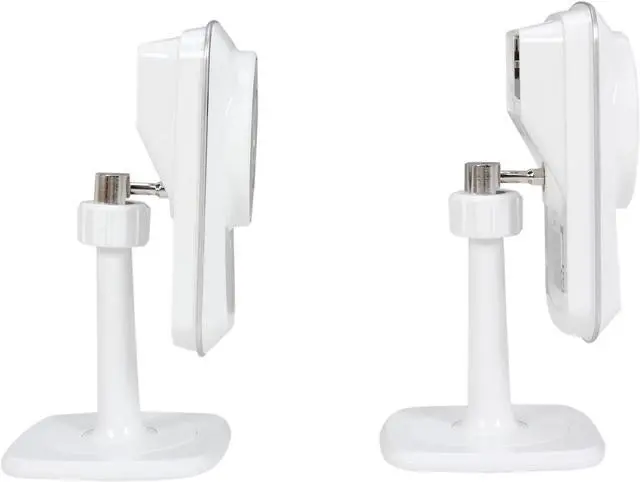
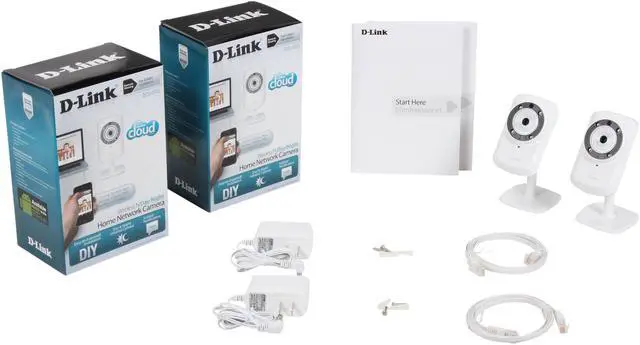
Pros: Seems these new things always have buggy software, fair enough, I can tolerate some glitches to get the latest hotness. Good stuff that works: #1 h264 encoding, #2 multiple streams and (3) good apps to view via ipad/ios. New product only on firmware v 1.01, so its bound to get better! Buy it now and avoid being stuck with mjpg inefficiencies. Some comments about the nylon pivot ball on the stand (which really isn't that bad unless you plan to be moving the camera around a lot). Note that this screws into a standard 1/4 -20 hole on the back of the camera, so if you don't like the stand, just buy a mini tripod. Otherwise the stock stand is fine. In the box: AC adapter has a very long power cable (>10ft) which is nice. Also comes with a flat ethernet cable in matching white. Nice touch.
Cons: Good stuff that should work, but may be a bit buggy: Passive IR Motion detection seems too sensitive. SD Card recording -- mostly works but had to reset a couple times to get it going (see dlink forums). Auto switching from daylight mode to IR mode happens too soon for some folks taste (still enough light in room), and the threshold is not adjustable. Picture, however, is fine either way. Needed to use IE (vs Firefox) for web admin interface, due to some conflict w/ java, active x and firefox and possibly VLC. Good stuff that should be easier/more flexible: Email uploading should be able to check email settings to confirm they work. Email of multiple still shots could consolidate to 1 email instead of (for example) 6. Mydlink (online service to find and view your cameras via webpage) setup should be able to be done from webadmin page on the camera, and not require re-running the install software every time you hard reset the camera...
Overall Review: My dlink online service is pretty cool and works well, although there aren't many "features." iPad, iPhone apps work. Might be nice to add non-d-link cameras to service (or pc/laptop based webcams)... SD Card recording needs to be tightened up. Had trouble getting it running, but finally got it to work. Would be nice if it could be accessed via ftp/samba share etc. Maybe it can be, but I haven't seen instructions. A couple of FYI's: The IR illuminating LEDS glow red when on. Doesn't bother me, but reduces the stealthyness. Can shut off the power/activity leds on the back, nice. Switching to/from night mode makes an audible click. This is due to the IR filter being mechanically flipped. Filter allows daylight mode to have truer colors. Can stream up to 640x480 30fps in h264. Multiple profiles for streaming vs saving to sd card, vs jpg. Cool kit. I hear D-link customer service can be helpful getting you going if you aren't tech-y. Advanced features may require m