

Your Browsing History
Lowest price in 30 days


LOWEST PRICE
In Gaming Monitor
Shop Department
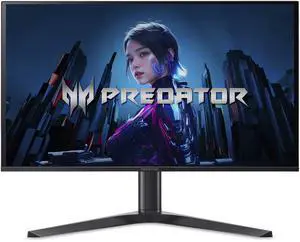
Acer Predator 27" WQHD 2K 1440P 280hz with AMD FreeSync Premium Pro, 0.03ms OLED Gaming Computer Monitor X27U Z1bmiiprx
- Screen Size: 27"
- Refresh Rate: 280Hz
- Resolution: 2560 x 1440 (2K)
- Response Time: 0.03 ms
- Model #: UM.GXXAA.103
- Item #: N82E16824011526
- Return Policy: 15-Day Return Policy
$349.99
$549.99
Free Shipping
It's a monitor that honestly wows. We bought this for my son. He was building a gaming setup and this is the monitor he picked out. He was not wrong. His research served him well. We're running it with a NVIDIA GTX 3080 and getting frame rates of 280 in most games and the monitor is humming along not missing a beat, vivid, high refresh rates... just.. chefs kiss as they say
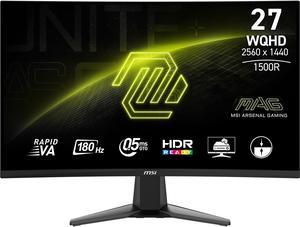
MSI 27" QHD 2K 1440P 180Hz with AMD FreeSync Sync 0.5ms HDR Ready support VRR Ai Vision Less Blue Light Anti-Flicker Curved Gaming Computer Monitor MAG 27CQ6F
- Screen Size: 27"
- Refresh Rate: 180Hz
- Resolution: 2560 x 1440 (2K)
- Response Time: 0.50 ms
- Model #: MAG 27CQ6F
- Item #: N82E16824475397
- Return Policy: 15-Day Return Policy
$149.99
$169.99
Free Shipping
Great picture quality and color depth Very clear and no stutters No screen flickers Easy to assemble
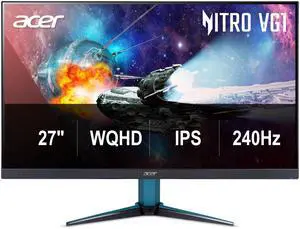
Acer Nitro 27" WQHD 2K 1440P 240HZ IPS 0.5ms with AMD FreeSync Premium HDR400 Gaming Computer Monitor with Speakers VG272U W2BMIIPX
- Screen Size: 27"
- Refresh Rate: 240Hz
- Resolution: 2560 x 1440 (2K)
- Response Time: 0.50 ms
- Model #: UM.HV2AA.201
- Item #: N82E16824011485
- Return Policy: 15-Day Return Policy
$169.99
$299.99
Free Shipping
240HZ SPEAKERS
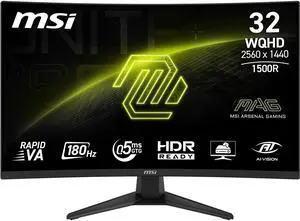
MSI 32" (31.5" viewable) QHD 2K 1440P 180Hz AMD FreeSync 0.5ms HDR Ready Low Blue Light Ai Vision 1500R Curved Gaming Computer Monitor MAG 321CQF E18
- Screen Size: 32"
- Refresh Rate: 180Hz
- Resolution: 2560 x 1440 (2K)
- Response Time: 0.50 ms
- Model #: MAG 321CQF E18
- Item #: N82E16824475497
- Return Policy: 15-Day Return Policy
$209.99
$249.99
Free Shipping
great picture and it already looks sharper than my previous msi monitor this guy is replacing

Alienware 34 inch UltraWide QHD 2K 1440P 240Hz AMD FreeSync Premium Pro & G-Sync compatible HDR400 USB-C OLED Curved Gaming Computer Monitor with Height Adjustable, Pivot, Swivel & Tilt Stand AW3425DW
- Screen Size: 34"
- Refresh Rate: 240Hz
- Resolution: 3440 x 1440 (2K)
- Response Time: 0.03 ms
- Model #: AW3425DW
- Item #: 9SIC57KKTB7131
- Return Policy: View Return Policy
$649.99
$799.99
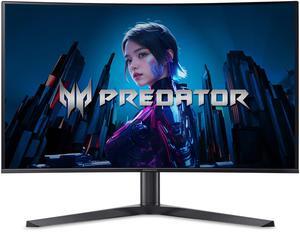
Acer Predator 32 inch UHD 4K 240Hz AMD FreeSync Premium (Adaptive Sync) 0.03ms HDR400 USB-C Built-in Speakers OLED Gaming Computer Monitor with Height Adjustable, Swivel & Tilt Stand X32 Xbmiipphuzx
- Screen Size: 32"
- Refresh Rate: 240Hz
- Resolution: 3840 x 2160 (4K)
- Response Time: 0.03ms (G to G)
- Model #: UM.JXXAA.X01
- Item #: N82E16824011509
- Return Policy: 15-Day Return Policy
$649.99
$999.99
Free Shipping
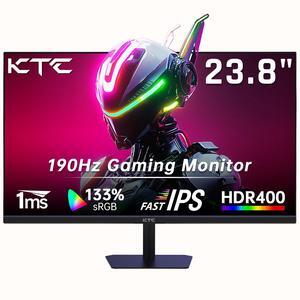
KTC 24 Inch 180Hz/190Hz Gaming Monitor, FHD PC Computer Monitor with Fast IPS Panel, HDR400, 133% sRGB, Bluelight Filter, 2 HDMI & 1 DP Port, Compatible Freesync and Wall Mountable, H24F8
- Maximum Resolution: 1920 x 1080
- Resolution: 1920 x 1080
- Aspect Ratio: 16:9
- Brightness: 400 cd/m2
- Model #: H24F8
- Item #: 9SIBK6TKEM7255
- Return Policy: View Return Policy
$99.99
$119.99
Free Shipping
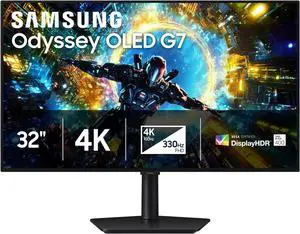
SAMSUNG ODYSSEY G7 32 inch Dual Mode UHD 4K 165Hz Full HD 330Hz AMD FreeSync Premium Pro & G-SYNC Compatible HDR400 OLED Gaming Computer Monitor with Height, Swivel, Pivot, Tilt Stand LS32HG732SNXZA
- Screen Size: 32"
- Refresh Rate: Max 4K 165Hz / FHD 330 Hz
- Resolution: 3840 x 2160 (4K)
- Response Time: 0.03 ms
- Model #: LS32HG732SNXZA
- Item #: N82E16824027394
- Return Policy: 15-Day Return Policy
$849.99
$1,099.99
Free Shipping
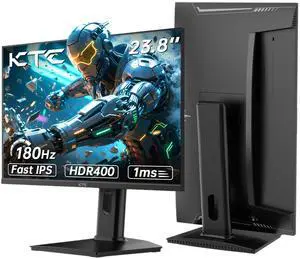
KTC 24 inch Gaming Monitor QHD 180Hz, Fast IPS 1440p Computer Monitor, Up to 185Hz, 1ms, G-Sync/FreeSync, HDR400, Height Adjustable, 2 x HDMI, 1 x DP H24T7
- Maximum Resolution: 2560 x 1440
- Resolution: 2560 x 1440 (2K)
- Aspect Ratio: 16:9
- Brightness: 400 cd/m2
- Model #: H24T7
- Item #: 9SIBK6TKJ11765
- Return Policy: View Return Policy
$140.99
$189.99
Free Shipping
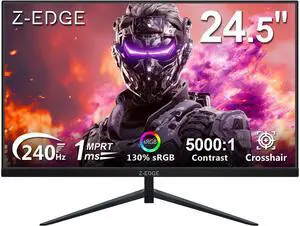
Z-EDGE 24.5" 1080P Full HD Flat Panel Gaming Monitor, 240Hz, 1ms (MPRT), 350cd/m², FreeSync Compatible
- Screen Size: 24.5"
- Refresh Rate: 240Hz
- Resolution: 1920 x 1080
- Response Time: 1 ms
- Model #: UG25I
- Item #: 9SIAT2EDSK8615
- Return Policy: View Return Policy
$109.99
$119.99
Free Shipping
Great monitor and refresh rate works great for a starter monitor at 240hz no issues
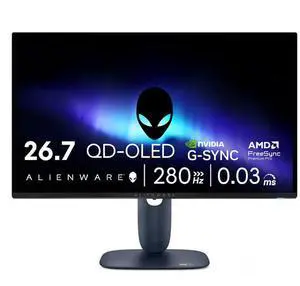
Alienware 27 inch QHD 2K 1440P 280Hz AMD FreeSync Premium Pro & G-SYNC compatible HDR400 USB-C OLED Gaming Computer Monitor with Height Adjustable, Swivel, Pivot & Tilt Stand AW2725D
- Screen Size: 27"
- Refresh Rate: 280Hz
- Resolution: 2560 x 1440 (2K)
- Response Time: 0.03 ms
- Model #: AW2725D
- Item #: 9SIC57KKTB7161
- Return Policy: View Return Policy
$399.99
$549.99
Fast response, beautiful colors right out of the box
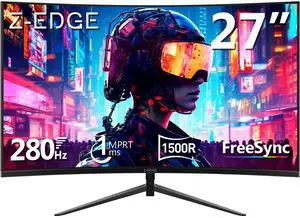
Z-EDGE UG27P-Black 27 inch 1080P Full HD 1920 x 1080 280 Hz 1 ms Curved Gaming Monitor, HDMI x 1, DP x 1, Supports Wall Mount
- Screen Size: 27"
- Refresh Rate: 280Hz
- Resolution: 1920 x 1080
- Response Time: 1 ms
- Model #: NEUG27P
- Item #: 9SIAT2EKAR7189
- Return Policy: View Return Policy
$129.99
$159.99
Free Shipping

CRUA 32" Curved Gaming Monitor, 4k UHD(3840 * 2160P) VA Screen, 1500R, 144Hz/160Hz Computer Moniter, Supports AMD Freesync, 120% sRGB, Built-in Speakers, Wall Mountable Installs(HDMI 2.1/DP 1.4)-Black
- Screen Size: 32"
- Refresh Rate: 160Hz
- Resolution: 3840 x 2160 (4K)
- Response Time: 0.01 ms
- Model #: CR320QC-4K-165HZ-Black
- Item #: 9SIBSK6KPR5121
- Return Policy: View Return Policy
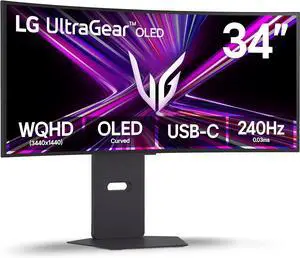
LG UltraGear 34" UWQHD 2K 1440P 240Hz AMD FreeSync Premium Pro & G-Sync Compatible 0.03ms HDR400 USB-C OLED Curved Gaming Computer Monitor with Height Adjustable, Swivel & Tilt Stand 34GX900A-B
- Screen Size: 34"
- Refresh Rate: 240Hz
- Resolution: 3440 x 1440
- Response Time: 0.03 ms
- Model #: 34GX900A-B
- Item #: N82E16824026495
- Return Policy: 15-Day Return Policy
$749.99
$1,199.99
Free Shipping
1) That's what she said. 2) Prompt delivery in good packaging & easy to unbox/setup. 3) This thing is immersive! 4) Been doing a little 1440 gaming and I don't care it's not 4k. Paired it up with a 9800X3D and RTX 5080...makes the jump from console gaming worth it.
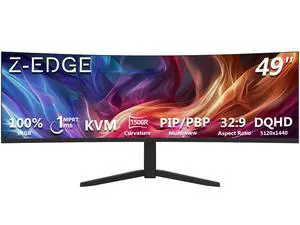
Z-EDGE 49 Inch 32:9 DQHD 5120x1440 1500R Curved Gaming Monitor, 165Hz 1ms 5K2K Ultra-Wide, Adjustable Stand, Built-in Speakers, VESA Mount, Extensive Connectivity
- Screen Size: 49"
- Refresh Rate: 165Hz
- Resolution: 5120 x 1440
- Response Time: 1 ms
- Model #: UG49W_ZE
- Item #: 9SIAT2EKK14867
- Return Policy: View Return Policy
$579.99
$599.99
Free Shipping
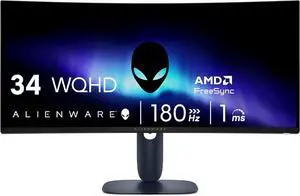
Alienware 34 Curved Gaming Monitor AW3425DWM - 34-inch WQHD 180Hz 1ms Display, 1500R, AMD FreeSync Premium, VESA AdaptiveSync.
- Screen Size: 34"
- Refresh Rate: 180Hz
- Response Time: 1 ms
- Curved Surface Screen: Curved
- Model #: AW3425DWM
- Item #: 9SIC57KKTB7155
- Return Policy: View Return Policy
$289.99
$349.99
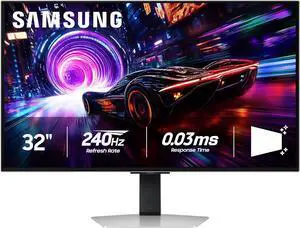
Samsung Odyssey G8 32" UHD 4K 240Hz FreeSync Premium Pro & G-Sync compatible 0.03ms HDR400 Glare Free OLED Gaming Computer Monitor with Height Adjustable, Swivel, Pivot & Tilt Stand LS32FG810SNXZA
- Screen Size: 32"
- Refresh Rate: 240Hz
- Resolution: 3840 x 2160 (4K)
- Response Time: 0.03 ms
- Model #: LS32FG810SNXZA
- Item #: N82E16824027368
- Return Policy: 15-Day Return Policy
$899.99
$1,299.99
Free Shipping
best looking monitor I've seen, high refresh rate
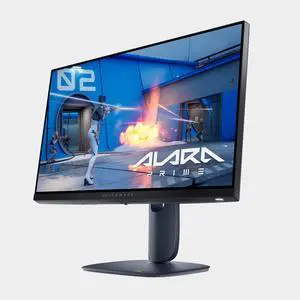
Alienware - AW2525HM 25" LCD FHD 320Hz 0.5-ms FreeSync and G-SYNC Gaming Monitor (HDMI, DisplayPort) - Black
- Screen Size: 24.5"
- Refresh Rate: 320Hz
- Resolution: 1920 x 1080
- Response Time: 0.50 ms
- Model #: AW2525HM
- Item #: 9SIC57KKTB7121
- Return Policy: View Return Policy
$199.99
$249.99
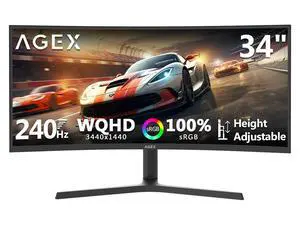
Z-EDGE AGEX Series AG34P 34" UWQHD 3440x1440 21:9 Ultra Wide 240Hz 1ms Curved Gaming Monitor, 1.07 B Colors, 100% sRGB
- Screen Size: 34"
- Refresh Rate: 240Hz
- Resolution: 3440 x 1440 (2K)
- Response Time: 1 ms
- Model #: AG34P
- Item #: 9SIAT2EKS29050
- Return Policy: View Return Policy
$239.99
$329.99
Free Shipping
I love the easy setup for the monitor and the res is great and the refresh rate for my games is good but it will be better with my new setup.
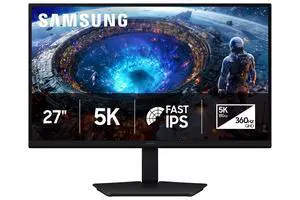
SAMSUNG Odyssey 27 inch Max 5K 180Hz QHD 2K 1440P 360Hz IPS AMD FreeSync Premium & G-Sync Compatible USB-C Gaming Computer Monitor with Height Adjustable, Pivot, Swivel & Tilt Stand LS27HG802EFXZA
- Screen Size: 27"
- Refresh Rate: Max 5K 180 Hz / QHD 360 Hz
- Resolution: 5120 x 2880 (5K)
- Response Time: 1 ms
- Model #: LS27HG802EFXZA
- Item #: N82E16824027395
- Return Policy: 15-Day Return Policy
$709.99
$949.99
Free Shipping