-Color Accuracy -Immersion -4k Resolution -Viewing Angles -Pixel Quality -Brightness -Price

I ordered two Acer Nitro VG272U monitors to utilize between work, gaming, and college. They have been a godsend when it comes to my ability to multi-task. From the color to the easy menu access, these are perfect for me. S

Night and day difference and such an easy setup, I really love how the color contrast pop more on my new monitor (left) and just feels so nice look at, I never had a oled before and after seeing the difference I wont be able to go back


- Tuning. I like how I can EASILY tune this monitor to my needs. - Just feels/performs like a premium product. I dont normally say that about monitors. - OLED care has not been intrusive nor annoying - I like the 4 blue light settings. After an injury my eyes became VERY sensitive. My eyes have not experienced fatigue or discomfort/actual pain. I personally use setting 2 on this monitor to help "protect" my eyes. (Some monitors literally hurt my eyes. This one doesnt) - I am enjoying working on my daily Database / ERP system deliverables simply because the text is SO clear, and even with blue light filter on, the colors are incredible. - The colors are fantastic - deserves its own call out. - Input detection is flawless. Exponentially better than the Samsung Neo monitors and Odyssey Arc 2 monitor. (I have owned and tried a lot of Samsungs.) I dont have to sit there and unplug and replug the power cable, disconnect and reconnect inputs, and etc in order to get the right input detected. Auto input detection actually WORKS. - PBP/PIP is something I use here and there. No issues at all. -Ports are labeled clearly on the back and are not in a microscopic font size. I dont know why this is something that isnt normalized across the industry. -The RGB on the back of the monitor looks pretty cool and not overdone. By overdone, I mean there is a small ACCENT of RGB, not an entire side of the monitor or more of RGB. Too much RGB drives up the cost of a monitor needlessly, but that is my opinion and to each his own... -If you arent mounting the monitor, the stand itself is pretty cool with the image it projects on the desk. -It is just a monitor. A great monitor. No bloatware or streaming services or "connect me to the cloud" setup steps. Plug it in, toggle refresh rate and your resolution to what you need in your settings, and you can literally just get to work/play games. It took me longer to open up the box than to install the monitor to the stand, connect cables, and start using it.


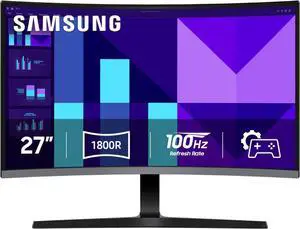
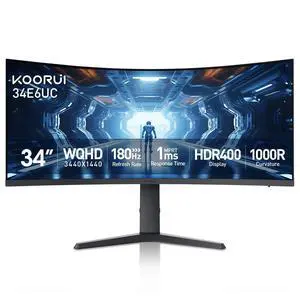
Large screen looks great and the curve seems to add depth of field. im currently playing Starfield (great game) and the monitor renders it beautifully.

Amazing colors, true black, excellent for gaming and movies.


Great picture quality No smearing or stuttering

Love how the colors look! Especially while playing games

Price was great. HDMI connection. Small footprint fits inside wife's curio perfectly.

I got this to go with my new gaming computer and the picture quality is very good. Especially 4k pictures and videos. I have no ghosting when gaming.


- 360hz - Excellent motion clarity - Fast response time - Fabulous colors - HDR - Glossy Screen

-2560x1440p (2K) display, very clear and sharp! -Affordable -Curved -I've had little to no screen tear with this thing! -180hz display!