
Your Browsing History


James H.
Joined on 04/20/05
0
0
product reviews
- 13
Yessssssss
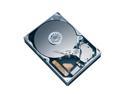
Seagate ST3640323AS 640GB 7200 RPM 32MB Cache SATA 3.0Gb/s 3.5" Internal Hard Drive Bare Drive
Pros: Tested max transfer per second of 122.4M and average of 95.5M with 14.8ms burst access time, burst rate of 184.8M. Higher output than my raptor.
Cons: About twice the latency of my raptor.
Overall Review: This is the sweet spot in the hard drive market currently. Three of this drive would make the ultimate RAID 5 configuration.
8/30/2008See more detail
worth the dollas
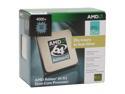
AMD Athlon 64 X2 4000+ - Athlon 64 X2 Brisbane Dual-Core 2.1 GHz Socket AM2 65W Processor - ADO4000DDBOX
Pros: Great price/performance ratio. Small power footprint. Definitely appropriately priced.
Cons: Half multipliers and memory controller divider. DDR2 memory will not run @ advertised speeds without overclocking CPU.
Overall Review: This chip is the epitome of balance in terms of power usage/performance.
10/5/2007See more detail
Super awesome
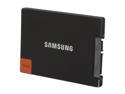
SAMSUNG 830 Series MZ-7PC256D/AM 2.5" 256GB SATA III MLC Internal Solid State Drive (SSD) Desktop Upgrade Kit
Pros: Incredible speed, very easy installation, and high quality. The support Samsung provides is fantastic, but rarely do I ever need it with any of their products.
Cons: Was not cheap. Tis' the price you pay for quality.
Overall Review: Running on an Intel ICH10R due to the trash SATA III controller (Marvell) on P55A boards. Maxes out the SATA II interface but has been conquering everything thrown at it.
2/12/2012See more detail
looks so awesome!!
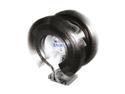
ZALMAN CNPS9900 NT 120mm 2 Ball Low-noise CPU Cooler
Pros: Huge area for cooling. Nickel plating matches other heatsinks in new system. Incredibly easy install (took ~5 minutes) for 1156 socket. The bottom is insanely shiny.
Cons: Instructions could be a tiny bit more detailed I guess. Green LED but I knew that when I bought it.
Overall Review: Make sure you put on the mounting bracket BEFORE you install your motherboard. There are guide marks on the fastener which will ensure that everything is flush and that you have the best contact with the CPU.
12/31/2009See more detail
Fantastic Quality
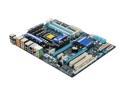
GIGABYTE GA-P55A-UD4P LGA 1156 Intel P55 USB 3.0 ATX Intel Motherboard w/ USB 3.0 & SATA 6 Gb/s
Pros: Technically, 2nd generation board. XMP enabled board. Made tweaking the system incredibly easy with no voltage adjustments required. Higher quality than other more expensive boards I have used in the past. There is a ton of space around the CPU, fit my 9900 NT and 4 sticks of RAM with room to spare.
Cons: Still a little confused on the way USB 3, Sata 3, and PCI-E work together on this board. The way I understand this now it is: 1x PCI-E 2.0 (x16) USB 3 SATA 3 or 2x PCI-E 2.0 (x8) I'm not sure if the SATA 3 controller and the USB 3 controller are also tapping into the 16 lanes. Doesn't really matter, no card (other than x2) can come close to using the bandwidth of all 16 lanes.
Overall Review: Enabled XMP with XMP ram which upped the QPI to 160 from standard 133 and changed multiplier to 17. Was able to change multiplier from stock of 20 to 21 making tweaking my system ridiculously easy without voltage changes. The higher voltage you run your components at (especially if outside of manufacturer's recommendations) not only will void your warranty but will possibly cause damage to your components.
12/31/2009See more detail
Primo Case
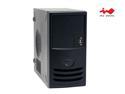
IN WIN IW-Z589T.J350BFU2AD Black Best Performed SECC Japanese Steel metal ATX Mini Tower Computer Case 350W Power Supply
Pros: Sturdy rolled steel with no sharp edges what-so-ever. Proprietary PS is enough to support 8600 GTS plus the rest of the build. Air guide above CPU area is a great idea, it also extends to actually give the heatsink for CPU fresh air from outside the case.
Cons: Proprietary fan isn't the greatest quality, but that is very easily replaced.
Overall Review: Hard drive stays nice and cool mounted in the front on the air intake area. Screwless drives and PCI slots make this build so easy. Would definitely use this manufacturer again.
10/4/2007See more detail