
Your Browsing History


Dwayne L.
Joined on 01/02/05
0
0
product reviews
- 5
Big honkin' monitor!
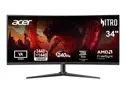
Acer Nitro 34 inch Ultrawide QHD 2K 1440P 240Hz with AMD FreeSync Premium (AMD Adaptive Sync) Gaming Computer Monitor XZ340CUR W0BMIIPHX
Pros: EASY set up. Stand really only has one screw that you need to install with 3 other 'lock-screws' installed from factory which twist-lock into stand base. Easy to raise / lower monitor. GREAT wide field of view. My card can't do this monitor justice, but the upgrade parts on the way will take care of that.
Cons: Humongous box that needs to be stored in attic until this monitor proves itself stable.
Overall Review: If this monitor works this well with my onboard Ryzen graphics... I'll be super happy when I get all the parts to upgrade my motherboard & discreet graphics card.
2/12/2026See more detail
Easy set up... easy disconnect :(
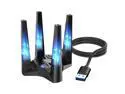
WAVLINK WiFi 6E AX5400 Triple-Band USB 3.0 Wireless Adapter (2.4G/5G/6G, 573+2402+2402 Mbps) with Built-in Driver, WPA3, MU-MIMO, OFDMA, 4x3dBi Antennas, Magnetic Base, 1m Cable - Only FWindows 11/10
Pros: Clever of manufacturer to put set up files / drivers inside unit and first use your computer treats it as a jump drive... then afterward sees it as wifi thru the drivers.
Cons: Kept jumping from one network to another until I set computer to 'not' connect automagically to certain network access points. :( SLOW. AS. MUD. (Seriously. Do not count on downloading drivers while a youtube video, or music file, is playing in the background from your NAS.
Overall Review: I needed a quick & easy way to connect while setting up some new computers... but this is NOT suited for full-time use. Way too slow and limited throughput. I'll keep it, but only for set up use.
3/21/2026See more detail
Great little MATX case
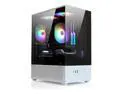
Zalman CUBIX-G Micro-ATX PC Case, MATX Case with 3 X 120mm FRGB Fans Pre-Installed, Panoramic View Tempered Glass Panels, USB Type-C Port, Fits up to 280mm GPUs, Panda Edition
Pros: Was perfect size for the motherboard & GPU I ordered. Building two of these (one done!) for each of my sons. The case fans have the odd 3-pin connectors that don't match yer average RGB hub connections... or the motherboard's ports. SO... a big 'meh!' for that. Bought a fan kit with hub and just replaced all the included fans.
Cons: Basement is VERY small so I'd urge you to get a fully modular power supply to cut down on the number of cables you need to stuff down there. SATA SSD location is great... BUT!!! you'll need a flat SATA adapter as the daisy chain sata power connectors will NOT mate to your drive - the clearances are too tight! (A $10 order from amazonnnnnnnn fixed this, but really, should you have to buy an adapter cable???)
Overall Review: Great little case that looks super cool! DO NOT LEAN ON THE TOP OF THE CASE!!!!! If you do, you'll likely need to lift/bend the top panel upwards to make sure the glass panels fit easily. DO NOT FORCE GLASS PANEL SCREWS! LIFT THE TOP PANEL UPWARD AND MAKE SURE THINGS ARE RIGHT BEFORE ASSEMBLY.
3/27/2026See more detail
Wasn't looking for miracles but... a miracle was needed for this graphics card. :(
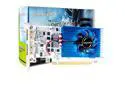
SongryVGA GT 730 4GB Low Profile Graphics Card,GDDR3 128-bit 2xHDMI Outputs 1080P PCIe 2.0 x16 DirectX OpenGL 4.6 Support Ideal for SFF/Thin ITX/HTPC PC
Pros: Inexpensive, workstation, low-profile card
Cons: Drivers would NOT install. Base resolution made my curved monitor look like a gameboy someone had dropped. :( AMD APU graphics were 2 zillion times better.
Overall Review: NO. Unless you're running something with wax-cylinders and clay tablets you shouldn't waste your time. The NVIDIA graphics installer apparently can't tell that this is based on an NVIDIA chipset. I wasn't looking for miracles - just basic graphics so I could upgrade my old Ryzen APU.
3/9/2026See more detail
Works very well
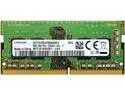
SAMSUNG 16GB Kit (8GBx2) M471A1K43DB1-CWE DDR4-3200 SODIMM PC4-25600 Single Rank x8 Module
Pros: Have an HP 'All in one' that I rescued from the trash (seriously - along with a 2TB external drive!) but there were a few issues with it as it only showed 8GB ram installed. Quick search showed unit would take 16gb so found it here and installed. (Unit had 2-8gb dimms already but one was not posting).
Cons: No cons for the memory! Only cons were trying to find an accurate 'tear down video' to open the case up. Ez-peezy once you've done it once!
Overall Review: Definitely made a difference in this old HP unit. A real score to find ready for the trash when all it needed was a ram swap! I have no doubt this ram kit will keep this machine going for years to come.
2/20/2026See more detail