
Your Browsing History


Nicolas H.
Joined on 11/10/08
0
0

product reviews
- 3
Fast but expensive
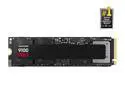
SAMSUNG SSD 9100 PRO 2TB, PCIe 5.0x4 M.2 2280, Seq. Read Speeds Up to 14,700MB/s, Best for AI Computing, Gaming, and Heavy Duty Workstations (MZ- VAP2T0B/AM)
Pros: Fast
Cons: Expensive
Overall Review: I just did a new build (5090, 9950x) and didn't want my SSD to bottleneck in a diverse set of workloads like video editing, AI inference, 3D CAD, audio upsampling, etc. The timing is unfortunate as I know these will be half the price in a year, but I'll get my TBW now. Not sure about reliability, but initial impressions are positive.
5/19/2025See more detail
Great value with next gen features
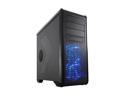
Rosewill Gaming Computer Case - ATX Mid Tower - Top HDD Dock, Side Window Panel, 5 Preinstalled Fans - BLACKHAWK
Pros: Tons of features you'd find in a more expensive case: multiple hard drive bay configurations to accommodate extra long graphic cards, cable management rubber grommets, lots of fan options and a great design.
Cons: The USB 3.0 connector on my version isn't a pass-through, but a 20-pin connector most boards don't support. Side panel fan and top exhaust fans are 4-pin old molex connectors.
Overall Review: I replaced most of the fans with 3-pin connectors running to a NZXT fan controller. I also installed a low-profile fan on the right side of the case to cool the back-side of the CPU. Had to remove top two hard drive bays to fit a 6990, but it rocks! Loving the case so far. For $99, it has the features of a $200 case.
11/1/2011See more detail
Solid performance, great design
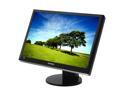
SAMSUNG 2493HM Glossy Black 24" DVI HDMI Widescreen LCD Monitor with Height/Pivot Adjustments 400 cd/m2 DC 10000:1 Built in Speakers
Pros: I've had this monitor for a few months, and now I can't imagine living without it! I use it for work - hooked up to a modest laptop via VGA pushing 1920X1200, and it looks great! I also use it via HDMI for my Xbox 360, and it's fantastic on my Halo 3 comp playing, and COD4. The height adjustment and tilt/swivel is a really solid design. I recommend raising the monitor so the center of the panel is eye level. For me, it's raised to the highest setting. The brightness/contrast is solid, with tons of settings to tweak. I would highly recommend the "Intelligent" magicbright setting. Speakers are typical for a monitor, great for referencing what the HDMI is doing. I usually turn it down, and use an amp from my Xbox and laptop. Glossy black finish on the case is tough to keep clean, but looks great when it is clean. The screen itself is matte and is easy to maintain - doesn't pick up a lot of fingerprints or dust.
Cons: Some white edge on the HDMI input, needs adjusting maybe? The touch sensitive buttons are aweful - why would Samsung do this? I'm sure a modest test group would provide enough feedback to get the clue these buttons are terrible. I was thinking about modding the case to include lights on these buttons - you cannot see them at night.
Overall Review: Overall, a great monitor based on performance and design. Well worth the $400 - you won't be disappointed.
4/13/2009See more detail