




 here!
here!
I’m your shopping assistant for PC builds, upgrades, and everything tech.
Got questions? Ask away!
Start a conversation
here!
I’m your shopping assistant for PC builds, upgrades, and everything tech.
Got questions? Ask away!
Start a conversation

Joined on 02/01/05
Great drive
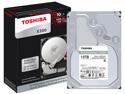
Pros: Just cant go wrong with Toshiva drives. Been using them for over 20 years. Never had a failure
Overall Review: Recommend
Is SSD ready for prime time?
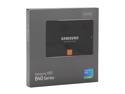
Pros: It is fast, even when used with a SATA II adapter.
Cons: Not as fast as you might hope for when on a SATA II interface. Probably not much advantage in a desktop. Not as reliable as one would assume.
Overall Review: Drive failed in 1 year. Waiting to see if Samsung will replace it. I was able to get through to their SSD RMA person without any significant difficulty. They apparently use an "outsource" to do this. Data recovery (if necessary) can be more expensive than a standard HD. In many cases, the recovery folks have to pull out each 32GB sub-unit and scan/reconstruct the files into a logical format. I am told this is a very common finding when these drives fail. Figure on about $10/GB. What follows is just personal opinion... SSDs may not be ready for prime time. Even though they are not mechanical, they can still fail spectacularly. (And quickly.) The warning signs, if any, are different than a mechanical HD. This drive was used in a recording studio where large amounts of data are written and re-written continuously during multi-tracking. In this function, I wonder if SSD has any really significant advantage over a 10,000 rpm drive. Or even a 7200 rpm drive, for that matter. On our Windows machines, we used 15,000 rpm SCSI drives, and I could not see any practical difference between those and the SSD. (For you photography buffs, I did find a much faster run processing a few thousand jpegs at a time using DXO.) It is just my humble opinion that SSD (at this point) is probably best suited to laptops because of size, weight, and reduced power requirements. I admit that I assumed better reliability because of the "no moving parts" design. Further research and experience have taught me otherwise. Apparently, these drives are very sensitive to the number of read/write cycles, as well as power fluctuations/interruptions. If you use any SSD, follow the usual backup rules. And, I would recommend installing a cloned standard HD drive with all your programs, plug-ins, etc., so that you can immediately recover without having to do many hours of program re-installs. (Fortunately, we had this ready.) I am not singling out Samsung on this SSD issue. They are a good company with great products. We'll see how the RMA thing goes. It toubles me a bit that (the street rumor is) you get a refurb-ed drive back in the RMA exchange with an unknown number of read/write cycles. Many of the super-techies on the Newegg reviews have documented reduced data transfer speeds over time. If Samsung replaces it, I am going to put it on a PCIe adapter, stick it in a 16x slot, and see how much more speed I can get out of it over the SATA II adapter for the 2012 Mac Pro 12-core.
It works
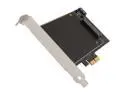
Pros: This thing really works! In a 2012 Mac Pro, it SIGNIFICANTLY increases HDD speeds over the native SATA II bus.
Cons: none
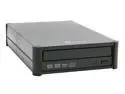
Pros: good unit. works first time. easy install.
Cons: none, really.
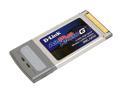
Pros: easy install. get the latest drivers. one reboot, and it works.
Cons: somewhat less reception range than hoped for, but better than the prior linksys unit.
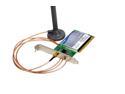
Pros: easy install. one reboot, and it works. get the latest drivers.
Cons: reception range less than hoped for, but better than previous linksys unit.


