
Your Browsing History


Aaron R.
Joined on 01/06/03
0
0
product reviews
- 14
Good monitor
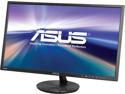
ASUS VN248H-P 24" (Actual size 23.8") Full HD 1920 x 1080 VGA, 2x HDMI MHL Compatible Built-in Speakers Super Narrow Frame Design LED Backlit IPS Monitor
Pros: * Good picture quality, * AH-IPS screen for great viewing angles, * great size for the resolution, * beats out my old Sammy TN panel, * VGA is a plus (no matter what anyone says on here, more inputs == good, VGA is a great standby) * Dual HDMI * Headphone output is GREAT for speaker output, since you switch displays, you've switched speaker input too! * VESA mount brings options!
Cons: * HDMI inputs apparently report a certain amount of overscan by default (annoyance), * just OK picture next to my HP 2335 (ancient IPS screen), * color settings out of the box are not that great, * stand is flimsy
Overall Review: Hey - for anyone out there underwhelmed by those black bars of screen - you can fill them with picture, and get a better experience (crispness) of text as well. Just go into your settings and look for overscan settings, and play with that slider. You'll end up moving it to one side or the other (one will zoom it to full screen, which is what you want). This is a pretty common problem with HDMI interfaces on these monitors. Even my Android TV box had to be adjusted for the full aspect. This occurs since generally TV inputs overscan by default (long boring story on why found on the interwebs), this unfortunately carries over to mass market monitors which base their electronics on TVs. Graphics cards/drivers attempt to correct this by defaulting their overscan values to be smaller than the most common overscan settings of TVs. Otherwise you might end up not finding the start menu when connecting your computer to the TV. Adjusting this setting in your drivers once should be enough, and your done - don't let that be a dealbreaker for this display. See for some reference as this is a common problem: http://josiahmanson.com/prose/overscan/ Other than that, this display's stand is a bit on the wobbly side. It's secure enough for normal use, just not solid like my old HP. Since I actually had it's stand as a spare, I attempted to use the VESA mount for the stand. It worked great, save the fact the stands tilt angle was spring loaded, which this monitor was way to light for. Luckily I had an old 4:3 17" sammy monitor (170n) with a VESA stand as well. A bit of modification was necessary for the samsung stand (it had some weird non-standard tabs that I sawed off), but once done, it looks better than the stock stand, and vastly improves the stability. VESA is a huge plus here, since you can wall mount, mount to your desk with an arm, or even invest in two of these puppies for some sweet dual screen action. For those complaining about the door on the back - COME ON, bend it ever so slightly and you can take it off, and when your done, replace it for a clean look, super easy. Docs even say it's removable. It's a really nice feature if your monitor faces others. Sure, I'd love dual-link DVI and 120Hz here, but at this price point, I was quite happy with the result. The best part of this screen is definitely the extra digital input. I have both my laptop and a little android TV stick hooked but. In a world where the 2nd screen is transforming, and devices (Roku, Chromecast, Android TV sticks) can augment a nice desktop setup for entertainment, this monitor is perfectly future proof (think smart TV as monitor, except you bring the smarts here). Got my Klipsch promedia 2.1's hooked up to the audio out jack, and the functionality is awesome! This means one less cable to have to swap around (negates the biggest reason for a docking station - HDMI handles both video and audio here, if only it had a USB hub too!). Good buy IMHO.
11/25/2013See more detail
Great CPU
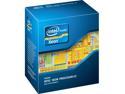
Intel Xeon E3-1231V3 Haswell 3.4 GHz 4 x 256KB L2 Cache 8MB L3 Cache LGA 1150 80W BX80646E31231V3 Server Processor
Pros: * 4 Cores, 8 threads of Haswell speed (close match to an i7-4770) * Stock cooler is adequate and has a copper core * VT-D enabled
Cons: * No iGPU (no quick sync) * Locked multiplier (obvious) * Stock heatsink has allowed temps as high as 75C
Overall Review: I've done my fair share of builds, and I always try to find a good bang for the buck. I almost exclusively did AMD builds up and to a MAME machine I did which I needed less threads and higher IPC, so I did a dual core Intel Pentium G3220. I was amazed by that CPU, so I gave up on AMD (at least until they can release something semi-competitive to the IPC of the Sandy Bridge + core architecture). I also had a hard time not having 8 threads, since this is replacing a sandy bridge laptop with an i7. I got used to having 8 CPU graphs :-), so no i5 for me. This CPU, as noted is basically an i7-4770 with a slightly lower turbo (3.8 rather than 3.9 GHz). Sure, I could have gone with a 4GHz i7, but the lower TDP, combined with a much lower price (about $60 less) make this a great CPU for the price. Don't get this CPU if you want to use 'on-board' graphics, as for Intel boards it uses the iGPU, which this CPU does not include. But for the gamer who doesn't care about overclocking this is a great value. I'm using the stock cooler, which during winter months with lower ambient temps may be fine. Time will tell when ambient temps go up whether or not I will swap it out to something more potent.
1/6/2015See more detail
Nice features for the price
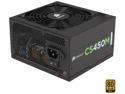
CORSAIR CSM Series CS450M 450 W ATX12V v2.4 and EPS 2.92 80 PLUS GOLD Certified Semi-Modular Active PFC Power Supply
Pros: * Delivers sufficient power * Efficient * Quiet operation * Modularity where it counts. * Nice big fan
Cons: * No software monitoring * Only 1 PCI-E connector (although 8-pin is rated for the same as 2 6-pins, 2 6-pins are more common) * Limited connectors
Overall Review: I purchased this PSU to power my new gaming rig. I wanted to match the PSU to power efficient components, and what I ended up with was a Xeon e3 1231-v3 (3.4GHz 4 cores 8 threads, basically i7 4770 w/o iGPU), MSI H97M-G43 and an Nvidia GTX 970 reference card, 2x8GB DDR3 1600, 3x120mm fans (Corsair Air 240 case). My Kill-a-watt reads 380 watt pull with Furmark burn-in and cpu-burn (7 threads) on. This is 100% GPU load an 90-95% CPU load according to HW Monitor. That's pretty much a worse case scenario for the 12v rails, and I don't use a lot of 5v (think USB). Gaming is pulls about 320 from the wall, so I'm guessing that the load is about 65% when gaming (working out at about 90% efficiency) and worst case 75% load, which I feel pretty safe at. I don't have a lot of headroom here, but it's a pretty solid PSU, as I've only noticed mild heat and I don't notice the fan noise. Time will tell how it works out, but it's capable enough of delivering the goods for the hardware listed above :-)
1/6/2015See more detail
RAM!
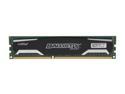
Ballistix Sport 4GB DDR3 1600 (PC3 12800) Desktop Memory Model BLS4G3D1609DS1S00
Pros: Good price, decent quality, nice spreader?
Cons: Not as cheap as it was a few years ago
Overall Review: I hated paying so much for 4GB when I remember when 8GB sticks were running in around in the $40 range a couple years ago. But such is the ride of memory - I watched this same thing with DDR2 years ago. Guess I'll have to wait for the DDR4 boat to come around to buy large amounts of RAM again.
5/9/2014See more detail
Sorry AMD - this CPU is good
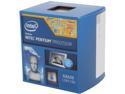
Intel Pentium G3220 - Pentium Dual-Core Haswell Dual-Core 3.0 GHz LGA 1150 54W Intel HD Graphics Desktop Processor - BX80646G3220
Pros: Fast! Very Fast! It's frustratingly fast. At a bit over $60 this thing flies past most AMD in single threaded performance. IMHO it can't be beat in it's price range (except maybe by it's celeron brethren - but I haven't seen extensive benchmarks from them).
Cons: No overclocking, no turbo boost, no vt-d, no DDR3-1600. There are drawbacks here, but nothing to pay another $70 for. I probably wouldn't consider an i3 at it's current price point.
Overall Review: I'm running mame, and other emulators and this guy does the deed. Pretty much all the games I care about work, and seem to have plenty of headroom. This was a great budget way of building a cabinet. Just enough CPU :) I'm a long time AMD builder coming from my first build with an Athlon XP1800+, then a XP2500, Opteron 165, X3 720, X6 1055t, and FX-6300. None of those CPUs are slouches for their day, but all of them cost much more than this CPU does. Realistically this CPU tears through most tasks quickly and efficiently and doesn't break the bank. Obviously this cpu is no fun for enthusiasts. I loved overclocking, but in the modern age of enthusiast targeted overclocking cpus, overclocking has lost it's magic and appeal. Part of the challenge of overclocking was getting a much better CPU for less money. Now you have to buy pretty much the highest sku if you want to overclock. Modern overclocking is just too sterile of an environment to be fun anymore.
5/9/2014See more detail
Pretty good
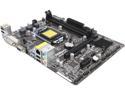
ASRock H81M-DGS R2.0 LGA 1150 Intel H81 USB 3.0 Micro ATX Intel Motherboard
Pros: A decent little board. Physically small, with a decent profile, you can mount this in pretty tight spaces. I'm using this for an arcade cabinet I'm building and the size is awesome. Great number of USB ports, and even has a combo PS2 port if you want to use an NKRO keyboard with it. If your building a budget gamer machine this is a pretty good ticket.
Cons: First boot it didn't work. Not sure what I did wrong. I cleared CMOS, tried again, nothing on screen. Then I plugged in a GPU instead of the onboard - booted right up. Took the GPU out, then onboard video worked... Odd, but no problems since!
Overall Review: This is my first intel build ever and it was pretty painless. Coupled with a Pentium G3220 you get a lot of performance for about $150-200 (including ram and some storage). I'm loading up mame and other emulators and haven't seen a single frame skip even on the late 90's 3d games and such. I could imagine this machine with a decent SSD and 750ti as an epic budget gamer for around $400. AMD has unfortunately lost my love for budget builds.
5/9/2014See more detail