

Your Browsing History


Scott B.
Joined on 02/15/04
0
0
product reviews
- 12
Non-passive
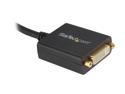
StarTech.com DP2DVI2 DisplayPort To DVI Adapter - Passive - 1080p - DP to DVI - Display Port to DVI-D Adapter
Pros: Displayport to DVI
Cons: Passive adapter, NOT Active
Overall Review: same as cons This is for people browsing for Active Adapters Passive means that if you want 3+ monitors as try to use this adapter - it will not work You have to get an active adapter for that
11/14/2011See more detail
480GB SSD
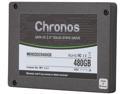
Mushkin Enhanced Chronos 2.5" 480GB SATA III MLC Internal Solid State Drive (SSD) MKNSSDCR480GB
Pros: This drive was very easy to install. I have the Thermaltake Level 10 GT Case - it screws in nice and easy. It screws in from the bottom like most 2.5" drives I ofc had to install Win7 from scratch on the new drive which didn't take long at all, after that - I put in my old drive and copied the information over and re-installed my programs. The drive is very, very light. It almost feels like an empty case plastic - not like the cold, heavy, metal hard drive cases that we all know and love. Speed - it's fast. Win7 scale is 7.9/7.9 roadkil.net/program.php/P13/Disk%20Speed Roadkil's Disk Speed Version 2.0: Your Results Lowest Average Fastest Read Speed 418.93 MB/sec 72.03 MB/sec 312.68 MB/sec 757.45 MB/sec Cache Speed 440.17 MB/sec 47.57 MB/sec 308.18 MB/sec 2.07 GB/sec Access Time 0.13 ms 0.09 ms 6.5 ms 17.81 ms Score 335939.07 335939.07 189516.51
Cons: Expensive For those users having issues with your computer not finding your drive - check the bios first; if the bios doesn't find it - something's wrong. If it does find it, then the windows installer should find it (fresh Win7) if you're running the SSD as a backup drive or storage for transport and it's not auto-showing up in windows, it's probably bc it's not formatted Win7: Control Panel - System and Security - Administrative Tools - Computer Management - Storage - Disk Management - Find your disk and format it. After you format it, it should pop up in Windows If it doesn't show up this window - then there is something wrong with the drive
Overall Review: Comp Specs: Thermaltake Level 10 GT Case (Black) 480GB SSD 1000w PSU 3.6GHz AMD 8-Core Coolermaster V6 GT 16 GB DDR3 - 1600 MHz Asus 6950 2 GB Vid Card (2 DVI, 4 DP) I Play WoW, SWToR, D3 and it runs great with all. It's faster than the HDD's in the past. Each game still takes a little bit of time to load. Zoning is a ton faster though!
3/4/2012See more detail
Coolermaster 4 fan pack
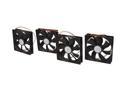
COOLER MASTER R4-S2S-124K-GP Silent Case Fan (4-Pack)
Pros: Works great, cool, quiet
Cons: Not sleeved Only has 3 pin connector instead of a 3 and a 4 (Molex)
Overall Review: I had a Thermaltake fan that the bearings had started to go out in - replaced the 2 case fans with these - works great It doesn't fit the 80 mm fan size (ie: dual purpose for case side). Not a big deal though
12/11/2011See more detail
Passive Adapter
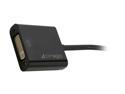
Cirago DPN1021 DisplayPort to DVI Single Link Adapter
Pros: none
Cons: Not an active adapter
Overall Review: do not get this for eyeinfinity
11/14/2011See more detail
Not specific on active / passive
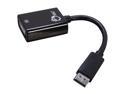
SIIG CB-DP0072-S1 DisplayPort to DVI Adapter Cable
Pros: dunno?
Cons: The developer of this adapter does not state on it's site that it's active or passive (or if it has a converter chip) so let's assume that it's passive
Overall Review: do not buy this if you want to use it for eyeinfinity (3rd monitor)
11/14/2011See more detail
New Mobo
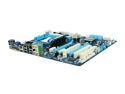
GIGABYTE GA-880GA-UD3H AM3 AMD 880G USB 3.0 HDMI ATX AMD Motherboard
Pros: Outstanding board USB3 Sata3 x6 Sata2 x2 Onboard video +2 pci-e slots
Cons: Northbridge was a little loose
Overall Review: BSOD'd when first installed - but I did forget to uninstall the old drivers All drivers that are needed are on the disc that's shipped w/ the mobo. You'll need it for USB3 and LAN drivers, possibly audio drivers as well. These were installed and the BSOD's went away For those users wanting to use 1 or 2 pci-e's and the onboard video - enable UMA and surround view in the BIOS (I use 6x monitors) I use 2x fans that are in the PCI slots and 2x pci-e video cards, it all fit (very close though) The SATA ports are pointed to the front of the case instead of to the side door - which works great
8/13/2011See more detail