

Your Browsing History


David R.
Joined on 04/22/11
0
0
product reviews
- 14

Microsoft JR9-00011 Xbox 360 Wireless Controller for Windows
Pros: I can change from keyboard/mouse to the controller and back by just using it, no need to restart the game.
Cons: Only way to turn it off is by disconnecting the batteries.
Overall Review: Finally I can drive at moderate speeds. No more stopped or full throttle only.
7/10/2011See more detail
Not Even Two Months
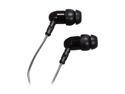
Mee audio M9 Classic In-Ear Headphone
Pros: They were great when they worked. Very smooth.
Cons: 7 weeks later, they sound like the speakers are broken. It started with the left speaker, but an hour after, the right speaker followed. The only way I can use them without any distortion is to set the volume reaalllly low... these things are useless now. They're going in the garbage.
Overall Review: I guess quality and $10 don't go together. Also, they made my ears itch in a ticklish kinda way. It was annoying.
9/12/2011See more detail
Cewl
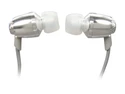
V-Moda Rrmt-chrome Remix Canal Headphone with Three-button Remote Control (Chrome)
Pros: Very clear audio. Bass doesn't overpower. Twenty dollars. I've had these for over 2 months, no problems.
Cons: The jagged design can scratch your ear sometimes.
Overall Review: I went to check the mailbox like an hour ago, and my car's renewed registration was there waiting for me.
11/1/2011See more detail
Caaalm Down
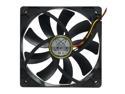
Scythe SY1225SL12SH "Slipstream" Case Fan
Pros: These things are aggresive at full RPM! lol I bought two to get that sweet $5 discount(each!). I replaced my rear exhaust fan, and gave my heatsink that famous push pull config. My core temps peak at 52c, and average 50c at 4.0GHz 100% load! Big improvement from 61c. It also drops temps way faster after I stop Prime95.
Cons: They can get quite loud at full RPM but that's why you connect them to a fan controller. Besides, if you NEED them at full RPM chances are you have your speaker volume way up. There's a sort of plasticy smell that comes out after running them at max for a while. I hope this isn't a bad sign.
Overall Review: -AMD Phenom II X4 970 BE 4.0GHz(I've OC'd to 4.3GHz but it gets scary up there) -Cooler Master Hyper 212 Plus(w/original fan + this Scythe fan) -Arctic Cooling MX4 Thermal Compound
8/19/2011See more detail
Pre-Installed 2.11 Firmware?
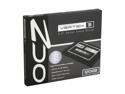
OCZ Vertex 3 2.5" 120GB SATA III MLC Internal Solid State Drive (SSD) VTX3-25SAT3-120G
Pros: So, I read all the bad reviews crying over problems firmware related. I read a simple firmware update fixes this for most people, so I bought it. I downloaded the OCZ Toolbox, and installed the SSD as a secondary drive. When I opened the Toolbox and clicked on the OCZ Vertex 3 name, it was showing it as 2.11. The box came sealed, so I know no one had been messing with it(but I still updated just in case). I installed the OS, and it's been running smoothly at ultra speed!
Cons: My PC froze for for like 20secs two times the first day, but it's been running flawlessly since!
Overall Review: I find I can just ignore most bad reviews. I've never had anything DOA due to Newegg's warehouse is like 100miles from where I live, so UPS doesn't get enough time to destroy my package. Also, a little research can help you deal with most sotware issues.
8/19/2011See more detail
MX-4
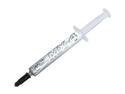
ARCTIC MX-4 Thermal Paste, Carbon Based High Performance Thermal Compound for All Coolers, Thermal Interface Material, 4 Grams
Pros: I went with this one because benchmark tests show it as the best, edging out the MX-3 and Gelid-GC Extreme. And kicking Arctic-5's bum back to heck.. heck I tell ya! Box says non-hazardous(for those of you who like eating thermal paste) Non-conductive Non-curing I can't really give you CPU numbers because I used it on a brand new heatsink, but my GPU temps dropped 1c(idle) and 6c(gaming).
Cons: If I could skip this part, that would be great.
Overall Review: Don't base your decision off of reading product reviews. Everyone says their product is the best, beating the competition by 100c. Instead, search for benchmark tests.
7/27/2011See more detail