
Your Browsing History


James M.
Joined on 05/24/05
0
0
product reviews
- 4
RAID / AHCI / IDE
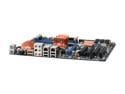
ABIT IP35 Pro LGA 775 Intel P35 ATX Intel Motherboard
Pros: I would like to save some of you some trouble by mentioning some facts relating to the SATA ports. This actually applies not only to the ABIT MB, but to many others as well. (1) If you set the SATA up in the BIOS to be RAID, that automatically causes them to run in AHCI mode. In RAID mode you can opt to have any or all of the SATA ports running with no actual RAID mode, but just AHCI. (2) You can also select AHCI mode, in which case you do not have any RAID available, just AHCI. (3) IDE mode is probably what most people really need. Note that some CDs and DVDs will not boot up in anything other than IDE mode. RAID and AHCI normally require the infamous F6 and floppy disk with drivers for installation. That said, my Vista boot DVD loaded RAID/AHCI without the need for a floppy. GOTCHA: If you have an SATA CD/DVD drive under anything other than IDE mode, SOME types of bootable CD/DVDs will not boot. I had this problem with my Acronis Restore CD. In IDE mode it worked fine,
Cons: (continued) but it would not boot in any other mode. Use RAID only if you really need RAID. For best results with least hassle, use IDE mode. 2nd GOTCHA: The JMicron controller that controls the 2 ESATA ports and the IDE bus sometimes does not let my IDE CD/DVD drive load certain boot disks, such as my Acronis Restore CD. Everything works fine inside Windows. It is only certain bootloaders that create problems. This appears to be a problem many people have experienced with the JMicron controller. By the way, Acronis gave me a free update to a version of their product that used a different bootloader, and that version worked in RAID, AHCI, and IDE modes.
Overall Review: As many others have noted, the 6 SATA connectors are right-angle types. I strongly suggest that you install all 6 cables BEFORE inserting the MB into the case. Most cases will have the connectors coming just under the drive cage, and it is almost impossible to plug in a cable once the MB is mounted. Some cases give you a little more room here than others. For example, the CoolerMaster Centurion CAC T05 gives you about 1 more inch of wiggle room, which allows you to install SATA cables when the drives are removed from the cage. I installed an ABIT IP35 in an Antec Atlas 550 case, and the HD cage is about 1 inch longer than in the CoolerMaster case. That required me to install the connectors before attaching the MB to the base.
2/5/2008See more detail
Rosewill RCX-Z3 + Q6600 3.6GHz
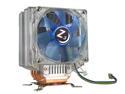
Rosewill RCX-Z3 92mm Ball CPU Cooler
Pros: I purchased the OEM version of the Q6600 with G0 stepping and spent $49.99 for the Rosewill RCX-Z3 92mm Ball CPU Cooler. This is an excellent cooler that comes with hardware to allow it to be used with 775 style CPUs, and additional hardware so it can be used with several other CPU styles, including AMD CPUs. The cooler is massive, but has adequate room for mounting without touching any MB components. The 92mm ball fan blows air sideways, through the large fin array that cools the heat pipes. You can mount the unit in 4 different orienations. I chose to have the fan blowing the air towards the rear of the case where the large 120mm case fan then moves the air out of the case. This creates optimal air flow for the cooler. Air movement from the cooler fan also provides decent cooling for the North and South Bridge and the PWM heatsinks. On my ABIT IP35 MB the Heat Sink Fan pulls air in over the four memory slts and helps keep the memory cool too.
Cons: (No cons) The cooler comes with a small syringe with heat sink compound, but I bought some Arctic Silver thermal compound since it works a little better. I have had my Q6600 running stable at 3.6 GHz for the past two weeks. The Rosewill cooler keeps the CPU temperature in the mid 40s Centigrade under full load.
Overall Review: My MB is an ABIT IP35 Pro. I have the Q6600 overclocked to 3.6 GHz as follows: CPU = 1.355 V FSB = 400 MHz CPU Multiplier = 9 Memory DDR2 800 @ 1.8 V (1:1:00) *** Memory is two sets of Transcend 2x2GB dual channel 240-Pin DDR2 800 SDRAM (PC2 6400) at $75.99 per set. That gave me 8GB of memory for $151.98 (which comes to only $19 per GB, which is fantastic for this kind of memory!) This memory has no heat spreaders, but in my system it runs warm, not hot, so spreaders are not really needed. Running Vista Business x64. Western Digital Raptor WD1500ADFD 150GB 10,000 RPM 16MB Cache Serial ATA150 Hard Drive as the boot drive, and two Seagate Barracuda 7200.11 ST3500320AS 500GB 7200 RPM 32MB Cache SATA 3.0Gb/s Hard Drives as data drives. Everything purchased from Newegg.
2/5/2008See more detail
Q6600 Rock Solid @ 3.6GHz
Intel Core 2 Quad Q6600 - Core 2 Quad Kentsfield Quad-Core 2.4 GHz LGA 775 95W Processor - HH80562PH0568M
Pros: I purchased the OEM version of the Q6600 with G0 stepping and spent $49.99 for the Rosewill RCX-Z3 92mm Ball CPU Cooler. This is an excellent cooler that comes with hardware to allow it to be used with 775 style CPUs, and additional hardware so it can be used with several other CPU styles, including AMD CPUs. The cooler is massive, but has adequate room for mounting without touching any MB components. The 92mm ball fan blows air sideways, through the large fin array that cools the heat pipes. You can mount the unit in 4 different orienations. I chose to have the fan blowing the air towards the rear of the case where the large 120mm case fan then moves the air out of the case. This creates optimal air flow for the cooler. Air movement from the cooler fan also provides decent cooling for the North and South Bridge and the PWM heatsinks. On my ABIT IP35 MB the Heat Sink Fan pulls air in over the four memory slts and helps keep the memory cool too.
Cons: (No cons) The cooler comes with a small syringe with heat sink compound, but I bought some Arctic Silver thermal compound since it works a little better. I have had my Q6600 running stable at 3.6 GHz for the past two weeks. The Rosewill cooler keeps the CPU temperature in the mid 40s Centigrade under full load.
Overall Review: My MB is an ABIT IP35 Pro. I have the Q6600 overclocked to 3.6 GHz as follows: CPU = 1.355 V FSB = 400 MHz CPU Multiplier = 9 Memory DDR2 800 @ 1.8 V (1:1:00) *** Memory is two sets of Transcend 2x2GB dual channel 240-Pin DDR2 800 SDRAM (PC2 6400) at $75.99 per set. That gave me 8GB of memory for $151.98 (which comes to only $19 per GB, which is fantastic for this kind of memory!) This memory has no heat spreaders, but in my system it runs warm, not hot, so spreaders are not really needed. Running Vista Business x64. Western Digital Raptor WD1500ADFD 150GB 10,000 RPM 16MB Cache Serial ATA150 Hard Drive as the boot drive, and two Seagate Barracuda 7200.11 ST3500320AS 500GB 7200 RPM 32MB Cache SATA 3.0Gb/s Hard Drives as data drives. Everything purchased from Newegg.
2/5/2008See more detail
Excellent WiFi Signal Booster
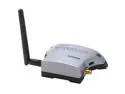
HAWKING HSB2 Hi-Gain WiFi Signal Booster
Pros: Highly recommended! Relatively low cost compared to other Boosters. Easy to use. Works with any 802.11 b/g wireless unit that has removeable antenna. Three levels of power available. Increases BOTH transmitting power and receiver sensitivity. Filters enhance the ability of the receiver to pick up weak signals.
Cons: This is not really a con, just an observation that the supplied cable connects to a reverse SMA jack. They do sell an adapter for other style connectors, however. Cost is around $9. The provided +12 volt power unit is a bit larger than I would like. All minor issues and do not affect the useability rating in my opinion.
Overall Review: This thing works as advertised. It boosts the transmitted power and also increases receiver sensitivity. You will get a boost in receiver sensitivity at ALL settings. The 100 mw setting optimizes speed, signal level, and quality. 200 mw increases range, but speed may degrade for devices too close. 500 mw increases range, but may swamp (over-power) devices that are very close. Experiment to find which setting works best for you. Consider changing where the unit is placed to get best over-all coverage. The supplied antenna is OK, but a higher gain or directional antenna would help some situations.
12/19/2005See more detail