

Your Browsing History


Richard O.
Joined on 06/03/08
0
0
product reviews
- 6
The Big Screen
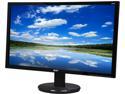
Acer K242HL Bbid Black 24" 6ms HDMI Widescreen LED Backlight LCD Monitor250 cd/m2 ACM 100,000,000:1 (3000:1), Tilt Adjustable
Pros: Value. Clarity of display. HDMI, DVI, and VGA inputs. All pixels are there.
Cons: Factory settings and user interface (see other thoughts). Stand height not adjustable. Firmware has controls for non-existent speakers under HDMI, requiring user to select proper sound options during setup to get your sound back.
Overall Review: My unit's factory settings are like looking into a fluorescent light fixture. The screen was washed out and far too bright. I tried placing settings down to 7 brightness & 7 contrast, but it would still light up the room. Then I discovered the "Colour Temp" setting under the "Picture Menu" and realized that even at the lowest brightness and contrast settings, the unit was illuminating at near 50% capacity. After reducing the Colour Temp RGB values to mid "30's" the contrast became sharper and I was able to balance the color values to my taste. Now I am very happy with the screen, but would still like an adjustable height stand. I know too many IT professionals who have retina problems. Do yourself a favor and lower the illuminance of your screen!
5/25/2015See more detail
Wow
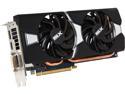
SAPPHIRE DUAL-X Radeon R9 280 3GB GDDR5 PCI Express 3.0 CrossFireX Support Graphics Card 100373L
Pros: Has breathed a lot of new life into an old system.
Cons: Large format for a small case. Required a PSU upgrade.
Overall Review: I got this GPU to run DirectX 11 games on an old Athlon II X2 280, 16 GB PC2-6400 RAM, Win 7 HP, 120GB SSD, MCP61P Chipset, Thermotake SP-550 PSU, and added cooling fans. Between the PSU and the GPU upgrades, the old eMachine has become quite the DirectX 11 gaming machine. Running on highest resolution without a hiccup. I am impressed that the old CPU can keep up.
5/25/2015See more detail
Power for GPU Upgrade
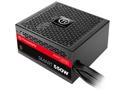
Thermaltake SMART Series SP-550PCBUS 550 W ATX 12V 2.3 SLI Ready CrossFire Ready 80 PLUS BRONZE Certified Active PFC Power Supply
Pros: Value. Quality. SMART power. Plenty of connectors and cable length.
Cons: Excess cabling can cramp smaller cases.
Overall Review: I got this PSU to power a GPU in an old Athlon II X2 280, 16 GB PC2-6400 RAM, Win 7 HP, 120GB SSD, MCP61P Chipset, with added cooling fans. It runs the Radeon R9 280 card with plenty of overhead to spare. No heat buildup. Between the PSU and the GPU upgrades, the old eMachine has become quite the DirectX 11 gaming machine. I haven't tried 3D gaming, yet, but the rig renders without a hiccup. I guess you can teach an old dog new tricks, until DirectX 12 comes along - although I heard the more efficient API will actually reduce the overhead on lower end CPU's.
5/25/2015See more detail
Great Converter
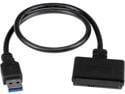
StarTech USB3S2SAT3CB USB 3.0 to 2.5" SATA III Hard Drive Adapter Cable w/ UASP - SATA to USB 3.0 Converter for SSD/HDD - Hard Drive Adapter Cable
Pros: Works fast and fine with USB 3.0. Allows a small travel package when connected to SSD.
Cons: None
5/25/2015See more detail
Travel Charger
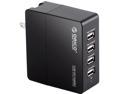
ORICO DCX-4U 34W 6.8A 4-Port Portable Travel Wall USB Charger with Foldable Plug for iPhone 6s / 6 / 6 plus, iPad Air 2 / mini 3, Samsung Galaxy S6 Edge / Note 5, HTC M9, Nexus and More - Black
Pros: No cord. Good for travel. Light weight. LED indicates when plugged in.
Cons: Not as robust as other charging stations. Boxy and lightly made.
Overall Review: I use this unit when travelling and occasionally in the bedroom. The blue LED is bright enough to help orient myself when waking up in an unfamiliar location. I use a couple of ReTrak mini USB cables to manage the cable clutter.
5/25/2015See more detail
Solid Charging Station
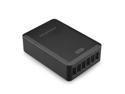
RAVPower RP-UC10(B) 50W/10A 6-Port iSmart USB Charging Station / USB Travel Wall Charger for Most USB-Charged Devices - Black
Pros: Multiple device charging station. Mini LED indicates when plugged in. Solid build. Half of the 6 ports are 2A/5V rated.
Cons: As another reviewer suggested, an on/off switch would be a welcome improvement to isolate the unit from the grid without resorting to pulling the plug. Slight electronic whine precludes use by bedside for some. Despite these cons, it's a keeper.
Overall Review: I use ReTrak micro USB charge & sync cables to manage the clutter of maintaining 2 tablets and 2 smart phones. This unit appears to be much more robust than the ORICO DCX-4U charging station which I bought for travel.
5/25/2015See more detail