
Your Browsing History


Michael C.
Joined on 03/25/07
0
0
product reviews
- 3
A good performer with good features, but drivers are immature currently
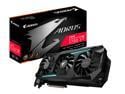
GIGABYTE AORUS Radeon RX 5700 XT 8G Graphics Card, PCIe 4.0, 8GB 256-Bit GDDR6, GV-R57XTAORUS-8GD Video Card
Pros: Great performance at 4K in everything I've thrown at it so far Excellent, large cooler; quiet, even under load The card just looks cool, it fits in with my sleek, no-nonsense aesthetic RGB and the RGB and the control software interfaces with other AORUS products if you have them Bios switch can toggle between Overclocked mode, and Silent mode 3 Displayport and 3 HDMI ports if you're into that sort of thing
Cons: Because this is a fairly new card and the drivers are still immature, I've had a few problems and crashes with a couple of games, but 95% of games I've used seem to run just fine. Adjusting settings seems to have helped with crashes somewhat too. The drivers are a bit bloated with features. Why do I need a web browser in my display drivers? Seriously.
Overall Review: It's an excellent performer with good features and great looks. I'd give this card 5 stars, except for the immature drivers. With time, I imagine the problems will be ironed out, so I'm only removing one star. I'm very pleased with my purchase so far (I've had it a week), and even with driver problems and occasional crashes, it's been better than my last video cards. I've mostly been playing older games in 4K with max settings.
12/28/2019See more detail
Sleek design with features, but sadly terribly flimsy
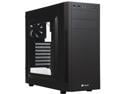
Corsair Carbide Series 100R CC-9011075-WW Black Steel ATX Mid Tower Computer Case
Pros: Great, sleek design you'd expect from Corsair Well placed front panel buttons, USB 3.0 ports Lots of holes and ties for cable management Screw free optical drive and hard drive caddies, which slide in and out easily Adequate airflow, and up to 5 fan mounts Has a motherboard alignment standoff, and you can replace it with a regular standoff (included) if you don't like it
Cons: Feels pretty flimsy - metal flexes quite a bit, and the fan mounts on the top of the case make it just a little bit flimsier Hard drive caddies are pretty loose fitting Can't route power cables above the motherboard - no holes or room It's annoying to add or remove PCIE cards, as they screw into a metal flap, which a metal cover screws over to hold them in place
Overall Review: I'd rate this case at 2.5 our of 5. The only real design complaint I have, is there should be a bit more room and holes at the top of the case to route power cables, and/or install a radiator if that's your thing. There's nothing really *wrong* with it, it's just really flimsy and feels cheap. Spend more money to get a better Corsair case. I've been really satisfied with the Corsair Obsidian 750D. One review I read said you have to remove the front panel to put in an optical drive, but this isn't true. Another review said there isn't an HDD activity LED, but there is-it's inside the reset switch, while the power LED is in the power switch. Kind of novel actually.
5/7/2020See more detail
Quiet, Quality
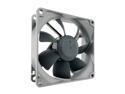
Noctua NF-R8 redux-1200, Ultra Quiet Silent Fan, 3-Pin, 1200 RPM (80mm, Grey)
Pros: Very quiet (which was my primary goal in buying this) Molex power adapter included Decently long power cable Gray/black looks way better than the other cream/brown Noctua fans
Cons: Not a huge amount of airflow when connected to a molex connector, but enough to keep my case cool
Overall Review: Bought two of these for a retro computer that I was tired of sounding like a jet engine. These are whisper quiet, while pumping out enough hot air to keep the old Pentium 4 from overheating.
3/11/2019See more detail