

Your Browsing History


Scott M.
Joined on 02/16/04
0
0
product reviews
- 4
Works- mostly
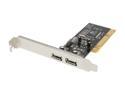
Koutech USB 2.0 PCI (2 x Ext+2 x Int Header-pin) Model IO-PU222
Pros: Works.
Cons: Sometimes need to boot twice in order for the USB 2.0 side to be recognized by the system. Have not figured out why or who is to blame.
Overall Review: Added USB 2.0 to an ASUS P4T-E motherboard running Win XP Home SP3. At first front panel USB ports were working flacky, if at all. I then put some tight twists in the internal wiring from the USB header to the front USB panel. Fixed it right up. The much faster speed of USB 2.0 needed shielding from interference. The twisted wires took care of that. Twist each ports wires separate from each other.
7/17/2010See more detail
Works
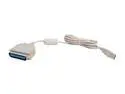
GWC Model AP1305-BG USB to Parallel Cable (Bi-Directional)
Pros: Works. Got 2 old LaserJet printers working with Win 7 64bit. But, that's more because of Microsofts driver support for them.
Cons: Nothing I can pin down yet. Seemed flacky at first. But I was moving it around to different USB ports. It seems to create a new printer each time you move to a different port. Since settling down and keeping it in the same port. No problems. Though the printer did seem to hang once. Sent print job to the printer and nothing ever happend. Not even an error. But, that was just once so far.
Overall Review: Works with Windows 7 64 and HP Laserjet 4p, and HP Laserjet 2100. Windows automatically went out and found the drivers by Microsoft.
7/17/2010See more detail
Works very well.
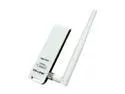
TP-Link TL-WN422G High Gain Wireless Adapter IEEE 802.11b/g USB 2.0 Up to 54Mbps Wireless Data Rates
Pros: Price. Works.
Cons: None
Overall Review: Constant 54Mbps with good to excellent signal from garage, through one wall, to outside, through two more walls, to Linksys WRT54G router - about 40 ft.
7/3/2010See more detail
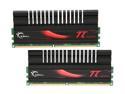
G.SKILL PI Black 4GB (2 x 2GB) DDR2 800 (PC2 6400) Dual Channel Kit Desktop Memory Model F2-6400CL4D-4GBPI-B
Pros: So far so good. No regrets.
Cons: Tall, but they did fit in my case.
3/30/2009See more detail