
Your Browsing History


Allan H.
Joined on 08/13/07
0
0
product reviews
- 3
Excellent Board
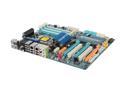
GIGABYTE GA-EX58-UD5 LGA 1366 Intel X58 ATX Intel Motherboard
Pros: When I first started building computers in the mid-1990s, I used Asus motherboards. Then I moved to Tyan and Supermicro, then Abit. But since the early 2000s I've soley used Gigabyte and have rarely been disappointed. In this case the GA-EX58-UD5 has performed as expected-from first boot-no glitches or hiccups at all. An excellent, stable board with the bonus of added enthusiast features when you need them. Although I don't do a lot of overclocking etc. the features are all there -XMP etc. Also the board layout is clear and mostly uncluttered so you can keep airflow optimized in the case. It also has an lcd CMOS reset switch which I haven't researched yet but hopefully it won't reset if you accidentally push it because it looks like it could be easily touched.
Cons: Some of the space around the PCIE slots are very cramped and if you have a big graphics card like a 9800 GTX good luck in finding useable slots. Gigabyte's website is not the best in terms of updating BIOS etc. so I would caution and not use any updates unless you are experiencing serious problems.
Overall Review: I'm running DDR3 1600 RAM modules with BIOS set to auto and again all is perfectly stable. Also have the Core i7 940 installed. Would give this board highest rating if not for the cramped PCI slots - also I've only been using it for four days.
11/20/2008See more detail
Scotty I don't need more power...
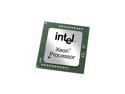
Intel Xeon X5650 Westmere 2.66 GHz 12MB L3 Cache LGA 1366 95W BX80614X5650 Server Processor
Pros: So far i have not streesed the two x5650s that I have installed on my Classified SR-2 MB and therefore I have not overclocked them yet. But I'll review when I do. For now I think I've future-proofed my PC - at least for a little while... These two processors really scream! Installation was a breeze and BIOS and windows recognized what it should. I have two H70s cooling them and they are idling at around 32c.
Cons: I may have some issues when I attempt to overclock, but for now I have none.
9/14/2010See more detail
Straightforward Stable
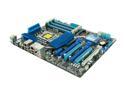
ASUS P6X58D Premium LGA 1366 Intel X58 USB 3.0 ATX Intel Motherboard
Pros: Since my old MB failed I wanted my upgrade to include USB 3.0 and 6 GB SATA ports. I considered Gigabyte but 1.5V compliant memory with low latency is not as abundant. In any event the Asus board has plenty of features for overclocking and updating the BIOS through windows simplifies things when needed. It has been very stable so far and all ports and switches work-out of the box. I've had other Asus boards in the past and usually have not been disappointed - this one is no exception. The documentation is clear and so is the board layout.
Cons: The SATA ports are little too close to the PCE-E slot and if you have a jumbo GPU card this might be a minor problem. If you have two cards then it might be more of a problem but nothing insurmountable.
4/5/2010See more detail