
Your Browsing History


Matthew L.
Joined on 01/02/06
0
0
product reviews
- 5
Functional but large overmolds
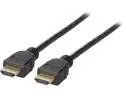
Kaybles 15 ft DHDMI-15BK HDMI 2.0 Cable with Ethernet - Ultra High Speed 18Gbps HDMI 2.0 Cable Support Fire TV, Apple TV, Audio Return, Video 4K UHD 2160p, HD 1080p, 3D, Xbox PlayStation PS3 PS4 PC
Pros: Functional, seems sturdy. The overmolds make it easy to locate and describe to noobs. As in "Hey honey, just plug your laptop into the cable with the fancy black and white end".
Cons: The overmolds are noticeably larger (in all dimensions) than what you'd find on a basic product. Something to keep in mind if you are space constrained. Little HDMI stickers on the overmolds (the ends) fell right off. So they're not quite as fancy anymore :P.
4/1/2011See more detail
Simply Awesome
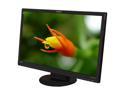
PLANAR PX2710MW Black 27" 2ms Full HD HDMI WideScreen LCD Monitor w/Speakers 300 cd/m2 1200:1
Pros: This monitor is a ridiculously good value and simply awesome for gaming. I've had this monitor for 2.5 months and don't have a single gripe whatsoever. From a gamer's perspective (I'm not a graphic artist) it produces very vivid color with excellent brightness/contrast on the factory settings. I don't see any ghosting. Going from a 22" 1680x1050 to this has been a very noticeable upgrade -- this just feels even more immersive. The cabinet is also very elegant and I actually find the OSD menu easier to navigate than most. Speakers are just fine for O/S beeps and Skype ringtones, which is all I'd ever expect from built in speakers. When it's on sale for two-hundred-fifty or less, and you're a gamer, just do yourself a favor and buy it.
Cons: None. I was worried that the larger pixel pitch would be noticeable compared to the acer 22" 1680x1050 that this replaced, and that I now use all day at work. But I honestly don't notice the difference going between the two at work and home. (Admittedly my eyes add some biological anti-aliasing since my eyesight is not 20/20).
Overall Review: There is a bit of the usual backlight bleed, but honestly it is much less significant than the bleed on all my other lcd monitors/laptops that are 2-5 years older (acer, westinghouse, samsung, dell). Other than a little bleed at the top and bottom, the black is very uniform over the rest of the panel, again more uniform than my other panels. For the longest time I was looking at the Asus LED panels, and almost pulled the trigger. But I have no regrets whatsoever, despite this monitor not being LED.
12/1/2011See more detail
Awesome HTPC keyboard
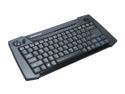
IOGEAR GKM561R Black 2.4GHz Wireless HTPC Multimedia Keyboard with Laser Trackball and Scroll Wheel
Pros: - I have dozens of logitech and microsoft input devices and the construction and feel of this product is right on par - Good heft and feels solid, you don't have to be too gentle putting it away... much heftier than the MS Arc keyboard which feels very delicate by comparison - Much more ergonomic than I expected, there are little rubber strips on the side that give it a nice bit of grip, and it feels a bit like holding an oversized gamepad when using the trackball - Quickly became accustomed to trackball/buttons, which surprised me... I discovered I like this much more than a touchpad... felt natural to use within 15 minutes, didn't think about it at all - Scroll wheel is a *very* nice addition, I use it much more than expected - Keys have a desktop (not laptop) feel - Useful media keys, and I'm glad most use the Fn key rather than taking up extra room with dedicated buttons - The media keys that are dedicated are good choices: volume, play/pause, etc.
Cons: Minor nitpicks, not enough to remove an egg: - The volume keys are ordered mute/volume up/volume down unlike every other media keyboard I've ever used - Old-school backslash/forwardslash/enter key configuration... I often hit enter when I mean to hit backslash - Trackball mechanism sometimes feels a bit gritty - Mouse buttons are a bit loose and loud when clicked - Higher trackball dpi settings are too sensitive to be useful IMO, so don't consider this a main selling point
Overall Review: This device is superb for HTPC use. It has exceeded my expectations and I am really happy I pulled the trigger. I was using a traditional wireless keyboard/mouse and was getting tired of dragging the mouse out all the time and finding a decent surface to use it on. And the numeric keypad of an ordinary keyboard takes up precious space in my coffee table drawer, and just makes it harder to type with a keyboard in the lap (either the qwerty keys are over the left knee or you have to dangle the number keys off the right). This device solves all my annoyances and really allows me to enjoy using my htpc as intended.
5/25/2011See more detail
How to fix common problems

Rosewill RNX-GX4 Wireless-G Broadband Router / Open Source & DD-WRT Firmware support IEEE 802.3/3u, IEEE 802.11b/g
Pros: Excellent signal strength throughout ~2000 sq.ft. house, even with router inside a metal box, in the basement (wow!). Clean looks. Compact. Removable antennas.
Cons: None so far.
Overall Review: Had a hard time un-bricking and connecting to wan (dd-wrt issues, not the router's fault). This page gave me perfect advice: CONNECT TO WAN: see post by brasscoe UN-BRICKING: see post by GrahamGo
8/7/2010See more detail
Simply works
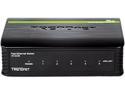
TRENDnet 5-Port Unmanaged 10/100 Mbps GREENnet Ethernet Desktop Plastic Housing Switch, 5 X 10/100 Mbps Ports, 1Gbps Switching Capacity, TE100-S5
Pros: Plug it in and it works. Cheap but gets the job done. Cheap shipping. I didn't have a regular ethernet cable for one device, so I substituted a crossover cable that was laying around... no problems at all.
Cons: The color - don't plan on leaving it out on display.
Overall Review: The first four pictures on newegg do not reflect the color of my device. Pictures 5 and up are accurate... kind of a dull light blue.
1/19/2010See more detail