
Your Browsing History


Justin F.
Joined on 08/19/05
0
0
product reviews
- 28
Awesome Motherboard!!!
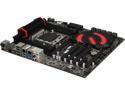
EVGA X79 DARK - LGA 2011 Intel X79 SATA 6Gb/s USB 3.0 E-ATX Motherboard with Brand New GUI BIOS (150-SE-E789-KR)
Pros: -Very good specs/hardware components (SATA 6 and all the other specs on the details tab) -GUI Bios -Good Board layout -Nice I/O cover (for those who display the insides of their PCs, even the back cover has a nice black finish for the back of the case!) -Lots of accessories -Great support from EVGA
Cons: -Price? (It is a pricey board but with everything I've experienced its been hassle free so I think its worth the extra cash) -Booklet/info (My last 2 Mobo have been from EVGA and the booklet seems to not be as detailed with info like previous manuals. The big poster layout sheet is nice and big and easy to read though.)
Overall Review: I got this board paired up with a Intel Core i7-3930K along with an OCZ Vertex 4 128GB SSD. I also have 2 G.SKILL Trident X Series 4GB sticks of ram installed. Everything installed without any hassle, bios worked great. I did run into some issues using the Noctua NH-D14 SE2011 CPU cooler, it just takes up way too much room on this MOBO. It also makes removing/installing the RAM a huge hassle. Depending on the orientation it can also block your first PCI-e slot. So I recommend a simple water cooler (there are lots to choose from and are really simple to install). I've done a little overclocking and it has been a lot easier to do with the new GUI bios on this board. It also supports a ridiculous amount of ram, which I will be making a lot more use from in the future. SLI has worked great so far, i've ran into some issues with the previous board in that department. I have 2 GTX 285 (also from EVGA) and they have worked great. If your looking for a good solid board with tons of useful features, I really recommend this one. I also have had great experience with their customer support/warranty claims. Never had to go though a lot of hassle troubleshooting hardware through the phone with them. That's the main reason why I keep coming back and buying their products.
10/11/2013See more detail
My first SSD
OCZ Vertex 4 2.5" 128GB SATA III MLC Internal Solid State Drive (SSD) VTX4-25SAT3-128G
Pros: -Very fast Win 7 boot time (9-12 seconds) -Comes with 3.5" Desktop adapter
Cons: -No issues yet (crossing my fingers!)
Overall Review: This is my very first time using a SSD. I've been wanting to for a very long time and finally made the decision to jump on board. Installing Windows 7 was hassle free and the first boot after everything was installed was only 9 seconds!!! I am very impressed with the performance so far. If you are new to SSD I would recommend searching online for tips on how to turn off certain features in Win 7/Vista (Defrag, Temp folders, and stuff like that). Win 7 already turns some things off but you can take it a step further to prolong the life span/performance of your SSD.
10/11/2013See more detail
Great Cooler, it's just HUGE
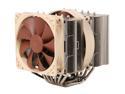
Noctua NH-D14 SE2011 140mm and 120mm SSO CPU Cooler
Pros: -Keeps my Intel Intel Core i7-3930K Sandy Bridge-E nice and cool -Quiet when compared to my old Intel stock cooler
Cons: -Size this thing is HUGE -Very bulky (Even warns you not to move the Tower around with it installed) -Installation isn't impossible but it isn't easy either. -If paired with a EVGA X79 DARK - It will cover most of your RAM slots as well as your first PCI-E slot.
Overall Review: Didn't have much luck finding a huge selection for CPU coolers for the LGA 2011 CPU. Decided to pick this up, I knew it was going to be big, but when I got it I was a little surprised really how big it was. I'm using it on a EVGA X79 DARK MOBO and it is too big to use on this MOBO. I had to position it to cover my first PCI-e slot just so I can get my RAM sticks in. Even then the second RAM stick is pushing into the fins on the cooler. It also completely covers the other 4 RAM slots so they are now blocked. If I every need to remove/add Ram I will need to remove the cooler completely. Installation was also Tricky, the tool they supply to screw down the heat sink onto the bracket doesn't work very well. I ended up making a mess out of my thermal paste just trying to secure it down. It also is too big for my Cooler Master mid tower case, I can no longer put the door on the side of my case on. But after installation it does a nice job keeping my CPU cool, and is very quiet. I will be going with a CPU water cooler sadly since I can't use my second video card with this cooler installed. If you have the space and wish to stick with a Fan/heat sink cooler, this one works great.
10/8/2013See more detail
Awesome Processor
Intel Core i7-3930K - Core i7 3rd Gen Sandy Bridge-E 6-Core 3.2GHz (3.8GHz Turbo) LGA 2011 130W Desktop Processor - BX80619i73930K
Pros: -Very Fast -6 Cores -Doesn't get as hot as my old Intel Extreme (Got a better cooler on this one so that is probably why) -TONS of ram supported (64GB!!!) -Lots of bandwidth for running SLI setups.
Cons: -No cooler included (but most people are using water cooling these days anyways)
Overall Review: Upgraded my system from my 4 core Intel Extreme Core and am very please with the performance boost. I don't game that much these days but everything is running smooth with no issue. I decided to go with the extra cores and an X79 MOBO because I am currently running a 2 card SLI system and may jump onto the 3 way SLI sometime in the future. I will be overclocking it in the near future when my CPU water cooler comes in. Currently using the Noctua NH-D14 SE2011 CPU cooler and its is ridiculously too big and covers too much on my mobo. Plus the price isn't too insane and is in reach for those who can spend a little bit of money but don't want to go broke.
10/8/2013See more detail
No Issues here
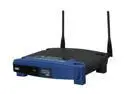
LINKSYS WAP54G 802.11b/g Wireless-G Access Point up to 54Mbps/ DD-WRT Open Source Support
Pros: Easy Setup
Cons: None!
Overall Review: I had an easy time setting this up. I tried to use the easy setup feature (By pushing the Cisco button on both devices) but I couldn't get it to work. It possibly was a firmware issue I believe. So I had to set it up manually, and I found it a pleasant and stress free experience. Its never locked up or stopped working. I've yet to have any signal/connection issues with any device I have connected to this AP. This also is the very first time I've set up a networking device and it worked as intended the very first time.
5/9/2009See more detail
Best pocket Drive!
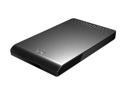
Seagate FreeAgent Go 500GB USB 2.0 2.5" External Hard Drive ST905003FAA2E1-RK Tuxedo Black
Pros: I love this drive! The size fits perfectly in my pocket. I like that I can take it anywhere and not have to worry about plugging into an AC outlet to use it.
Cons: Doesn't come with the fabric case unless you purchase the optional desk dock.
5/9/2009See more detail