
Your Browsing History


Josh L.
Joined on 12/10/03
0
0
product reviews
- 21
Performance well worth it
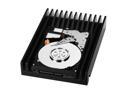
Western Digital VelociRaptor WD3000GLFS 300GB 10000 RPM 16MB Cache SATA 3.0Gb/s 3.5" Hard Drive Bare Drive
Pros: Fast. Just shy of the performance of two 74GB raptors in striped RAID with a single drive can't wait to see these in striped RAID.
Cons: Price / But, this is relative really if you want perf and willing to pay this is still worth it
Overall Review: Performs just under that of two 74GB Raptors in striped raid. Linear Read Begin - 121.9 MB/s CPU usage 2% Linear Read Middle - 102.6 MB/s CPU usage 1% Linear Read End - 77.8 MB/s CPU usage 1% Random Read - 98.1 MB/s CPU usage 1% Buffered Read - 230.2 MB/s CPU usage 1% Average Read Access 7.02 ms CPU usage 1% My friend has two 74GB raptors in striped raid and his set up averages about 10MB/s faster than my single veloci raptor and has an average read access of 7.85 ms. So this drive is fast. Can't wait to get another and raid. And for final comparison here is my normal 500GB samsung speeds Linear Read Begin - 82.3 MB/s CPU usage 1% Linear Read Middle - 67.6 MB/s CPU usage 1% Linear Read End - 38.5 MB/s CPU usage 1% Random Read 46.7 MB/s CPU usage 2% Buffered Read 154.7 MB/s CPU usage 4% Average Read Access 13.81 ms CPU usage 0% significantly faster than a standard drive.
6/19/2008See more detail
Noise reduction is good
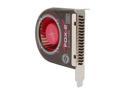
EVERCOOL SB-F2 Case Cooling Fan
Pros: larger fan less noise.
Cons: No marked improvement on temperatures to any degree. This cooler vs. stock cooler both run the same temps.
Overall Review: Cooler is quieter than stock cooler but no difference in temperatures. If you need quiet with minimal space get this cooler. If you need better cooling don't.
12/10/2008See more detail
Good for price
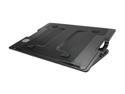
Cooler Master NotePal ErgoStand - Adjustable Laptop Cooling Stand with 140 mm Fan
Pros: Cost = Inexpensive Active Cooling = cools the laptop perfect for laptops with poor cooling that have heat issues Built in hub = 4 port hub built in Cable management = ability to manage cables at the device. Adjustable = adjustable angles are handy in some scenarios.
Cons: Build quality = could be better a bit cheap and flimsy feelling but for the price is what it is and is functional. Hub power cable = does not come with the second cable to provide power to the hub. Hub is only useful for certain devices that do not need extra power.
Overall Review: This thing is built decent and does what it is advertised to do despite its cheap build quality for what it is and the price it is a good product and will accomplish what is needed without spending $100s.
12/16/2010See more detail
The worst bleed through I have seen in a long time.
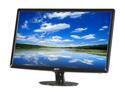
Acer S231HLbid Black 23" 5ms HDMI LED-Backlight LCD monitor Slim Design 250 cd/m2 ACM 12,000,000:1 (1000:1)
Pros: LED Backlit = No need for backlight to warm up for full color / brightness & low power consumption Slim = Display is slim small footprint on desk Weight = Display is light weight making for a good lan display having to move around. Color = Color is good. Not great. But good.
Cons: Backlight Bleed Through = Bleed through across the entire display from end to end. Black value production = Due to the bleed through black values do not look good at all. Defeating the purpose of the LED backlight for better black productions. Needs Calibrated for good colors = Display calibration from the factor is way off. Needs calibrated for even good color values. Pixels visibility = Pixels are visible if you look close enough you can see the separation between pixels. Refresh is visible = You can visibly tell this display is refreshing at a high rate. You can see a wave up and down the display on the edges of the display. TXT sharpness = Txt is not sharp on this display. Contrast and bleed through create thin txt that hurts to read at 1920 x 1080 resolutions.
Overall Review: I had this display for about 12 hours. I tested using VGA, HDMI, and DVI. I calibrated on all outputs and tested on both my Macbook Pro 13.3 and my PC to get accurate settings. I used a spider calibration device as well as OSX and windows internal calibration features. To no avail I could not get over the bad txt, and ridiculous bleed through of this display. I don't recommend this display. LED is a gimmick on this display and is not truly advantageous due to Acer's poor quality filter for the back light. If you care at all about black values this display is not for you.
12/1/2010See more detail
Solid / prepared for more than just gaming
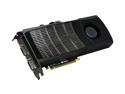
EVGA GeForce GTX 480 (Fermi) 1536MB GDDR5 PCI Express 2.0 x16 SLI Support Graphics Card 015-P3-1480-AR
Pros: Performance is not dramatically better than my 285 but the CUDA/OpenCL app performance and dx11 visual enhancements make it worth the update for me. Future proofing with additional productivity in other apps beyond gaming makes the purchase much more beneficial. Performance in dx10 is about 15 gps more but I've read sly scales very well on fermi so I'm excited to check this out and try triple monitors also.
Cons: Power and heat but not a deal killer. Just more than I'm use to.
Overall Review: Performance is there but I am most excited about the new fermi benefits on tessellation and dx11. Also the multitude of other benefits beyond gaming such as MPE in premier CS5 when adobe updates support for this card premier is rocking I will keep my gtx285 installed for MPE until then. Also for maya I'm in love with the 1.5gb frame buffer and can't wait for mental Ray to update with CUDA support. NVIDIA means more than gaming and a solid investment in productivity. Also I have read no where that these chips fail regularly. I've researched this chipset extensively. I have built five systems to date with fermi none have come doa, none have failed even during stress testing. All have been running for the past 3 weeks issue free.
5/7/2010See more detail
Works
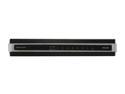
D-Link DGS-2208 Unmanaged 8-Port Desktop Green Ethernet Switch
Pros: Works for one. No need to install the software. Plug and play Gigabit actually is gigabit Supports jumbo frame Fast went from 1hr on my 10/100 router for 10GB plus file transfers to under 3 minutes. Greatest thing about this is all the indicators tell you exactly what you need to know quickly and easily. Orange light means your not running gigabit / green light means you are. Lit up PC means your connected. Green lit PC flashing means your connection is active. YOu know everything about your network with a quick glance and visual check. Makes it easy to identify everything is working and or diagnose issues. I had no issues.
Cons: None / For this price point this thing has no cons to it.
6/5/2009See more detail