




 here!
here!
I’m your shopping assistant for PC builds, upgrades, and everything tech.
Got questions? Ask away!
Start a conversation
here!
I’m your shopping assistant for PC builds, upgrades, and everything tech.
Got questions? Ask away!
Start a conversation

Joined on 07/08/05
For my HTPC
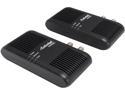
Pros: After trying to get my media center extender to work via Wi-Fi and Power Line Ethernet adapters, this MoCA adapter had me up and running within 5 minutes. All I had to do was plug the power in, attach the coax, and then attach the Ethernet cable.
Cons: I wish these things were a lot cheaper.
Dead after a few months
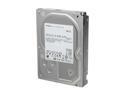
Pros: 3TB yay!
Cons: I have 3 of these in my backup server and 2 of them have failed so far! It causes Server 2008 R2 to hang right before the login screen. There is something wrong with the boot sectors on these drives. Stay away. It also sucks that Hitachi has no advanced replacement. This means that you have to ship them the drive first and then they will send you another.
Overall Review: I would not buy this brand again.

Pros: They are blue
Cons: First off these are not polarized. Second these are not rated by the UL. That means that these things can potentially damage your device.
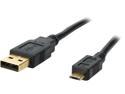
Pros: 10 feet is awesome when you are laying in bed and need to charge your phone.
Cons: After a month of use (and past the return date) all 5 of the cables I purchased began to become loose while plugged into various devices. It has gotten to the point now where I cant use the cables.
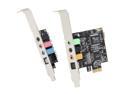
Pros: I purchased this to add an optical out to a workstation/server motherboard that had no such output. It works perfectly. I've yet to use the other outputs/inputs that this thing offers but if you need an optical out for your system, this is the card to buy.
Cons: None
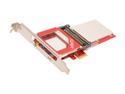
Pros: I have purchased and installed 3 of these cards into custom machines for my family memebers. These things are rock-solid.
Cons: The low profile bracket does not work with all HTPC cases. Make sure there is no lip on the edge near where you would screw the bracket to the case; otherwise you will have a hard time getting the cablecard into the unit.


