

Your Browsing History


Kenneth F.
Joined on 09/18/01
0
0
product reviews
- 4
CyberPower UPS
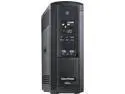
CyberPower BRG1500AVRLCD 1500 VA / 900 Watts, 12 Outlets, AVR, Intelligent LCD Mini-Tower UPS System
Pros: CyberPower has added a 6th outlet for surge and a 6th outlet for battery backup + surge. They even have a space that allows for a large power supply for almost any device both as surge as well as surge + battery backup. The outlets are now outlined in a light color to make it easier to see if you are not in a well lit location.
Cons: This may seem a bit strange but the 2 identical UPS's that I purchased had serial numbers that were only 27 apart but one had the 3 buttons under the lcd screen with written words matching the user's manual but the one with the higher serial number had icons where the written words do not match. It says under the icons Display same as other but two say Silence Alarm instead of Mute and last one says Control instead of Enter Setup.
Overall Review: I've had many CyberPower UPS's and they seem to last around the five year mark before the lead acid batteries quit. The batteries are generally easy to replace but you are installing them in a five year old UPS. I did that once just to satisfy myself that the replacement could be done. The cost of the batteries is about one half of the cost of a new unit. You should decide which way to go. Replace the batteries or purchase a new unit.? I have decided to replace the UPS as the cost seems reasonable to me. If you decide to replace the batteries the companies that sell the batteries do their best to get them to you as soon as possible due to the fact that your UPS is not working You need to keep the old wiring and the battery holder that goes between both batteries. The area is tight to work in but the best way is to assemble the batteries outside of the UPS case. Don't forget to apply the plastic pull outs to the battery assembly which makes it easier to remove when the new batteries stop working. The technical support people at CyberPower Systems seem to be very sharp so you can generally rely on whatever they say.
6/3/2015See more detail
Mystery of a case with a heat issue
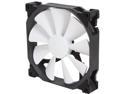
Phanteks PH-F140SP_BK 140mm Non-LED Case Fan
Pros: This replacement fan seems to have fixed my mysterious heating problem. I kept getting the warning that the heat exceeded X temp Centigrade. When ever I checked the temperature with an IR Temperature Probe I didn't see the temperature above 35 degrees centigrade which is way below the X temperature warning. Finally I lucked out and saw that the fan blades weren't spinning. Every time before that I saw the fan blades spinning. The one thing that I now realize with the new fan is producing a significantly larger volume of air exiting from the case than the original case fan.
Cons: At the moment I don't see any cons. It is my hope that the fan lasts a very long time.
Overall Review: If you need a replacement fan then this fan should be considered as it is doing a superior job. I have no qualms about purchasing one or more of this fan to replace one or more malfunctioning fans.
6/1/2018See more detail
Adding Bluetoth to my PC's
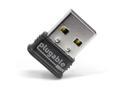
Plugable USB Bluetooth 4.0 Low Energy Micro Adapter (Compatible with Windows 11, 10, 8.x, 7, Classic Bluetooth, Gamepad, and Stereo Headset Compatible)
Pros: I am running Windows 10 on both PC one had Professional 64 bit and the other had Home 64 bit. I plugged the Bluetooth USB adapter into each unit and then tried to work with a Bluetooth device. Each time I paired a device using the adapter it worked flawlessly. Since I have only a few devices I can't say if it works with everything but I suspect that it will work with most of the Bluetooth devices. If you are unsure then contact Plugable for more information. Email [email protected] and Forums support.plugable.com/plugable. They operate Monday - Friday during business hours Pacific Standart time. On weekends and holidays they try to provide answers within 24 hours.
Cons: I did not find any problem with my Plugable USB to Bluetooth 4.0 LE Micro Adapter.
Overall Review: I feel that this product is a valuable addition and I would recommend it as worthy of purchasing. If I had the need for another Bluetooth adapter I would buy another one.
3/27/2017See more detail
Basic 2 Button + Scroll Wheel
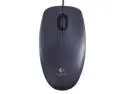
Logitech Wired Optical Mouse M90 Black USB 2.0
Pros: Easy to use. Felt comfortable in my hand. A good first mouse for a novice.
Cons: I do not see any problems yet as I have only had it for a few days.
Overall Review: Useful for learning the basics of mouse operation. A good company stands behind it.
3/8/2015See more detail