
Your Browsing History


Andrew L.
Joined on 02/15/04
0
0

product reviews
- 13
Good fans
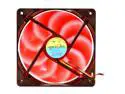
MASSCOOL BLD-12025V1R 4 Red LEDs LED Case Fan
Pros: These fans were pretty cheap and move a lot of air while remaining quiet. I bought them to replace some old 120mm case fans that came with my Antec case about 5 years ago and they are working wonderfully. I have 2 of these fans in my case right now and cannot distinguish them from the 2 other 120mm case fans, 92mm heatsink fan or GPU fan.
Cons: I wish these fans had a little arrow on the side, like a lot of other case fans, that identifies the direction of airflow.
Overall Review: The red LED's are not very bright and provide a subtle red glow. If you are looking for bright, offensive, in your face red then look somewhere else.
5/28/2011See more detail
bad keys
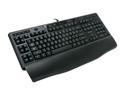
Logitech G110 LED Backlighting Gaming Keyboard
Pros: The Logitech G110 is a nice update from my old G15. It is sleek had all the functions I was looking for at the right price (backlight, macros, media keys).
Cons: I was thoroughly disappointed with Logitech after receiving this keyboard. A number of the keys were faulty upon opening the box. These bad keys (mainly located around the wasd cluster) would double register on a single key press or cut out when held down (eg: the w key when running in an fps). I have only purchased Logitech keyboards and mice for over 10 years and never had a problem until now. Logitech always meant quality products to me and I am very surprised with the poor quality control that allowed this bad keyboard tomake it to the shelves, as it were.
Overall Review: Newegg was good enough to allow an RMA and refund for the bad product. I did a little more research and went with a mechanical keyboard from Razer. Ive been using the Blackwidow for a number of days now and highly recommend it.
5/28/2011See more detail
Just ok thermal paste
EFS (Updated Version) CPU Thermal Grizzly Kryonaut Thermal Grease Cooling Silicone Paste - 1.0 Gram 12.5W/MK 0.0032K/M 0PS/M
Pros: -good price -came with an applicator
Cons: -a challenge to apply
Overall Review: This was much harder to apply than pastes I have used in the past and it ended up needing to use most of the tube to get complete coverage of the CPU IHS. Using the included applicator, the paste wanted to just come off the cpu rather than spread on the surface. Thermals seem good, so I certainly wouldn't tell someone not to use it. But definitely be aware it is a little bit of a hassle to work with compared to some other brands.
1/4/2021See more detail
Great (and huge!) heatsink
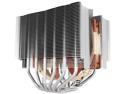
Noctua NH-D15S, Premium Dual-Tower CPU Cooler with NF-A15 PWM 140mm Fan (Brown)
Pros: -Good thermals -Super easy to install -Very high quality product (clearly evident from the packaging through to the feel and fit/finish)
Cons: This thing is a beast and I wasn't prepared for just how big it was going to be. Not a deal breaker, but it DOMINATES the build in terms of space it takes up and is basically the only thing you look.
Overall Review: Definitely recommended, but people should keep in mind just how big this thing is. I checked measurements and compatibilities between the HS, memory, and the case. It all worked out just fine and there is plenty of clearance. I cannot overstate just how big this thing is! Keeping my Ryzen 5600x around 70deg C (+/- 5deg) at load.
1/4/2021See more detail
Superb!
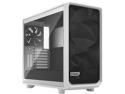
Fractal Design Meshify 2 White ATX Flexible Tempered Glass Window Mid Tower Computer Case
Pros: -Easy to work in -Good cable management options -Fit and finish is good -Looks great -Great airflow and thermal performance
Overall Review: I absolutely love this case. Granted, it has been 5+ years since I last did a fresh build and cases have come quite a long ways, but this was a breeze to work in and with. I am happy with the airflow and thermal performance so far, too. It is very quiet with the three stock fans. This build has a 5600x with a Noctua heatsink (140mm fan) and 3080 and basically don't hear my system even at load. Temps peaking in the upper 60 and low 70 deg C. Highly recommend!
1/4/2021See more detail
Awesome ram!
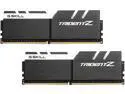
G.SKILL TridentZ Series 16GB (2 x 8GB) DDR4 3600 (PC4 28800) Desktop Memory Model F4-3600C16D-16GTZKW
Pros: -Easy to setup, essentially plug and play -Looks good -Fast and cool
Cons: There is some slight play between the white accent piece and the heat spreaders on one of the sticks that rattles a tiny bit if you tap it or shake the stick. Only noticed when I took it out of box, otherwise not an issue. It honestly isn't very loose and I am not worried about it falling off, but it is a con.
Overall Review: This RAM is some of the easiest I have ever used. It went into a new build (first build in 5+ years) and setup was super easy. Out of the box, on initial boot, it came in at 2133mHz. Once I got some basics going with the OS install, drivers, etc, I went back into BIOS and enabled auto DOCP and it went to 16-16-16-36 and 3600mHz without having to adjust any other settings. I am on day 4 of the new system and haven't stressed it too much, but so far it is stable and fast.
1/4/2021See more detail