
Your Browsing History


Aaron G.
Joined on 07/03/04
0
0
product reviews
- 19
Good Drive
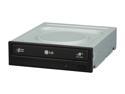
LG DVD Burner 22X DVD+R 8X DVD+RW 22X DVD-R 16X DVD-ROM 48X CD-ROM Black SATA Model GH22NS50
Pros: Installed with no issues, burned several dvds and cds with no coasters. SATA drive.
Cons: none
Overall Review: Some people have complained about the bluebird adware popping up each time the drive door is closed which would be very annoying to deal with for sure but there is a firmware update that removes it. I am not sure if the drive I received has the new version of the firmware or not but my 1st door closing opened up a EULA agreement which gave me the option to decline and to further select to NEVER remind which I selected and after several "empty" door closings, nothing has popped up since.
8/25/2009See more detail
Solid Ryzen board. Asus software not so much
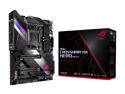
ASUS AMD AM4 ROG X570 Crosshair VIII Hero (Wi-Fi) ATX Motherboard with PCIe 4.0, Dual M.2, SATA 6Gb/s, USB3.2 Gen 2, 2.5Gbps LAN, WiFi 6
Pros: Good solid performing board. Looks great. Been running a Ryzen 3900x since launch. Latest BIOS revision has the chip hitting its advertised 4.6gz boosts speeds. Rest of lighted components Strix RTX 2080 Ti Corsair Vengeance PRO RGB (AS Controlled)
Cons: Asus Armoury Crate (AC) and Aura Sync (AS). AC was installed from initial windows install and worked flawlessly until today. Nothing is detected and therefore cannot be controlled. It is stuck on rainbow puke. Uninstalling and reinstalling AC has no effect. One might think this was a fluke but no, I have 2 other Asus boards with the same issues except AC or AS never worked correctly. Asus seemingly has no interest in fixing their software and talking to their tech support is an exercise in frustration. I you are considering using AC or AS as your lighting eco system then I suggest doing some more research into it (ROG Forums) before making your final choice on a motherboard.
Overall Review: Aside from the lighting issues, it is a good board with lots of features.
10/13/2019See more detail
Look and Work Great!
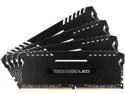
CORSAIR Vengeance LED 32GB (4 x 8GB) DDR4 3000 (PC4 24000) Memory Kit Model CMU32GX4M4C3000C15
Pros: Bought 2 of these kits for my new x99 build so I have 8 modules and they worked great together. Ran memtest86 over night with no errors. I have always used Corsair for my memory needs and these have not disappointed. Corsair support is very good when you need it.
Cons: None that I can think of yet
Overall Review: The LEDs pulse randomly but I was told by an employee on the forums that they are working on other lighting modes will be able to be applied to modules already purchased but they will pulse meantime. Keep in mind that Corsair never guarantees 2 kits will work together so do that at your own risk.
8/1/2016See more detail
New Roccat Fanboi!

ROCCAT Ryos MK Pro USB Mechanical Gaming Keyboard
Pros: Design - Keyboard looks fantastic and has blue LEDs and is extremely sturdy and heavy (does not slide easy) Layout - Nice layout with 5 macro keys within easy reach of my pinky. Macro Thumb keys right below the spacebar. Programmability - Each key can have multiple macros due to the easy shift key. Some have expressed the software is confusing and difficult to figure out, I didn't have an issue. Keys - Mechanical keys are solid and easy to push. I got the MX Red Cherry and probably would have liked the MX Black keys since I have a heavy hand.
Cons: Price of course This is a large keyboard so make sure you have enough room. palm rest does not detach and is not flat on desk. I knew this when I bought it and doesn't bother me one bit after I have been using it. USB/Headset connectors are at angles off the keyboard. I though this would bother me however I have a Razer Tartarus plug in and the connector has not interfered with my mouse hand however; they should be at the back imo.
Overall Review: I was looking for a replacement for my aging Razer Lycosa and since Razer has decided to stick us with only green LEDS they are no longer an option, it was time to shop around. The Roccat's design caught my eye and I am happy with my purchase so far although I think I should have bought the MX Black Cherry board.
4/14/2014See more detail
Nice gamepad

Razer Tartarus Membrane Gaming Keypad
Pros: I have been upgrading my gamepads since the Belkin Nostromo first appeared. Always like the ergonomic feel of these devices, got a Razer Nostromo when they came out which was basically a Belkin Nostromo n52te. I noticed the razer version seemed to be sluggish and even with the lastest version of synapse 2.0, they was a lag time from when I pressed buttons and when they executed on game. I took a chance on the tartarus and couldn't be happier. Unit is similar shape and eronomic design as the nostromo and has a "15th" button rather than the scroll wheel. Responce times are fast and smooth,, keys feel really good and of course the synapse software makes programming a breeze. I can even put it on another computer, log into my synapse account and the settings are ready to go. Palm rest slides out into 2-positions via a thumb button underneath and has a braided cord.
Cons: Cannot change color of lighting. Razer has chosen to go with that puke green color and not the nice deep blue used in my Lycosa and Mamba that I like. I knew it didn't have that capability when I bought it just though I would mention it just in case.
Overall Review: Razer, please give us functionality to change color of back lighting on your future products. Not everyone has a nvidia puke green lighting theme!
11/10/2013See more detail
What I was looking for
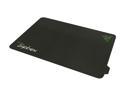
RAZER Sphex Gaming Grade Desktop Skin
Pros: I prefer very thin mouse pads and used a Razer Kabuto for my Sager laptop but it was a little too small for my desktop and Razer Mamba. The Sphex was exactly what I was looking for. It is in fact a skin with reusable adhesive and sticks very well. Just the right size for most desktops, very smooth surface and my Mamba tracks nicely on it. Cheap enough to use as a throw away pad as that adhesive won't last forever but should last a long time if not moved a lot.
Cons: None that I can think of, suit my needs perfectly
Overall Review: Archimedes, remove the protective film. Sticks to vaneers and laminent wood desks no problem
5/3/2013See more detail