

Your Browsing History


Denis P.
Joined on 04/15/15
0
0
product reviews
- 5
Love Bitdefender

Bitdefender Total Security 2026 - 5 Devices/2 Years - Download
Pros: It works. I would always check my logs in the console just to see whats been blocked. There are always content on the browsers that it blocks, glad to know its working. It is more lightweight on my computer than what I was using before. Fairly cheap plan. 2 years for 5 PC, that's a great price!
Overall Review: I've used Bitdefender Gravity Zone at the company I work at for over 5 years now and its been pretty great at keeping us secure, so I've upgraded my home computers from AVG to Bitdefender. Ive used AVG for 10+ years at home, its been great at keeping my devices secure. But lately I have been experiencing random crashes in windows 10 with AVG and the error was always something different, so troubleshooting that mess was impossible. Even though AVG says its compatible with Window 10, that was definitely not the case with my experience and Bitdefender has proven that they are better in being compatible with Windows 10 as I have not received a random crash on my devices for over 6 months now. Whereas before, I would experience a random crash with random error nearly several times a week. Thanks Bitdefender!
6/1/2021See more detail
Better now with firmware update

Geekbes YM-WS-1 WiFi Smart Socket Plug-in Module with Amazon Alexa & Google Home Compatibility, 10A - 3 Pack
Pros: I am updating this review because their last firmware update have changed so much for the better. 1. Links with google and alexa now, just need to do it through the "Smart Life" app. 2. Has schedule setup now which is crucial for anyone adding smart devices to their home.
Cons: For a smart device, this thing is not smart at all... At least not in the ways that majority of the population might want to use it for.
3/2/2019See more detail
Better now with firmware update
Geekbes YM-WS-1 WiFi Smart Socket Plug-in Module with Amazon Alexa & Google Home Compatibility, 10A - 3 Pack
Pros: I am updating this review because their last firmware update have changed so much for the better. 1. Links with google and alexa now, just need to do it through the "Smart Life" app. 2. Has schedule setup now which is crucial for anyone adding smart devices to their home.
Cons: For a smart device, this thing is not smart at all... At least not in the ways that majority of the population might want to use it for.
Overall Review: Wish more of these were for sale, these have been drastically improved since their recent firmware update. These are a little bulky, but they did the job for me. I personally would like my smart plugs to not interfere with the secondary outlet.
1/11/2021See more detail
Its OK for the price you pay
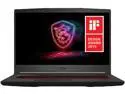
MSI GF65 THIN 9SD-252 Gaming Laptop - 15.6" 120 Hz IPS - Intel Core i7-9750H 2.60 GHz - NVIDIA GeForce GTX 1660 Ti - 8 GB Memory 512 GB SSD - Windows 10 Home 64-bit
Pros: 1. Good air flow. Very important for cooling a gaming laptop. 2. Super fast M.2 SSD, was able to transfer files from an external SSD at 300MB/second via USB 3.0 connection. 3. Great screen to body ratio. 4. 120 Hz refresh rate is very nice and I have not noticed any screen bleeding nor backlight bleed so far.
Cons: Some design parts are pretty cheaply made... 1. The thin bezel around the screen feels to not be fully held in place, there seems to be quite a lot of sections of the screen where that thin bezel is loose and feels like it can easily come off if someone tries to pry/peel it off the screen. 2. The mouse track pad seems to the worst out of the whole design, the top right and top left of the mouse pad is secure but the bottom right and bottom left of the mouse pad is very loose. when pressing on the mouse pad at the bottom right and bottom left for (for right click and left click) there is a lot of play and the nearly the whole mouse pad ends up moving/compressing with each click. 3. With the amount of airflow that the fans are able to push through, the feet on the base seem a little too small and whenever i raise the laptop off the table i can feel the increased airflow. 4. I also wish the keys popped out a little more or had some rigid texture to them, it feels like the keys are nearly the same height as the base that the keys rest on and it becomes pretty easy to loose track on what keys you're on. Maybe its just because the keys are quite large..?
Overall Review: The cost of this laptop is pretty great considering it got a 1660 TI and a 12 thread processor. But for that cost you are giving up quite a bit of durability in this laptop. The screen and the mouse pad are the biggest concerns and those that want durability in their laptops would see these shortcomings as a pretty big issue. I was planning on swapping out the thermal paste for liquid metal, but there seems to be a manufacturer seal on the base right over one of the screws. The easy access to do maintenance on the laptop was one of the main reasons I bought this laptop, would ripping through the seal void the warranty?
8/26/2020See more detail
Works for me
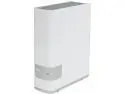
WD 6TB My Cloud Personal Network Attached Storage - NAS - WDBCTL0060HWT-NESN
Pros: It wasn't too easy to set up, and it wasn't hard at all, took me about 1-2 hours to just configure all settings and create all accounts. I like the ability to have an external storage that I can save files to. It isn't picky to what files you save so that's cool. Key Pro Features: 1. Transfer speeds at 2.4GHz = 15 Megabytes/Second, Transfer speeds at 5.0GHz = 25~30 Megabytes/Second 2. Can have as many users as you like, at least it hasn't stopped me once I made 6 accounts. 3. Phone app has the ability to save all your photos from the phone to your personal location of your choice on the WD storage. 4. You can use the phone app to access your files remotely, you can also create an online account that allows you to access your files remotely (which you have to create to use the app on phones). You can download files from the account or share selected files/folders with someone else by simply sending them an email. I do this a lot from my app to my work email so that I can download files when I'm not home.
Cons: The HDD is a decent one, when I made the purchase it was a WD Red 5400RPM 6TB HDD, all for $180 USD. I am surprised at how lucky I got 2 years ago. The storage seems to get hung up on opening folders and sub folders, normally happens when it has been a few months since the WDMyCloud has been restarted. There are no instruction/documentation in upgrading/replacing HDD. I would love to buy a 7200 RPM HDD and have the old one replaced to see how it improves. The two Con features I could really name is the streaming issues, and using it as a windows backup location. The WD device has the option to enable the device to be a "Media Streaming Server". But the streaming through this feature is ridiculously slow. It is simply easier to copy/paste the video from the storage and to the local desktop and play it that way. When using the windows 7 backup/restore features to create windows backup, the storage tends to kick the specified user off the storage location at random times which cancels the backup process. I found out that the free "Macrium Reflect" software is able to make backups of the PC and save them to the storage, but windows 7 backup/restore option doesn't seem to be able to.
Overall Review: Not sure why everyone is having issues, I'm not having any that would prevent me from keeping the device. It is pretty dang useful :)
5/1/2018See more detail