
Your Browsing History


ROBERT B.
Joined on 01/15/07
0
0
100%
product reviews
- 96
Another solid unit from Corsair!
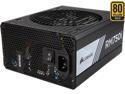
CORSAIR RMi Series RM750i 750W 80 PLUS GOLD Haswell Ready Full Modular ATX12V & EPS12V SLI and Crossfire Ready Power Supply with C-Link Monitoring and Control
Pros: Solid, Clean power delivery, under load Cool running Quiet (the fan barley kicks on under full load with a 4790k & 970Gtx) Built like a rock Sleeved cables Really efficient per Watt Corsair Link can be cool (sometimes?)
Cons: Cable connectors are Really hard to insert and need an uncomfortable amount of force to completely seat into the power supply and motherboard connectors, etc. At least you know they are not going anywhere? I also find the cables are really hard to manipulate. they are crazy stiff. as long as you know this and pre-bend your cable runs this can actually be a plus. if not... it can add a lot of stress with the leverage it can generate on Sata connectors etc.. Being sleeved cables, (which is all the rave for some reason...) they don't lay flat like the other cables from my other Corsair power supplies. this makes routing them neatly behind a motherboard tray much harder. (being really nit picky here) Corsair Link has improved but its still not 100% where it needs to be.
Overall Review: Another solid power supply by Corsair. Built like a Tank with efficient, clean power delivery. Your really cant go wrong here. I Highly recommend Corsair power supplies and this one is no exception! Over the years I have always used Antec and PC Power Cooling power supplies for all my Builds (and builds for friends). Depending on the budget and system needs the 2 companies had all my bases covered. Then a few years ago BOTH companies seemed to have dropped off the Map. Not really sure what the Lul in Antec's power supply production was all about but they were hard to come by. PC Power Cooling was bought up by OCZ which shortly after went Bankrupt and then the PC Power cooling name was bought up by a company named Firepower. Long story short, I needed a new "go to" Brand that I could trust. I gave Corsair a shot and haven't Been disappointed. The Build quality is top notch. even on the lower tier units. To keep things simple, the upper tier units Basically Just use more efficient components. I guess you could say "better"? But its mostly about efficiency here. At the end of the day the higher efficiency components gets you quite a few things. The 1st being $avings over time. A typical 80+ power supply will supply your system with 80W of power from every 100W it pulls from the wall. just think about that for a second... for an avg system to pull around 400W under load thats like almost 100W just turning into heat inside the power supply and doing nothing but costing you money and causing your Fan to run faster creating more noise. The 2nd thing efficiency gets you is longer part life cycles. Since the components are doing less work to get you the same amount of power Vs a lesser power supply, they don't get as hot and last much longer as a result. It really is a Win, Win that pays for its self a few times over the life of the power supply. sure the initial cost is more But you end up saving quite a bit in the end. Then we have stability & reliability. Again, to break it down easily. All "high efficiency" components are, is over rated components... As in, you are getting 1000W parts in your 750W 80+ gold power supply. A typical cheapo 750W power supply is more likely to contain 500W parts. It will probably give 750W, but only in the most ideal circumstances and typically we are not talking about situations reproducible inside your PC. like 20c ambient temperatures and perfect 120v AC supply. inside most PCs ambient can easily reach 30-40c and typical power coming from your wall outlet is around 110-115v AC. under these conditions the same cheapo power supply will be only able to give you maybe 450W MAX. this means it will be stressed under normal loads and likely have a much shorter life as its components are being over driven. You really do get what you pay for here. Never Skimp on your power supply And they can last you a Few builds!
8/17/2015See more detail
Kind of disapointed
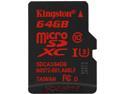
Kingston 64GB MicroSDXC UHS-I/U3 Class 10 Memory Card, Speed Up to 90 MB/s (SDCA3/64GBSP)
Pros: Lifetime warranty Pretty awesome Sequential Read speed (over 75MB/s)
Cons: Only 21MB/s Max Write? really?
Overall Review: I have been buying Kingston SD cards for my phones since they started putting MiniSD slots in them. never been disappointed. I had one card Fail on me and Kingston RMAed it for me with out issue. Sadly I may need to do this again for this card... I wanted a 64GB MicroSD with over 40MB/s write for recording Video. This appeared to be a higher end card from Kingston that says it Writes at 80MB/s, so I grabbed it. Sadly the highest write speed I can get out of it is 21MB/s... I know ratings are a best case situation, but 25% of rated speed is pretty sad. Speed test done with Kingston FCR-HS3 over USB3.0 Seq - 76.02 / 21.25 512k - 54.13 / 9.74 4k - 13.39 / 0.13 4k QD32 - 11.01 / 0.15
3/3/2015See more detail
Awesome fans, but priced too high for a 240mm cooler

CORSAIR Hydro Series, H100i RGB PLATINUM, 240mm, 2 x ML PRO 120mm RGB PWM Fans, RGB Lighting & Fan Control w/ Software, Liquid CPU Cooler, CW-9060039-WW, Support Intel 1200/ 2066, AMD AM4/ TR4
Pros: Fans are dead silent at most speeds Aluminum finishing ring around pump housing looks really nice.
Cons: Most expensive 240mm Closed loop cooler on newegg. Pump vibrates & is noisy at any speed (possibly imbalanced impeller) limited hose flexibility with questionable inner diameter. 5 cables come out of the pump base Proprietary RGB system
Overall Review: Just a bit of background before I jump into the review. I have been water cooling PC parts for about 15 years. Early on, this was mostly a lot of DIY & Custom stuff involving many trips to hardware stores followed by handy work with a Dremel and other tools. So being able to just order a fully "plug and play" water cooler is a bit of a welcome but very unexpected turn in "PC enthusiast modding". With that said I do own Tons of corsair gear. In fact the Cooler I had on my delided 4790k before testing this Unit was the H80i rev 2. so this in not my 1st experience with a Corsair water cooler. All that said I find it very challenging to write this review when taking price into account. On one side, the only thing actually wrong with the unit (pump noise) can probably be remedied with an RMA. fair enough... so Great Product! right??? Well not so fast. On the other side of things this unit is so expensive I cant help but want to bash every little thing thats not perfect. If you buy a run of the mill commuter car, you dont expect much right? but if you buy a BMW you expect perfection eh? At this price ($159.99) this cooler is in some heavy competition with 280mm Closed loop coolers & even more so, actual Enthusiast gear from the likes of the Swiftech H360X3. A 360mm cooler that comes completely ready to mount (yes even fans pre-installed) with a much higher quality pump & waterblock. Not only will the the H360X3 perform way better, but you can add more to the loop later if you feel its time to step up your game! Looks: The pump/CPU block combo has a really nice aluminum finishing ring on top, but it so many wires coming out of it that its hard to manage and takes away from the "Clean" design elements that this type of product should be boasting. You could argue that this is typical on all closed loop coolers, but Corsair is already using a closed proprietary RGB system. So they could have easily just wired up a single 12" proprietary cable to the pump and had it break out to all the fan, RGB & power connectors.... the radiator is very lackluster in this department. It basically just looks has is some cheapo chrome "corsair" sticker on the side? really? The Corsair H80i I already own has a more premium looking Radiator with a very nice "Corsair" logo on top of a sandblasted gunmetal finishing piece. The RGB is pretty cool and well enough customization inside the software. most of the breathing and running color effects are quite awesome looking but if you have anything else RGB forget about having any kind of cohesiveness between any of it. which in the end kind of makes you just want to have everything static on one color. Other wise your PC will look like some kind of distracting Rave party. Cooling performance: This Cooler seams to have lower temps at 1st when compared to the H80i but after heatsoak sets in the temps are only a few degrees cooler. Ramping up the fan speed to max thankfully does not make much more noise, seriously. These fans are ridiculously quiet for how much air they move but sadly this doesn't help much at lowering temps until maxing the pump speed out. This will take a few more deg off the top but with the excessive noise the pump generates at this speed its not really an ideal solution over the quieter H80i. In the situation that you receive a unit with balanced pump impeller. you could see about 5-9 deg (Celsius) total cooler under full load than the H80i. That is a pretty big jump and nothing to take lightly. In my specific senerio this allows me to run my delidded 4790k 24/7 @ 4.5GHz on all 4 cores at about 68-72c. The H80i would never let me do this with acceptable temps. Does this unit preform well and add all the RGB goodness to your Rig? Sure does! but I think the take away from this review should be there are definitely cheaper ways to get similar temps and if you have $160 to blow on water cooling, you should probably looking into something in the 360mm or 280mm territory. preferably something expandable? I want to rate this 3.5 eggs, one taken away for the pump noise and half an egg taken away for the price but since that half eggs are not an option im going with 4 eggs.
12/14/2018See more detail
Quality power delivery in a Silent, compact package.
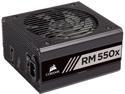
CORSAIR RMx Series RM550x CP-9020177-NA 550 W ATX12V / EPS12V 80 PLUS GOLD Certified Full Modular Power Supply
Pros: 10 year warranty?!? Shaving the frills to make room for function 31.25A available to Video card in default config Literally silent.
Cons: $100ish can seem a bit high at the 550W tier.
Overall Review: The unit is Very compact for having a 140mm fan. Everything is nice and solidly built. Not much flex or creaking going on during the install. The unit was Literally inaudible the whole time I spent in testing with it. As in the fan simply didn't run until under some pretty heavy sustained load. While I do like the silence I always feel these fan curves can be a bit aggressive in the approach to "silence" so I do mount my Power supplies with the fan opening facing up (so the heat can rise out) depending on the build and how stagnant air might be in some areas of the case. But maybe I am being too critical here? Seeing as how Corsair is standing behind this unit for 10 years.... that pretty insane actually. One thing that should probably be made clear is there isn't much room for expansion here. But this is obviously by design. Still I think it should be brought up. This isn't an "excess" Product, its a focus one. Do one thing and be really awesome at it. Quality power delivery in a Silent, compact package. You will only get ONE 8pin CPU cable, ONE 6+2pin x 2 GPU cable. These are both nicely sleeved along with the 24pin Cable. You also get two non-sleeved SATA power cables and one Molex for good measure. The 6+2pin x 2 PCIe plugs should give you about 300W (12V x 25A) plus 75W from the PCIx slot on the motherboard. So 375W available to Video card in default wiring config. This would mean you should be technically safe with a single Video card all the way up to a 2080ti or Vega64 and still have just over 14A left for the rest of the system. Now personally I'm still not sold on the breakout from 8pin (out of the PowerSuply) to 16 pin (6+2 x 2 pin PCIe plugs). At this price point, for a 550W Id like to see a one wire per pin style cable. For most builders, $100ish will seem a bit high at the 550W tier. You can definitely go cheaper, all while still getting a quality unit from other suppliers (even Corsair themselves). I feel this is a Niche Power supply in that regard. But if you are thinking that is a complaint you would be wrong. I Very much wish to see companies keep doing things like this. We have come a very long way with PC building in the last 20 years and companies putting out products like this are a good chunk of the reason why!
10/7/2018See more detail
Very capable and well featured printer at a low price point
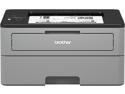
Brother HL-L2350DW Compact Monochrome Laser Printer with Wireless Printing and Duplex Two-Sided Printing
Pros: Fast Quiet Low profile Two sided printing! Wireless Replacement Toner cartridges come in several capacities.
Cons: Navigation of the control panel leaves a bit to be desired, but at this price point it’s a non-issue for how often you need to access stuff like this. Did not come with a USB cable. Could be an issue for some, but wasn't for me.
Overall Review: I am an IT guy/CAD Tech; Needless to say I am no stranger to Plotters and Printers. The majority of what we use is KIP & HP. Pretty industry standard stuff yet insanely expensive. Some of the large format plotters we user cost more than most people’s cars. With all that in mind it’s pretty amazing what around $100 gets you these days. I struggle to find a difference between some of the high-end HP toner style printers we have here at the office vs this Brother. I mean don’t get me wrong, I know these HPs we have in the office are designed for high volume and if you ran this Brother all day like we do it would probably run into issues. But for the average person just printing stuff at home or even just to use something like this Brother for personal use in the office would be a no-brainier. It’s quiet, fast & has a very small footprint for something that prints double-sided. At this price it’s an insane value! To top it off the wireless printing will come in handy for people that don’t have their whole house wired with Ethernet. The wireless set up took no more than 5-10 minutes and has worked flawlessly with my Thinkpad over a mesh network for weeks now. Easy 5 stars. I will be recommending these to my friends and family for sure. Not to mention some of our office admins.
7/16/2018See more detail
A new Challenger has entered the game!

Cooler Master MasterMouse MM520 Claw Grip Gaming Mouse with 12000 DPI Sensor, PBT Buttons, and Durable Omron Switches
Pros: Ergonomics are the best I've ever used. Sensor seems just as good as other "gaming" mice by other name brands with no funky acceleration to worry about.
Cons: Cooler Master "Logo" kinda ruins the ascetic. Thumb buttons are way to loud and do not have the same feel as the rest of the buttons on this mouse.
Overall Review: A little background: I have exclusively used the Razer Deathadder pretty much since it has come out. With my profession as a CAD tech/IT guy by day and "PC gamer" by night this has been the perfect mouse for me. The thumb buttons come in handy when mapped properly, no matter what Program I am using or Game I am playing, The Ergonomics and sensor tracking have always kept me fatigue free. No hand cramping or wrist pain, even after using the mouse basically 16 hours a day. On top of all this, these Mice just don't die... I've owned 4 total and 3 are 100% still fully functional, with one starting acting up on me after about 5 year of use and had to be taken out of service. With all that said I have come across MANY mice in the last 12 years. This new mouse by cooler Master is by far the most comfortable with my "claw" style grip. 99% of the time I use only my fingers to move my mouse with the heal of my hand plated in one spot. All this time I have never found a mouse that had a place for my pinky. So typically I tuck it right next to my ring finger and let it more or less drag around on the table as I move the mouse around. This new mouse actually has a spot dedicated for each finger to rest on..... its the best feeling ever! Not only can I still use this mouse as I always have used my Deathadders, but now I can also use my pinky for extra grip and control. friggin AWESOME! Now for the ONLY downside I have come across, the thumb buttons are way too loud. The only way I can reference this for you is I have a Ducky Zero Mechanical Keyboard with CherryMX Blue switches and these two thumb switches are easily twice as loud as when I bottom out my space-bar. So that definitely makes this mouse not fit for office use or at home with late night gaming as your light sleeping significant other, one room away. Let it be said however the left & right click are identical to the Deathadders, as in I am not able to tell the difference in a blind test between the two different mice and the scroll wheel is equally as awesome. It feels different but not in a bad way. Very tactile yet not loud or jarring, pretty much perfect. I am not big on software extras but I did install the software to change the LED colors. By default the mouse does the rainbow RGB fading thing that is all the rage I'm sure, but just not for me. The software was simple and intuitive. Also seems not to have a noticeable impact on overall system performance or start up time. But if you are like me and don't care too much for extra stuff running in the background you can totally just set up the color scheme you feel is best and then just un-install the software. The mouse will retain the color settings. It must be written to some internal memory on the mouse. No matter what PC I plugged the mouse into after I changed the color setting they remained the same as I set them last. Awesome!
12/19/2017See more detail
seller reviews
- 2
Honest and fast
Perfectly described. Branded new, factory sealed And half the price of ever other seller. I was skeptical, but I buy stuff straight from Lenovo at work a few times a year. I compared the seals and they were identical. Battery is lasting me 9 to 14 hours every day, depending on workload. Never gets hot or even remotely warm. I Use this battery in an x230 that has an i7, SSD at 25% screen brightness.
On-time
Delivery
Product
Accuracy
Customer Service
Satisfactory
4/11/2018See more detail
Bottom line, I will consider Arrow Direct for future Refurbished PCs.
I ordered a “Grade A” x230. It arrived on time but the packaging left much to be desired for a $300 purchase. Although dirty and in need of a through cleaning I won’t disagree that this unit would be considered grade A condition. However the laptop had intermittent connection with the charging port. I asked for a replacement AC adapter and internal DC plug connector to be sent to me Through the seller message center on Newegg site. After a few days and many messages later they did sent me just the AC adapter and it arrived very quickly.
On-time
Delivery
Product
Accuracy
Customer Service
Satisfactory
12/12/2017See more detail