
Your Browsing History


Mehron K.
Joined on 10/31/06
0
0
product reviews
- 5
Solid and Speedy
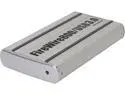
macally PHR-S250U3B Aluminum 2.5" SATA I/II/III USB 3.0 & 1394b SuperSpeed HDD Storage Enclosure
Pros: Fast: Firewire 800 beats out USB 2 Solid construction: gel padding near screws, solid board, metal housing
Cons: None
Overall Review: I bought this to house my Macbook's internal drive after I swapped out for a 128 GB SSD. I get at least 60 MB/s copying over Firewire 800 to my SATA II 500 gb drive with this enclosure. I was using another enclosure, a cheap one, and didn't get this speed. Doesn't feel like the drive ever left my laptop. Didn't try the USB 3.0 connection as I don't have any of those ports. Included cables are about 2 ft.
11/12/2013See more detail
Died after a few days of use
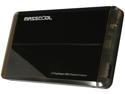
MASSCOOL UHB-2233 Aluminum 2.5" Black SATA I/II USB 3.0 External Enclosure
Pros: It was a good price when I bought it Slim USB 3
Cons: Cheap construction USB plugin spot is warped Screw holes don't fit any known screw
Overall Review: Died after a few days of use. I use this for work since I put my data on an external drive after upgrading to an internal SSD. Unacceptable that this stopped working, it's my first purchase ever from Newegg to have a problem with it.
11/7/2013See more detail
Works as advertised: A good deal
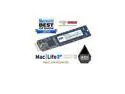
OWC 500GB Aura Pro 6G Solid-State Drive For MacBook Air 2010-2011. High Performance Internal Flash Storage. 3rd Generation, Late 2018 Model. Model OWCS3DAP116G500
Overall Review: I used this to replace a dead 128 GB SSD in a Macbook Air 2011. It was manufactured to spec and I had no issues installing it. The laptop recognized the new drive, which was pre-formatted with an HFS partition, a welcome touch. I ended up installing Debian to the target drive, and it's performing very well. Overall, a very good deal.
4/27/2026See more detail
Excellent and reliable gaming laptop
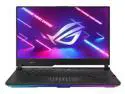
ASUS ROG Strix Scar 15 Gaming Laptop, 15.6” 300Hz IPS Type FHD Display, NVIDIA GeForce RTX 3080, AMD Ryzen 9 5900HX, 16GB DDR4, 1TB SSD, Opti-Mechanical Per-Key RGB Keyboard, Windows 11, G533QS-DS94
Pros: I run Debian on this laptop, and runs all my games really well -- Deep Rock Galactic is as smooth as butter, Stellaris with all kinds of mods and high graphics settings is enjoyable. I dual-boot with Windows in order to play Final Fantasy XIV which looks (and runs) incredible on this laptop with all the settings maxed. It's a great daily driver with all its storage space. - 1 TB disk space is phenomenal for large game downloads and storing media/music - Function keys work out-of-the-box in Debian - Built-in 3ms screen is exceptional - 3 USB ports are just enough for keyboard/mouse combo and a storage device or hub - One USB-C slot can be used for a second monitor or a second device hub - This has an ethernet port in addition to wifi 6; a must-have for fast downloads direct from the router or networking to another laptop to stream games - RAM is upgradeable, I set mine up with 64 gigs
Cons: - If you are going to use an operating system other than Windows, stick with Debian or Ubuntu, for the best graphics support. - Make sure your system is set to "disable touchpad while typing" as it's easy to hit one's palm on the generously sized touchpad. - If you run with a Linux distribution, invest in a USB audio device, as the built-in speakers will sound bad unless Windows is installed and the proper drivers are installed (no issues with the headphone jack though, everything sounds great through that)
Overall Review: Three years later this laptop is still going strong and chewing through the latest games no problem. All monitor pixels are intact (no dead pixels) keys intact.. It is a highly reliable daily driver in addition to being great for gaming. (I don't play VR games or 4K/8K gaming so I can't comment on this laptop for that.)
1/5/2026See more detail
Durable and energy efficient

Logitech ERGO M575 Wireless Trackball Mouse - Easy thumb control, precision and smooth tracking, ergonomic comfort design, for Windows, PC and Mac with Bluetooth and USB capabilities - Off White
Pros: I've always been a fan of this style of trackball mouse. I had my previous one from Logitech for about 8 years, different color; one of the buttons wore out. So far this has been treating me well for the past 2 years. It's easy to clean and I appreciate the lighter white-blue color combination which brightens up my desk. - I specifically use a trackball mouse to deal with wrist stress and whenever I go back to a "regular" mouse, my hand hurts, so this is pretty much the only mouse I can use for my daily work. - The battery lasts quite a long time. I use rechargeable AAs and rotate the batteries probably once every 3-4 months. It's hard to say as I don't keep track and this mouse does not have any battery issues. - Trackball mouse needs much less real estate on the desk because I don't have to move it around, it stays in one spot.
Cons: No cons
Overall Review: I definitely recommend this mouse for people looking to improve their ergonomics at their desks. If you haven't used a trackball before, it'll take a little getting used to, but completely worth it.
1/5/2026See more detail