
Your Browsing History


E.J. S.
Joined on 07/27/05
0
0
product reviews
- 1
Useful tool for the masses
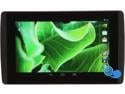
EVGA TEGRA NOTE 7 Tablet - 16GB Flash, 1GB RAM Quad Core NVIDIA Tegra 4
Pros: DirectStylus, HDMI port, Snappy response, Stock Android, bloatware free, External Storage. Wireless HDMI support. Able to turn off touch completely. Loud front facing speakers.
Cons: Low internal storage for a game-focused tablet. Broken strokes on stylus use.
Overall Review: This is a very speedy tablet, everything feels very snappy. Couple of specs that have probably deterred consumers from getting this tablet was the screen resolution and ram. I think this has been blow out of proportion because of comparison to other similar sized tablets. 1280 x 800 on a 7" is still pretty good, there are top end 10" tablet still releasing 1280x800 this year, and in comparison to Nexus 7 2013, the differences is not really visible. Another lacking feature being talked about a lot was on board 1 Gig RAM. Even though Tegra Note performs well with 1 Gig of RAM, the decision to include just 1 Gig is a little puzzling. The cost for 1 Gig of ram is really minimal and it would make specs-conscious shopper feel a little at ease. The internal storage could be a little larger, I wish there was a 32G version available, with the size of games these days, you could use all the storage you could get. Especially you no longer able to move apps to SD, I'd like to see that feature make a come back. Camera was one of the talked about feature from the manufacturer; However, I did not find it particularly great, it takes about a second to focus, with today's quick snappy camera found on Samsung, HTC and iPhones, I don't think it'd would be my go-to camera, but it isn't a deal breaker. I, being an artist and designer, the DirectStylus was the reason I most looking forward to try. The first app I install when I receive the tablet was Sketchbook Pro. My initial reaction was very disappointed. I thought the pressure sensitivity didn't work at all because it was so subtle. Over the weekend, I played with setting on its brushes and result was so much more promising. Some of the brushes I could actually got it to work as well as the Wacom equipped Galaxy Note if not better. Unfortunately, there's some kind of hiccup with stylus. The strokes broken in the mid stroke and got pick up again while the pen was never lifted off the screen. This is a major annoyance! All the tweaks I made to the brush setting makes no differences if the stroke breaks beyond my control. It doesn't really hinder everyday use, but I hope this is a software glitch that can be fixed, otherwise this useless to an artist. I think DirectStylus is still a little rough around the edges, although it's incredibly responsive, and it's remarkable that Nvidia was able to shrink capacitive stylus to such a small precise tip, it will probably take some time to mature, if software developers can get behind this new technology, making the pressure level a little more sensitive, maybe develop a conductive tip that doesn't feel so squishy like you could possibly breaking it if you pressure too hard, and most of all, fix the broken strokes (it seems like a software issue). This technology could find itself challenging Wacom and N-Trig for stylus-equipped mobile devices.
11/24/2013See more detail