
Your Browsing History


JOSHUA C.
Joined on 08/15/05
0
0
product reviews
- 6
First day impressions
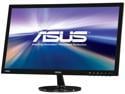
ASUS VS Series VS247H-P 24" (Actual size 23.6") Full HD 1920 x 1080 60Hz HDMI VGA DVI-D SPLENDID Modes Widescreen LED Backlight LCD Monitor
Pros: -Bright, vivid colors -Looks great right out of the box, didn't have to tinker with settings (not too picky about that anyways) -Zero zero ZERO dead pixels -Subdued and understated front bezel, with only 1 singular LED blue light for power (simple is always better) -Simple 3 prong plug, great for jam packed power supply strips -Inexpensive to the point of ridiculousness -Works flawlessly with OSX and an iMac (10.6.8) -No light bleed on the sides -VERY lightweight (my cat weighs more (she's a thin cat)) -Free shipping and yet it delivered the next day. THE NEXT DAY! Thankfully I live right next door to California, where it shipped, but that's just insane! The monitor actually beat the cables that I had ordered extra, which is just awesome to see. Newegg is amazing
Cons: -Terrible, awful, inexcusably bad base stand -No USB, no built in speakers (not advertised nor expected, but compared to its competition, it should have really had it included) -Back-facing ports, making it difficult to wall mount -Rebate system utilizes debit gift cards rather than checks, which will limit how and where you can spend your savings (gift cards are the bane of all that is good in this world and only add to plastic waste, shame on Asus) -Glossy black finish is such a horrible idea in 99.99% of all electronic devices. Tempted to leave the plastic guard on the bezel just to avoid that headache
Overall Review: With OSX (10.6.8) this works great. My iMac is 1920x1200 and has amassed quite the collection of wallpapers, while this monitor is 1920x1080 which left me a little worried that everything would be stretched or cropped. No issue! Under Desktop pref, you can have your own folder selected for the second desktop. Great! The desktops can even rotate wallpapers at different intervals. I have my iMac set up to change every minute, and this monitor set up to change every 5 minutes. I also purchased a mini-DVI to HDMI adapter, as my 2008 iMac came with mini-DVI. It works flawlessly. Check, recheck, then re-recheck to make sure you're getting the right adapter if you need one. Then recheck it again. Seriously. Ugh... The stand on this thing. The issue is, there's 2 components to the stand: First, the shaft, which is connected to the monitor itself and has a back/forward hinge; Second, there's a flat, circular base that screws into the shaft. Unfortunately, there's only 1 screw holding the 2 pieces together, with 2 additional non-screwing slot pegs, which means there's barely any points of contact. All monitors with shaft necks wiggle, that's part of the design, but this one DOUBLES the shaking because of the low points of contact at the attached base, to the point that you can see the pieces separate and form gaps, even after IMMENSE tightening of the screws. To fix the problem (and this will sound EXTREMELY stupid and ghetto), simply put something with a minor amount of cushioning in between the base and the shaft at the point of connection. Me, I used a dryer sheet. I made a slit for the screw to go through, and I just kept it in between while I assembled it all. Wouldn't you know it, it's the perfect amount of thickness and cushion to completely stop the extra shaking. It slipped right in between the 2 additional pegs in the base and made it extra tight. It looks ugly, but if I cared for looks I would have bought a $900 apple cinema display. I'm giving it a 5/5 because I found a base stand fix that satisfies me and took all of 12 seconds to analyze, assess, and figure out a solution that worked for me. If the thought of having to do some fixes is simply unthinkable to you, make this a 4/5 rating instead. Aside from the base, this monitor is a dream in terms of functionality and the features advertised.
1/24/2013See more detail
Works
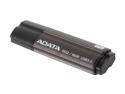
ADATA 16GB S102 Pro Advanced USB 3.0 Flash Drive, Speed Up to 90MB/s (AS102P-16G-RGY)
Pros: Works fine. Running OSX 10.6.8 and there's no issues, as expected. Came formatted in FAT, which I actually prefer for interoperability between my Mac and my PS3/other devices. Came with very minimal, easy to open packaging which I greatly enjoyed seeing, not only as a person who hates waste (and paying extra for package) but also someone who hates tearing into obnoxious plastic shells.
Cons: It's thick. Obnoxiously thick. There's no reason for thumb drives to be this thick anymore, and the idea that a thicker shell provides more protection is laughable considering it's all chinese plastic anyways. I bumped it down 1 egg because of that, which may seem harsh but ultimately because most every thumbdrive will give pretty much equal performance, the design thoughtfulness is where the real grading is. The other egg is dropped because the cap is just your run of the mill stick on variety. In other words, the exact type of thing that you've already lost 12 of with different, similarly poorly designed drives. Either do something worth while with the drive design, or just sell it without the cap. It's not like it actually even does anything besides make the design silhouette look more uniform.
Overall Review: You'll never notice a difference between USB 3.0 and 2.0 on an older machine, but it is always a good idea to future proof. that's what I did here, hoping that it lasts long enough to make it to my next system upgrade when I have USB 3.0 available.
3/9/2013See more detail
Seems solid
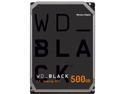
WD Black 500GB Performance Desktop Hard Disk Drive - 7200 RPM SATA 6Gb/s 64MB Cache 3.5 Inch - WD5003AZEX
Pros: -Comforting warranty period -Fairly quiet
Cons: -Price:Capacity ratio seems skewed a bit, considering its age and, honestly, lack of features compared to modern drives (dropped 1 egg because of this, if you can get the drive for ~$50 treat this as a 5 star review)
Overall Review: My 2008 24" iMac went on the fritz and all signs pointed to a dead drive. Thankfully I don't have one of those hatefully anti-consumer new iMacs with horrible adhesives and the sort, so a DIY repair was feasible. I bought various supplies from Lowes and various electronic stores and awaited the drive delivery in the mail. Took longer to receive than I had hoped, but oh well. I decided to go with this drive because my original drive which had dutifully lasted for almost 5 years was a WD, and I've found them dependable above almost all others. The stock drive was 5400 rpm and SATA II, so I knew ahead of time to expect a different heat pattern during heavy usage with the new drive. Anyways, the iMac fix: Took off the glass cover, unhooked the LCD, took out the drive mounts, swapped drives, reversed the disassembly process, and with a push of the power button... Success! Everything went smoothly for install, and the Time Machine backup that I had made short work of filling in the gaps. One tip that I can provide: Buy jumpers if you have an iMac with SATA II and you're putting in a SATA III. As a precaution during install you'll want to hinder speeds down from 6.0gb/s to 3.0gb/s as the iMac may not do it quite so well and bottleneck. A stitch in time, you know? The drive itself is mostly quiet, not quite as quiet as I recall the factory drive being in its first few years of service but well within normal expectations. As mentioned above, there is more heat produced, but that's just a byproduct of the higher RPMs; as a precaution, I now run smcFanControl at start up with a delayed apple script so as not to slow down boot time (every second counts). While it may wear down fans faster, I'd much rather swap dead non-storage devices than drives with precious data on it. I've not noticed a terrible difference in read/write speeds with the new drive, but such is life. When it's time to decommission this iMac, the WD drive inside of it will find new life in an enclosure, with USB 3.0 speeds. At that point, I'm sure that the read/write speeds will be quite noticeable! If you have an older iMac, this is an ideal drive for you. The long warranty period adds a piece of mind that the manufacturer stands behind the product, and you could (reasonably) expect a longer life span. That sort of difference is crucial with an iMac, or any all-in-one, where tearing it apart is an exercise in patience like no other and you'd rather not have to revisit such an ordeal all too often.
2/18/2013See more detail
A nice purchase
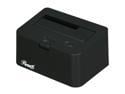
Rosewill RX-DUS100 2.5" & 3.5" SATA to USB2.0 & eSATA Hard Drive Docking Station
Pros: Overall a very worthwhile addition to ones set up. The plastic is mostly matte and seems rather solid, with a much appreciated steadiness about it. With my 3.5" Samsung roughly 5/8 of the drive remains exposed, which helps to keep it cool. Running OSX 10.5.8 on my iMac I was able to partition my 1TB drive through this device without issue via Disk Utility, and have used it with great success to create a Time Machine back up. Due to the lack of eSATA I was forced to use USB, which wasn't incredibly fast, but what can you do. I purchased this dock on the off chance that maybe, in say a decade or so, Apple wises up and includes eSATA and I'm future-proofed. Knowing them though they'll end up adding in FW3200 within the next few revisions and you'll need to plop down $70+ on an external enclosure...
Cons: Excruciatingly short power cable. I mean, VERY short. *VERY* short. There's also some backwards give when I attach my 3.5" drive, though I have my doubts that it could lead to anything too nasty even under the worst situations. I would say that, when using your hand to push it back, it has maybe 3 degrees of give to it. No movement forward, though.
Overall Review: I really enjoy the minimalist style that it has going on, and the price tag makes it a worthy competitor for your hard earned cash. I would definitely recommend this to friends of the entire spectrum of tech savvy, as well as the varying operating systems. If it were brushed aluminum and could match my iMac I would be in heaven, but as it is I am more than pleased.
8/15/2010See more detail
It Works (2008 iMac 3.06ghz 24")
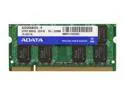
ADATA 2GB 200-Pin DDR2 SO-DIMM DDR2 800 (PC2 6400) Laptop Memory Model AD2S800B2G5-R
Pros: Arrived fast (despite using free shipping) and cost relatively little. Put my iMac C2D 24" 2008 3.06ghz (running OS 10.5.8) screen down on a bath towel, opened the bottom RAM panel, pulled back the plastic tabs (took a little work), removed the old RAM, put in the new sticks , double checked its seating, resealed the RAM panel, stood it up, plugged it back in, booted it up, and... success! Activity Monitor sees all 4GB, and I'm gold. This little baby zooms along quite nicely now (the original RAM Apple packed in was CAS 6, though the differences haven't been great enough to be observable) and the jump from 2GB to 4GB makes the experience all around nicer. Can't wait to put it through the real tests when I fire up some Adobe applications and really give it hell.
Cons: Had to wait a VERY long time for a good deal for 800mhz PC6400 RAM to appear on Newegg, though when it did show up I swooped on that as quick as possible. There's something criminal about paying upwards of $50 for something so old when we all grew up hearing how computer technology is supposed to double over itself every 6 months. Shouldn't this be bargain binned already? Anyways, got 2x sticks for roughly $80, so I'm happy. Deals will come! Wait for them!
Overall Review: Now what the heck am I supposed to do with these old sticks of RAM...? Final thought: A reuben sandwich would be GREAT right about now.
6/18/2010See more detail
Not great, but certainly getting there
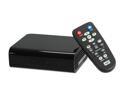
Western Digital WD TV HD Media Player WDAVN00BN
Pros: This is an amazing little bit of hardware for the price. Certainly keeps up with other modern media players, all at double the WD TV's msrp. The idea of firmware updates is also nice, and the track record for WD releasing them is also noteworthy considering the few months that this has been available. For matroska nuts, this may be the one to get; The price difference between it and the Popcorn Hour is enough that one shouldn't worry about needing to get a new one, should WD offer sweeter hardware a year or so down the line.
Cons: There's quite a few hang-ups... For text based subtitles, there is no proper handling of tags for italics or the sort in any format, srt to substation alpha. Why have .ssa without stylization of text? There's also issues with text wrapping, where rather than moving a word to the next line if it extends beyond the viewing area, the word is cut at the letter. It may not seem like much, but it's jarring to see. I had to reduce the text size to try and eliminate the problem, but what a hassle when the text is tiny to read on my television. I've also yet to find a 1080p h.264 file in a matroska container that will actually play well. If your library is mostly 720p, you'll find no issue, but 1080p seems to be touchy and can't reasonably always be the encoders fault; the WD TV just isn't robust enough in its playback. Additionally there's frame rate issues regarding 23.976 versus 24 fps where you could potentially see skipping. Browse some forums for further reading on that.
Overall Review: There's lots of potential with the WD TV, especially with the promise of firmware updates, but there's also a lot of missed marks and counterintuitive decisions on WD's part. It's an inexpensive unit so I would highly recommend checking it out to anybody who has an extensive library of media. Just beware its limitations, and check out as much of your content on the machine as possible before your return date window closes to see if it justifies the purchase. Also, please note that my con comments were made at the time of the 1.01.02 firmware, so don't gripe at me if the issues are fixed at a later date.
2/6/2009See more detail