




 here!
here!
I’m your shopping assistant for PC builds, upgrades, and everything tech.
Got questions? Ask away!
Start a conversation
here!
I’m your shopping assistant for PC builds, upgrades, and everything tech.
Got questions? Ask away!
Start a conversation

Joined on 03/29/01
Know your laptop before buying.
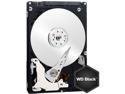
Pros: Fast (on Performance Test 6.1 in eSATA setup, I get 76MB/s on both read AND write tests).
Cons: Noisy (reason for 4 eggs). Depending on notebook bios, you may not see speed benefits compared to cheaper/slower drives (speed limited to 53MB/s internally). See below.
Overall Review: On my Dell XPS m1530, no matter which hard drive mode is selected (bypass, quiet, performance), the hard drive speed gets limited to about 53MB/s on both read and write. Using eSATA via expresscard on the same laptop, I get 76MB/s on both read and write. The neutered speed is the same as my stock hard drive (which gets about 60MB/s on eSATA). So, test out your laptop and compare internal vs esata speeds before buying new hard drives. In this case, I ended up with a drive with the same internal speed as the stock hard drive that's much noisier. I'm going to swap back out this hard drive with the stock hard drive and use it as eSATA. Again, not a fault of the drive itself.
Good bang for the buck.
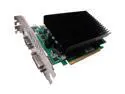
Pros: Cheap. Works moderately well for today's 3d applications. Silent. No additional power cable needed. No overheating issues.
Cons: 2 slot solution due to heat sink. Expect significant performance hit when using PhysX.
Overall Review: Did not try SLI. Good bang for the buck. Used as replacement card in aging system.
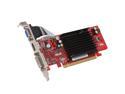
Pros: Good for slimline PC or HTPC. Cheap. HD videos work well.
Cons: Not adequate for 3D gaming, of course.
Overall Review: Did not try HDMI out yet.
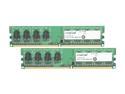
Pros: Cheap. Works like it's supposed to.
Cons: None.
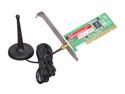
Pros: Works well. Great range. Easy to install.
Cons: None.
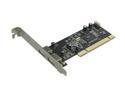
Pros: Works well. Provides a 9-pin internal header.
Cons: None.


