
Your Browsing History


Thomas B.
Joined on 12/18/06
0
0
product reviews
- 6
3.5ghz to 4ghz easy on air
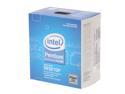
Intel Pentium E5200 - Pentium Dual-Core Wolfdale Dual-Core 2.5 GHz LGA 775 65W Desktop Processor - BX80571E5200
Pros: Runs so cool, I can't believe it. Easy to overclock past 3.5ghz Running 3.325ghz - 266 x12.5 needed a tiny bit of voltage increase over Auto voltage. 3.5Ghz - 280x12.5 - stable 1.360v idle/1.312v load (vdroop) 3.7Ghz - 296x12.5 - stable 1.408v idle/1.360v load (vdroop) 4.0Ghz - 320x12.5 running at 1.456v idle, but since it had vdroop it was not stable. I did not want to push it but 1.5v core should make it stable at 4ghz!!!
Cons: Stock heatsink is a joke. It is so thin its funny. My E4300 heatsink is twice as tall. By a aftermarket heatsink, or get a better 775 intel heatsink. Using the Freezer 7 pro heatsink, but the surface is uneven and will need to be flat sanded so the heatspreaer surface will mate with it 100%. I did a review about it in the Freezer 7 pro reviews.
Overall Review: 1.45v vcore is the Absolute Maximum for the E5200 according to intels documentation. Not 1.3625v like the spec sheet. The CPU runs very cool. You will have no issues at all with a better heatsink combo. 4ghz+ on air. This CPU has a max temperature of 74c (Tcase). This will be temp1,2, or 3 in speedfan or other monitors and the bios reading. NOT core1/core2 if your using core temp. Tcase is the temperature to go by. Tjunction is core1/core2 a maximum of 95-100c 3.5ghz CPU Idle 26c, - Core1/core2 idle 41c CPU load 49c - Core1/core2 load 60c 3.7ghz CPU Idle 29c, - Core1/core2 idle 44c CPU load 53c - Core1/core2 load 64c So as you can see even at 3.7ghz, 53c at full load is well under the 74c max cpu temperature. Even the core temps are well under the max.
2/18/2009See more detail
overclocked 800...
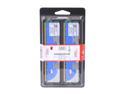
HyperX 4GB (2 x 2GB) DDR2 1066 (PC2 8500) Dual Channel Kit Desktop Memory Model KHX8500AD2K2/4GR
Pros: Better then 2GB
Cons: I tried everything and it will not run at 1066. I can not manually set the timings at 7-7-7-20. Even though my Asus board is 1066 standard it will only see 800. The highest timings for manual setting are 6-6-6-15. Runs at 6-6-6-18 on Auto. 800mhz. Stuck with this memory now, because theres no returns on memory.
Overall Review: I'm very dissipointed that it wont run at the advertised mhz. I've been buying Kingston for 10 years, and this is the first time I've had trouble. I may be calling them! Spend the extra money and get real 1066 memory with a lower timing.
1/16/2009See more detail
Running Excellent
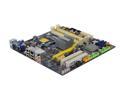
Foxconn G45M-S LGA 775 Intel G45 HDMI Micro ATX Intel Motherboard
Pros: I have been running this motherboard for about 3 months now. It is stable as can be. I was Asus man for many years, but I will buy Foxconn again next time because they cost less and are just as good. Very Happy with this board. It has the good capasitors and it is very well made like Asus.
Cons: no ATA133 IDE port
Overall Review: Running E5200 @ 3.5ghz - 12.5 x 280fsb (1.376 vcore setting / 1.328 vdroop durring prime 95), for months now stable for hours on prime 95. I've ran my E5200 all the up to 4.0ghz, and it takes to much vcore past 3.6,3.7ghz. 3.5ghz is safe and under the 1.45v vcore max.
4/7/2009See more detail
Good

Microsoft Windows Vista Home Premium SP1 32-bit for System Builders
Pros: A lot fancier then XP. Has windows Mail so you don't need Outlook. Has a lot of features for customizing. Very Stable.
Cons: It is a memory hog when Aero is enabled. Using 600+ MB of memory at boot, and around 1000MB for normal work and use. Almost makes me want to upgrade to more memory from my 2GB that I have. It is more work installing and running programs etc. Hard to find all the settings for the OS. Everything wants to be verified too, but maybe you can turn that off. Windows update scans your computer for updates to your other software and hardware. May be infringing on your privacy.
Overall Review: Overall this is a good OS. I hear a lot of people badmouthing it but its runs excellent. SP1 is good. OS locks to your motherboard, so make sure you use all the time before activating it to make sure your hardware is fine.
1/9/2009See more detail
How to install on Vista 32 & Results
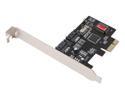
SYBA SD-SA2PEX-2IR PCI Express SATA II (3.0Gb/s) Controller Card
Pros: The Price From some quick tests: Average read speed is double(100% faster) then a single drive (RAID0 2x) Burst speed is about 50% faster Random access time is about the same
Cons: If your a noob to Raid setups it is hard to setup. DO NOT use the Driver off the Syba site for Raid0. Clean install instructions RAID-0 Vista32 below | | V
Overall Review: Hook up the drives. Put in the Vista CD and boot from CDROM. (U may have to press F1 boot sequence will tell you) The screen with flash just for a split second with the Raid contoler info and you want to Press F4 or ctrl-s. This will take you to the controller setup. It will look like a mini bios and you will see the two drives you want to stripe. Choose RAID0, and Auto. (default 64k) Once you do that your done. Exit to boot again. You can go into the bios and see the Raid setup, adjust your boot order. Reboot and install vista. When you get to the Hard drive selection, press F6 and load the SIL3132RAID/Windows folder from the CD. (take out the Vista CD for a few min) Partition, Format, install... Once in vista, update the driver controller with the same driver as before, it doesn't take completely durring the OS install. (You will see a ? mark by it) Windows update, optional updates checked and you will see a nice 2008 driver in the list 9/17/2008 1.5.19.0
1/7/2009See more detail
Price is key

ASUS 22" WSXGA+ LCD Monitor with HDCP support 2ms(GTG) D-Sub, DVI-D VW222U
Pros: I'm giving this monitor 4 egg's becuase I got it onsale, if I had to pay the normal price I would only give it 3 egg's. HDCP so you can play Blu-Rays on it. Nice looking. I bought this when it was onsale for $179.99 after rebate. It was a deal I couldn't pass up! free shipping to! No bad pixels! I bought two of these and both had no bad pixles. One has a few problems the other is good. Has a 3 year partial labor and parts warranty with ASUS.
Cons: Has a faint line down the screen about an inch from the right side, It is only noticable if certain color shades are being shown. I adjusted the contrast to make it go away most of the time. It must have some component in it that is out of tolerance or something. I tried different resolutions and two different video cards and it didn't change. I will see how it goes becuase I don't want to send it in. About 4 days after using the monitor the Spendid button on the front started sticking. If it stay stuck the other buttons dont work, you can't even turn the monitor off. You can change the splendid modes with the menu button though so I don't touch the splendid button and it is in the un-stuck position. The base is really short and has only tilting adjustment. Had to raise it up with books. Would be nice if you could turn it 90 degrees.
Overall Review: You don't need a Dual Link DVI cable. Single link DVI can do up to 1920 x 1080 @ 60hz. This monitor can only do 1680x1050@60hz so the single link DVI cable is fine. Do your research guys!
11/8/2008See more detail