
Your Browsing History


Christopher P.
Joined on 01/06/07
0
0
product reviews
- 8
Wow.
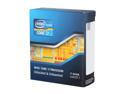
Intel Core i7-3930K - Core i7 3rd Gen Sandy Bridge-E 6-Core 3.2GHz (3.8GHz Turbo) LGA 2011 130W Desktop Processor - BX80619i73930K
Pros: This thing screams. Alt-tabbing out of games, mulittasking, video, this thing eats it all for breakfast and asks for more. BF3, Borderlands 2, World of Tanks, you name it this proc can handle it, and then some. Huge upgrade from my AMD dual core 4200+. I bought a mobo that can feaibly OC this proc, but I'm not sure I'll ever need to. 6 cores of awecome, that can handle 2 threads each is pretty ridiculious. Let me tell you it's nuts opening up the task manager and seeing 12 logical cores stare back at you all like "What? Did you need something?"
Cons: None. Worth every penny.
3/14/2013See more detail
Update
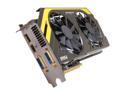
MSI GeForce GTX 680 2GB GDDR5 PCI Express 3.0 x16 SLI Support Graphics Card N680 PE 2GD5/OC
Pros: Built a comp using this GPU as the backbone. This thing is a beast...seriously it looks like if you stood on it it could act as a hoverboard. Chomps through BF3, and Borderlands 2 with no hiccups at all. Smooth as silk.
Cons: Price: But, you get what you pay for. On a side note, it appears as if one of the heat pipes for the cooler became dented somehow. I dont' recall seeing this when I received the product.
Overall Review: Corsair 300R MSI x79 mobo Intel i7 6core proc G.Skill Ares 8gb memory 1866 MHz Samsung 256 GB ssd WD 2TB HDD Windowse 7 Ultimate
3/14/2013See more detail
So far so good.
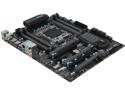
MSI X79A-GD45 Plus LGA 2011 Intel X79 USB 3.0 ATX Intel Motherboard
Pros: Just built a new computer using this mobo. The instructions hooking up the jumpers to the case were a little misleading, but the power button on the mobo works. How I got it to POST the 1st time. Fixed the jumpers.
Cons: Nothing so far. Will update as needed.
3/13/2013See more detail
Works well - Socket 2011 Intel
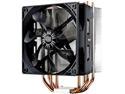
Cooler Master Hyper 212 Evo CPU Cooler, 4 CDC Heatpipes, 120mm PWM Fan, Aluminum Fins for AMD Ryzen/Intel LGA1200/1151
Pros: Cpu temps of around 35°C. Just bought this as part of my new set up. Solid piece of hardware. I'm impressed with the craftsman ship. Low noise. Easy to remove the fan if you need to, simply snaps off of the heat-sink fins. Definitely helps with assembly.
Cons: Instructions are a little difficult to ferret out. But if you look at them carefully you should be able to figure it out. See below if unclear.
Overall Review: Mounting was interesting. Instructions were a little difficult to ferret out, but my friends and I managed. On a 2011 system, you don't use the mounting bracket through the back of the motherboard. There is a separate rentention bracket that you have to put through the heatsink itself, directly in between the cooling fins and the base of the heat sink. This screws directly into the four mounting stand-offs, around the base of the processor. It should also be noted that in order for the bracket to align with the standoffs, you have to slide the thumb screws on the bracket out to a different setting. Hope this helps with people making new builds.
3/9/2013See more detail
Satisfied.
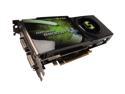
EVGA GeForce 9800 GTX+ 512MB GDDR3 PCI Express 2.0 x16 SLI Support Graphics Card 512-P3-N879-AR
Pros: Runs Fallout 3 @ 1680 x 1050 on High settings with 4x AA 8x AF at 50-60 FPS and it looks fantastic. My eyes actually teared up when I saw it for the 1st time. Seriously.... <.< >.> <.< Upgraded from a BFG 8600 GT OC and my EVGA 9800 GTX+ makes it look like a freaking sissy boy. I purchased this card based on EVGA's esteemed customer support reputation, which is something that while I've never had to use is always good to know is there. Their step-up program is also a plus....now if I just had the cash to step up =( SLI would be nice, but until I think my next thing to upgrade should be my proc.
Cons: Rather long, managed to fit in my Sonata III case with out any trouble. But that's to be expected with the higher end GPU's these days. Had to buy a new PSU to meet it's power expectations but I needed to do that anyways. Didn't come with a lapdance.
Overall Review: I rather like the EVGA precision tool that was in the bundled software with the card. You can rig it up so it'll tell you temp, fps, core, shader, and memory clock, which I think is pretty handy. Comes with a slider that allows you to OC it if that's your thing. Idle temps range from about 35-37°C. Under load they hit around 63-65°C. Which is pretty toasty, Makes my room nice and warm though. ^^ Spec's ASUS M2N32 SLI DLX 2 gig Corsair DDR2 800 Mhz AMD Dual core 4200+ Windsor proc @ 2.21 Ghz EVGA 9800 GTX+ 512 MB GPU Corsair 750 Watt PSU 160 GB Seagate Pata HD 500 GB WD SATA II HD Windows XP 32-bit
2/18/2009See more detail
So far so good.
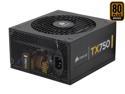
CORSAIR TX Series CMPSU-750TX 750 W ATX12V v2.3 SLI Ready CrossFire Ready 80 PLUS BRONZE Certified Active PFC Compatible with New 4th Gen CPU Certified Haswell Ready
Pros: Installed this baby in November of '08 and it's still going strong as of Jan '09. Powers 2 HDD's, a dual core AMD, and a 9800 GTX+, and various other things. This PSU is quiter than the PSU that it replaced to boot and it supplies another 300 watts. Hoping to upgrade to a Phenom II or AM3 socket CPU eventually and aother 9800GTX+ would be killer too. And I'm sure this PSU will chew through all of it.
Cons: Didn't come with a lapdance. Cables are kind of long for a mid-tower case. Modular would've been nice, but...meh.
Overall Review: I bought this PSU in order to supply my power hungry 9800GTX+. This thing is a beast, comes with four freaking PCI-e connectors. And with 60 ams on the 12v rail you should be able to throw a whole lot of it. Word to the wise, plug in your auxillary mobo power before installing a new PCI-e device. At least for me, the extra mobo connector is right next to the main PCI-e slot, made things kinda tricky.
1/21/2009See more detail