




 here!
here!
I’m your shopping assistant for PC builds, upgrades, and everything tech.
Got questions? Ask away!
Start a conversation
here!
I’m your shopping assistant for PC builds, upgrades, and everything tech.
Got questions? Ask away!
Start a conversation

Joined on 06/05/06
Best $250 you could spend
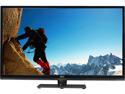
Pros: Great for the price. Allows you to easily change firmware and adjust advanced settings through the Engineer menu. 30hz on 4K (limited by HDMI 1.4) is just fine on a standard desktop. You have to change the firmware to get 120Hz on 1080 (Use the 50" firmware or the custom firmware out there via search), but it was pretty easy. I use it to play games at 1080p 120hz, does very well. Videos are usually 24-30fps so normal desktop usage and watching videos at 4K is just fine.
Cons: HDMI 1.4, but the newer model fixes that. If you want 60hz at 4K, you need an HDMI 2.0 TV (and a pretty powerful graphics card).
Overall Review: Picked this up last November, just bought another Seiki 42" HDMI 2.0 model this November. I'll stick with the Seiki brand for now, they are no frills but they are cheap and easy to customize. The reviewers complaining about mouse lag probably have computer issues, the standard 2-3 year old desktop (and most laptops) can't handle 4K.
Not too impressed

Pros: - 1ms response time can be enabled - FreeSync can be enabled
Cons: - 1ms mode disables almost all other options on the monitor. Meaning you can't control brightness, enable FreeSync, or customize much when you have it enabled. - Images and text are a bit blurry on this monitor. Not sure if 32" is pushing the 2K resolution or if it's a panel issue, but if you like crisp text, you may want to look elsewhere.
Overall Review: By default, the monitor comes with freesync and "1ms mode" disabled. With those both disabled, you can customize all options of the monitor. With either of those enabled, you start losing options in the menu. If you enable FreeSync, you can't enable 1ms mode. If you enable 1ms mode, you can't really change anything. With 1ms, the brightness goes to a very low level so it may not be an ideal viewing experience outside of a dark room. Realistically, this is probably a 4ms/FreeSync monitor so I think they really shouldn't say "1ms and FreeSync" on the description. For the price, I guess it would have been too good to be true for a high quality 1ms 1440p monitor, so I think you do get what you pay for.
Looks stylish but a bit too much glare
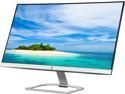
Pros: - Has a very sleak look - Works well
Cons: - Too reflective of a screen, using this monitor near a window or light source will cause eye strain due to the glare. Screen does not get bright enough to offset the glare.
Overall Review: - Works well, but keep in mind the glare. If you plan on using this in a room without sunlight or overhead lights it will probably work great. I had it in a white walled room away from the window and the glare was enough to create some major eye strain. I've since replaced it with a different monitor.
Comfortable and non-slip for a great price
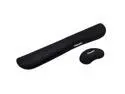
Pros: non slip, not too hard
Cons: none so far
Was the cheapest 2133 RAM, but like others said, it's not stable at 2133
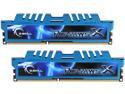
Pros: Low price
Cons: Returned my first order due to system memory errors and one stick failing on memtest86. I continued to have BSODs with the replacement sticks until I dropped the speed to 1866mhz in the bios. Couldn't get it stable at 2133mhz, but haven't had a BSOD since I set it to 1866mhz.
Overall Review: Since it was only stable at 1866mhz for me, I'd recommend buyers only expect that going in on this purchase. Nothing impressive, but it is low cost memory.
It's okay for a standard keyboard
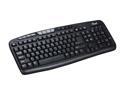
Pros: Rosewill usually have good, reliable, and affordable products.
Cons: Not a fan of the design and the keys seem to stick a bit. Pressing a key sometimes causes it to enter twice. The LED lights for the num lock, caps lock, and scroll lock are hard to even see unless you're right over top of the keyboard in daylight. It's just not on par with their other products.
Overall Review: Will serve as a backup keyboard, but not as my primary.
Support was friendly, TV arrived quickly
The TV arrived about 4 business days after I ordered it, pretty quick from CA to MI. I called in to tech support to clarify some of the specs, they were friendly and knowledgeable, so far I love Seiki products.
Good seller
Good price and received when expected. Would buy from this seller again.


