
Your Browsing History


David J.
Joined on 12/26/07
0
0
product reviews
- 4
Best price/quality ratio on the market.
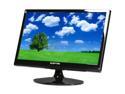
SCEPTRE X226W-1920 Black 21.5" 5ms Widescreen LCD Monitor 300 cd/m2 DCR(10000:1) 1000:1, US Warranty
Pros: It arrives, i take it out of the box, instantly i'm blown away by the size of this having upgraded from a 17 inch crt! it's insane. It came with no dead pixels at all, which is awesome since the last 2 samsungs i tried both had dead pixels and had to return them. The picture is excellent for what i use it for, which is mainly pc gaming. Games i've tried are tf2, crysis, ut3, gta 4, all look amazing on this monitor. The only real, but slight problem is that 2d games do ghost a slight bit (mario bros via emu), and 2d text in 3d games becomes hard to read if it's moving too fast. About the color: after adjusting the color to 9300k, this runs up with the best of them. I don't see why a lot of people are complaining about the color. If you set it right, it really does look amazing. I should also note that you can switch from vga to dvi, so you can have 2 devices hooked up to this monitor at once, such as videogame consoles through a vga converter box and your pc.
Cons: Not enough to take an eggs off but: -It did not come with a dvi cable. dvi really is the way to go and is what i am using at the moment. So no messing with auto adjust or anything. - The stand is a bit wobbly, a slight tap to the top of the monitor resonates for a short moment. so if there's constant banging on the desk, it will bob a bit. But if you don't type like a horse or punch your desk while using this monitor, it's a very minor nuisance. Those are the only things wrong with this monitor.
Overall Review: I really am trying to be as patient and informative as i can since a lot of reviewers seem to post so soon after receiving their products, probably missing things that may cause you to look away from certain products. Also, even though i did upgrade from a 17 inch crt monitor, i did expect a lot more from lcd screens. This product certainly delivers, especially for the price.
12/25/2009See more detail
123333 - Cursor Droop. Avoid At All Costs!

Logitech G400 Black 8 Buttons 1 x Wheel USB Wired Optical Gaming Mouse
Pros: -Feels so much better than an MX518.
Cons: -Once installed, software and all, I started to program all the buttons to my liking, everything was going smoothly, until i noticed that i had trouble highlighting text. Every sweep across from left to right, unless absolutely fast, would droop in a diagonal direction downward. No matter how i set up the pointer settings, this continued to happen. Of all the combinations of settings i tried, i could not get this to go away. I had my old mx518, which was what i was upgrading from, so i plugged it back up to see if i was just being paranoid, but lo and behold, my old 518 did not have this issue. Highlighting text from left to right had no problem whatsoever. You should not have to fight against your mouse to keep a straight line left to right. I had a ruler in place to make sure it wasn't human error. It droops every time, and running slower from left to right makes it worse.
Overall Review: I checked to see if this was an isolated issue, so i went to best buy to grab another g400 to test. Both PID's were 123333, which, from some quick googling, show that these have built in prediction, which has been dropped from models 133333 and onward. The best buy g400 has the exact same issue. My guess is that it's related to the built in prediction. I can't be sure until I've tried a model greater than 133333 to see what they're like without prediction. If you get a PID of123333, you may run into this issue as well. I'm issuing an RMA for a refund right now, and will also be returning the other g400 to best buy tomorrow. As far as i'm concerned, these mice are defective.
1/11/2012See more detail
Everything i thought it would be.
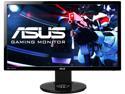
ASUS VG248QE 24" Full HD 1920 x 1080 1ms (GTG) 144Hz DVI-D HDMI DisplayPort Built-in Speakers Asus Eye Care with Ultra Low-Blue Light & Flicker-Free Backlit LED NVIDIA 3D Gaming Monitor
Pros: Build quality is pretty fantastic. Love the height adjustment and pivoting on the built in stand, also swivels! (all good monitors should come with this really, shame how many don't). I'm always a fan of a matte finish on the screen. Buttons are easy to press, as opposed to my 21.5 inch asus monitor whos power button doesn't like to register unless held down for half a second. Not a single dead or stuck pixel on this baby, which is unexpected considering the high specs on this monitor. Very pleasantly surprised. Difference between 60hz to 144hz, even to 120hz is night and day. I prefer to keep my monitor running at 144hz on my desktop for dat absolutely buttery smooth display. Once you get used to it, you just can not go back. Games such as counterstrike which support 144hz monitors play gloriously, and really make the experience worth while.
Cons: Stand base is a tiny bit flimsy. It can be hard to adjust the monitor to sit in portrait mode due to how easy it is to adjust the height on the back. You'll find yourself fighting with it a tiny bit. Color out of the box is horrid. For some inane reason the standard preset in the monitor (which should be the most customizable option) actually has options locked as opposed to say, theater mode, which has all options unlocked to set. You really need to do a bit of research to get this monitor's color looking anywhere near decent. I'll include my calibration settings below to save you the trip. Also one thing to note, setting your monitor to 144hz actually hurts the color reproduction, so you won't get a display as brilliant looking as it set to 60hz. Don't ask me why, but it just is. To my eyes however, the difference is pretty negligible, but some people with a keener eye for detail (read, people who's job it is to be videophiles) will be driven mad by it. If you're one of those people, it's something to consider.
Overall Review: My in monitor settings are as follows: Splendid mode: Theater Color: Brightness: (set to what your eyes desire. The brighter the more brilliant the color, but it all depends on your lighting situation and how much your eyes can take. I have a somewhat dim room, and often use my pc at night. I prefer a brightness set at 40. Contrast: 43 Saturation: 50 Color Temp: Select "User Mode" and set the following: R: 100 G: 95 B: 93 This i feel provides the best look for most situations on the monitor without losing the brilliance of colors while also not gauging your eyeballs out with saturation of certain primary colors. Skin Tone: Reddish Smart View: OFF As for Image, Sharpness: 40 Trace Free (this an option that sort of super charges the pixels to let your sort of enhance the flicker between pixels turning rapidly turning on and off between moving images) I found 60 to be most comfortable. ASCR: OFF Using these settings, most importantly those Color Temp settings, you should be able to get the most out of your monitor. Note that these settings i have calibrated for 144hz, so it might look slightly different at 60hz, but not by much. I hope this review helps a few people interested in this monitor for the specs. Asus monitors tend to be a pain in the as*u*s to get calibrated properly. This should help alleviate that from the get go.
11/29/2013See more detail
Worked great, for 5 months.
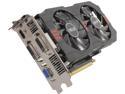
ASUS GeForce GTX 650 Ti 2GB GDDR5 PCI Express 3.0 x16 Graphics Card GTX650TI-OC-2GD5
Pros: Thing was a champ, ran everything we needed it for no issues. Stayed cool, idled around 32c which is fantastic.
Cons: Just broke down on me. In the process of contacting ASUS about a replacement.
Overall Review: I'm giving it 3 eggs simply because I'm sure it was luck of the draw for me to get a faulty card.
11/27/2013See more detail